

Designers get grilled constantly about one thing: why does a simple screen still take days to design, review, and hand off to developers? In 2026, that question has a sharper edge than ever, because Google Stitch and Claude have quietly built a workflow that compresses the entire process into a single afternoon. This article breaks down exactly how that works, what each tool brings to the table, and why designers who ignore this combination are already falling behind.
Table of Contents
What Is the Stitch and Claude Combination?
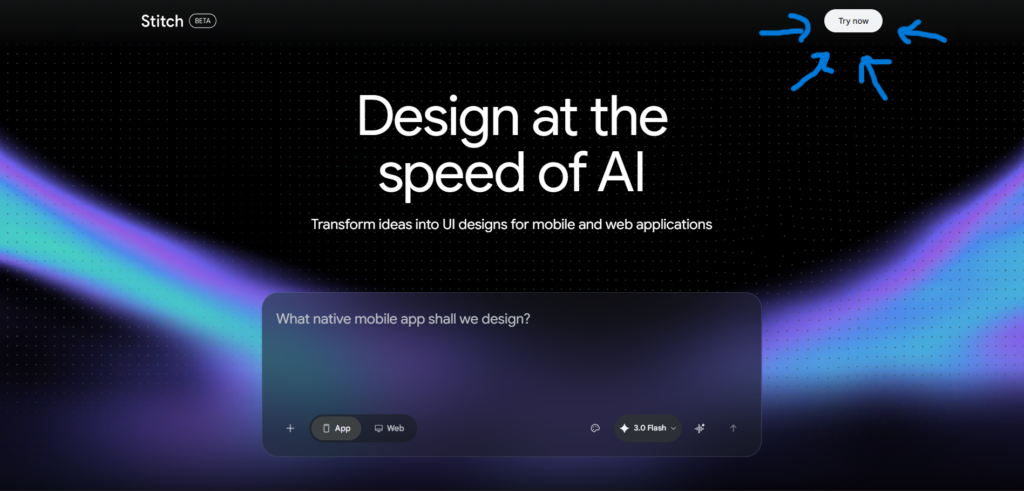
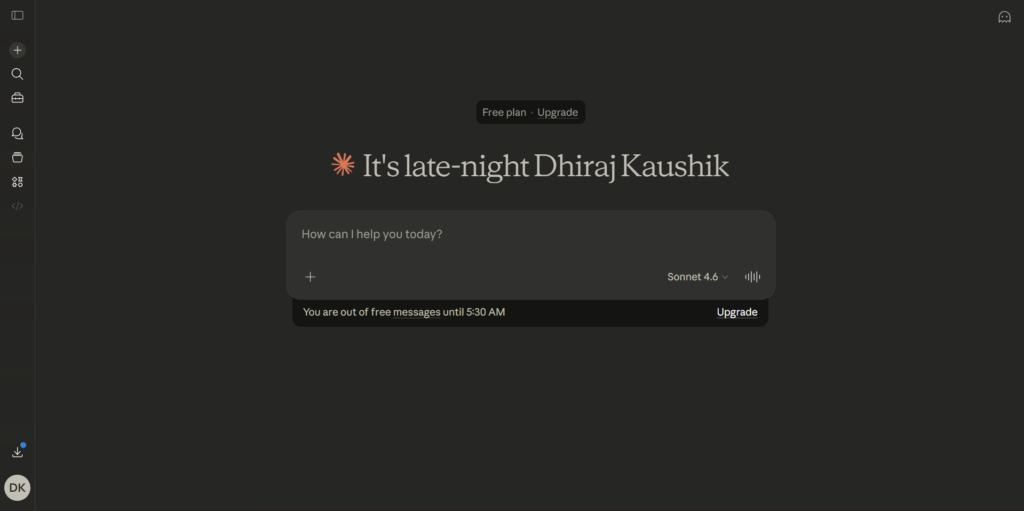
Designers get grilled for spending too much time on handoffs. The Stitch and Claude workflow is the most direct answer to that problem available in 2026. Google Stitch is a free AI-powered UI design tool from Google Labs that converts natural language prompts into high-fidelity interface screens, complete design systems, and exportable frontend code. Claude, built by Anthropic, is a powerful AI coding and reasoning assistant that can read structured design files and turn them into real, working application code.
One of the most frustrating parts of using AI to write front-end code is how quickly it forgets what your design looks like. Google Stitch’s DESIGN.md file is built to fix this. It captures your entire design system, including colors, typography, spacing, and component patterns, in a single markdown document that AI agents like Claude can read and consistently apply across a whole codebase.
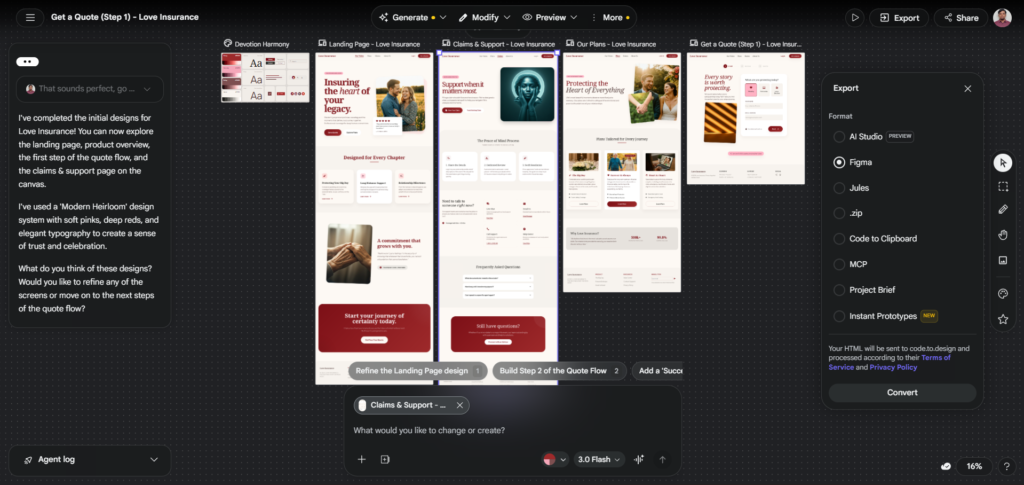
The two tools were built independently but connect through a mechanism called the Model Context Protocol, or MCP. Stitch now has an official MCP server and SDK, with Google highlighting exports to tools like AI Studio. Compatibility with Claude Code and Cursor is supported via the Stitch Skills workflow. You can export your design system as DESIGN.md and import those rules directly into your AI coding environment, aligning the visual and code layers without manual translation.
This is not a theoretical integration. Google Stitch started life as Galileo AI, a paid design tool that cost $39 a month. Google acquired it, rebuilt it, and made it free. On March 19, they shipped the biggest update yet: voice commands, an infinite canvas, and a direct pipeline into coding tools like Claude Code and Cursor. You can now design something in Stitch, export it, and have an AI coding tool build it into a working app without manually translating any design specs.
How the Designers Get Grilled Workflow Actually Works?
Designers get grilled about inefficiency. Understanding the mechanics of this workflow helps you see exactly where the time savings come from.
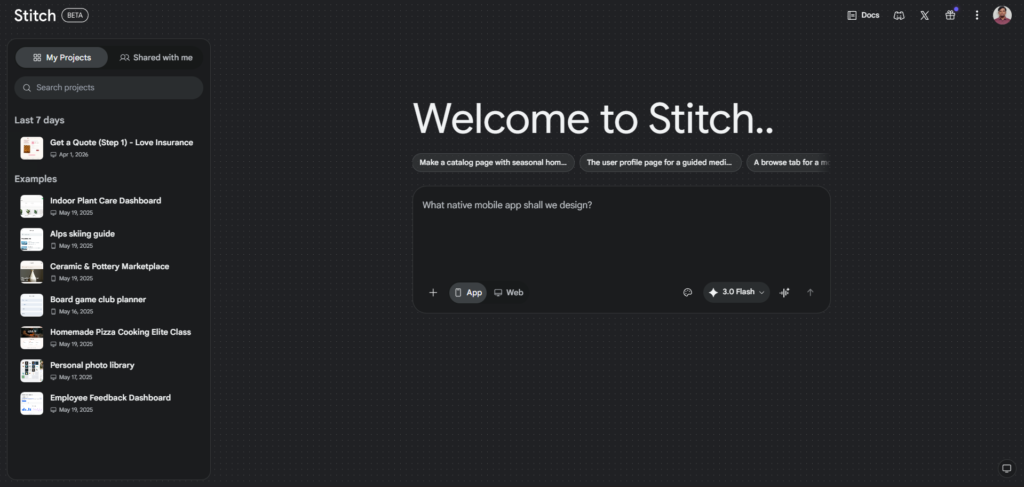
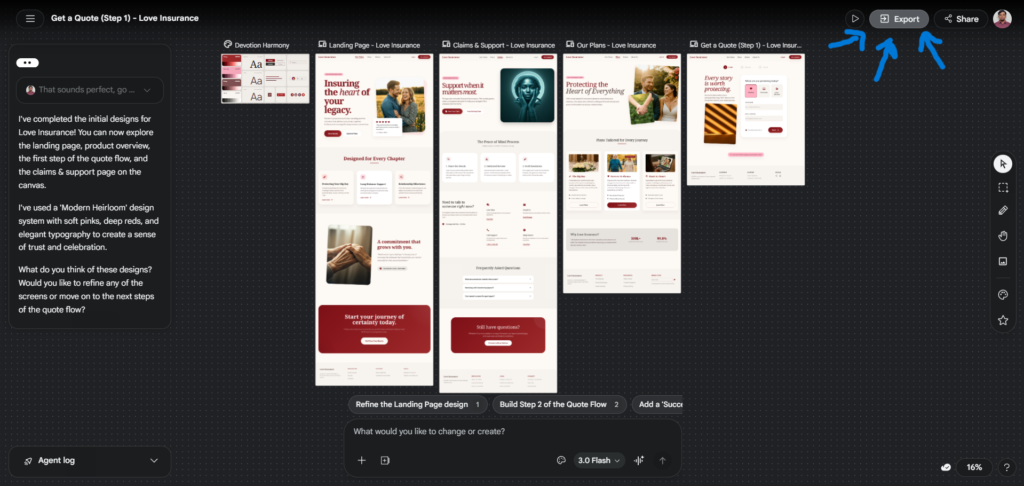
Google Stitch is a free AI-powered UI design tool built by Google Labs. You describe what you want in plain English, and it generates a complete, high-fidelity interface with screens, components, and color palettes, all powered by Google’s Gemini AI models. The March 2026 update was a major leap forward. Stitch now features an AI-native infinite canvas where you can combine images, text, code, and UI components side by side, and it can generate up to five screens simultaneously instead of one at a time.
Once your design is generated in Stitch, the DESIGN.md file becomes the bridge. Stitch introduced DESIGN.md, an agent-friendly markdown file that captures your design rules including colors, typography, spacing, and components in a format that can be exported from one project and imported into another. You can extract a design system from any URL, port it across Stitch projects, and feed it into coding tools. The format choice, markdown, is deliberate. Markdown is the lingua franca of AI agents. Claude reads it.
The Two Connection Methods
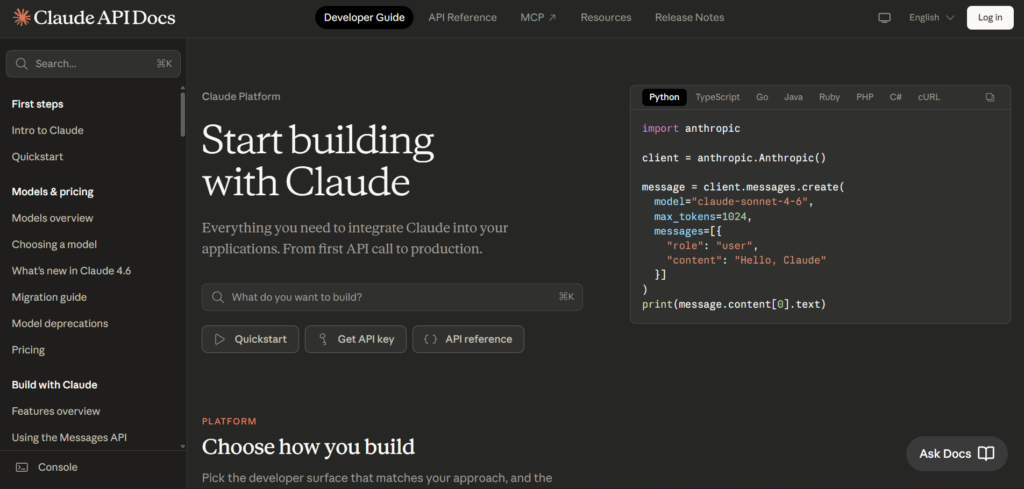
There are two ways to pass your Stitch design to Claude. If you have Claude Code’s MCP set up, Stitch can connect directly. Tell Claude Code: “Connect to my Stitch project and implement the landing page design.” Claude reads the design data through the MCP connection including layout, colors, and components and starts writing code. This is the smoothest path, but the MCP setup has some friction. If MCP feels too complex, just give Claude Code the DESIGN.md file directly. This works just as well. You lose the live connection, but for a single project, it is perfectly fine.
Claude Code ensures seamless backend development by translating design specifications from Stitch’s DESIGN.md file into functional logic, maintaining design consistency. This division of responsibilities minimizes errors, reduces miscommunication, and optimizes the overall development process.
9 Ways Stitch and Claude Work as an Unstoppable AI Duo
1. Designers Get Grilled on Speed — Stitch Solves the First Draft Problem
The blank canvas is where most design projects lose hours. The old workflow took 3 to 4 days from brief to developer handoff. The new workflow with Google Stitch takes one morning. The brief comes in, you open Stitch, and twenty minutes later you have a designed, on-brand first draft. Claude then takes that draft and begins converting it into application code while you are still refining the second screen.
2. DESIGN.md Makes Claude Consistent Across Every Component
One of the hardest problems in AI-assisted development is consistency. You generate a button, then a card, and suddenly the font weight and spacing are different. The DESIGN.md file captures your entire design system, including colors, typography, spacing, and component patterns, in a single markdown document that AI agents like Claude can read and consistently apply across a whole codebase. Claude references this file at the start of each session, so every component it writes matches the visual language Stitch established.
[SCREENSHOT: Claude Code session showing the DESIGN.md file being referenced, with consistent component output matching the Stitch design on screen]
3. Voice Canvas Lets Designers Iterate Faster Than Typing
Voice Canvas lets you speak directly to your design canvas. The AI listens, asks clarifying questions if needed, and makes live updates to your design. This is particularly useful when you want to iterate quickly without typing detailed prompts. Pair this with Claude handling the code layer, and you have a setup where one person can direct both design and development changes in real time using natural conversation.
4. The MCP Integration Eliminates Manual Handoff Entirely
Manual design handoff has always been a bottleneck. A designer finishes a screen in Figma, exports assets, writes documentation, and the developer still interprets things differently. The optional MCP connection lets Stitch talk to Claude Code directly so your design data flows in without any copy-pasting. Even without MCP, the core workflow is fast, free, and surprisingly powerful. The result is a handoff process that takes seconds instead of hours.
5. Five Screens Generated Simultaneously Speeds Up Entire Flows
Describe an entire app flow in a single prompt, and Stitch generates up to five interconnected screens. For example, you can say “create a fitness app with onboarding, a workout tracker, a progress dashboard, a settings page, and a profile screen,” and Stitch will produce all five screens with consistent styling and logical navigation between them. Claude then implements all five screens in code with the same design token consistency throughout.
6. The Agent Manager Lets Designers Explore Multiple Directions at Once
Stitch ships with an Agent Manager, a feature that lets you work on multiple design directions in parallel while the agent tracks progress across all of them. Traditional design tools are single-threaded by nature. This changes the designer’s role. Instead of committing to one direction and revising it repeatedly, you can explore three concepts simultaneously, pick the strongest one, and hand it to Claude for implementation.
7. Designers Get Grilled on Costs — This Stack Is Nearly Free
Professional design tools and developer resources carry significant cost. Stitch is free at 350 generations per month in standard mode. For comparison, Figma costs roughly $13,200 a year for a 20-person team. For individuals and small teams prototyping ideas, the cost difference is stark. Claude’s Pro plan runs $20 per month. The entire Stitch and Claude stack costs a fraction of traditional design and development tooling.
8. Design Critique as a Built-In Feature
Stitch now offers conversational critique. Having an AI that can look at your canvas and say “this layout creates visual tension between the hero and the CTA” or “your color choices feel clinical for a wellness brand” is something designers usually only get from a senior design review. Stitch is offering design critique as a feature. Claude adds another layer by flagging code-level inconsistencies that affect the visual output, creating a feedback loop that improves both design and implementation quality.
9. From Idea to Working Prototype in Under 30 Minutes
There is a new workflow that did not exist until March 2026: design an app in Google Stitch, press export, and let Claude Code turn it into working code. No Figma. No manually writing CSS. No describing your design in words and hoping the AI gets it right. Both tools are free. The whole process takes about 30 minutes for a simple app. That timeline would have been unthinkable a year ago.
Key Benefits of Using Stitch and Claude Together
1. It Compresses the Design-to-Development Timeline Dramatically
The traditional product design cycle moves through research, wireframing, high-fidelity design, review, handoff, and development as separate stages spread over days or weeks. The Stitch and Claude combination collapses several of those stages into a single session. The Stitch and Claude Code MCP workflow is one of the most significant shifts in how software gets built. It does not eliminate the need for design judgment. You still decide what looks right, what feels intuitive, and what matches your brand. But it removes the bottleneck between having an idea and seeing it rendered, designed, and coded.
2. It Changes the Designer’s Role Without Eliminating It
This is a point worth addressing directly, because designers get grilled about job security every time a new AI tool appears. For teams, it changes the role of the designer from pixel-pusher to creative director: prompt, review, and refine, rather than manually constructing every component. The creative judgment, the brand instinct, and the user empathy remain entirely human. What changes is how much manual construction work sits between the idea and the output.
3. The Design System Travels With the Code
One persistent problem in product teams is the gap between the design system in Figma and the component library in code. They drift apart every time someone makes an undocumented change on either side. The design system of 2026 is not a Figma library with documentation. It is a DESIGN.md file that travels between your design agent, your coding agent, and your prototyping environment. If your system cannot be read by a machine, it is already legacy. Stitch and Claude together solve this by making the design system a shared, machine-readable file that both tools reference.
4. It Is Genuinely Accessible to Non-Designers
If you have never designed an app screen before, Stitch is genuinely the most approachable starting point available right now. Describe what you want in plain English, and you will have something real to look at in under a minute. That is a big deal for people who think design requires years of training. The tool handles about 80% of the work. Your taste and judgment handle the remaining 20%. When Claude handles the code side, even founders with no design or development background can produce a working prototype independently.
Stitch and Claude vs Other AI Design Workflows
| Workflow | Design Quality | Code Output | Handoff Speed | Monthly Cost |
|---|---|---|---|---|
| Google Stitch + Claude | Mid to high fidelity, consistent | HTML, TailwindCSS, React via Claude | Near instant via MCP or DESIGN.md | Free + $20/month (Claude Pro) |
| Figma + Claude | High fidelity, production-ready | Manual or via plugin | Manual handoff still required | $15/editor/month + $20/month |
| v0 by Vercel + Claude | Component-level, developer-grade | React and Tailwind natively | Fast, developer-oriented | $20/month + $20/month |
| Uizard alone | Mid-fidelity, wireframe quality | Limited code export | Moderate | Free to $19/month |
| Framer alone | High fidelity, web-ready | Framer-native, publish directly | Fast for web, limited for apps | Free to $10/site/month |
The Stitch and Claude combination wins on cost and end-to-end speed for teams moving from zero to prototype. Figma remains the better choice once a project reaches the production design phase and requires precision component management.
Who Should Use This Workflow?
1. Solo Founders and Indie Builders
If you are building a product on your own and cannot afford both a designer and a developer, this workflow covers both functions at a fraction of the cost. Indie developers and startup founders building AI app builder projects who need UI without hiring a designer benefit most from this combination. You bring the idea and the judgment. Stitch and Claude bring the execution speed.
2. Product Managers Who Need to Communicate Visually
Product managers constantly need to show, not just describe, what a feature should look like. Using Stitch to generate a quick concept during sprint planning and then having Claude produce a working clickable version gives PMs a tool for alignment that used to require designer involvement. Product designers and PMs who want to explore UI directions quickly without committing to a wireframe first are well served by this workflow.
3. Design Teams That Want to Speed Up Early Ideation
For professional designers, this workflow is not a replacement for Figma. The practical workflow for most people in 2026 is: generate in Stitch, refine in Figma if needed, implement via MCP to Claude Code. Or skip Figma entirely if the Stitch output is close enough, which for prototypes and MVPs it often is. Stitch handles the rough concept phase faster than any traditional tool, and Claude handles the prototype build, freeing the design team for the high-craft refinement work where their skills matter most.
4. Developers Who Think Visually
Many developers have strong product instincts but struggle to translate those instincts into a visual layout. Teams using Claude Code, Cursor, or Gemini CLI who want to connect design and code through a shared MCP layer find this workflow particularly valuable. Stitch produces the visual layer, Claude writes the implementation, and the developer focuses on logic, data, and application architecture.
Frequently Asked Questions
1. What exactly does DESIGN.md do in the Stitch and Claude workflow?
DESIGN.md is a machine-readable file that Stitch generates from your design, capturing your color tokens, typography choices, spacing conventions, and component rules in plain markdown format. When you pass this file to Claude, it reads the entire design system before writing any code. This means every component Claude generates, whether a button, a card, or a full page layout, uses the exact same visual rules that Stitch established. Without DESIGN.md, Claude has no persistent memory of your design language and will produce inconsistent output across different components. It is the single file that makes the entire Stitch and Claude combination work as a coherent system rather than two disconnected tools.
2. Is Claude Code the same as the regular Claude on Claude.ai?
They are related but serve different purposes. Claude on Claude.ai is a conversational AI assistant you interact with through a chat interface. Claude Code is Anthropic’s command-line tool designed specifically for agentic coding tasks, meaning it can read files, write code, run terminal commands, and connect to external services through MCP integrations like Stitch. For the full Stitch and Claude design-to-code workflow, you need Claude Code or a Claude Pro account that supports tool use. The free Claude tier on Claude.ai can help you review and refine code, but the direct MCP connection to Stitch requires Claude Code specifically.
3. Can designers get grilled results without any coding knowledge?
Yes, with some caveats. Stitch requires no coding knowledge at all. You describe your UI in plain English and the tool handles everything visual. On the Claude side, the MCP connection can feel technically demanding for first-time users because of Google Cloud authentication requirements. The simpler alternative is to export DESIGN.md from Stitch and paste its contents into a Claude conversation with instructions like “build this as a React app with Tailwind CSS.” That approach works well for simple projects and requires no coding knowledge to initiate, though reviewing the output code benefits from at least basic familiarity with HTML structure.
4. Does this workflow replace Figma entirely?
Not for professional design work. Stitch and Claude together excel at the early ideation and prototype stages. For production design systems with precise component libraries, team-scale collaboration, accessibility auditing, and pixel-level refinement, Figma remains the industry standard. The consensus among working designers is to use Stitch for zero-to-one ideation, Figma for one-to-hundred refinement, and Claude for implementation. These tools work best as complementary layers of the same workflow rather than replacements for each other.
5. What are the real limitations of the Stitch and Claude combination?
Several limitations are worth knowing before committing to this stack. Stitch’s output tends toward generic layouts that look similar across different projects, which becomes a problem for brands with distinctive visual identities. The code Claude generates from DESIGN.md is clean but typically produces HTML and TailwindCSS output, which may not suit every tech stack. The MCP setup between Stitch and Claude Code requires Google Cloud authentication that can be frustrating on the first attempt. Complex multi-screen flows with conditional logic still need significant human judgment to get right. And because Stitch is still a Google Labs experiment, features and availability could change without notice.
6. How much does the full Stitch and Claude workflow cost per month?
Google Stitch is completely free with a Google account. You get 350 Standard mode generations and 200 Experimental mode generations per month, both resetting each month. Claude Code requires either a Claude Pro subscription at $20 per month or a higher plan if you are working at team scale. So the total cost for a solo builder or small team using this workflow is $20 per month, which covers the Claude access. For comparison, a single Figma Pro seat costs $15 per month and does not include any code generation capability. The Stitch and Claude combination delivers substantially more end-to-end functionality for a comparable or lower price than most traditional design tool stacks.
External Resources
Final Thoughts
Designers get grilled about their workflows every time a new AI tool appears, and the honest answer in 2026 is that the Stitch and Claude combination genuinely changes what one person can accomplish in a single day. The design-to-code pipeline that used to require a designer, a developer, and several days of handoff coordination now fits into a 30-minute solo session.
That does not mean the tools are perfect. Stitch produces generic layouts that need refinement for branded work. Claude’s code output is locked to specific stacks. The MCP setup has friction. And neither tool replaces the creative judgment that makes a product feel right for its users. What they replace is the manual, repetitive construction work that used to sit between the idea and the prototype. If you want a grounded, no-fluff breakdown of the tool itself before committing to this workflow, our Stitch AI Review: 11 Honest Reasons It’s Worth Using in 2026 covers every angle you need to know.
Once you have tested the workflow and start feeling its limits, that is completely normal. No single tool covers everything, and knowing when to step outside it is part of using it well. That is where our guide on the 9 Best Stitch AI Alternatives You Should Consider in 2026 becomes useful, especially if your projects demand more precision, deeper brand control, or a different code output than what Stitch currently offers.
There is also a conversation worth having about what this shift means for the profession at large. Not every change that speeds up a workflow is straightforwardly good for the people doing that work, and our piece on 8 Reasons Google Stitch Is Becoming a Problem for Designers takes that question seriously without being alarmist. Read it alongside this article and you will have a complete, balanced picture of where things actually stand. If you are a designer, a product manager, or a builder who has not yet tried this combination, the starting point is simple. Open stitch.withgoogle.com, describe something you are actually working on, export the DESIGN.md file, and pass it to Claude with a single instruction: build this.













[…] Claude + Stitch: 7 Shocking Ways This Duo Became Every Designer’s Worst Nightmare […]
[…] 8 Strong Reasons Google Stitch Is Becoming a Serious Problem for Designers2. Claude + Stitch: 7 Shocking Ways This Duo Became Every Designer’s Worst Nightmare3. Stitch AI Review Reveals 11 Honest Reasons It’s Worth Using in […]
[…] Claude + Stitch: 7 Shocking Ways This Duo Became Every Designer’s Worst Nightmare […]
[…] a professional designer expecting production-ready output, you will need to supplement Stitch with Stitch and Claude Duo and proper design […]