

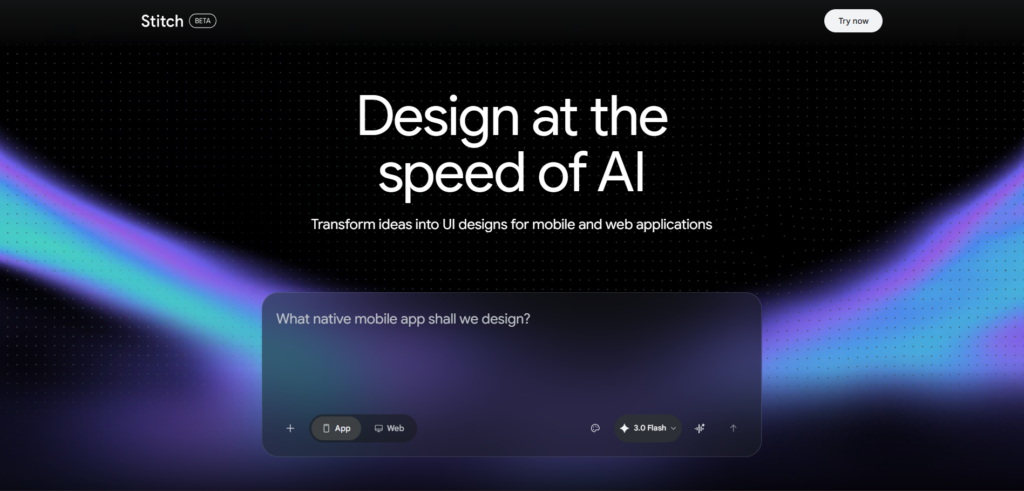
If you have been using Stitch AI and hitting its limits, you are not alone. The monthly generation caps, generic layouts, and lack of multi-screen flow support push many designers and developers to search for better Stitch AI alternatives that suit their specific workflow. This article reviews 9 of the strongest options available in 2026, with honest pricing, real use cases, and clear guidance on which tool fits which situation.
Table of Contents
Why Look for Stitch AI Alternatives?
Stitch AI is impressive for early ideation, but it comes with real limits that surface quickly in professional use. It caps Standard mode at 350 generations per month with no option to increase this. Its output layouts tend to look similar across different projects. Complex multi-screen flows remain difficult to build. The code export is locked to HTML and TailwindCSS only, with no choice of tech stack.
These are not minor inconveniences. They are workflow blockers for teams doing serious product work. The good news is that several strong Stitch AI alternatives have emerged in 2026, each solving a different part of the problem Stitch leaves open.
9 Best Stitch AI Alternatives Reviewed
Figma — Best for Professional Design Teams
Website: figma.com
Figma remains the industry standard for professional UI design in 2026. It offers real-time collaboration, a mature plugin ecosystem, and developer handoff through Inspect mode. Unlike Stitch AI, Figma gives you pixel-perfect control over every element, making it the right choice when early ideation turns into production-ready design work.
The platform launched Figma Make in 2025, an AI-powered feature that generates functional prototypes directly inside the Figma canvas from text prompts. This means Figma now competes with Stitch at the ideation stage while retaining its production-level advantage. Teams with existing design systems will find Figma’s AI augmentation far more useful than starting fresh in Stitch.
Pricing: Free tier available. Pro plan at $15 per editor per month. Organization plan at $45 per editor per month.
Best for: Professional designers, design teams, and anyone needing production-ready handoff.
Limitation: Much slower for initial concept generation compared to Stitch. The learning curve is steeper for non-designers.
Framer — Best for Publishing Websites Fast
Website: framer.com
Framer bridges the gap between design and live deployment better than any other tool on this list. You design in Framer and publish directly to the web without writing a single line of code. Its AI features generate complete, responsive website layouts from text prompts, making it one of the most practical Stitch AI alternatives for teams that need something live quickly.
Framer’s design fidelity is noticeably higher than Stitch for web projects. Its animation capabilities, responsive logic, and Figma import support make it especially strong for agencies and freelancers building client websites. If your goal is a polished, published website rather than an exported mockup, Framer is the most direct path.
Pricing: Free plan for personal use. Paid plans start at $10 per site per month for basic sites.
Best for: Freelancers, agencies, and founders who need a live website without a developer.
Limitation: Less suited for mobile app design. Better for web-first projects.
Uizard — Best for Non-Designers and Product Managers
Website: uizard.io
Uizard was built specifically for people who are not designers. Its Autodesigner 2.0 feature generates multi-screen prototypes from a single text prompt, turning rough ideas into clickable flows in minutes. It also converts hand-drawn sketches and screenshots into editable digital designs, a feature that works more reliably in Uizard than in Stitch.
Product managers and startup founders consistently rate Uizard highly because it focuses on speed and accessibility over pixel-perfect output. Many teams use Uizard to generate first drafts and then move into Figma for refinement. Note that Uizard was acquired by Miro in 2024 and now operates as Uizard by Miro Labs.
Pricing: Free tier with 3 AI generations per month. Pro plan at $12 per user per month. Business plan at $39 per user per month.
Best for: Non-designers, product managers, and startup founders building MVP mockups.
Limitation: Not as polished as Stitch for visual output. Better suited for wireframes and prototypes than high-fidelity UI.
v0 by Vercel — Best for Developers Who Need React Components
Website: v0.dev
v0 by Vercel approaches UI generation from the developer’s side. You describe a component or page in plain text, and v0 generates clean React code with Tailwind CSS and shadcn/ui styling. The output is production-ready and can be dropped directly into a Next.js project without modification.
This makes v0 one of the strongest Stitch AI alternatives for developers who find Stitch’s visual focus less useful than actual working code. While Stitch generates a design you then need to translate into code, v0 skips that translation step entirely. The design quality is clean and modern, though it lacks Stitch’s visual richness for ideation purposes.
Pricing: Free tier with limited tokens. Pro plan at $20 per month. Team plan at $40 per month.
Best for: Frontend developers building Next.js interfaces with Tailwind and shadcn/ui.
Limitation: Design quality is lower than Stitch for visual exploration. Token limits hit fast on complex projects.
Lovable — Best for Building Full Working Applications
Website: lovable.dev
Lovable does something fundamentally different from the other tools on this list. It does not just generate UI. It generates complete working applications with frontend, backend, database, authentication, and deployment, all from a plain English description. If you need something real that users can actually interact with rather than just a mockup, Lovable is the most complete option available.
The UI output is not as polished as Stitch, and the code quality is not as clean as v0 for pure frontend work. But for non-technical founders who need a working MVP without hiring a developer, Lovable delivers value that no other tool on this list can match. It integrates with Supabase for data storage, GitHub for code ownership, and Figma for design imports.
Pricing: Free tier available. Pro plan at $25 per month.
Best for: Non-technical founders and small teams who need a working product, not just a mockup.
Limitation: UI output is less visually refined than Stitch. Better suited for functionality than design polish.
Banani — Best for Multi-Screen UI Flows
Website: banani.co
Banani is the closest direct alternative to Stitch AI in terms of workflow. It converts text prompts, screenshots, and Figma links into interactive multi-screen layouts. While Stitch struggles with flows beyond two or three screens, Banani was built specifically for multi-screen product design and handles longer user journeys without breaking structure.
The canvas view lets you zoom out and see your entire product flow at once, which is a significant usability advantage over Stitch’s more isolated screen approach. Output quality depends heavily on prompt clarity, and deeper customization sometimes requires manual token adjustments. For teams that like Stitch but need better multi-screen support, Banani is the most natural upgrade.
Pricing: Free tier with 20 free generations per day and 3 Figma exports. Individual plan starts at $20 per month. Team plan at $30 per month.
Best for: Designers and product teams who need complete multi-screen flows, not single-screen mockups.
Limitation: Output quality is heavily prompt-dependent. Deep customization still requires manual editing.
Bolt — Best for Rapid Functional Prototyping
Website: bolt.new
Bolt generates full-stack applications from text prompts with shareable working URLs, not static mockups. Unlike Stitch which produces designs you still need to build, Bolt produces something users can actually open in a browser and interact with. This makes it a strong Stitch AI alternative for teams that need quick proof-of-concept builds for client presentations or user testing.
The design quality is lower than Stitch, as Bolt prioritizes functionality over visual polish. Token limits hit fast on complex projects, and deployment requires connecting to external hosting services. But for the specific use case of needing a working prototype in hours rather than a polished mockup in minutes, Bolt fills a gap that Stitch cannot.
Pricing: Free tier with limited tokens. Pro plan at $20 per month. Team plan at $40 per month.
Best for: Developers who need shareable working prototypes with real functionality.
Limitation: Visual design quality is noticeably lower than Stitch. Token consumption is high on larger projects.
Flowstep — Best for Production-Ready Workflows
Website: flowstep.ai
Flowstep stands out among Stitch AI alternatives for the quality and completeness of its code export. It produces clean 1:1 React, TypeScript, and Tailwind CSS output, which is significantly more production-ready than Stitch’s HTML and TailwindCSS export. It also offers unlimited collaborators across all plans, which makes it more team-friendly than Stitch.
Where Stitch caps you at 350 credits with no option to increase, Flowstep gives free plan users up to 1,000 messages. For teams doing ongoing product work that requires consistent, on-brand output across multiple projects, Flowstep’s stability and code quality offer a meaningful step up from Stitch.
Pricing: Free plan with 1,000 messages. Paid plans start at $15 per month with annual billing offering a 20% discount.
Best for: Product teams and developers who need clean, production-ready React code with consistent branding.
Limitation: Less well-known than Figma or Framer. Smaller community and plugin ecosystem.
UX Pilot — Best for Figma-First Teams
Website: uxpilot.ai
UX Pilot is purpose-built for UI design with Figma integration available regardless of which mode you use, unlike Stitch which restricts Figma export to Standard mode only. It uses a model trained specifically for UI design rather than a general-purpose model like Gemini, which means you typically spend less time refining prompts to get a usable result.
For teams already living inside Figma, UX Pilot connects design generation directly into their existing workflow without the mode restrictions Stitch imposes. It also handles sketch-based uploads more reliably than Stitch, which effectively asks you to describe sketches in text instead of actually interpreting them. Teams that need consistent Figma integration will find UX Pilot the more dependable daily tool.
Pricing: Free tier available. Paid plans available on their official site.
Best for: Design teams already using Figma who want AI generation without workflow disruption.
Limitation: Smaller community than Figma or Framer. Less visibility in broader design discussions.
Stitch AI Alternatives Comparison Table
| Tool | Best Use Case | Code Export | Figma Integration | Monthly Cost |
|---|---|---|---|---|
| Figma | Professional production design | Via plugins | Native | Free; Pro $15/editor/month |
| Framer | Live website publishing | Clean web code | Import supported | Free; from $10/site/month |
| Uizard | Non-designer prototyping | CSS and React | Export supported | Free; Pro $12/user/month |
| v0 by Vercel | React component generation | React and Tailwind | Import supported | Free; Pro $20/month |
| Lovable | Full-stack app building | Full-stack code | Import supported | Free; Pro $25/month |
| Banani | Multi-screen UI flows | Figma export | Native | Free; from $20/month |
| Bolt | Functional rapid prototyping | Full-stack code | Limited | Free; Pro $20/month |
| Flowstep | Production-ready code output | React, TypeScript, Tailwind | Supported | Free; from $15/month |
| UX Pilot | Figma-first AI generation | Figma native | Always available | Free tier available |
How to Choose the Right Alternative?
The right Stitch AI alternative depends entirely on what stage of work you are in and what output you actually need.
If your goal is a visual design that your team can review and hand off to developers, Figma with its AI Make feature or UX Pilot gives you the most control. If you need a live website published quickly without a developer, Framer is the fastest path. If you are a non-designer who needs a clickable prototype for a stakeholder meeting or investor pitch, Uizard is the most beginner-friendly option on this list.
For developers, the decision splits by output type. v0 is the right choice if you need clean React components for a Next.js project. Lovable or Bolt are the right choice if you need a working application, not just a UI layer. If you need clean multi-screen product flows with better brand consistency than Stitch provides, Banani or Flowstep will serve you better.
Who Should Switch From Stitch AI?
Designers Hitting the Generation Limit
If you regularly hit Stitch’s 350 monthly Standard mode limit or find yourself restricted by the 200 Experimental mode cap, switching to Flowstep or Banani gives you more headroom without sacrificing design quality. Both offer more generous limits and better multi-screen support.
Founders Who Need Working Products
Stitch produces mockups, not applications. If you are a founder who needs something users can actually sign up for, log into, or purchase from, Stitch is the wrong starting point. Lovable or Bolt will take you from idea to deployed application without requiring a developer on your team.
Teams Already Deep in Figma
If your design team already has an established Figma workflow, switching to Stitch for ideation and then exporting back to Figma creates unnecessary friction. UX Pilot or Figma Make let you generate AI designs directly inside the Figma ecosystem, keeping your entire workflow in one place.
Frequently Asked Questions
What is the best free Stitch AI alternative in 2026?
Figma offers the most capable free tier among all professional design tools, with full access to its core features for up to 3 projects. Uizard’s free tier gives 3 AI generations per month, and Banani offers 20 free generations per day. For developers specifically, v0 by Vercel has a usable free tier for React component generation. Each tool’s free plan suits a different use case, so the best free alternative depends on whether you need design output, prototype output, or working code.
Is Figma better than Stitch AI for UI design?
They serve different stages of the design process. Stitch is faster for generating an initial concept from scratch. Figma is better for every stage after that, including refinement, collaboration, design system management, and developer handoff. Most professional teams use Stitch for zero-to-one ideation and Figma for one-to-one-hundred production work. If you can only use one tool, Figma covers more of the full design lifecycle, but Stitch removes the blank canvas problem more effectively at the start.
Which Stitch AI alternative is best for non-technical founders?
Lovable is the strongest choice for non-technical founders who need a working product. It generates complete applications with frontend, backend, and database from plain English, and the Pro plan costs $25 per month. Uizard is the better choice if you only need a visual prototype for pitching or early user feedback rather than a working application. Both tools require no design or coding background to produce useful results.
Can I use multiple alternatives together instead of just one?
Yes, and this is actually the most effective approach for most teams in 2026. A common workflow is to generate initial concepts in Stitch or Uizard, refine them in Figma, and then use v0 or Lovable to build the working version. Each tool handles a different phase of product development, and they are designed to complement rather than replace each other. The key is knowing which tool to reach for at which stage rather than trying to use one tool for everything.
Does switching from Stitch AI mean losing my existing designs?
Stitch exports designs as HTML, TailwindCSS, or Figma files. Any design you export to Figma is fully editable in your new workflow immediately. HTML and TailwindCSS exports can be taken into Flowstep, v0, or any code editor for further development. You do not lose work when switching. The main adjustment is rebuilding the habit of which tool you open first for each type of task.
Is Lovable or Bolt better for building a working prototype fast?
Both generate functional applications from text prompts, but they differ in focus. Lovable is stronger for full-stack applications that need a database, user authentication, and real data management. Bolt is faster for front-end-heavy prototypes that you need to share as a live URL quickly. Lovable costs $25 per month for its Pro plan and Bolt’s Pro plan is $20 per month. If you need a complete product with backend logic, choose Lovable. If you need a shareable working front-end fast, Bolt is the quicker path.
Final Thoughts
Stitch AI is a strong starting point for UI ideation, but it was never designed to be the only tool in your workflow. The best Stitch AI alternatives in 2026 do not try to replace Stitch entirely. They cover the stages Stitch cannot reach: production-level design in Figma, live publishing in Framer, full-stack applications in Lovable, and clean React components in v0.
For a deeper understanding of what Stitch does well before exploring alternatives, our Google Stitch Review 2026 covers every feature and limitation in detail. If you are specifically interested in how Stitch and Claude work together as a design-to-code workflow, our guide on Stitch and Claude Duo explains that combination thoroughly. And for a broader look at the AI tools shaping product development right now, our Stitch AI Productivity Guide is worth reading alongside this comparison.
The clearest next step is to identify which limitation of Stitch is blocking your current project, then pick the one tool from this list that solves exactly that problem. Start there before switching your entire workflow.











[…] Stitch AI Alternatives Deliver 9 Superior Options You Should Consider in 2026 […]
[…] Stitch AI Alternatives Deliver 9 Superior Options You Should Consider in 2026 […]
[…] Stitch AI Alternatives Deliver 9 Superior Options You Should Consider in 2026 […]