If you have used ChatGPT image generation before and assumed it still runs on DALL-E 3, this guide has several updates that are worth your attention. The model lineup changed significantly in 2025 and 2026, one major product was discontinued entirely, and the image quality gap between what ChatGPT produces today versus eighteen months ago is meaningful. This guide covers the full picture: which models are active, how each one works, real pricing across consumer and API tiers, and an honest view of where ChatGPT’s image tools win and where they fall short.
Table of Contents
What Is ChatGPT Image Generation?
ChatGPT image generation is the built-in capability that lets you create, edit, and refine images directly inside ChatGPT using plain language prompts. You describe what you want, and ChatGPT generates a visual output within the same conversation where you write, plan, and work.
The model powering image generation in 2026 is GPT Image 2, released in April 2026. This is the current flagship. Before it came GPT Image 1 and GPT Image 1.5, both of which preceded the shift to the newer architecture. Before those, ChatGPT used DALL-E 3, which was a separate diffusion-based model that ChatGPT called externally rather than handling internally. OpenAI deprecated and removed DALL-E 3 from the API on May 12, 2026. DALL-E 2 was removed on the same date. If you see guides still referring to DALL-E 3 as the current ChatGPT image model, those guides are outdated.
GPT Image 2 is architecturally different from its DALL-E predecessors. The DALL-E models were diffusion-based, meaning they generated images by starting from noise and iteratively refining it toward the target. GPT Image models are autoregressive, meaning they generate images token by token in a process closer to how the language model generates text. This shift enables significantly better instruction following, more accurate text rendering inside images, and tighter integration with the conversational context of the chat.
One significant update happened outside the image domain. OpenAI permanently shut down Sora, its video generation model, on March 24, 2026. The Sora web app closed on April 26, 2026, and the API is scheduled to shut down on September 24, 2026. ChatGPT Plus and Pro no longer include any video generation capability through Sora. For AI video work, dedicated tools like Kling 3.0 and Google Veo 3 are the current practical alternatives.
In terms of access, Free users have limited daily access to GPT Image 2 with usage caps that reset each day. Plus subscribers at $20 per month receive approximately 50 image generation prompts per three-hour rolling window, which translates to around 200 images per day under ideal timing. Pro subscribers at $200 per month have significantly higher limits suited to heavy creative or professional use throughout the workday.
How ChatGPT Image Generation Actually Works?
Understanding the mechanics behind ChatGPT image generation in 2026 helps you write better prompts and know what each model is actually good for.
The Autoregressive Architecture
GPT Image models generate images using the same autoregressive architecture that underlies the language model. Rather than starting from random noise and denoising toward a target image the way diffusion models do, autoregressive image models generate image tokens sequentially. Each token is predicted based on the tokens before it, which is structurally similar to how text generation works.
The practical consequence of this architecture is that GPT Image models understand prompts more literally and maintain more contextual coherence within an image. DALL-E 3 would often reinterpret or rephrase your prompt silently before generating. GPT Image 2 follows your prompt far more precisely. This is a strength when your instructions are specific, and it places more responsibility on you to write prompts carefully when you want something nuanced.
The Current Model Lineup in 2026
GPT Image 2 is the current flagship model, released in April 2026. It introduced a reasoning layer into image generation, meaning the model applies multi-step reasoning to interpret complex prompts before generating. It handles photorealism, accurate text rendering within images, and iterative editing better than its predecessors. API pricing runs from $0.006 per image at low quality up to $0.211 per image at high quality for a 1024×1024 square output.
GPT Image 1.5 is the previous flagship, still available through the API. It introduced faster generation and a 20 percent cost reduction compared to GPT Image 1. The API model ID is gpt-image-1.5. For teams with existing production integrations built on GPT Image 1.5, there is no urgent reason to migrate immediately, but GPT Image 2 is the recommended path for new builds. API pricing is $0.011 to $0.25 per image depending on quality and size.
GPT Image 1 is scheduled for deprecation on October 23, 2026. Teams still using it should plan to migrate before that date. Pricing runs from $0.011 at low quality to $0.25 at high for 1024×1024.
GPT Image 1 Mini is the cost-optimized variant. It costs 80 to 90 percent less than the flagship high-quality tier and is suited to high-volume applications where you need many images quickly at a lower quality threshold. API pricing starts at $0.005 per image at low quality.
How Editing Works Conversationally
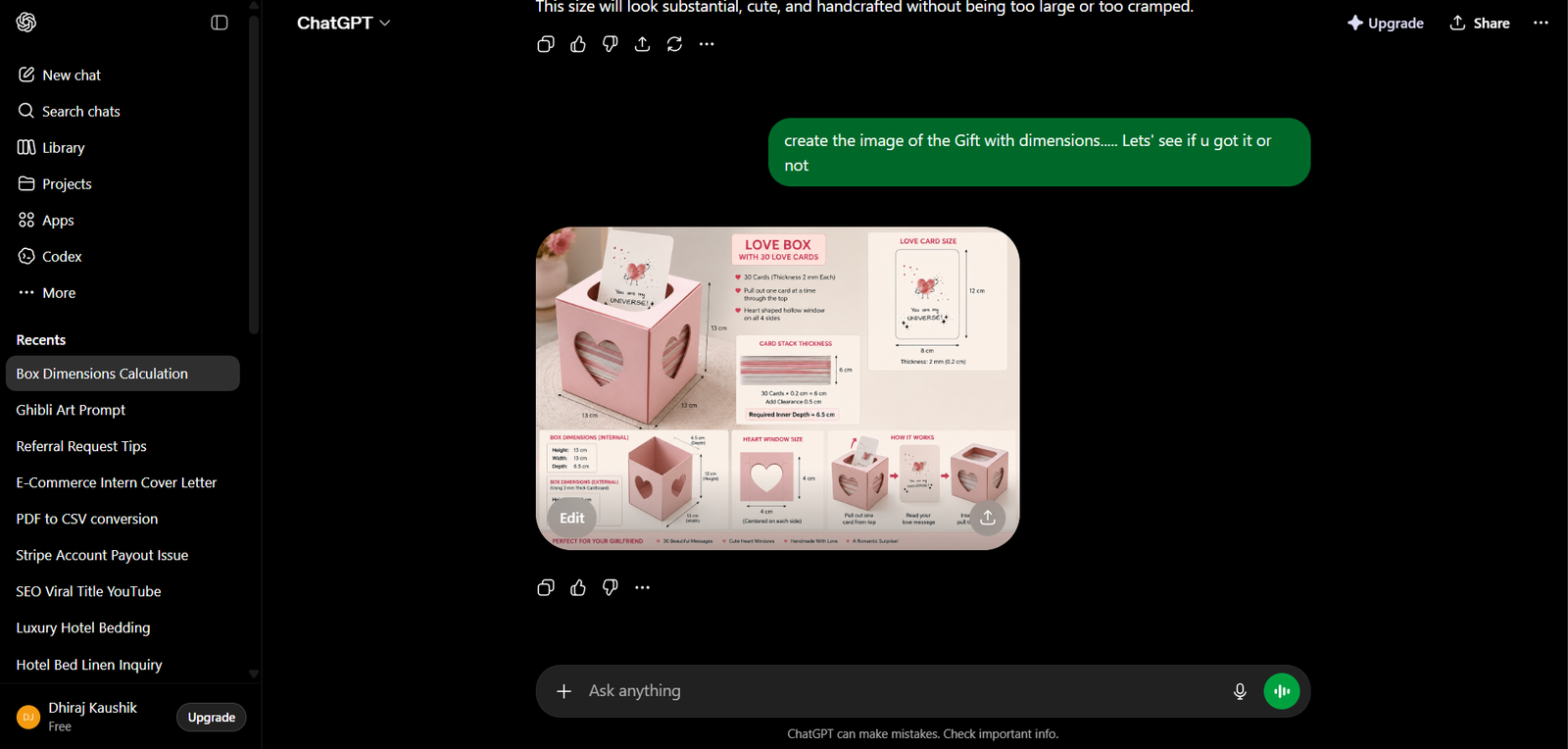
One of the genuinely useful features of image generation inside ChatGPT is that editing works through conversation. You do not need to use external editing tools or restart the generation process to make changes. After ChatGPT generates an image, you can ask it to modify specific elements directly in the next message.
For example, after generating a product image you can type “change the background to white” or “make the text in the top-left corner larger” and the model applies the edit while keeping the rest of the image consistent. This conversational editing loop is faster than the iteration cycle required by standalone image generation tools where each change means starting a new prompt from scratch.
Text Rendering in Images
One of the most significant practical improvements from DALL-E 3 to GPT Image models is text rendering accuracy. DALL-E 3 struggled consistently with legible text inside images. Labels, banners, signs, and any prompt requiring readable copy in the image output frequently came out garbled or stylized to the point of illegibility.
GPT Image 2 handles short labels, product text, banners, and headings with substantially greater accuracy. This makes it viable for content that requires readable copy embedded in the visual, such as social media graphics with text overlays, presentation slides, and basic product mockups. For complex typography or longer body text in images, careful prompting and review are still necessary, but the baseline accuracy is meaningfully higher.
ChatGPT Images 2.0 and Thinking Mode
In April 2026, OpenAI launched what they termed ChatGPT Images 2.0 on April 21, 2026. This update added a Thinking Mode to image generation, allowing the model to apply reasoning steps before generating. In practice, this means complex prompts with multiple specific requirements are handled more accurately because the model plans the composition before executing it. Thinking Mode also enables consistency across batches of up to eight images generated from a single prompt, which is useful for content workflows requiring visual consistency across a series.
Step-by-Step: How to Generate and Edit Images in ChatGPT?
Here is a complete walkthrough for generating, editing, and downloading images inside ChatGPT, covering both the web interface and key API details for developers.
Step 1: Start a New Conversation and Type Your Prompt
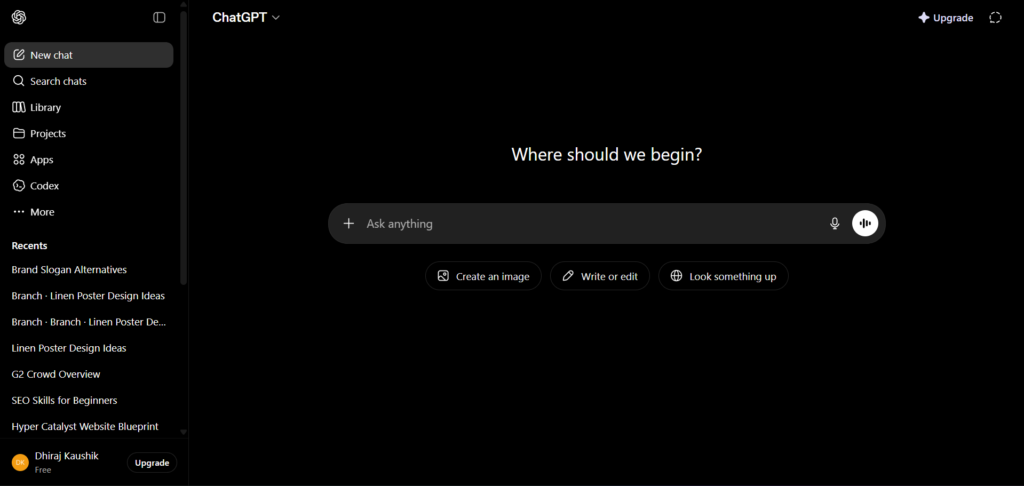
Open ChatGPT at chat.openai.com. Start a new conversation and type your image generation prompt directly into the chat input. No special command or mode switching is required. ChatGPT detects that your prompt is describing a visual and routes it to the image generation model automatically.
Write your prompt with specific details. Instead of “a coffee shop,” try “a cozy independent coffee shop interior with warm lighting, exposed brick walls, and a wooden counter, photographed in soft afternoon light.” The more concrete your description, the closer the output will be to what you have in mind.
Step 2: Review the Generated Image
ChatGPT generates the image and displays it directly in the conversation thread below your prompt. Review it carefully. Check whether the composition, subject, lighting, colors, and any text elements match your intent. For most prompts, the first output will be close but not final.
Click the image to view it at full resolution. A download button appears when you hover over the image. If the output already matches what you need, download it directly from here.
Step 3: Edit Through Conversation
If something needs to change, type your edit instruction in the next message. Be specific about what you want adjusted. Vague instructions like “make it better” do not give the model enough information. Specific instructions like “change the wall color to deep green and remove the person in the background” work well.
The model applies the edit while preserving the consistent elements of the original. For significant compositional changes, it may regenerate from a closer starting point rather than applying a surgical edit. For minor changes like color, lighting, or text adjustments, the edit is typically applied while keeping the rest of the image stable.
Step 4: Generate Multiple Variations
If you want to compare different interpretations of the same prompt, add “generate four variations” to your prompt. With ChatGPT Images 2.0, you can request up to eight variations from a single prompt while maintaining visual consistency across the batch. This is useful for A/B testing social media assets, exploring different visual directions before committing to one, or creating a content series with a consistent look.
Step 5: Use Image Inputs for Editing and Style Transfer
GPT Image 2 supports image-to-image workflows. You can upload an existing image into the ChatGPT conversation and ask the model to edit specific elements, apply a style, change the background, or use it as a reference for generating something new. Upload your image using the attachment icon in the chat input, then describe what you want done with it.
Note that image input tokens are billed separately in the API, adding to the cost of output-only generation. For ChatGPT consumer plans, image uploads count toward your usage window rather than adding separate charges.
Step 6: Access Image Generation Through the API
For developers building image generation into products, the API model ID is gpt-image-2 with the snapshot pinned as gpt-image-2-2026-04-21. The API uses token-based billing rather than per-image flat pricing. For a simple 1024×1024 generation, costs run approximately $0.006 at low quality, $0.053 at medium quality, and $0.211 at high quality. Editing requests with reference images add image input tokens on top, so production budgets should be calculated using the official pricing calculator at platform.openai.com rather than headline per-image numbers.
Key Benefits of ChatGPT Image Generation
Integrated Into Your Existing Workflow
The most practical advantage of generating images inside ChatGPT rather than through a dedicated standalone tool is that the images live in the same conversation where you are doing everything else. You can write a blog post draft, generate a header image for it, ask for a variation, and download the final result without switching tabs or copying context between tools. For content creators, marketers, and writers who use ChatGPT as their primary work environment, this integration removes genuine friction from the visual creation process.
Conversational Editing Without Restarting
The ability to iterate through conversation rather than regenerating from scratch with each change is a meaningful time saver. Traditional image generation tools treat each generation as independent. If you want to change one detail, you typically rewrite the full prompt and generate again, losing the elements that were already working. Conversational editing in ChatGPT lets you preserve what is working and adjust only what needs to change. For anyone doing several rounds of revision on an image, the difference in time and generation credits used is significant.
Accurate Text Rendering for Practical Content
GPT Image 2’s text rendering accuracy opens up use cases that were not viable with DALL-E 3. Social media graphics with readable callouts, simple infographic-style images, product mockups with label text, and presentation visuals that incorporate quotes or headings are all achievable with reasonable accuracy. For professional production-quality typography, dedicated design tools are still the right choice. For functional content production at scale, the text accuracy in GPT Image 2 is good enough for many real workflows.
Accessible Pricing for Casual and Professional Use
The Free tier provides daily access to GPT Image 2 with usage limits, which is sufficient for occasional image generation needs. Plus at $20 per month provides approximately 50 generations per three-hour window, which covers most individual content workflows comfortably. The API’s low quality tier at $0.006 per image makes high-volume programmatic image generation affordable for applications and development projects. The range from free to API gives the feature a viable entry point at almost every level of usage.
ChatGPT Image Generation vs Alternatives: Comparison Table
| Tool | Current Model | Text in Images | Conversational Editing | Monthly Cost |
|---|---|---|---|---|
| ChatGPT (GPT Image 2) | GPT Image 2 (autoregressive, April 2026) | Strong — reliable for labels and banners | Yes, native in-chat editing | Free (limited); $20/month Plus; $200/month Pro |
| Midjourney v7 | Proprietary diffusion model | Limited — stylized but often not accurate | No — prompt-based only, no chat editing | From $10/month (Basic) |
| Adobe Firefly 4 | Firefly 4 (Adobe proprietary) | Good — designed for commercial use | No — standalone or Photoshop-integrated | From $9.99/month (Firefly) |
| Google Gemini (Imagen 3) | Imagen 3 via Gemini platform | Moderate | Limited — through Gemini chat | From $19.99/month (Advanced) |
| Stable Diffusion (AUTOMATIC1111 / ComfyUI) | SDXL / SD3 / community models | Poor without ControlNet | No — fully manual prompt-based | Free (self-hosted); cloud costs vary |
Midjourney still produces the strongest results for artistic quality and visual style, particularly for creative work where aesthetic impact matters more than precise instruction following. ChatGPT’s advantage is the integrated conversational workflow and text rendering accuracy. Adobe Firefly is the right choice for commercial use cases requiring IP-safe outputs and Photoshop integration. Stable Diffusion suits technically capable users who want maximum control and are comfortable with a steeper setup process.
Who Should Use ChatGPT Image Generation?
Content creators and bloggers who already use ChatGPT for writing will find image generation the most frictionless option for producing header images, in-article graphics, and social media visuals. The ability to describe the image in the same place you wrote the content, iterate through conversation, and download the result without leaving the interface is genuinely convenient for people whose primary work environment is already ChatGPT.
Social media managers and marketers who need a steady supply of on-brand visual content at a practical cost will find the combination of text rendering accuracy and conversational editing useful for producing graphics with text overlays, promotional images, and campaign visuals. The Thinking Mode consistency feature, which keeps up to eight images visually coherent from a single prompt, is particularly relevant for content series and campaign asset production.
Small business owners and solo professionals who need functional visual content without a dedicated designer or design software subscription will find ChatGPT’s image generation covers a wide range of practical use cases. Product mockups, simple promotional graphics, presentation images, and social media visuals are all achievable through plain-language prompts without design experience.
Developers and product teams building image generation into applications will find the GPT Image 2 API the most tightly integrated option within the OpenAI ecosystem. If the rest of the application already uses OpenAI APIs for language tasks, adding image generation through the same platform simplifies architecture and billing. The token-based pricing model rewards efficient prompting and quality tier selection for cost management at scale.
Frequently Asked Questions
Is DALL-E 3 still the model behind ChatGPT image generation?
No. DALL-E 3 and DALL-E 2 were both removed from the OpenAI API on May 12, 2026. They are no longer available for new API integrations or through ChatGPT. The current model powering ChatGPT image generation is GPT Image 2, released in April 2026. Before that, GPT Image 1.5 and GPT Image 1 were the active models. The GPT Image lineup is architecturally different from DALL-E, using an autoregressive generation process rather than the diffusion-based approach of the DALL-E models. Any guide that still references DALL-E 3 as the current ChatGPT image model is outdated.
What happened to Sora in ChatGPT?
OpenAI permanently shut down Sora, its video generation product, on March 24, 2026. The web app closed on April 26, 2026. The API is scheduled to shut down on September 24, 2026. ChatGPT Plus and Pro no longer include video generation capability. OpenAI has not announced a replacement video product within ChatGPT as of mid-2026. For AI video generation, dedicated tools such as Kling 3.0 and Google Veo 3 are the current practical alternatives. If you were using Sora through the API, you should migrate to an alternative before the September 2026 API shutdown.
How many images can you generate with ChatGPT Plus per day?
ChatGPT Plus at $20 per month allows approximately 50 image generation prompts per three-hour rolling window. Under ideal timing, that translates to roughly 200 images in a 24-hour period. In practice, most users do not hit these limits unless they are using image generation as a primary professional workflow throughout the day. Free users get limited daily access with a lower cap that resets each day. Pro subscribers at $200 per month have significantly higher limits. Limits are subject to change and are updated periodically by OpenAI.
What makes GPT Image 2 different from earlier models?
GPT Image 2 introduced a reasoning layer into image generation that was not present in previous models. Before generating, the model applies multi-step reasoning to interpret complex prompts, which improves accuracy on detailed or multi-requirement instructions. It also delivers better photorealism, stronger text rendering within images, and visual consistency across batches of up to eight images from a single prompt. The architecture is autoregressive rather than diffusion-based, which means it follows prompts more literally than DALL-E 3 did. GPT Image 2 was launched on April 21, 2026, and is available through both ChatGPT consumer plans and the API.
Can you use your own images as input for ChatGPT image generation?
Yes. GPT Image 2 supports image-to-image workflows. You can upload an existing image into a ChatGPT conversation and ask the model to edit specific elements, change the background, apply a style, or use the image as a reference for generating something new. Upload the image using the attachment icon in the chat input, then describe what you want done with it in your next message. Through the API, image inputs are billed as input tokens in addition to the output image cost, so editing and reference workflows cost more per request than simple text-to-image generation.
Is ChatGPT image generation good enough for commercial use?
For many practical commercial applications, yes. Social media graphics, presentation visuals, product mockups, and marketing images are all achievable at a quality level suitable for commercial use. The IP question is worth understanding clearly: OpenAI’s terms state that outputs generated through ChatGPT can be used commercially, and GPT Image models are not trained on a dataset that includes explicitly licensed artist styles in the same way some other tools are. For high-stakes commercial use cases requiring guaranteed IP clearance, Adobe Firefly remains the option specifically designed and marketed for that purpose, with its content credentials and commercial safety guarantees.
Final Thoughts
ChatGPT image generation in 2026 is a significantly more capable and more integrated system than it was when DALL-E 3 was the underlying model. The shift to GPT Image 2, with its reasoning layer, better text rendering, and conversational editing, makes it a practical tool for content workflows rather than just an experimental feature. The Sora shutdown is a genuine loss for users who relied on video generation, and it is worth being aware of if video is part of your planned use of the platform.
The honest positioning is straightforward. For artistic quality and visual impact, Midjourney still leads. For commercial IP safety and Photoshop integration, Adobe Firefly is purpose-built. For integrated workflow, text accuracy, and conversational editing within an existing ChatGPT environment, GPT Image 2 is the most convenient option for most users.
If you are already on ChatGPT Plus, start by trying a few image prompts on a piece of content you are actually working on. The gap between a first attempt and a usable result is much smaller than it was with DALL-E 3, and the conversational editing means you can close that gap quickly without starting over.
Related reading on Edurancehub:
Useful Backlinks
| # | Website | URL | Why It Matters | DA |
|---|---|---|---|---|
| 1 | OpenAI Image Generation API Docs | https://platform.openai.com/docs/guides/images | Official documentation — primary citation for model specs and API usage | DA 90+ |
| 2 | OpenAI API Pricing | https://platform.openai.com/docs/pricing | Official pricing source — supports your per-image cost figures | DA 90+ |
| 3 | OpenAI ChatGPT Pricing | https://openai.com/business/chatgpt-pricing/ | Official plan page — supports your Free, Plus, Pro access breakdown | DA 90+ |
| 4 | Wikipedia: GPT Image | https://en.wikipedia.org/wiki/GPT_Image | Add your article as a further reading reference — covers the full GPT Image model history | DA 95+ |
| 5 | CostGoat: OpenAI Image API Pricing Calculator | https://costgoat.com/pricing/openai-images | Detailed and current API pricing calculator — co-citation opportunity for pricing section | DA 45+ |
| 6 | Blog PicassoIA: ChatGPT Images 2.0 | https://blog.picassoia.com/chatgpt-images-2-pricing-features-use-cases | Detailed GPT Image 2 feature breakdown — co-citation and outreach opportunity | DA 40+ |
| 7 | AVB: ChatGPT Plus Image Generation Guide | https://aivideobootcamp.com/blog/chatgpt-plus-image-generation-complete-guide-2026/ | Verified April 2026 pricing and usage limits — co-citation target with complementary audience | DA 45+ |
| 8 | WaveSpeed: GPT Image 2 Pricing | https://wavespeed.ai/blog/posts/gpt-image-2-pricing-2026/ | Covers API vs consumer pricing distinction — outreach for backlink swap | DA 40+ |
| 9 | TechCrunch: OpenAI Image Generation Coverage | https://techcrunch.com | High-authority tech publication — outreach for coverage mention or co-citation when new image features launch | DA 95+ |
| 10 | Dev.to | https://dev.to | Publish a condensed developer-focused version of this image generation guide with a canonical link back to Edurancehub — reaches technical audience actively researching GPT Image 2 API | DA 85+ |