I used ChatGPT every single day for almost two years. Then I forced myself to switch to Gemini AI for an entire month and use it as my only AI tool for real work. This gemini ai review covers exactly what happened, task by task, week by week, with no sugarcoating on either side.
Table of Contents
What Is Gemini AI and Why I Decided to Switch?
Gemini AI is Google’s flagship AI assistant, built by Google DeepMind and currently running on Gemini 3.5 Flash as the default model for all paid subscribers. For long-document work and deep research, Gemini 3.1 Pro is available with a 2 million token context window, the largest of any frontier AI model in 2026. It connects natively to Gmail, Google Docs, Drive, Calendar, and Chrome, and pulls real-time results from Google Search with every answer it gives.
I had been on ChatGPT Plus at $20 per month since early 2023. I used it for writing, research, summarizing documents, drafting emails, and the occasional coding task. It worked well. I had no major complaints. But I kept reading that Gemini had caught up, that the Google integration was genuinely useful, and that the pricing had changed significantly after Google I/O 2026. I wanted to find out for myself rather than take anyone else’s word for it.
So I cancelled ChatGPT Plus, subscribed to Google AI Pro at $19.99 per month, and committed to using Gemini as my only AI tool for 30 days. No switching back mid-task. No opening ChatGPT when Gemini frustrated me. Whatever Gemini gave me, I worked with.
This is what happened.
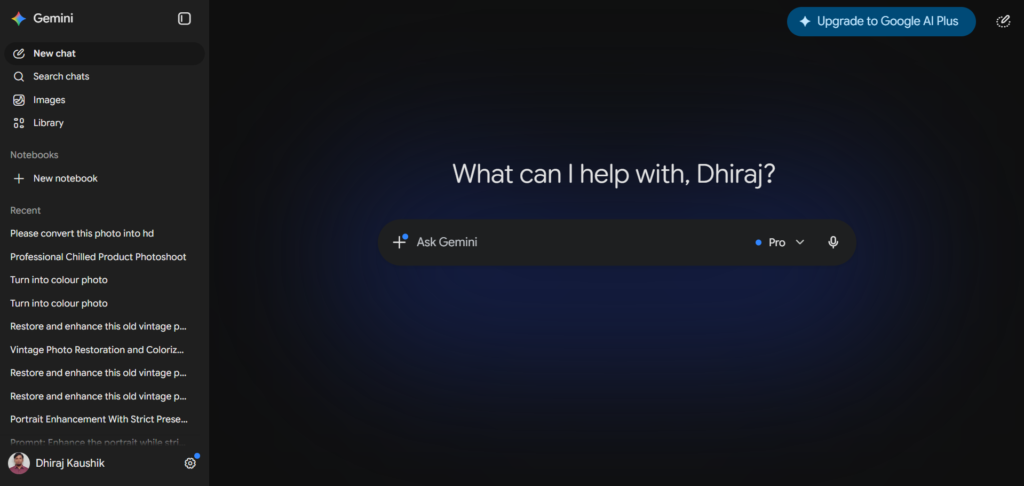
How I Ran This 30-Day Test?
Before getting into the results, it is worth being clear about how I structured this so you can judge how relevant it is to your own situation.
I am a content writer and researcher. I spend most of my working day writing articles, summarizing sources, drafting emails, organizing information, and occasionally working with data in spreadsheets. I am not a developer. My coding use is limited to asking AI tools to write simple scripts for automating repetitive file tasks.
I ran the same categories of tasks every week across the 30 days. Writing was the heaviest use case, followed by research, then Gmail and Docs work, then image generation, then the occasional coding task. I tracked what worked, what frustrated me, and where the output quality differed noticeably from what I was used to with ChatGPT.
I did not run artificial benchmark tests. I used Gemini for real work with real deadlines. That is the only kind of testing that actually tells you anything useful.
Week by Week: What I Actually Used It For?
Week 1 was the adjustment period. The interface felt familiar enough, since it is a chat box like every other AI tool, but my habits were wrong. I kept prompting Gemini the same way I prompted ChatGPT and getting slightly different results than I expected. Not worse, just different. By day four I had recalibrated how I was writing prompts and the results started feeling more natural.
The biggest adjustment in week one was learning to trust the Google Search integration. I kept instinctively wanting to open a separate browser tab to verify things Gemini told me, then realizing that Gemini had already cited the source and I could click through from inside the chat. That habit shift saved time once it clicked.
Week 2 was when I started genuinely using the Gmail sidebar. I had been ignoring it in week one because it felt like an extra step. Once I started using it properly, summarizing email threads and drafting replies without leaving my inbox, I understood why people who use Google Workspace heavily rate Gemini so highly. It is not a feature you appreciate until you are actually inside it.
Week 3 was the most productive week of the month. By this point I had figured out where Gemini was strong and where it needed more specific prompting. I stopped fighting its tendencies and started working with them. Output quality felt consistent and I was not missing ChatGPT for most tasks.
Week 4 was when I made my final assessment. I knew what Gemini did well, what it did less well, and what I would change about how I used it. I also knew, by that point, whether I was going to stay on Gemini after the month ended.
Writing: How Gemini Handles Real Content Work?
Writing was the area I was most skeptical about before switching. ChatGPT’s writing output has always felt more natural to me, more human in tone, better at matching the specific voice I describe in a prompt. I was not sure Gemini would hold up.
The honest result after 30 days is that Gemini is a competent writing assistant but it has a default register that leans slightly more formal than ChatGPT. When I asked both tools to write the same paragraph in a casual, conversational tone, ChatGPT consistently came closer to what I meant on the first attempt. Gemini’s first draft was accurate and well-structured but needed one round of revision to loosen the language.
For straightforward writing tasks like drafting a professional email, summarizing a document into bullet points, or writing a factual overview of a topic, the gap between the two tools is small enough that it would not matter to most users. For creative writing, tonal matching, or anything where the voice of the output is the whole point, ChatGPT still has a noticeable edge in my experience.
What Gemini does well in writing is handling longer, more complex documents without losing coherence. When I gave it a 5,000 word draft and asked it to restructure the argument, it held the whole thing in context and produced a logical reorganization. It did not forget what was in section three when it was editing section seven. That kind of long-document coherence is where the context window makes a real practical difference.
Research: Where Gemini Genuinely Surprised Me?
Research was the area where Gemini outperformed my expectations most clearly. The real-time Google Search integration is not a gimmick. It makes a meaningful difference when you are researching something that depends on current information.
I tested this directly in week two. I asked Gemini and ChatGPT the same research question about current AI regulation policy in the United States. ChatGPT gave a well-structured answer that was accurate for its training data. Gemini gave a comparable answer that included developments from the previous few weeks that ChatGPT did not have. Both answers were useful, but Gemini’s was more current without me having to specify that I needed recent information.
For research tasks where I needed to synthesize information across multiple sources, Gemini was consistently faster to use. I could ask a complex multi-part research question in plain language and get a synthesized answer with sources I could click through to verify. The alternative with a standard AI tool is generating an answer, then opening multiple tabs to verify it, then reconciling what you found with what the AI said. Gemini collapsed several of those steps into one.
The Deep Research feature on Google AI Pro at $19.99 per month is worth mentioning separately. It runs a more thorough multi-source research process than the standard chat response and produces a structured report with citations. I used it three times during the month for research-heavy tasks and it saved me what I estimate was two to three hours of reading compared to doing the same research manually.
Gmail and Google Docs: The Integration Advantage
This is where Gemini has no real competition, and it is also the factor that will matter most to the majority of American professionals reading this.
I receive between 60 and 80 emails on a typical working day. Before this experiment, I was copying email text into ChatGPT to draft replies, then copying the reply back into Gmail. It worked but it was friction. With Gemini’s Gmail sidebar, I click the Gemini icon, ask it to draft a reply to the open email, and the draft appears inside Gmail. I edit it if needed and send it. The copy-paste step is gone entirely.
Over 30 days, this integration genuinely changed how I managed email. I was spending noticeably less time on email by week three than I had been before the experiment. For someone who considers email a low-value but time-consuming part of the workday, this is a real quality-of-life improvement.
Google Docs integration worked similarly well. I was able to open a document, describe what I needed Gemini to write or rewrite in the sidebar, and see the result without leaving the document. For long-form writing that goes through multiple drafts, having the AI assistant inside the document rather than in a separate tab reduces the mental overhead of switching between tools.
If you already use Gmail and Google Docs as your primary work tools, this integration alone is a reasonable argument for trying Gemini even if you are satisfied with ChatGPT for other tasks. There is no equivalent native experience in ChatGPT for Google’s tools.
Coding: Honest Results From a Non-Developer
I want to be upfront that I am not a developer. My coding use during this month consisted of asking the AI to write small Python scripts for automating file organization tasks and formatting data in spreadsheets. I ran three of these tasks during the month.
Gemini handled all three correctly on the first attempt. The scripts ran without errors and did what I asked. I have no complaints there. What I did notice is that ChatGPT’s code output tends to include more explanatory comments inline, which helps me understand what each part of the script is doing even when I did not ask for an explanation. Gemini’s code was clean and correct but slightly less annotated by default.
For professional developers doing serious coding work, independent benchmarks consistently show ChatGPT’s GPT-5.4 scoring higher than Gemini on standardized coding tasks, with a SWE-bench Verified score of 71.7% versus Gemini’s 63.8%. For the kind of simple scripting tasks I was doing, that gap did not show up in any meaningful way. But if coding is your primary use case for an AI tool, the benchmark data suggests ChatGPT has the edge and my experience does not contradict that.
Image Generation: What Gemini Omni Actually Produces?
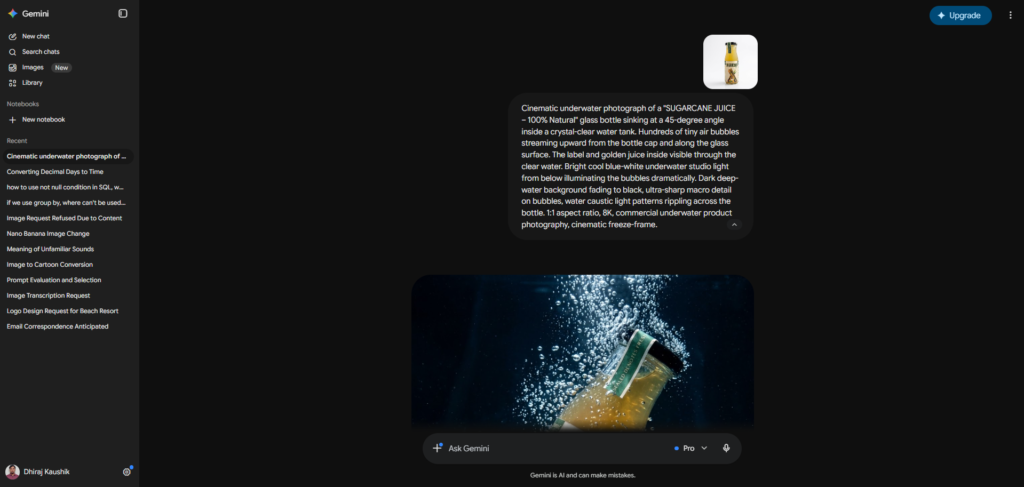
Gemini Omni launched at Google I/O 2026 and is available to all paid Google AI subscribers. It handles text, image, and video creation and editing through natural language, which means you describe what you want and Gemini generates it without needing a separate tool.
I used it for image generation about eight times during the month, primarily for simple illustrative images for articles and a few social media graphics. The quality is good for general-purpose use. It handles realistic scenes and clean graphic styles well. Where it fell short in my experience was on very specific stylistic requests, where the output occasionally drifted from what I described in terms of composition or color.
Compared to what I had used before, which was DALL-E inside ChatGPT, the quality is roughly comparable for straightforward requests. Neither tool consistently nails highly specific artistic direction, and for simple content creation use cases both are adequate. The convenience of having image generation inside the same chat where you are already doing your writing and research is genuinely useful. Not having to switch to a separate image tool saves small amounts of time that add up.
Gemini AI Plans and What I Recommend?
Google restructured its pricing completely at I/O 2026. Here is where things stand now.
| Plan | Price | What You Get |
|---|---|---|
| Gemini Free | $0 | Gemini Flash, basic chat, Google Search integration, usage limits |
| Google AI Plus | $7.99/mo | More usage, Gemini Omni, Daily Brief |
| Google AI Pro | $19.99/mo | Gemini 3.1 Pro, 1M token context, 20 Deep Research/day, AI Inbox in Gmail, YouTube Premium Lite |
| Google AI Ultra | $99.99/mo | 5x Pro limits, 20TB storage, Gemini Spark beta, $100 Cloud credit |
| Google AI Ultra Top | $200/mo | 20x Pro limits, 30TB, Project Genie, 12,500 AI credits |
I was on Google AI Pro at $19.99 per month for this entire test. For the use cases I described above, writing, research, Gmail, Docs, and occasional image generation, it covered everything I needed. The 20 Deep Research sessions per day was more than sufficient. I never came close to hitting a usage ceiling during the month.
The $7.99 Plus plan is worth considering if you want Gemini Omni access and Daily Brief without paying for the full Pro tier. For anyone who uses AI tools heavily throughout the workday, Pro at $19.99 is the right level. The $99.99 Ultra tier is for developers and power users who need significantly higher usage volumes. I did not need it and most individual users will not either.
Verizon customers in the US can get Google AI Pro for $10 per month as a plan perk, which is the most affordable way to access the Pro tier currently available in the United States.
Who Should Actually Switch and Who Should Not?
You should switch to Gemini, or at least try it seriously, if you spend a significant portion of your workday inside Gmail and Google Docs. The native integration is a genuine daily time saver and there is no equivalent ChatGPT experience for Google’s tools. If that integration would benefit you, Gemini earns its subscription price from that feature alone.
You should switch if you regularly work with long documents, large research reports, or entire codebases. The 2 million token context window on Pro and Ultra tiers means you can work with volumes of text that would hit the ceiling in ChatGPT’s standard plan. For lawyers, researchers, academics, and developers working with large files, this matters every day.
You should stay on ChatGPT if writing quality and tonal control are the core of how you use AI. If your work depends on producing polished, human-sounding writing on the first draft, ChatGPT’s output is consistently more natural and more responsive to nuanced style instructions. The gap is not enormous but it is real and consistent.
You should stay on ChatGPT if you use Custom GPTs regularly. The GPT Store gives you access to thousands of purpose-built AI agents for specific professional tasks. Gemini has no equivalent marketplace. If your workflow depends on specialized custom agents, switching would mean losing that ecosystem entirely.
The honest middle answer for most people is that you do not have to fully commit to one tool. Many US professionals I know use Gemini for Gmail, research, and anything inside Google’s apps, and keep ChatGPT for writing tasks and custom agents. At $20 per month each, running both is comparable to other professional software subscriptions. It is not an unusual choice if your work genuinely benefits from both.
Frequently Asked Questions
Is Gemini AI worth switching to from ChatGPT in 2026?
It depends on how you use AI tools every day. If your work involves Gmail, Google Docs, Drive, or Calendar, Gemini’s native integration makes the switch worth trying even if you are satisfied with ChatGPT. The Gmail sidebar and Docs integration alone justify the $19.99 monthly cost for heavy Google Workspace users. If your primary use is polished writing, tonal control, or custom AI agents, ChatGPT still has the edge in 2026 and switching would involve real trade-offs. After 30 days of exclusive use, my honest conclusion is that Gemini is the better daily tool for Google ecosystem users and ChatGPT is the better tool for writing-focused work. Many professionals use both.
How much does Gemini AI cost compared to ChatGPT?
Both tools have mid-tier plans priced at approximately $20 per month. Google AI Pro costs $19.99 per month and includes Gemini 3.1 Pro, a 1 million token context window, 20 Deep Research sessions per day, AI Inbox in Gmail, and YouTube Premium Lite. ChatGPT Plus costs $20 per month and includes GPT-5.4 access. At the premium tier, Google AI Ultra starts at $99.99 per month following a price cut at I/O 2026, while ChatGPT Pro costs $200 per month. For API developers, Gemini 3.5 Flash costs $1.50 per million input tokens versus GPT-5.4 at $2.50, making Gemini significantly cheaper at scale.
Does Gemini AI work well for content writing?
Gemini handles most everyday content writing tasks competently. It produces accurate, well-structured output for articles, summaries, emails, and reports. Where it falls behind ChatGPT is on tonal nuance and matching a specific voice or style on the first attempt. ChatGPT responds more precisely to detailed style instructions and produces writing that feels more naturally human in tone without extra revision. For content creators and copywriters where voice quality is the main value of using an AI tool, ChatGPT remains the stronger choice. For general professional writing where accuracy and structure matter more than stylistic polish, Gemini is a capable and adequate tool.
Can Gemini AI access Gmail and Google Drive?
Yes. Gemini integrates natively with Gmail, Google Docs, Google Drive, Google Sheets, Google Meet, and Google Calendar on the Google AI Pro plan. You can open the Gemini sidebar inside Gmail to draft replies, summarize email threads, and find specific emails without leaving your inbox. Inside Google Docs, the Gemini sidebar lets you write, rewrite, and generate new sections of a document without switching to a separate tool. This integration is opt-in and you control which apps Gemini can access. You can disconnect them at any time through your Google account settings.
What is Gemini AI’s biggest weakness?
The most consistent weakness I found across 30 days of daily use is writing tone. Gemini produces accurate and well-organized writing but has a default register that leans slightly more formal and structured than what most conversational or marketing content calls for. Getting it to match a specific casual voice takes more rounds of revision than ChatGPT typically requires. The second weakness is the absence of a custom AI agent marketplace equivalent to ChatGPT’s GPT Store. If your workflow depends on purpose-built specialized agents, Gemini does not currently have an answer for that. For users whose work does not heavily depend on either of those things, these weaknesses are minor.
Did I switch back to ChatGPT after the 30 days?
Partially. I kept Google AI Pro and stopped using Gemini as my exclusive tool. For Gmail, research, and anything that involves long documents, I now use Gemini consistently. For content writing that needs a specific voice or tone, I went back to ChatGPT Plus. Running both at a combined $40 per month is a cost I can justify given the different strengths each tool brings to different parts of my workday. If I had to pick only one, I would choose based on my primary use case: Gemini for Google ecosystem users, ChatGPT for writing-first workflows.
Final Thoughts
Thirty days with Gemini as my only AI tool gave me a clearer picture than any benchmark article could. The real answer to whether Gemini is worth switching to is not about which tool scores higher on a leaderboard. It is about which tool fits the actual shape of your workday.
Gemini is a genuinely strong AI tool in 2026 and it has closed most of the gap that existed between it and ChatGPT a year ago. The Google ecosystem integration is its clearest advantage and it is a real one for anyone who spends their day in Gmail and Google Docs. The real-time search, the context window, and the new features from I/O 2026 make it a credible primary AI tool for most professional use cases.
The honest answer after 30 days is that both tools earn their $20 per month for different reasons. Start with whichever fits your primary use case, try the other on the tasks where you feel something is missing, and let your actual work tell you which one to keep.
External Links:
- Google Gemini official site: https://gemini.google.com
- Google AI subscription plans: https://gemini.google/subscriptions
- Google I/O 2026 Gemini updates: https://techcrunch.com/2026/05/19/google-updates-its-gemini-app-to-take-on-chatgpt-and-claude-at-io-2026/
- Full Gemini pricing breakdown 2026: https://felloai.com/gemini-pricing/
- OpenAI ChatGPT pricing: https://openai.com/pricing