ChatGPT in 2026 is not the same product that most people think they know. The GPT-4 era is over. GPT-4o was retired on February 13, 2026. The platform now runs on the GPT-5 family, with GPT-5.5 as the current flagship model launched on April 23, 2026. Seven pricing tiers exist where two once did. Ads have arrived on free plans. And features like Deep Research, Codex, Agent Mode, and Canvas have moved the platform from a chatbot into something closer to a full productivity suite. This complete review covers every model, every feature, every plan, and the honest limitations you need to know before deciding whether ChatGPT is worth your time and money in 2026.
Table of Contents
What ChatGPT Is in 2026: Platform Overview
ChatGPT is OpenAI’s consumer-facing AI platform. It launched as a research preview in November 2022 and has since become the most widely used AI tool in the world. As of early 2026, OpenAI reports over 400 million weekly active users across all tiers.
The platform is accessible at chatgpt.com with native apps on iOS and Android. No installation is required beyond the mobile app if you choose to use it. A free account takes under two minutes to create. You can start a conversation with the world’s most capable AI model within five minutes of deciding to try it, at zero cost.
What ChatGPT is in 2026 is harder to define than it once was. It started as a text-based chatbot. Today it handles text, images, audio, video, code, files, and web browsing. It can execute tasks autonomously through Agent Mode, conduct multi-hour research projects through Deep Research, write and test code across entire repositories through Codex, and collaborate on long documents through Canvas. Calling it a chatbot in 2026 is like calling a smartphone a phone.
Understanding the platform as a productivity suite rather than a question-and-answer tool changes how you evaluate it and what you can get out of it.
The Model Lineup: GPT-5 Family Explained
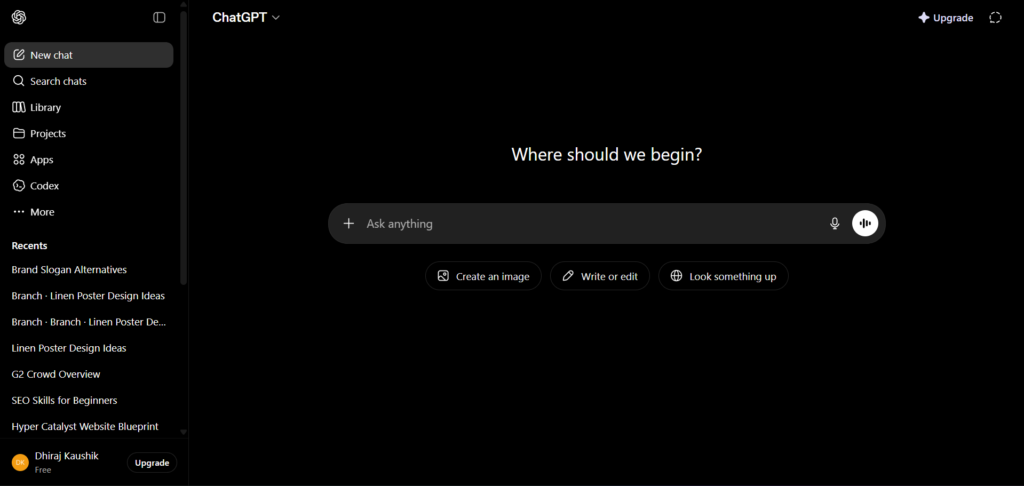
The GPT-4 era ended in early 2026. GPT-4o, GPT-4.1, and earlier GPT-5 versions were removed from the ChatGPT interface and GPT-4o was officially retired on February 13, 2026. The current lineup runs entirely on the GPT-5 family.
GPT-5.3 Instant is the default model for Free and Go plan users. It rolled out to all users on March 3, 2026. It handles everyday tasks quickly and is optimised for speed rather than complex reasoning. For most casual use cases, writing assistance, basic Q and A, simple coding, and content summarisation, it performs well.
GPT-5.4 Thinking is the reasoning-focused model available on Plus and above. It shows users an upfront reasoning plan before responding and works through complex problems step by step before producing an answer. It is designed for hard maths, detailed research, multi-step coding tasks, and spreadsheet creation where accuracy matters more than speed. GPT-5.4 mini is a smaller, faster version available as a fallback on Free and Go plans via the Thinking toggle.
GPT-5.5 launched on April 23, 2026 and is now the default flagship model on Plus, Pro, Business, and Enterprise plans. It scores 82.7 percent on Terminal-Bench 2.0 for agentic tasks, above the human expert baseline of 72.4 percent. It has a 1 million token context window and is designed for coding, research, data analysis, document creation, and multi-step tool workflows.
GPT-5.5 Pro is a higher-accuracy variant restricted to Pro, Business, and Enterprise tiers. It runs with more compute per response and is the appropriate choice for high-stakes professional work where the quality of every output matters.
GPT-5.3 Codex and GPT-5.2 Codex are distinct model variants optimised for agentic software engineering. They are the engines behind the Codex feature and are accessible via the Codex platform and API.
The key practical takeaway: Free plan users are not running on an inferior product in 2026. GPT-5.3 Instant is genuinely capable for everyday use. The meaningful gap between free and paid is usage limits and feature access, not raw model quality.
Core Conversation: What the Base Experience Delivers
At its foundation, ChatGPT is still a conversational interface. You type a message, it responds. This sounds simple but the quality of that conversation in 2026 is meaningfully different from what it was in 2023 or 2024.
GPT-5.5 handles nuance, ambiguity, and multi-step reasoning in a single conversation at a level that earlier models could not match consistently. Long conversations maintain coherence. Complex instructions across multiple messages are followed accurately. The model pushes back when a request is unclear rather than producing a confident but wrong answer.
File uploads are supported across a wide range of formats. ChatGPT on Plus accepts PDF, Word (.docx), Excel (.xlsx), PowerPoint (.pptx), images (PNG, JPG, WebP), code files, CSV, TXT, JSON, and audio files for transcription. The file size limit is 512MB per file, with up to 10 files per message and up to 80 files per 3-hour window on Plus.
The browsing tool allows ChatGPT to search the web for current information, which removes the knowledge cutoff limitation for queries where up-to-date information matters. Web browsing is available on Plus and above.
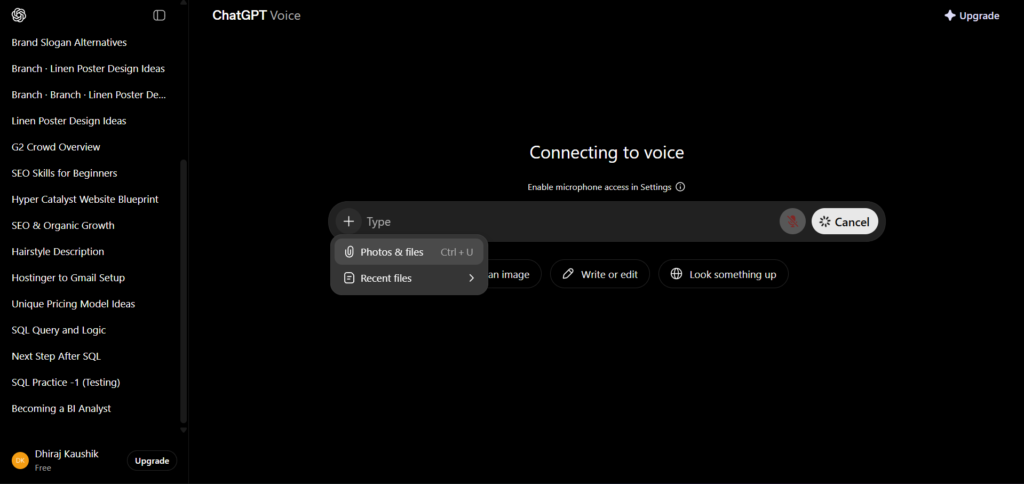
One important note on the free plan in 2026: Free and Go users in the United States see advertisements below responses. This is new as of February 9, 2026. If ads in an AI interface feel intrusive to you, Plus at $20 per month is the minimum ad-free tier.
Deep Research: Autonomous Research Reports
Deep Research is one of the most practically significant features OpenAI has shipped and one that changes what is possible for professionals who need synthesis of large amounts of information quickly.
Deep Research is not a search wrapper. It is a research synthesis tool that produces professional-quality reports autonomously. When you give it a research task, it conducts multi-step web research over 15 to 30 minutes, evaluates sources, synthesises findings across dozens of documents, and produces a structured report with citations. The output quality on complex research tasks genuinely competes with what a skilled researcher could produce in several hours of manual work.
The legacy Deep Research mode was removed on March 26, 2026. The current Deep Research experience is the improved version that replaced it. Historical conversations from the legacy mode remain accessible.
Usage limits by plan: 10 runs per month on Plus, 250 runs per month on Pro at both $100 and $200 tiers. Free and Go users do not have access to Deep Research.
The honest assessment: Deep Research produces strong synthesis but requires human review before professional use. It occasionally misreads source context, produces confident summaries of nuanced positions, and may not weight the most recent sources appropriately for fast-moving topics. It is a research acceleration tool, not a replacement for human judgement on the final output.
For a full step-by-step guide to getting the most from Deep Research, see our dedicated ChatGPT Deep Research guide.
Canvas: Writing and Coding Workspace
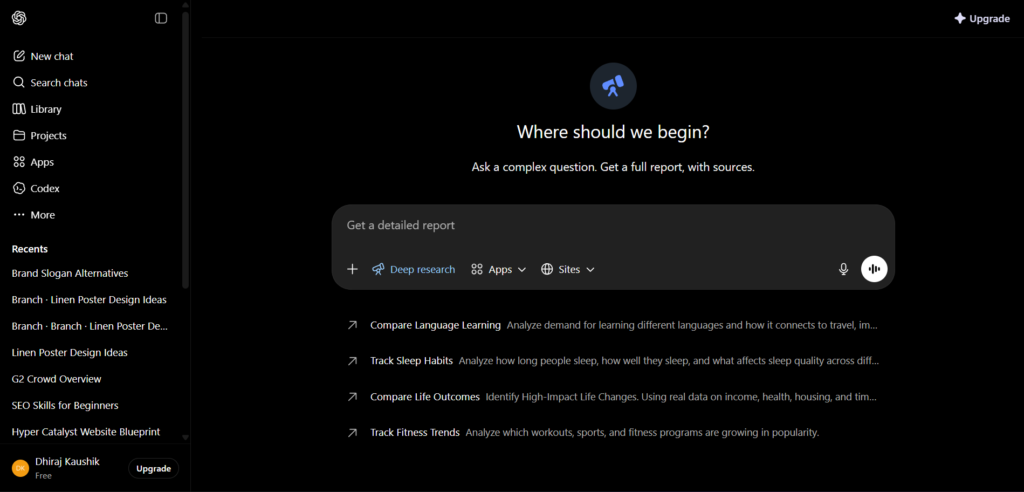
Canvas is a collaborative document and code editor built directly inside ChatGPT. It opens alongside the conversation window and allows you to create, edit, and iterate on long documents or complex code files with AI assistance inline, without copy-pasting between tools.
For writing, Canvas behaves like a Google Doc with an AI collaborator. You can ask ChatGPT to rewrite a specific section, adjust the tone, add a paragraph, or restructure the entire document, and it makes the changes directly in the document rather than producing a new version in the chat. The result is a cleaner, faster editing workflow than the traditional generate-and-copy approach.
For coding, Canvas provides syntax highlighting, the ability to run code directly in some contexts, and targeted edits to specific functions without regenerating the entire file. Combined with Codex for more complex engineering tasks, Canvas handles the document-level coding work that falls between a quick snippet and a full repository operation.
Canvas also now supports Pulse, which enables overnight briefings. Projects maintain strategic context across both Canvas documents and Pulse briefings, which gives long-running work projects a persistent workspace that carries context forward across sessions.
The most effective Canvas workflow for document work: request a first draft, then make targeted follow-up edits rather than regenerating from scratch. “Revise section 2 to be more concise” produces a better result than “rewrite the whole thing” because targeted instructions give the model less room to introduce unintended changes.
Full Canvas workflow with step-by-step guidance for both writing and coding use cases is covered in our ChatGPT Canvas guide.
Codex: AI-Powered Software Engineering
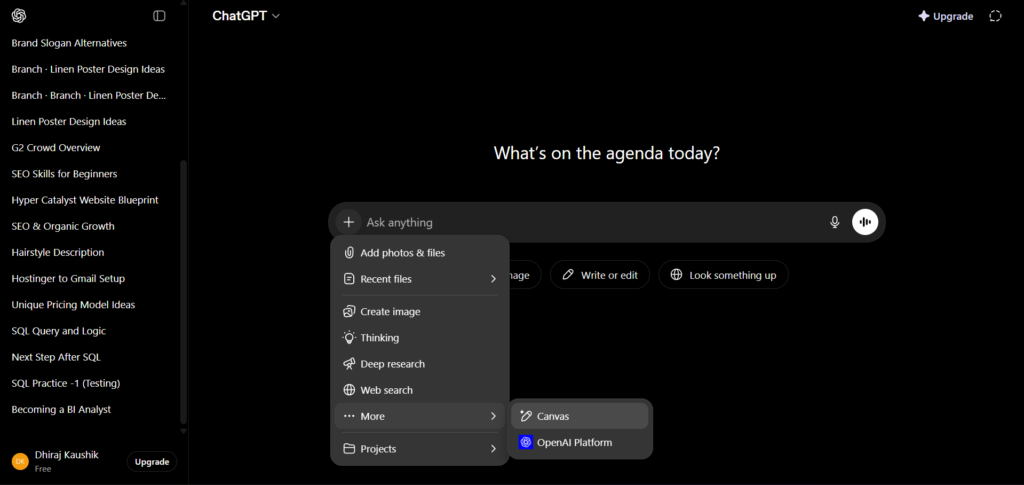
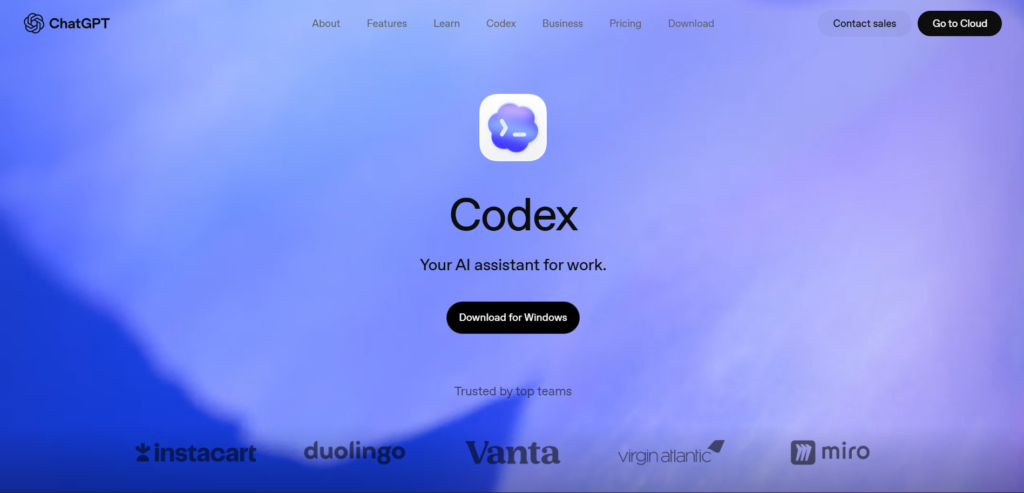
Codex in 2026 is not a code suggestion tool. It is an agentic developer that manages repositories, reviews pull requests, writes tests, debugs across multiple files, and operates across an entire development environment autonomously.
GPT-5.3 Codex and GPT-5.2 Codex are distinct model variants optimised specifically for agentic code work. They are approximately 25 percent faster than previous coding models and can autonomously write, test, debug, and deploy code.
Codex Mobile launched on May 14, 2026 and is available free on every ChatGPT plan including Free and Go. This means even free users can access the mobile version of Codex, which handles code explanation, generation, and debugging from a phone. Full agentic Codex for repository-level work remains a feature of paid plans through the Codex platform.
For developers evaluating ChatGPT as a coding tool, the honest position is: Codex handles straightforward to moderately complex single-file tasks reliably. For multi-file, multi-step engineering work, it requires structured task definitions and human review of outputs before committing to production. It is faster than manual coding for routine work. It is not yet fully autonomous for complex architectural decisions.
Our dedicated ChatGPT Codex guide covers the full workflow for developers at every experience level.
Memory and Projects: Context That Persists
Memory solves one of the most frustrating limitations of early ChatGPT: every conversation started from zero. The model knew nothing about you, your preferences, your work, or previous conversations. Memory changes this by allowing ChatGPT to retain and reference information across sessions.
ChatGPT can remember details about you, your preferences, and prior conversations, and use that context to make future responses more relevant. You can view, edit, and delete what ChatGPT remembers at any time through the Memory settings panel, giving you control over what persists.
Projects build on Memory by providing structured workspaces for ongoing work. You group related conversations, files, and context into a Project. When you return to that Project, ChatGPT has the relevant context immediately available rather than requiring you to re-establish it each session. Projects maintain the strategic context driving workflows like Canvas document work and Pulse briefings simultaneously.
Memory and Projects together represent a meaningful shift in how ChatGPT functions as a work tool. Rather than a disposable conversation, you can build a persistent working relationship with the platform around specific areas of your life or work.
Full coverage of how Memory works, what it stores, and how to control it is in our ChatGPT Memory guide.
Agent Mode: Autonomous Task Execution
Agent Mode is the feature that most clearly demonstrates how far ChatGPT has moved beyond conversational AI. The agent can control desktop software, operate browsers, fill forms, and execute multi-step workflows autonomously.
On the OSWorld-Verified benchmark, GPT-5.5 scores 78.7 percent, above the human baseline of 72.4 percent. This means the model performs computer-based tasks at a level that, on standardised benchmarks, exceeds the average human performance on the same tasks. This is the capability underpinning Agent Mode.
In practice, Agent Mode can: research and compile information from multiple websites into a structured document, fill and submit web forms, manage files across applications, schedule tasks, and execute multi-step workflows that previously required manual intervention at each step.
Agent Mode is included on Plus and above. Tasks, the scheduling feature that lets users set recurring or one-time operations that ChatGPT executes even when the user is not active, is also available from Plus.
The honest limitation: Agent Mode works well for clearly defined, repeatable tasks with predictable steps. For complex workflows with ambiguous decision points, it requires supervision and occasionally makes incorrect choices that need human correction. It is powerful for routine automation. It is not yet reliable enough for fully unsupervised operation on high-stakes tasks.
Our dedicated ChatGPT Agent Mode guide covers practical setup and workflow examples in detail.
Voice Mode and Record Mode
Advanced Voice Mode allows real-time spoken conversation with ChatGPT. The model listens, responds in natural speech, handles interruptions, and adjusts tone based on conversation context. The experience is closer to talking with a knowledgeable colleague than interacting with a voice assistant.
Record Mode, available on the mobile app, allows ChatGPT to listen to conversations, meetings, and lectures in real-time and produce structured summaries, action items, and transcripts. It runs on-device for privacy. No upload is required. You simply hit record in the mobile app before a meeting starts.
Record Mode is one of the most practically valuable additions for professionals who spend significant time in meetings. The structured output, including action items separated from general discussion, reduces post-meeting note-taking work substantially.
Voice Mode is available on Plus and above. Record Mode is available on the mobile app for Plus and above. Advanced Voice Mode with emotional tone response is included from Plus.
Full setup guide and practical use cases for both modes are covered in our ChatGPT Voice Mode guide.
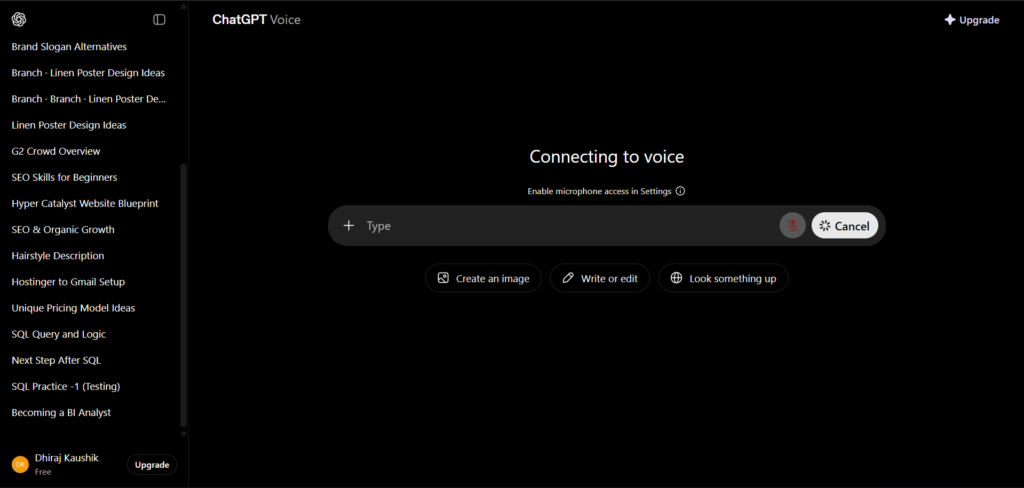
Image Generation: GPT-Image-2, DALL-E and Sora
ChatGPT’s image generation capabilities in 2026 cover both static images and video, with multiple models available depending on your plan.
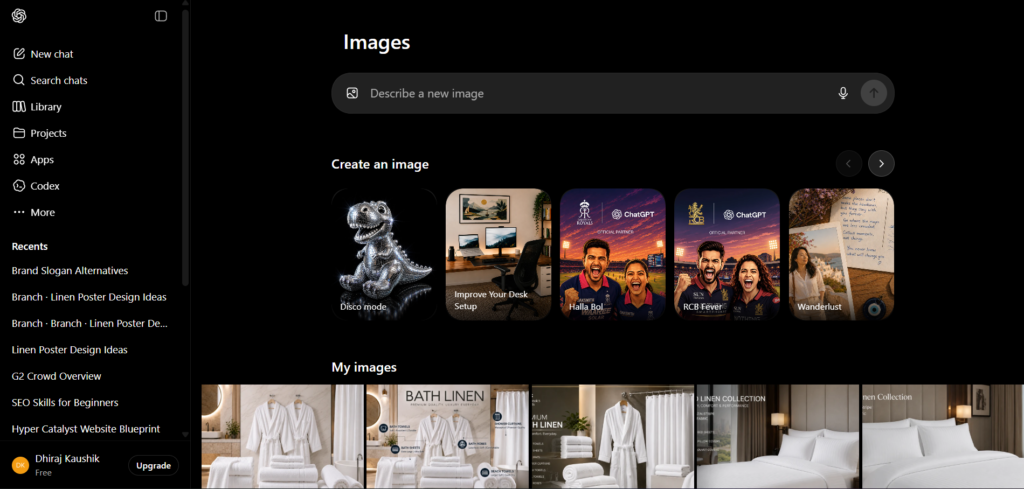
GPT-Image-2 (model ID gpt-image-2) shipped on April 21, 2026 and replaced GPT Image 1.5 as the default image generation model. It is accessible within ChatGPT on Plus and above, and is also available through the API for developers.
DALL-E 3 remains accessible for certain generation types, particularly when tight prompt adherence is required for creative work.
Sora, OpenAI’s video generation model, is integrated into ChatGPT from Plus tier upward. Sora 2 and Sora 2 Pro are the current variants, with Sora 2 Pro available on Pro, Business, and Enterprise plans.
For users who need AI image generation as part of a broader workflow that includes research, writing, and code, ChatGPT’s image capabilities are a practical inclusion that removes the need for a separate subscription. For users whose primary output is visual content at scale, a dedicated platform like Leonardo AI provides more generation control, custom model training, and editing tools that ChatGPT’s image interface does not offer.
Our ChatGPT image generation guide covers the full range of image and video generation options with step-by-step instructions.
Custom GPTs and the GPT Store
Custom GPTs are user-built ChatGPT configurations with a specific system prompt, optional knowledge files, and configured tools. They allow you to create a version of ChatGPT that is pre-configured for a specific recurring task, such as a research assistant for a specific domain, a code reviewer with your team’s style guide built in, or a customer-facing support agent with product knowledge files.
The GPT Store is the marketplace where users browse, install, and use Custom GPTs built by others. Browsing the Store is available on all plans including Free. Creating and publishing Custom GPTs requires Plus or above.
One important limitation to understand: Custom GPTs built and tested on GPT-5.5 may behave differently when run by a Free-tier user routed to GPT-5.3 Instant. The model substitution is not visible to the user. For high-stakes applications where model consistency is critical, this silent substitution is a reliability concern worth factoring into your workflow design.
The most effective use case for Custom GPTs is encapsulating a workflow you run repeatedly with stable inputs. The least effective use case is anything requiring fine-grained control over which model is running.
Full guide to building, finding, and using Custom GPTs effectively is in our ChatGPT Custom GPTs guide.
File and Data Analysis
ChatGPT’s file handling and data analysis capabilities are among the most practically useful features for professionals working with documents, spreadsheets, and data.
Supported file formats include PDF, DOCX, XLSX, CSV, TXT, JSON, HTML, images (JPEG, PNG, GIF, WebP), code files, and audio files for transcription. The file size limit is 512MB per file, with up to 10 files per message and up to 80 files per 3-hour window on Plus.
For data analysis, ChatGPT can read Excel and CSV files, perform calculations, generate charts, identify trends, and produce written summaries of data findings. This does not require you to write a single line of code. You upload the file, describe what you want to understand, and the model does the analysis.
For document work, ChatGPT can summarise long PDFs, extract specific information from contracts, compare multiple documents, and answer specific questions about content within uploaded files. The 1 million token context window on GPT-5.5 means very long documents can be processed in their entirety rather than in chunks.
ChatGPT Pricing 2026: Every Plan With Real Numbers
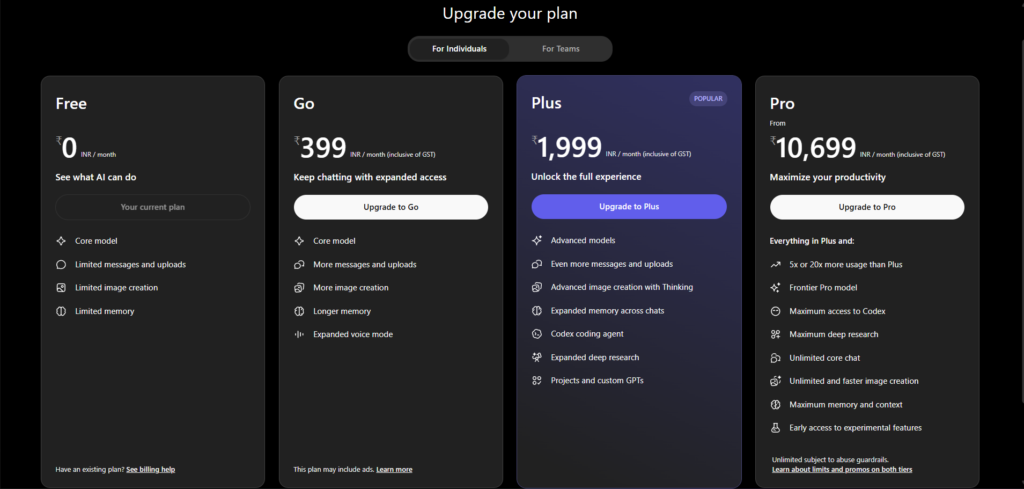
ChatGPT pricing has changed significantly in 2026. Two tiers became seven. Ads arrived on the cheapest plans. A new $100 Pro tier launched. Business dropped in price. Here is the current structure as verified against OpenAI’s official pricing page in May 2026.
| Plan | Monthly Cost | Who It Is For | Key Limits |
|---|---|---|---|
| Free | $0 | Casual users, evaluation | GPT-5.3 Instant, 10 messages per 5 hours, ads in US, no Deep Research |
| Go | $8/month | Budget users wanting more volume | Higher message volume than free, still includes ads, missing all advanced features |
| Plus | $20/month | Most professionals | GPT-5.5, Deep Research (10/month), Sora, Codex, Agent Mode, ad-free |
| Pro $100 | $100/month | Heavy users needing 5x Plus limits | GPT-5.5 Pro, 5x Plus usage limits, Deep Research (250/month) |
| Pro $200 | $200/month | Power users needing maximum volume | GPT-5.5 Pro, 20x Plus usage limits, 1M token context |
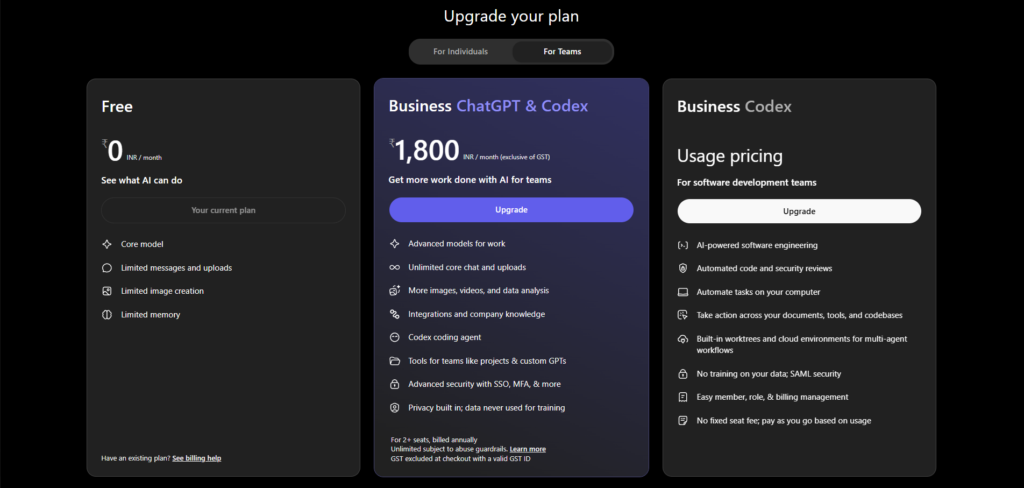
| Business | $20/seat/month (annual) / $25/month | Teams | Everything in Plus plus SSO, SOC 2, admin controls, 60+ app integrations |
| Enterprise | Custom | Large organisations | Custom pricing, 150+ users minimum, data residency, custom SLA |
Three things worth knowing before choosing a plan. First, Plus has been $20 per month for three years while features have multiplied significantly. OpenAI’s product head has stated publicly that this pricing model will change. If Plus fits your usage today, it may be worth locking it in before the next price shift. Second, the Go plan at $8 per month still includes ads and is missing all advanced features. It is not a meaningful upgrade from free for professional use. Third, Business dropped from $25 to $20 per seat on April 2, 2026, which means at 5 or more users, it costs the same as Plus per person while adding SSO, SOC 2 compliance, admin controls, and default training-data exclusion.
ChatGPT Personal Finance launched on May 15, 2026 as a US-only preview for Pro subscribers, integrated via Plaid. This is worth watching for US-based professionals managing personal or business finances.
The API is a completely separate cost structure from subscriptions. GPT-5.5 API costs $5.00 per million input tokens and $30.00 per million output tokens. Subscriptions include zero API credits.
What ChatGPT Does Better Than Any Competitor?
Breadth of capability in one subscription. No other AI platform in 2026 combines research synthesis, document editing, autonomous task execution, code engineering, voice conversation, image generation, video generation, and file analysis within a single $20 per month subscription. The platform depth at the Plus tier is unmatched.
Natural language interface for non-technical users. ChatGPT’s core strength is converting natural language instructions into useful outputs without requiring the user to understand the technical process. You do not need to know how to code to analyse a spreadsheet. You do not need to understand AI models to generate an image. This accessibility is genuinely unique at the quality level ChatGPT delivers.
Conversation quality and context handling. GPT-5.5’s 1 million token context window and coherence across long multi-turn conversations produce a conversational experience that other models have not yet matched at the same price point. Complex instructions given early in a conversation are maintained accurately through many exchanges.
Integration ecosystem. The Business plan includes 60 or more app integrations covering Slack, Google Drive, Salesforce, and major productivity tools. No competitor at a comparable price point offers the same breadth of native integrations for team workflows.
Free plan for evaluation. GPT-5.3 Instant on the free plan is a genuinely capable model for everyday tasks. This allows meaningful evaluation before spending money. The main limitation is the 10 messages per 5 hours cap, which constrains volume but not quality.
Honest Limitations
Ads on free and Go plans. Advertising arrived in the ChatGPT interface for US Free and Go users on February 9, 2026. For a platform that built its reputation on a clean, distraction-free interface, this is a meaningful change in the user experience. Plus at $20 per month removes ads entirely.
Hallucination persists on factual queries. GPT-5.5 produces fewer factual errors than earlier models, but confident hallucination on specific facts, statistics, and recent events remains a real behaviour. Human verification of factual claims before publishing or acting on them is non-negotiable for professional use.
Deep Research requires human review. The quality of Deep Research output is high, but occasional source misreading, contextual errors, and overconfident summaries of nuanced positions mean treating the output as a draft rather than a final deliverable is the correct professional standard.
Go plan is a misleading offer. At $8 per month, the Go plan increases message volume but keeps ads, excludes all advanced features including Deep Research, Agent Mode, Canvas at full capacity, Sora, and Codex beyond mobile. Most users evaluating the Go plan would be better served by the free plan for casual use or Plus for professional use.
No image custom model training. Unlike Leonardo AI, ChatGPT offers no LoRA training or custom model training for image generation. You cannot train the system on your brand assets or maintain style consistency across a series of images. For visual content production at professional scale, a dedicated image generation platform remains necessary alongside ChatGPT.
Context window management. While the 1 million token context window on GPT-5.5 is large, free and Plus users on GPT-5.3 Instant operate with a smaller context window. Very long documents or extended conversations may still hit practical limits on lower tiers.
Who Should Use ChatGPT?
Knowledge workers and professionals. Writers, researchers, analysts, marketers, and consultants who produce written output daily will find the combination of Canvas for document editing, Deep Research for information synthesis, and core conversation for drafting and revision covers most of their daily production workflow within a single $20 per month subscription.
Developers. Codex for repository-level engineering work, the code interpreter for data analysis, and Canvas for code editing make ChatGPT a serious development tool for programmers at every level. Codex Mobile being free on all plans makes it accessible even for hobbyist developers evaluating the platform. Our ChatGPT Codex guide covers the full developer workflow.
Students and researchers. Deep Research for literature synthesis, file analysis for document review, and Memory for maintaining context across a semester-long research project make ChatGPT genuinely useful for academic work. ChatGPT for Teachers is a free plan for verified US K-12 educators through June 2027. ChatGPT Edu is available for universities at institutional pricing.
Small business owners and teams. The Business plan at $20 per seat annually includes everything professionals need plus the SSO, SOC 2 compliance, admin controls, and app integrations that teams require. The training data exclusion by default on Business plans is a meaningful data privacy benefit for companies that cannot afford for their internal data to train OpenAI’s models.
Complete beginners to AI. ChatGPT remains the most accessible entry point into AI tools in 2026. The conversational interface, the quality of the free tier, and the breadth of what it handles make it the right starting point for anyone new to AI. Our ChatGPT beginners guide walks through everything step by step for first-time users.
Verdict Scorecard
| Category | Score | Notes |
|---|---|---|
| Core Conversation Quality | 5 / 5 | GPT-5.5 leads the category. Nothing else at this price point matches it. |
| Deep Research | 4.5 / 5 | Best autonomous research tool available. Requires human review on final output. |
| Canvas and Document Work | 4.5 / 5 | Practical and fast. Competes with dedicated writing tools. |
| Codex and Coding | 4.5 / 5 | Genuinely agentic for coding. Still needs human oversight on complex work. |
| Agent Mode | 4 / 5 | Strong on defined tasks. Requires supervision on ambiguous workflows. |
| Image Generation | 3.5 / 5 | Capable for casual use. No custom training or editing canvas. |
| Voice Mode | 4 / 5 | Best voice AI in the category. Record Mode is practically very useful. |
| Pricing Value | 4.5 / 5 | Plus at $20/month is the best feature-to-price ratio in AI subscriptions. |
| Free Plan | 3.5 / 5 | Capable model. Ads and strict limits reduce practical value. |
| Ease of Use | 5 / 5 | Most accessible AI platform available. No learning curve for basic use. |
| Overall | 4.4 / 5 | The most versatile AI platform in the world. Best entry point for new users and most capable all-in-one tool for professionals. |
Frequently Asked Questions
Is ChatGPT free in 2026?
Yes, ChatGPT has a permanent free tier that gives you access to GPT-5.3 Instant at no cost. The free plan is limited to 10 messages per 5 hours and does not include advanced features like Deep Research, Agent Mode, Sora, or Canvas at full capacity. Free users in the United States also see advertisements below responses as of February 2026. The free plan is genuinely useful for casual use and evaluation but is not designed for professional daily use at volume. Plus at $20 per month removes all limits mentioned above and adds the full feature suite.
What is the best ChatGPT plan for most professionals?
Plus at $20 per month is the right choice for most individual professionals in 2026. It includes GPT-5.5, Deep Research at 10 runs per month, Agent Mode, Canvas, Sora, Codex, Advanced Voice Mode, and the full file handling suite at an ad-free experience. It has been priced at $20 for three years while the feature set has multiplied. For users who exhaust Plus limits regularly, Pro $100 at 5 times Plus limits is the logical next step. Pro $200 is appropriate only for very high-volume power users where the 20 times Plus limits are genuinely needed.
What happened to GPT-4o?
GPT-4o was retired from the ChatGPT interface on February 13, 2026. Business, Enterprise, and Edu customers retained access within Custom GPTs until April 3, 2026, after which it was fully retired from ChatGPT. GPT-4o remains available via the OpenAI API for developers who need it for existing integrations. All new ChatGPT conversations now run on the GPT-5 family. For developers with applications referencing gpt-4o model strings, OpenAI recommends migrating to GPT-5 family model strings as long-term API availability for GPT-4o has not been confirmed.
How does ChatGPT compare to other AI tools in 2026?
ChatGPT leads the category on breadth and accessibility. No other single platform combines research synthesis, document collaboration, autonomous task execution, coding, voice, image generation, and file analysis in one subscription at a comparable price. For specific use cases, dedicated tools can outperform ChatGPT: Leonardo AI for AI image generation with custom model training and editing tools, Runway ML for video production workflows, and GitHub Copilot for IDE-integrated coding. The most effective professional workflows in 2026 typically use ChatGPT as the general intelligence layer alongside one or two specialist tools for specific output types.
Does ChatGPT store my conversations?
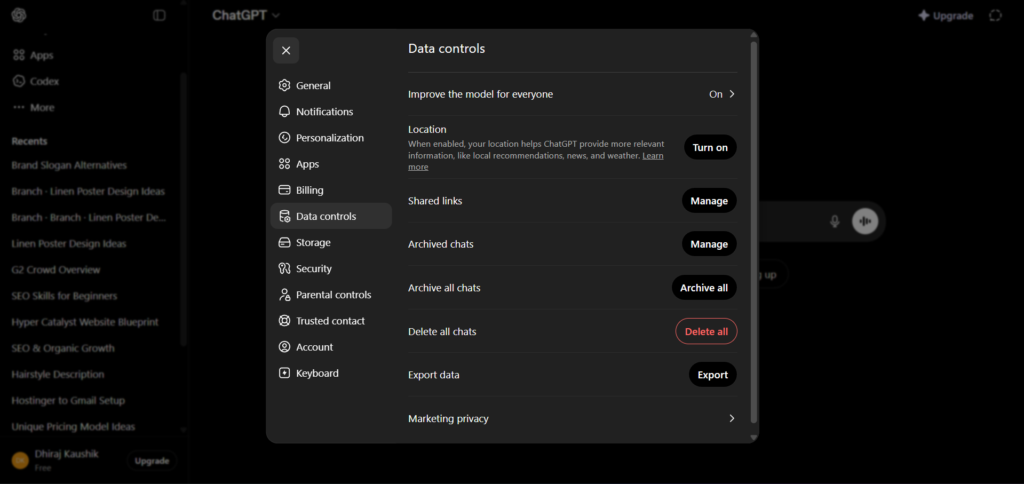
By default, Free and Plus plans may use conversations to improve OpenAI’s models. You can opt out of this in Settings under Data Controls. Business and Enterprise plans have training data exclusion on by default, meaning your business conversations do not contribute to model training without explicit opt-in. All data is encrypted in transit using TLS 1.2 and at rest using AES-256. For users with specific privacy requirements, reviewing the current data handling terms at openai.com before using the platform for sensitive work is the appropriate step.
What is the difference between ChatGPT and the OpenAI API?
ChatGPT is the consumer-facing chat interface at chatgpt.com. The OpenAI API is the developer access layer that allows programmatic integration of OpenAI’s models into external applications, products, and workflows. They are separate cost structures. A ChatGPT Plus subscription at $20 per month includes zero API credits. API usage is billed separately per token, with GPT-5.5 costing $5.00 per million input tokens and $30.00 per million output tokens. Developers building products on top of OpenAI’s models use the API. Individuals using ChatGPT as a daily productivity tool use the chatgpt.com interface.
Final Thoughts
ChatGPT in 2026 is a different product from the one most people formed their opinions about in 2023 or 2024. GPT-5.5, Deep Research, Canvas, Codex, Agent Mode, and Record Mode have collectively moved it from a capable chatbot into a serious professional productivity platform. The Plus plan at $20 per month delivers more genuine capability per dollar than any other AI subscription currently available.
The limitations are real and worth knowing. Hallucination persists and requires human verification for factual work. Agent Mode needs supervision on complex tasks. Image generation lacks the custom training and editing tools that dedicated platforms provide. The Go plan is a misleading offering that most users should skip.
For most people, the right approach is to start on the free plan today at chatgpt.com, spend one week using it daily for real work tasks, and upgrade to Plus when the message limits start to create friction. That evaluation costs nothing and will tell you more about whether ChatGPT fits your workflow than any review article can.
If you are completely new to ChatGPT and want to start from the very beginning, our ChatGPT beginners guide walks you through every step from account creation to your first advanced workflow.
External resources: ChatGPT official pricing page | OpenAI ChatGPT release notes | OpenAI ChatGPT plans comparison | ChatGPT complete features guide 2026 | ChatGPT pricing all plans 2026
Useful Backlinks
| # | Specific Article / Page | URL |
|---|---|---|
| 1 | “ChatGPT Release Notes” — OpenAI Official Help Center | help.openai.com/en/articles/6825453-chatgpt-release-notes |
| 2 | “ChatGPT Pricing: My Honest Take on the 2026 Plans” — tldv.io | tldv.io/blog/chatgpt-pricing/ |
| 3 | “ChatGPT Pricing 2026: All Plans, Limits and Hidden Costs” — Fritz.ai | fritz.ai/chatgpt-pricing/ |
| 4 | “ChatGPT New Features 2026: GPT-5.4, Codex and Updates” — AI Business Weekly | aibusinessweekly.net/p/chatgpt-new-features-2026 |
| 5 | “ChatGPT 2026: Every Model, Feature and Update Explained” — SolidAITech | solidaitech.com/2026/05/chatgpt-complete-guide-models-features.html |
| 6 | “How to Use ChatGPT in 2026: Features, Tips, and Limits” — TechJack Solutions | techjacksolutions.com/ai-tools/chatgpt/how-to-use-chatgpt/ |
| 7 | “Best ChatGPT Models in 2026: Which to Use?” — PromptNest | promptnest.info/blog/current-chatgpt-model-versions-2026 |
| 8 | “ChatGPT Features 2026: Projects, Memory, Agent, Sora and More” — Suprmind | suprmind.ai/hub/chatgpt/features/ |
| 9 | “How Much Does ChatGPT Cost in 2026?” — CloudZero | cloudzero.com/blog/how-much-does-chatgpt-cost/ |
| 10 | “ChatGPT Plans Compared: Free vs Plus vs Pro vs Business” — IntuitionLabs | intuitionlabs.ai/articles/chatgpt-plans-comparison |