Claude vs Gemini is a slightly different comparison than Claude vs ChatGPT, mostly because Gemini is not really competing on chat quality alone. It is competing on being everywhere you already work, Gmail, Docs, Sheets, Android, and Search, which changes what “better” even means. After testing both for real tasks over several weeks, the honest answer depends heavily on how deep you already are into Google’s ecosystem.
Table of Contents
What Is the Claude vs Gemini Comparison About?
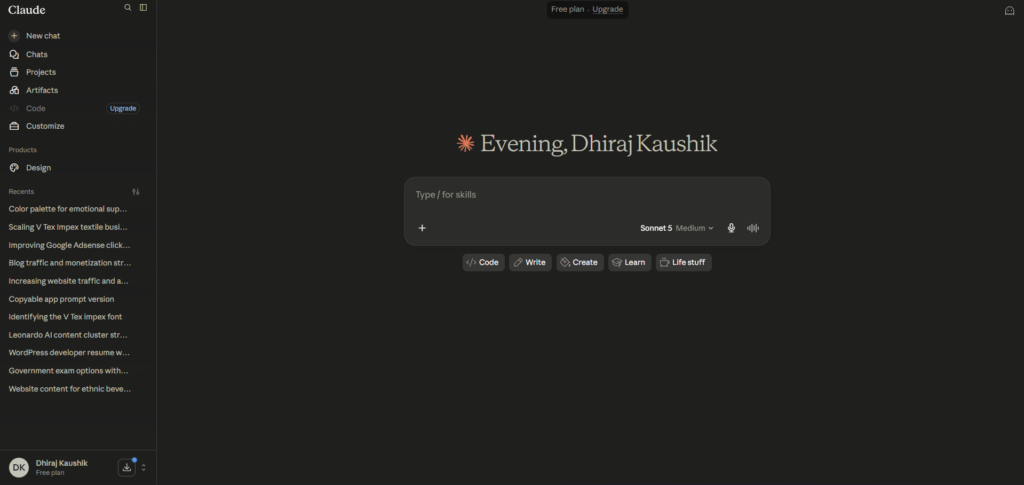
Claude vs Gemini comes down to a simple tension. Claude AI is a standalone assistant built by Anthropic, focused narrowly on conversation, writing, and coding. Gemini is Google’s assistant, built directly into products most people already use daily, which means the comparison is rarely just about which one answers a question better.
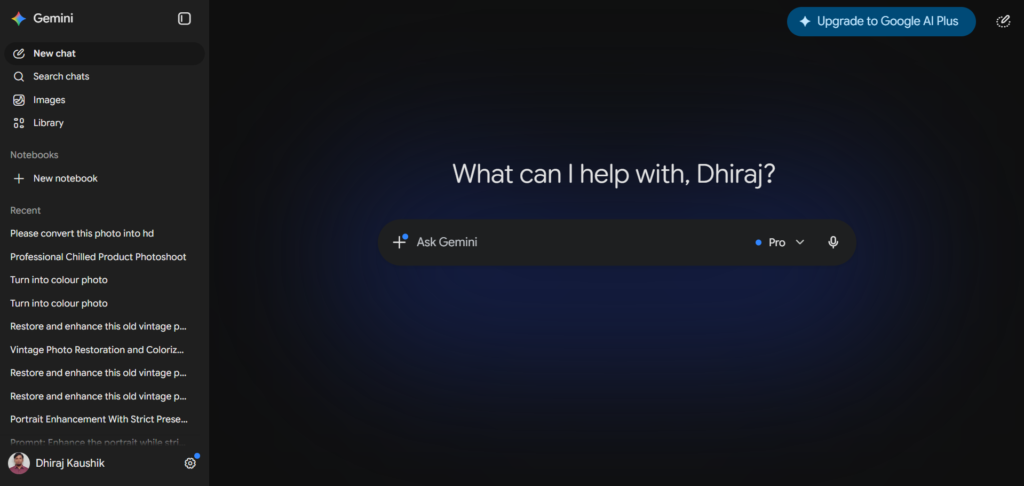
Gemini currently runs on the Gemini 3 family, with Gemini 3.1 Pro as the flagship reasoning model offering a full one million token context window, and the newer Gemini 3.5 Flash handling faster, cheaper tasks including a lot of coding and agentic work. Claude AI runs Sonnet 5 by default with Opus 4.8 as its top reasoning model, and a context window that scales up to roughly two hundred thousand tokens on paid plans, smaller than Gemini’s headline number but generally more consistent in accuracy across that range.
That context window gap is one of the first things people notice when comparing the two on paper, and it deserves a caveat most comparisons skip. Gemini’s accuracy on long context retrieval tasks measurably drops as you approach the full million token limit, which means the headline number looks more impressive than it performs in practice for very long documents. Claude’s smaller window tends to hold accuracy more consistently closer to its actual limit.
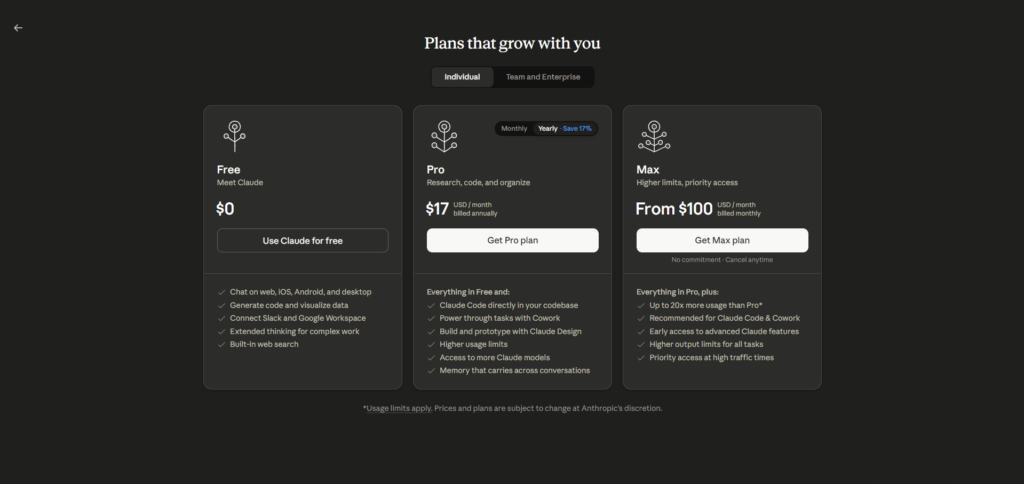
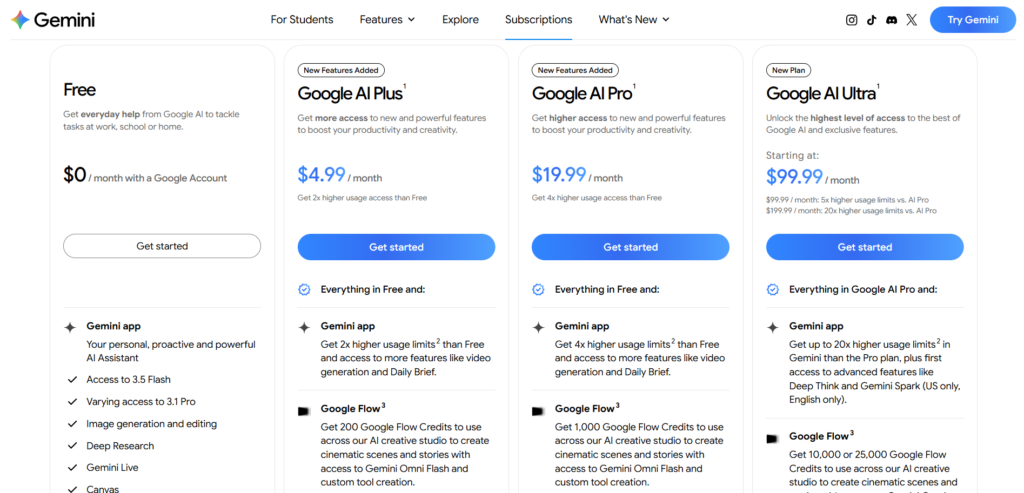
Pricing is where the two diverge sharply rather than sitting close together like Claude and ChatGPT do. Google AI Pro at $19.99 a month is Gemini’s main paid tier, slightly more than Claude Pro’s $20, but the real gap opens at the top end, where Google AI Ultra now starts at $99.99 a month for five times the usage, matching Claude’s own Max pricing structure almost exactly at that tier.
If you already read through what actually separates Claude’s tiers, worth revisiting how that Max pricing logic compares directly against Gemini’s own Ultra tiers before assuming either one is the better value at the higher end.
Why This Comparison Feels Different From Claude vs ChatGPT?
Comparing Claude to Gemini is a different exercise than comparing Claude to ChatGPT, because Gemini’s value proposition rests heavily on distribution rather than raw model quality alone. Google can put Gemini in front of billions of existing Gmail and Android users by default, something neither Anthropic nor OpenAI can replicate through a standalone chat product. That distribution advantage shapes the entire comparison in a way that pure benchmark scores do not capture.
This also means the “better” tool genuinely depends more on context here than it does when comparing two standalone chat products against each other. A Gemini response inside Gmail, already aware of the thread you are replying to, is solving a different problem than a Claude response in a blank chat window, even if the underlying text quality were identical.
How Claude and Gemini Actually Differ?
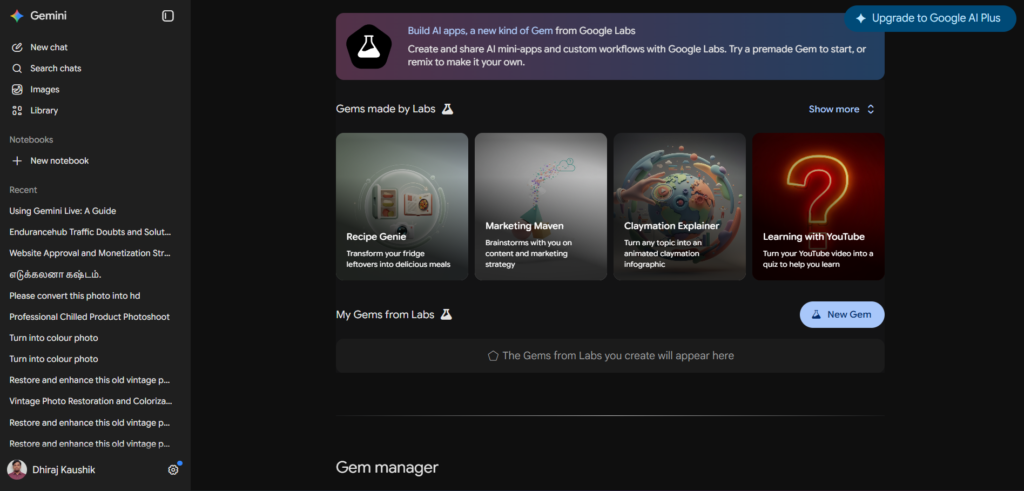
The most immediate difference is ecosystem integration. Gemini is built directly into Gmail, Google Docs, Sheets, and Drive, letting it draft emails, summarize documents, and pull live data from your actual Google account without any extra setup. Claude AI has no equivalent built in integration with a productivity suite, relying instead on manual file uploads or its own Projects feature for persistent context.
Multimodal and Creative Tools
Gemini has a significant advantage in generative media. It includes Nano Banana 2 for image generation and Veo 3.1 for video, both accessible directly inside the same subscription without needing a separate tool. Claude AI has no native image or video generation at all, keeping its focus entirely on text, documents, and code, similar to the gap we found comparing Claude against ChatGPT’s own multimodal features.
For anyone running a content operation that needs both written articles and accompanying graphics or short videos, this single difference can outweigh most of the writing quality comparisons discussed elsewhere in this guide. Paying for Claude plus a separate image generation subscription often ends up costing more than a single Gemini subscription that already includes both.
Reasoning and Agentic Features
Both platforms have leaned into agentic capability recently. Gemini’s Deep Think mode, available on Ultra, is built for complex mathematical and logical problems, while Project Mariner allows Gemini to control a browser autonomously for multi step tasks. Claude’s equivalent is Claude Cowork, which handles multi step work across files and documents with less browser level autonomy but tighter integration with Claude Code for developers specifically.
The practical difference shows up most clearly in what each is actually asked to do. Project Mariner tends to get used for consumer style tasks like booking or form filling across websites, while Claude Cowork leans toward document heavy, knowledge work style tasks like organizing files or synthesizing information across a project’s reference material. Neither is strictly more capable, they are simply aimed at different kinds of autonomous work.
Writing Style and Tone
Claude AI consistently produces more natural, less list-heavy prose by default, a pattern that holds true across nearly every comparison it appears in. Gemini’s responses tend to be more structured and occasionally more cautious in tone, likely reflecting Google’s broader consumer audience and the wider range of ages and contexts Gemini gets used in compared to Claude’s more professional leaning user base.
Search and Real-Time Information
Gemini has a built in advantage here that is hard to overstate: it is made by the company that runs the dominant search engine. Gemini’s grounding in live Google Search results tends to be faster and more comprehensive than Claude’s web search feature, particularly for very recent news or rapidly changing information. For deep, structured research reports specifically, some professionals still prefer a dedicated tool over either general assistant, similar to the reasoning behind why some researchers run Perplexity alongside their main chat assistant rather than relying on either one alone for citation heavy work.
This search advantage narrows considerably for less time sensitive queries. Once a topic has been settled for more than a few days, both Claude and Gemini tend to produce similarly grounded answers, since the gap is really about how fast each surfaces breaking information rather than a permanent quality difference in how they handle search results generally.
Step-by-Step Guide to Comparing Claude and Gemini
Comparing these two properly means testing them where they actually differ most: ecosystem integration and long document handling.
Step 1: Test Gemini Inside Your Actual Google Workspace
If you use Gmail or Google Docs daily, test Gemini directly inside those apps rather than through the standalone chat interface. This is where its real advantage over Claude shows up, not in a side by side chat window.
Step 2: Test Claude With the Same Document Through Projects
Upload the same document to a Claude Project and ask the same questions you asked Gemini inside Docs. Compare not just answer quality but how much manual setup each approach required.
Step 3: Push Both to Their Context Window Limits
Take a genuinely long document, well past a hundred thousand words if you can find one, and ask each tool a specific question about a detail buried deep in the middle. This is the fairest way to test whether Gemini’s larger headline context window actually holds up under real use, rather than trusting the marketed token count on its own.
Step 4: Compare Image or Video Generation If Relevant
If your work involves visual content, generate the same image prompt through Gemini’s Nano Banana 2 and note that Claude simply cannot do this at all. This alone may settle the comparison for anyone needing both text and visual generation in one subscription, since adding a separate paid tool just for images changes the real monthly cost of choosing Claude.
Step 5: Test a Time-Sensitive Research Question
Ask both about something that happened in the last few days. Gemini’s tighter integration with Google Search tends to surface more current, comprehensive results faster than Claude’s web search for very recent events, though the gap narrows considerably once you move past breaking news into more settled, established information.
Step 6: Weigh the Ecosystem Cost, Not Just the Subscription Price
If you are already paying for Google One storage or Google Workspace, factor that bundled value into Gemini’s actual cost. A twenty dollar Claude subscription and a twenty dollar Gemini subscription are not equal value if one also replaces a storage subscription you were already paying for separately. Add up what you currently spend on cloud storage alone before comparing the two subscription prices as if they were purely apples to apples.
Key Benefits of Each Platform
Claude AI’s core benefit remains writing consistency and long document accuracy within its stated context limit. For anyone producing polished written content or reviewing legal and financial documents where precision matters more than raw context size, Claude’s more conservative but more reliable performance tends to win out over Gemini’s larger but less consistent context handling.
Gemini’s core benefit is unmatched integration for anyone already living inside Google’s ecosystem. Being able to draft an email in Gmail, summarize a meeting transcript, and generate a supporting image without leaving Google’s own apps removes friction that Claude, as a standalone product, simply cannot replicate without manual copy and paste.
Gemini’s generative media bundle, especially Veo 3.1 video and Nano Banana 2 image generation, gives it real value for content creators and marketers who need visual assets alongside written work. Claude’s complete absence from this category is a genuine limitation for anyone whose work spans both, not just a minor feature gap.
Claude Code continues to hold an edge for developers specifically working on large, established codebases, where its clearer reasoning explanations matter more than Gemini Code Assist’s tighter IDE integration for smaller, faster tasks. Anthropic’s narrower focus on coding as a core use case shows in how thoroughly Claude Code has been built out compared to Gemini’s more general purpose coding assistance.
Both companies continue to lower pricing at the high end rather than raising it, with Gemini’s Ultra tier recently dropping from two hundred fifty dollars to as low as ninety nine dollars for the entry Ultra option. This downward pressure benefits anyone comparing value now versus even six months ago, when both platforms’ top tiers cost noticeably more for similar capability.
Gemini’s Deep Think reasoning mode adds real value for the specific slice of users tackling genuinely hard mathematical or logical problems, an area where Google has invested heavily given DeepMind’s research background feeding directly into the product. Claude does not market an equivalent named mode, though Opus 4.8 handles similarly demanding reasoning tasks well within its standard interface, without requiring you to switch into a special mode first.
Comparison Table
| Tool Name | Standout Feature | Context Window | Integration Strength | Monthly Cost |
|---|---|---|---|---|
| Claude AI | Long document accuracy and Claude Code | ~200K tokens | Manual via Projects | Free, then $20 |
| Gemini | Native Gmail, Docs, and Sheets integration | Up to 1M tokens | Deep Google Workspace | Free, then $19.99 |
| ChatGPT | Multimodal breadth and Deep Research | Up to 400K tokens (Pro) | Moderate, expanding | Free, then $20 |
| Perplexity | Citation-first research answers | Moderate | Low, browser-based | Free, then $20 |
| Copilot (Microsoft) | Native Windows and Office integration | Moderate | Deep Microsoft 365 | Free, then $20 |
Prices reflect publicly listed individual plan rates as of mid-2026, following Google’s most recent pricing restructure. Confirm current numbers directly on each provider’s pricing page before deciding, since these change more frequently than most software pricing.
Who Should Choose Claude vs Gemini?
Anyone deeply embedded in Google Workspace for email, documents, and spreadsheets will likely find Gemini more immediately useful simply because it removes the friction of switching to a separate tool. If your day already runs through Gmail and Docs, Gemini meets you there instead of asking you to change your workflow.
Writers, editors, and professionals producing long form content where tone and precision matter more than integration tend to prefer Claude AI. The absence of Workspace integration is a smaller cost than the writing quality gain for this group specifically.
Content creators and marketers needing both written copy and visual assets, images or short video clips, benefit more from Gemini’s bundled generative media tools, since Claude requires pairing with a completely separate tool for anything visual.
Developers working on serious, large scale codebases still tend to prefer Claude Code’s explanation quality over Gemini Code Assist, though those working primarily inside Google Cloud infrastructure may find Gemini’s tighter integration with that specific ecosystem more convenient for their particular stack. Teams already standardized on Google Cloud for hosting and deployment often find the friction of adding a separate coding assistant from a different provider outweighs Claude Code’s edge in explanation quality for smaller, less complex projects specifically.
FAQ
Is Claude better than Gemini for writing?
Claude AI generally produces more natural, less structured prose by default compared to Gemini, which tends toward a more formatted, occasionally more cautious tone. For long form writing meant to be published close to as generated, Claude typically requires less editing. Gemini’s writing quality is solid but shows its broader consumer audience in its tone, which can feel slightly more generic for professional or creative writing specifically compared to Claude’s more consistently polished output.
Does Gemini really have a bigger context window than Claude?
Yes, on paper Gemini 3.1 Pro offers up to one million tokens compared to Claude’s roughly two hundred thousand on paid plans. However, independent testing has shown Gemini’s accuracy on retrieving specific details drops noticeably as documents approach that full million token limit, while Claude tends to maintain more consistent accuracy across its smaller stated range. For most real world documents, which rarely approach a million tokens anyway, this difference matters less in practice than the headline numbers suggest, and it is worth testing with your own actual documents rather than trusting either company’s marketing copy.
Is Gemini cheaper than Claude?
Google AI Pro costs $19.99 a month compared to Claude Pro’s $20, a negligible difference at the entry tier. The bigger consideration is bundled value, since Gemini’s Pro plan includes 5TB of Google storage and Workspace integration that Claude has no equivalent for, which can make Gemini a better overall value if you were already paying for Google storage separately. At the top tier, Google AI Ultra now starts at $99.99, closely matching Claude Max’s own entry pricing at $100 a month, though the two Ultra tiers include different bundled features worth comparing individually rather than assuming price alone tells the full story.
Can Gemini generate images and video like it claims?
Yes, Gemini includes Nano Banana 2 for image generation and Veo 3.1 for video generation, both accessible within the same subscription without needing a third party tool. Claude AI has no equivalent feature and does not generate images or video in any form. This is one of the clearest, most consistent differences between the two platforms and is unlikely to change with a minor product update given Anthropic’s stated focus on text and coding.
Which is better for Google Workspace users, Claude or Gemini?
Gemini is the clear choice for anyone whose daily work runs primarily through Gmail, Google Docs, Sheets, or Drive, since it operates directly inside those apps without requiring you to copy content elsewhere. Claude AI works fine alongside Google Workspace but requires manual uploading or copying, adding friction that Gemini simply does not have. For teams already standardized on Google Workspace for collaboration, Gemini’s native integration is difficult for Claude to compete with on convenience alone.
Does Claude have anything comparable to Gemini’s Deep Think mode?
Claude AI does not have a directly named equivalent to Gemini’s Deep Think, but Opus 4.8 offers strong reasoning performance on complex tasks within standard usage, and Claude Cowork extends this into more autonomous multi step work across documents and files. The two approaches differ in structure rather than raw capability, with Gemini’s Deep Think framed specifically around mathematical and logical problem solving while Claude’s reasoning strength shows up more broadly across writing, analysis, and coding tasks.
Final Thoughts
Claude vs Gemini is less about which model answers questions better and more about where you already spend your working day. Gemini wins decisively for anyone living inside Google Workspace or needing bundled image and video generation, while Claude wins for anyone prioritizing writing quality, document accuracy, and serious coding work through Claude Code.
The context window gap looks more dramatic on paper than it behaves in practice, and pricing has converged enough at both the entry and top tiers that cost alone rarely settles the decision anymore. What actually differentiates the two is how each fits into the tools you already use every day, not which one wins a benchmark this particular month.
Neither company is standing still, and Google’s pace of releases in particular has been aggressive throughout 2026, with pricing and model updates arriving faster than most comparison articles can keep up with. Treat any specific numbers here as a starting point for your own testing rather than a permanent ranking.
If you are already a Google Workspace user, test Gemini directly inside Docs and Gmail before assuming a standalone assistant like Claude will serve you better.
External Links: