Claude Code has gone from a niche terminal tool to one of the most talked about coding assistants in 2026, and the reason keeps coming back to the same thing: it does not just suggest code, it finishes tasks. After using it alongside GitHub Copilot on real production work for several weeks, the difference in how much you can actually hand off turned out to be the whole story.
Table of Contents
What Is Claude Code?
Claude Code is Anthropic’s agentic coding tool, built to operate as an autonomous developer rather than an autocomplete engine. Instead of suggesting the next line as you type, it takes a plain language instruction, reads your actual repository, plans a multi step approach, edits files across your codebase, runs your tests, and reports back with a result ready for review.
This design choice separates Claude Code from tools like GitHub Copilot from the ground up. Copilot was built as an inline suggestion engine first, with agent capabilities added later. Anthropic did the opposite, launching Claude Code as a terminal native agent from the start, with IDE extensions for VS Code and JetBrains added afterward rather than being the primary experience.
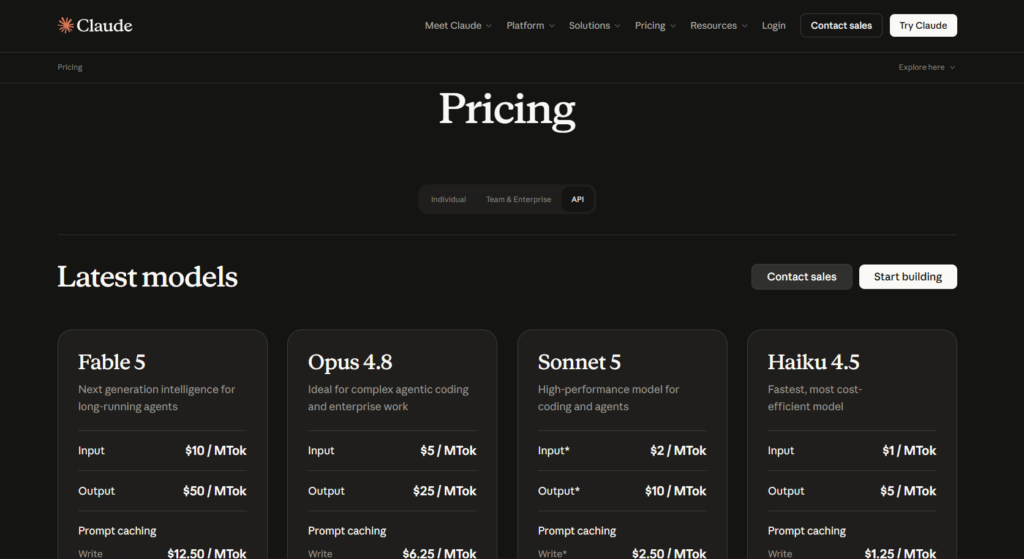
Claude Code runs on Anthropic’s current model lineup, defaulting to Opus 4.8 on Max and Team Premium plans for the strongest reasoning on complex tasks, with faster, cheaper models available for lighter work. It ships with a large context window, letting it hold an entire mid sized codebase in memory at once rather than working file by file in isolation, which is a meaningful part of why it handles large refactors more coherently than tools built around small, local suggestions.
One of the more advanced features, sometimes called Dynamic Workflows or Agent Teams depending on which release you are looking at, lets Claude Code spin up multiple subagents that work on different parts of a task in parallel, each with its own scoped context, then report back once their work converges. This is genuinely different from how most coding assistants operate, since it treats a task at the scale of an entire codebase rather than a single file or function.
Where Claude Code Fits in Anthropic‘s Broader Strategy?
Claude Code did not appear as an isolated product. It reflects Anthropic’s broader bet that the most valuable AI coding tools will be the ones that can be trusted to work autonomously on real, consequential tasks rather than just speeding up typing. This is the same philosophy that shows up in Claude AI’s general chat product, just applied specifically to software development instead of writing or research.
Anthropic has also been notably transparent about using Claude Code internally on its own codebase, a practice sometimes called dogfooding, reporting meaningful increases in how many changes its own engineers ship per day since adopting it. This kind of internal usage data matters more than marketing claims, since it reflects sustained, real world use rather than a curated demo.
If you have already read our full breakdown of how Claude stacks up against ChatGPT for everyday use, Claude Code is where that gap becomes most concrete for developers specifically, since coding is one of the areas where Anthropic has invested the most focused product development.
How Claude Code Works?
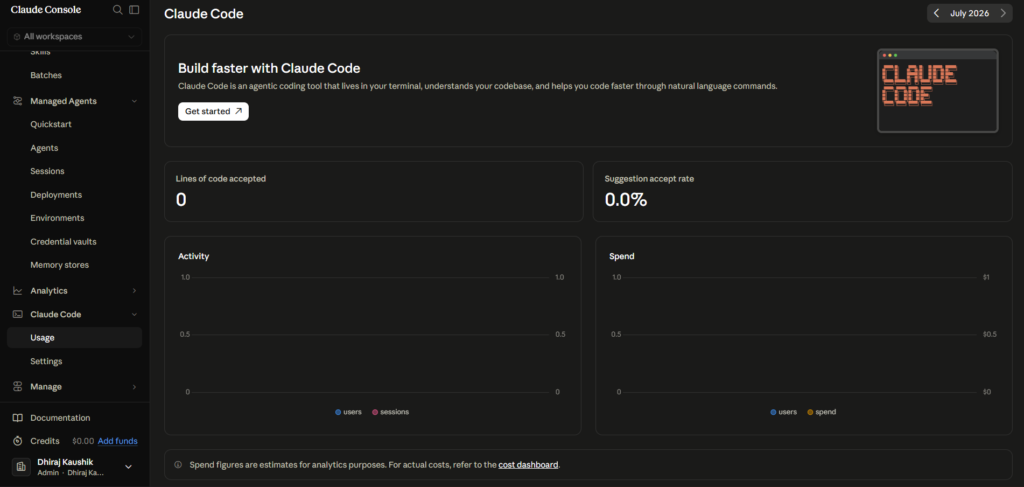
At a mechanical level, Claude Code operates as a loop. You describe a task in natural language, it reads relevant files in your repository, forms a plan, and then executes that plan step by step, running commands, editing code, and checking its own work against your test suite before reporting the result.
Human in the Loop by Default
Despite its autonomy, Claude Code defaults to requiring approval before making changes to your files. This human in the loop design means it is slower than a tool with a true autopilot mode, but it is considered safer for production codebases where an unreviewed automated change could cause real damage. You can adjust how granular this approval process is, but there is currently no setting that removes human review entirely.
This tradeoff is intentional rather than a limitation Anthropic is racing to remove. For teams working on systems where a bad automated change could cause real financial or operational harm, the requirement to review every proposed diff before it lands is a feature worth keeping, not a speed bump to eliminate as soon as possible.
Subagents and Parallel Work
For larger tasks, Claude Code can break work into subagents that operate with their own dedicated context window, working on different pieces of a larger job simultaneously before reporting back to a coordinating session. This matters most for codebase scale work, such as migrating an authentication system or restructuring how a large application handles a specific pattern across hundreds of files, rather than small, isolated bug fixes.
Some configurations even allow one subagent to review or challenge another’s findings before the overall task is considered complete, effectively adding a layer of self checking to the process. This kind of internal cross checking is still relatively new territory for coding assistants generally, and it represents one of the clearer differentiators between Claude Code and simpler, single threaded coding tools.
CLAUDE.md and Custom Configuration
Claude Code reads a special file, typically named CLAUDE.md, placed at the root of your project, which lets you give it persistent instructions about your codebase’s conventions, architecture decisions, and preferences. This file acts similarly to how Projects work inside Claude AI’s regular chat interface, giving the tool context it would otherwise need re-explained in every new session.
Where It Runs?
Claude Code lives primarily in the terminal, which remains its deepest and most complete experience. Anthropic has since added a VS Code extension, a JetBrains extension, a desktop app, and a web interface, but developers who want its full capability still tend to spend most of their time on the command line rather than inside a traditional IDE panel.
Step-by-Step Guide to Getting Started with Claude Code
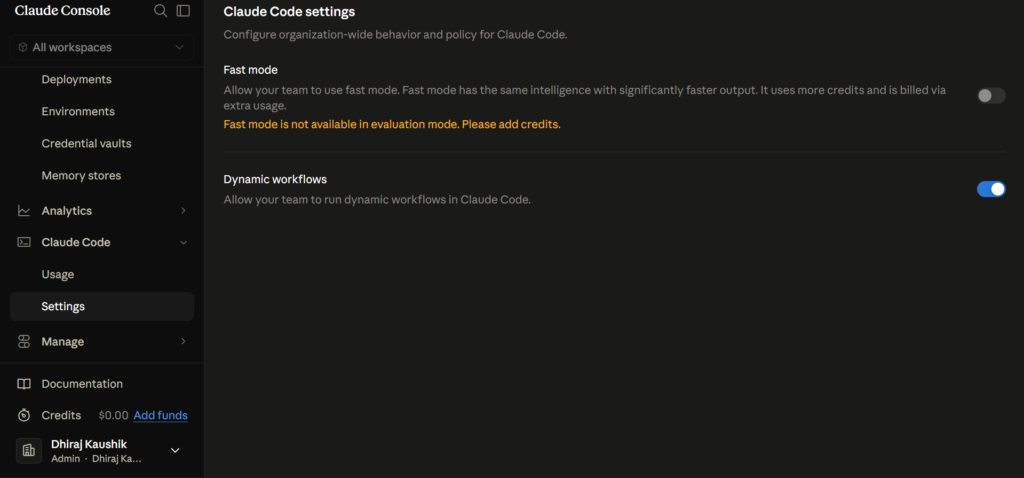
Getting Claude Code running takes a few minutes if you already have a Claude subscription. Here is exactly how to start.
Step 1: Confirm You Have at Least a Pro Plan
Claude Code requires a Claude Pro subscription or higher, it is not available on the free plan. If you are already on Pro for general chat use, Claude Code is included at no additional cost beyond your existing subscription.
Step 2: Install Claude Code From the Terminal
Install Claude Code through your terminal following Anthropic’s official setup instructions, which typically involves a short command line installation rather than downloading a traditional application. This gets you into the primary, most complete version of the tool.
Step 3: Point It at a Real Project
Navigate to an actual project directory rather than testing with an empty folder. Claude Code’s value comes specifically from reading real, existing code, so testing it against a genuine codebase gives you a far more accurate sense of what it can actually do.
Step 4: Start With a Small, Well Defined Task
Give it something bounded first, like fixing a specific failing test or adding error handling to one function, before asking it to handle a large refactor. This lets you build trust in how it approaches your specific codebase’s conventions before handing it something bigger.
Step 5: Review Every Proposed Change Carefully
Even though Claude Code is autonomous, it defaults to requiring your approval before committing changes. Use this checkpoint seriously, especially early on, to understand how it reasons about your code before trusting it with more consequential work.
Step 6: Add a CLAUDE.md File Once You Are Comfortable
Once you have a sense of how it works, create a CLAUDE.md file at your project root describing your team’s conventions, architecture patterns, and anything it should know persistently. This meaningfully improves output quality on every future session in that project.
Step 7: Try Subagents on a Larger Task
Once you trust it on bounded tasks, give it something genuinely large, a multi file refactor or a framework migration, and let it use subagents to break the work into parallel pieces. This is where Claude Code’s advantage over simpler tools becomes most obvious.
Key Benefits of Claude Code
Claude Code’s biggest benefit is handling codebase scale work that inline suggestion tools simply are not built for. Tasks like migrating an authentication pattern across an entire application, or restructuring how a large codebase handles a specific dependency, are exactly where its ability to hold broad context and coordinate multiple subagents pays off.
The clarity of its reasoning is a genuine, practical advantage for teams reviewing its output. Before making changes, it typically explains its plan, which makes reviewing proposed diffs faster and more trustworthy than approving changes from a tool that simply presents a result without context for why it made specific decisions.
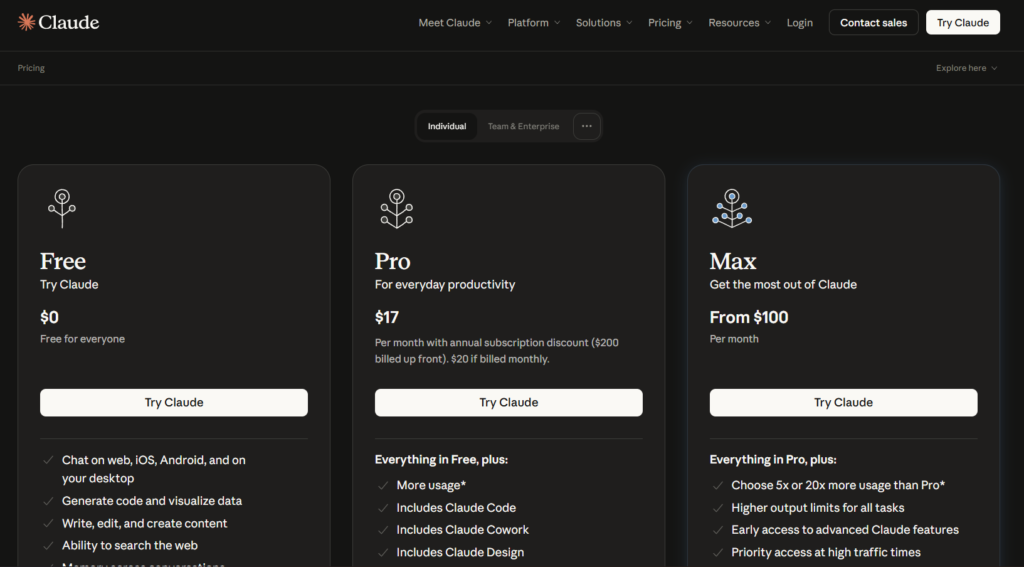
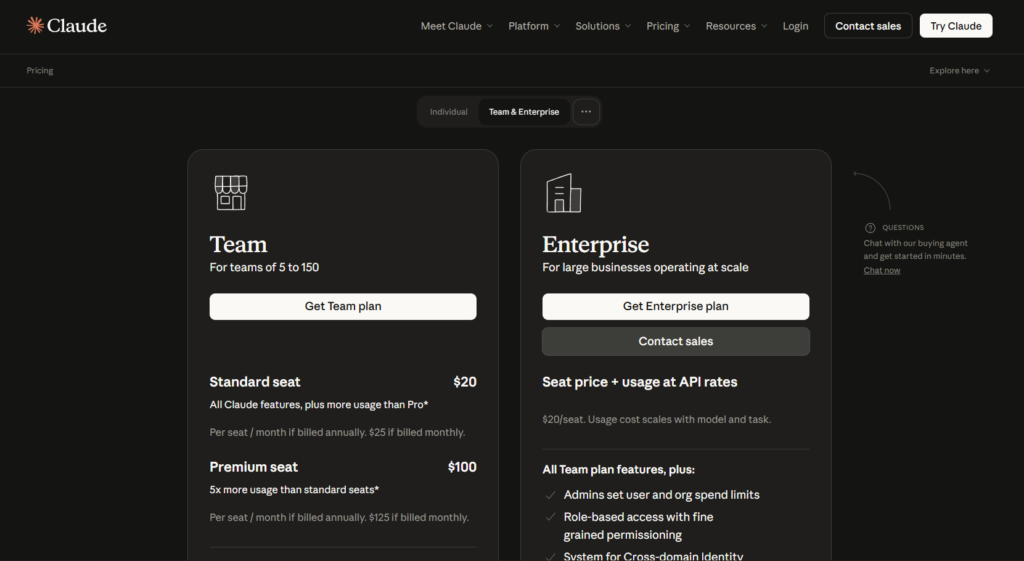
Pricing simplicity is a real benefit for individual developers. Claude Code is included in your existing Claude Pro subscription at twenty dollars a month, rather than requiring a separate purchase, which lowers the barrier to trying it if you are already paying attention to how Claude’s pricing tiers actually break down for other reasons.
The large context window meaningfully reduces a common frustration with AI coding tools, which is losing track of earlier context in a long, complex task. Being able to hold a substantial portion of a codebase in memory at once means fewer moments where the tool suggests a change that contradicts something it already saw earlier in the same session.
Developers consistently report that Claude Code handles open ended, loosely defined tasks better than tools built primarily around bounded, well specified requests. Asking it to “clean up how this module handles errors” tends to produce more coherent results than the same request given to a tool optimized mainly for completing a specific line of code.
The tool also benefits from Anthropic’s rapid iteration pace on its underlying models. Since Claude Code runs on the same model family as Claude AI’s general chat product, improvements to reasoning quality in one area tend to carry over into coding performance relatively quickly, rather than requiring a separate, slower development cycle specific to the coding product alone.
Comparison Table
| Tool Name | Standout Feature | Autonomy Level | IDE Coverage | Monthly Cost |
|---|---|---|---|---|
| Claude Code | Codebase-scale subagent orchestration | High, human-in-the-loop | Terminal-first, VS Code, JetBrains | Included in Pro, from $20 |
| GitHub Copilot | Broadest IDE and editor support | Moderate, improving fast | Nearly every major IDE | Free tier, then $10 |
| Cursor | AI-native IDE experience | High within the editor | Dedicated VS Code fork | Free tier, then $20 |
| OpenAI Codex | Strong agentic coding via ChatGPT | High, cloud and CLI | ChatGPT, CLI, limited IDE | Included in Plus, from $20 |
| Gemini Code Assist | Deep Google Cloud integration | Moderate | VS Code, JetBrains, Cloud tools | Free tier, then bundled with Gemini |
Pricing and feature sets reflect publicly available information as of mid-2026. This space moves quickly, with both Anthropic and GitHub shipping meaningful updates roughly every few months, so confirm current details before making a purchasing decision.
Who Is Claude Code For?
Developers working on large, established codebases with meaningful technical debt get the most out of Claude Code specifically because of its ability to hold broad context and coordinate multi file changes coherently. A single developer trying to modernize a legacy authentication system, for example, can hand off work that would otherwise take days of careful manual effort.
Teams that already value thorough code review will find Claude Code’s human in the loop default a natural fit, since it produces reviewable diffs with explained reasoning rather than silently committing changes. This matters especially for production systems where an unreviewed automated change carries real risk.
Individual developers already paying for Claude Pro for general writing or research tasks get Claude Code essentially for free, making it an easy tool to experiment with even if coding automation was not the original reason for the subscription. There is little downside to trying it on a bounded task before deciding whether it fits your workflow.
Developers who need broad IDE and editor compatibility, particularly those working in Xcode, Eclipse, or Visual Studio specifically, are better served by GitHub Copilot for now, since Claude Code’s deepest experience remains terminal based with more limited native IDE coverage. Many professional teams end up running both, using Copilot for fast inline suggestions and Claude Code for the larger, autonomous work its design is actually built around.
Engineering leads managing technical debt across a large, aging codebase represent a specific group where Claude Code’s value compounds significantly over time. Tasks that would traditionally require dedicating a senior engineer’s full attention for days, such as a large scale dependency migration, become something that can be delegated, reviewed, and merged in a fraction of the time, freeing senior engineers to focus on architectural decisions rather than mechanical execution.
FAQ
Is Claude Code free to use?
No, Claude Code requires at least a Claude Pro subscription at twenty dollars a month, it is not available on Claude’s free plan. Once you have Pro, Claude Code is included at no additional separate cost, though heavy daily use can hit Pro’s usage limits, in which case a Max plan at one hundred or two hundred dollars a month provides significantly higher usage headroom. For developers already paying for Claude Pro for other reasons, trying Claude Code costs nothing extra beyond the existing subscription.
Is Claude Code better than GitHub Copilot?
Neither tool is universally better, and the honest answer depends on what kind of work you are doing. Claude Code tends to outperform Copilot on large, open ended, multi file tasks that require holding broad context across a codebase, while Copilot remains the stronger choice for fast inline suggestions and works across a much wider range of IDEs and editors. Many professional developers in 2026 use both together, keeping Copilot on for minute to minute coding flow and reaching for Claude Code specifically for larger autonomous work.
Do I need to know how to code to use Claude Code?
Claude Code is built for developers who already understand code well enough to review and approve the changes it proposes, rather than for complete beginners with no programming background. While it can explain its reasoning in plain language, getting real value from it requires being able to judge whether a proposed change is actually correct and appropriate for your codebase. Beginners exploring programming for the first time are generally better served starting with a simpler learning focused tool before adopting an autonomous coding agent.
What is a CLAUDE.md file and do I need one?
A CLAUDE.md file is a project level configuration file where you describe your codebase’s conventions, architecture, and preferences so Claude Code does not need this context re-explained in every new session. It is not strictly required to use Claude Code, but teams that add one consistently report noticeably better, more consistent output aligned with their actual coding standards. Setting one up takes relatively little time and pays off quickly on any project you return to repeatedly.
Can Claude Code work on a large, existing codebase, or only new projects?
Claude Code is specifically well suited to large, existing codebases, arguably more so than to brand new projects built from scratch. Its ability to read and hold broad context across many files, combined with subagent orchestration for splitting large tasks, makes it particularly effective for legacy system modernization, large scale refactors, and framework migrations on codebases that have accumulated real complexity over time. Teams evaluating it for the first time often get more convincing results by pointing it at a genuinely messy, real project than at a clean, simple demo repository built specifically to show the tool off.
How much does heavy daily use of Claude Code actually cost?
For developers using Claude Code intensively throughout the workday, the Pro plan’s usage limits are often not enough, pushing realistic monthly cost closer to the Max plan tiers at one hundred or two hundred dollars. Anthropic structures pricing around usage volume rather than gating specific features behind higher tiers, so the jump in cost reflects how much you can run before hitting a limit rather than unlocking new capability. Light to moderate daily use, by contrast, often fits comfortably within the standard twenty dollar Pro plan.
Final Thoughts
Claude Code represents a genuinely different approach to AI assisted development than the inline suggestion model most developers are used to from tools like GitHub Copilot. Its willingness to take on codebase scale, open ended work, combined with clear reasoning and a human in the loop safety default, has made it a serious tool for production engineering rather than just a novelty.
It is not the right fit for every workflow. Developers needing broad IDE compatibility or fast, lightweight inline completions may still prefer Copilot, and the terminal first design has a learning curve for anyone used to working entirely inside a traditional editor. The two tools increasingly complement rather than replace each other for many professional teams, and the competitive pressure between them has pushed both products forward faster than either might have moved alone.
The broader trend worth watching is how quickly the line between “coding assistant” and “autonomous engineer” continues to blur. What started as autocomplete has moved toward genuine task delegation in under two years, and neither Anthropic nor GitHub shows signs of slowing that pace down through the rest of 2026.
If you already pay for Claude Pro, there is no real reason not to try Claude Code on a real, bounded task this week and judge it against your own codebase rather than a benchmark score.
External Links Used: