ElevenLabs for YouTubers has quietly become one of the most common ways creators produce voiceover content, whether that means narrating faceless channels, dubbing content into other languages, or simply saving studio time on a heavy upload schedule. This guide covers the practical workflow details most tutorials skip, how to actually keep AI narration from sounding flat across a full video, and where it genuinely still falls short of a real voice actor.
Table of Contents
What Is ElevenLabs for YouTubers?
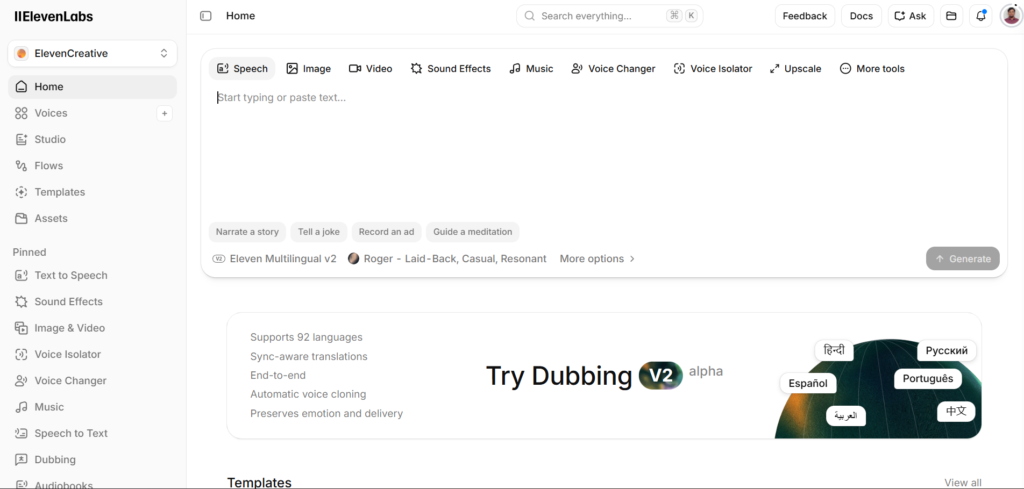
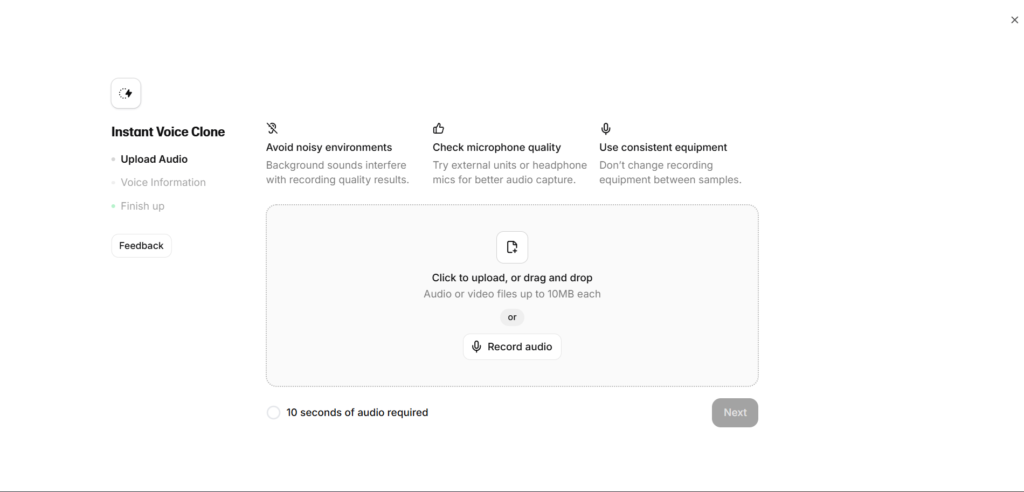
ElevenLabs for YouTubers refers to how content creators use the platform’s text-to-speech and voice cloning tools to generate narration, voiceover, and dubbed audio for video content, without hiring a professional voice actor or recording their own voice for every video. This has become particularly common among faceless channel creators, who build entire content operations around AI narration paired with stock footage or animation.
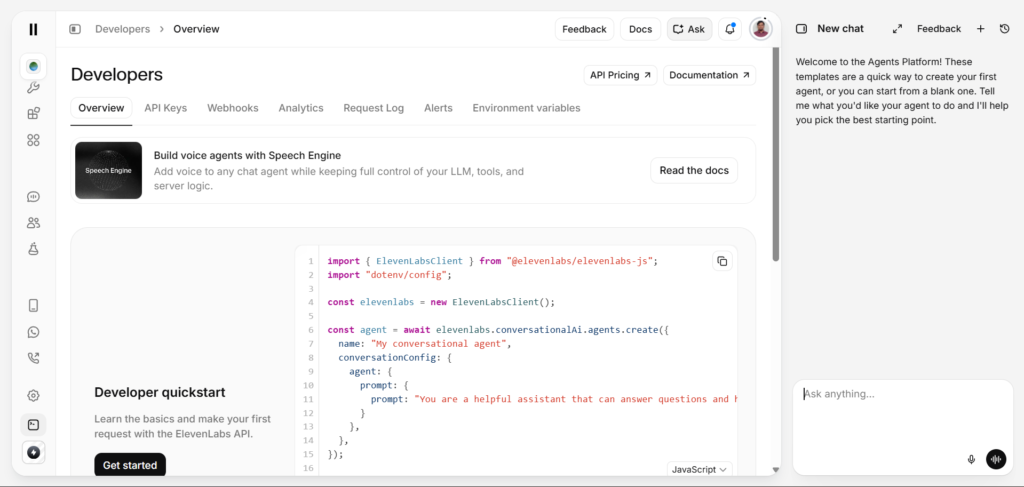
The specific ElevenLabs feature most relevant to YouTube work is the Multilingual V2 model, which prioritizes audio quality and natural pacing over the raw speed of the Flash model, making it the better default choice for finished, published video content rather than quick drafts. Creators also frequently rely on Instant or Professional Voice Cloning to maintain a consistent narrator voice across an entire channel, giving faceless content a recognizable identity even without an on-camera host.
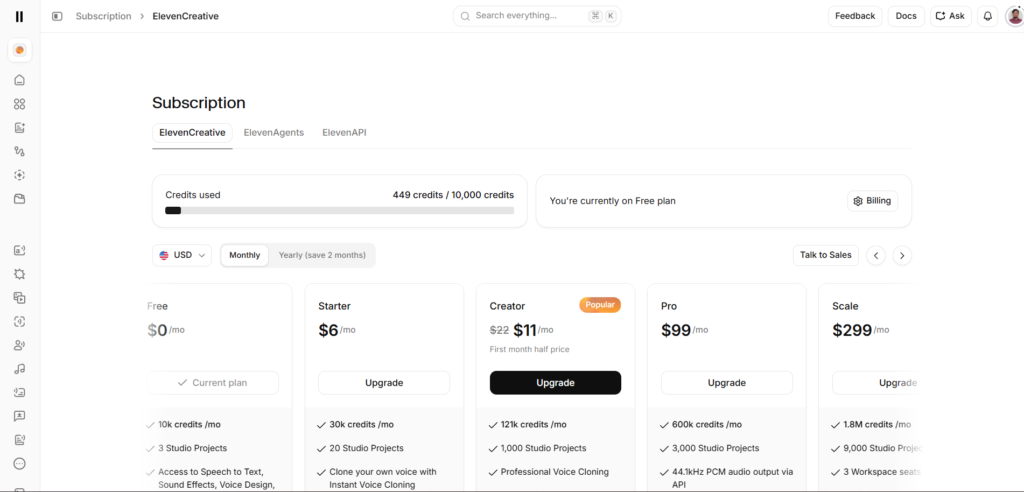
Commercial usage rights matter significantly here, since any monetized YouTube video technically counts as commercial use under ElevenLabs’ terms. This means the free plan, which restricts commercial usage and requires attribution, is not actually usable for a monetized channel, making at least the Starter plan a practical requirement rather than an optional upgrade for anyone publishing content that generates ad revenue.
For a complete breakdown of what ElevenLabs offers across its full product range beyond just this specific creator use case, our ElevenLabs Review 2026: 9 Honest Truths About the AI Voice Tool Everyone’s Cloning covers the platform in full, since understanding the broader feature set helps clarify why certain tiers matter more for video work specifically than others.
Why Faceless Channels and AI Narration Grew Together?
The rise of faceless YouTube channels and the maturation of AI voice tools happened on a genuinely overlapping timeline, and it is worth understanding why. Before natural sounding text-to-speech existed, a faceless channel still needed a human voice recording narration, which meant the creator either appeared on camera anyway for audio, hired outside talent, or accepted noticeably robotic older text-to-speech tools that limited how professional the finished content could sound.
ElevenLabs and similar tools removed that bottleneck almost entirely, making genuinely natural sounding narration accessible to solo creators without a recording budget or on-camera comfort level. This is a large part of why faceless content has expanded so quickly across genres that previously would have required a confident, camera-ready host, from history explainers to true crime recaps to educational content aimed at younger audiences.
How Creators Actually Use ElevenLabs?
Beyond the basic act of pasting a script and generating audio, experienced YouTube creators tend to develop specific habits that meaningfully improve how AI narration actually sounds in a finished video.
Script Formatting Matters More Than Most Creators Expect
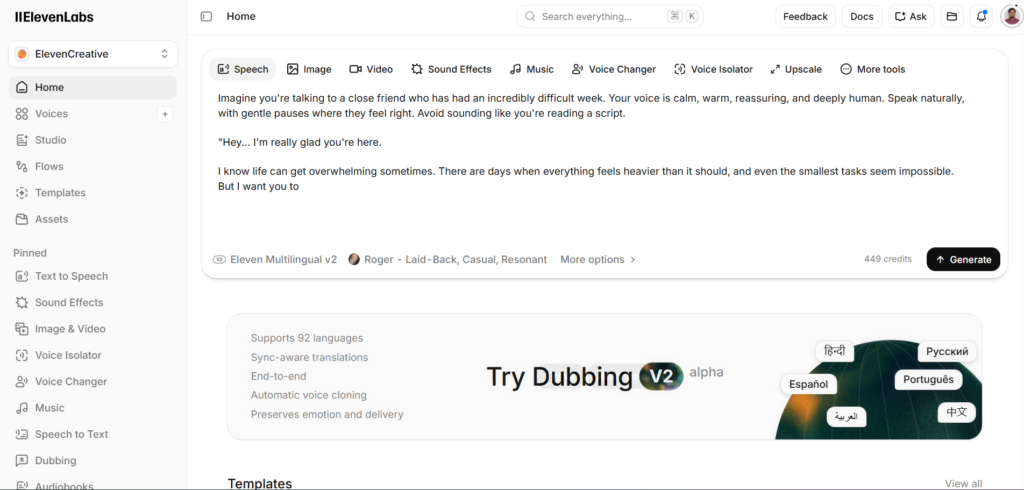
How a script is punctuated directly affects pacing and emphasis in the generated audio. Short, clearly punctuated sentences generally produce more natural pacing than long, run-on sentences, since the model uses punctuation as a cue for where to pause and how to shape intonation. Creators who write scripts specifically with AI narration in mind, rather than adapting scripts originally written for a human reader, tend to get noticeably better first-pass results.
Breaking Long Scripts Into Sections
Rather than generating an entire video’s narration in one long pass, many creators break scripts into shorter sections, generating and reviewing each before moving to the next. This makes it far easier to catch and regenerate a single awkward sentence without needing to redo an entire ten-minute narration over one flawed line.
Combining Voice Cloning With a Consistent Channel Identity
Faceless channels in particular benefit from establishing one cloned or custom voice early and using it consistently across every video, since audience familiarity with a specific narrator voice functions similarly to how audiences recognize an on-camera host’s face and personality over time. Switching narrator voices between videos, even accidentally through inconsistent settings, can undermine this recognition.
Pairing AI Narration With Manual Editing
Most experienced creators do not publish raw, unedited AI generated narration directly. Light editing, adjusting a specific line’s pacing, re-recording an awkward section, or layering in background music and sound effects, remains part of a typical professional workflow even when the core narration comes from ElevenLabs rather than a human voice actor.
This distinction between raw AI output and a properly produced final video matters enormously for perceived quality. Two creators using the exact same underlying voice and script can produce noticeably different final results depending purely on how much editing attention went into the finished audio mix, which is a large part of why some AI narrated channels sound genuinely professional while others feel obviously synthetic despite using comparable underlying technology.
Step-by-Step Guide to Using ElevenLabs for YouTube
Here is a practical workflow for actually producing YouTube-ready narration rather than a generic quick-start walkthrough.
Step 1: Confirm Your Plan Supports Commercial Use
Before generating any narration intended for a monetized video, confirm you are on at least the Starter plan, since the free tier’s licensing restriction makes it unusable for commercial YouTube content regardless of subscriber count or monetization status.
Step 2: Write or Adapt Your Script With AI Narration in Mind
Rewrite overly long or complex sentences into shorter, clearly punctuated ones before generating audio. This single habit produces a more noticeable quality improvement than almost any generation setting adjustment.
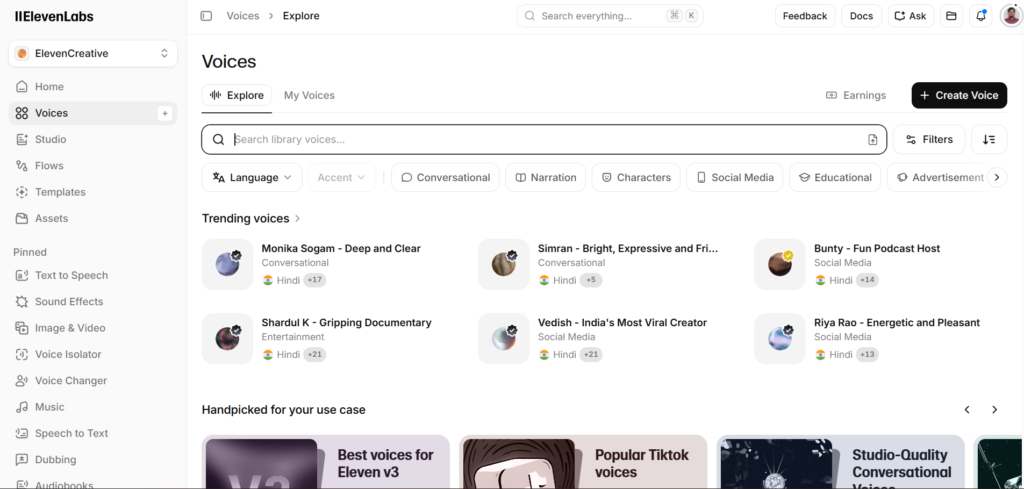
Step 3: Choose or Clone Your Channel’s Narrator Voice
Select a voice from the library or set up a clone specifically intended to be your channel’s consistent narrator identity, rather than experimenting with a different voice for every new video.
Step 4: Generate Narration in Sections
Break your script into logical sections, by topic or by scene, generating and reviewing each before moving forward. This makes revisions significantly faster than regenerating an entire long-form narration over one problematic sentence.
Step 5: Review for Mispronunciations and Awkward Pacing
Listen through each generated section specifically for mispronounced words, unusual acronyms, or pacing that does not match your intended emphasis. Regenerate individual problem sections rather than accepting a flawed pass simply to save time.
Step 6: Import Into Your Video Editor and Layer Additional Audio
Bring the finished narration into your standard video editing software and layer in background music, sound effects, and any necessary pacing adjustments through standard audio editing rather than expecting the raw AI output to be publish-ready on its own.
Step 7: Consider Batch Generation for High-Volume Channels
For channels publishing frequently, batching script generation across multiple videos in a single working session, rather than generating narration video by video as each script is finished, can meaningfully streamline a high-volume production workflow.
Key Benefits of ElevenLabs for YouTubers
The most direct benefit is production speed, particularly for creators running faceless channels or publishing on an aggressive schedule. Generating narration in minutes rather than scheduling and conducting a full recording session removes a significant bottleneck from a typical video production pipeline.
Voice consistency across a channel benefits creators building a recognizable brand identity without an on-camera presence, since a consistent narrator voice, whether cloned from the creator’s own voice or a selected library voice, gives faceless content a personality audiences can come to recognize and return for.
Multilingual capability significantly expands a channel’s potential audience without requiring the creator to learn additional languages or hire separate voice talent for each target market, a capability covered more fully in our dedicated guide on ElevenLabs Dubbing Explained 2026: 5 Powerful Features That Beat Hiring a Studio for creators specifically interested in expanding into international audiences.
Cost savings compound significantly for creators publishing regularly, since a monthly ElevenLabs subscription costs meaningfully less than hiring a professional voice actor for every individual video, particularly for channels producing several videos weekly rather than occasionally.
Flexibility to iterate quickly also benefits creators who frequently revise scripts based on retention data or feedback. Regenerating a specific section of narration after reviewing audience analytics takes minutes rather than requiring the creator to schedule and coordinate another recording session, whether with themselves or an outside voice actor, days or weeks after a video’s original production.
Comparison Table
| Option | Setup Time | Voice Consistency | Cost at Scale | Monthly Cost |
|---|---|---|---|---|
| ElevenLabs | Minutes per video | High, via cloning | Low per-video cost at volume | Free, then $5 |
| Hiring a Voice Actor | Days per project | High, same person | High per-video cost | Varies, often $50-200+/video |
| Murf AI | Minutes per video | Moderate | Low per-video cost at volume | Free, then $29 |
| Recording Your Own Voice | Hours per video | High, if consistent | No direct cost, high time cost | No subscription cost |
| Royalty-Free Voice Libraries | Minutes per video | Low, shared voices | Low, one-time or subscription | Varies by library |
Pricing reflects publicly listed rates as of mid-2026. The right choice depends heavily on publishing frequency, since occasional creators may find hiring a voice actor per project reasonable, while high-volume channels benefit disproportionately from AI narration’s low marginal cost per video.
Who ElevenLabs for YouTubers Actually Works Best For?
Faceless channel creators building content around narration paired with stock footage, animation, or gameplay represent the clearest fit, since the entire content format was essentially built around exactly this kind of AI-assisted production workflow becoming accessible and affordable.
High-volume creators publishing multiple videos weekly benefit disproportionately from the cost and time savings compared to occasional creators, since the per-video savings compound significantly at scale in a way that makes less financial difference for someone publishing only occasionally.
Educational and explainer channel creators, where clear, consistent narration matters more than emotional performance or dramatic delivery, tend to get particularly strong results from AI narration, since ElevenLabs’ text-to-speech excels specifically at clear, well-paced informational delivery.
Creators expanding into international audiences through dubbed or translated versions of existing content benefit significantly from pairing voice cloning with the Dubbing Studio, preserving their established channel voice identity across multiple language versions rather than sounding like an entirely different creator in each market.
Creators transitioning away from an on-camera format, whether due to privacy concerns, burnout from appearing on camera regularly, or simply wanting to focus energy on writing and research rather than performance, represent another growing group turning to AI narration as a genuine format shift rather than a cost-saving shortcut alone.
FAQ
Can I use ElevenLabs for a monetized YouTube channel?
Yes, but only on a paid plan, since ElevenLabs’ free tier explicitly restricts commercial usage and requires attribution in any published content. At least the Starter plan is required to legally use generated narration in monetized YouTube content, and creators should confirm their specific plan tier includes commercial rights before publishing any AI narrated video that generates ad revenue or other commercial benefit.
Will YouTube penalize videos that use AI generated narration?
As of mid-2026, YouTube does not broadly penalize videos simply for using AI generated voiceover, though the platform has introduced disclosure requirements for certain types of realistic AI generated or altered content, particularly content that could be mistaken for real footage of real events or people. Standard narration for informational, entertainment, or educational content generally does not trigger these disclosure requirements, though creators should stay current on YouTube’s evolving AI content policies, since platform rules in this area continue to be actively refined.
How do I make ElevenLabs narration sound less robotic on YouTube?
The most effective techniques involve script preparation rather than generation settings alone: writing shorter, clearly punctuated sentences, breaking long scripts into sections for easier review and regeneration, and choosing a voice with natural inflection rather than a flat, monotone preset. Layering in background music and sound design during video editing also meaningfully reduces how noticeable any remaining AI narration artifacts feel to a listening audience, since the narration is rarely the only audio element in a finished, professionally produced video.
Is ElevenLabs cheaper than hiring a voice actor for YouTube videos?
For creators publishing regularly, ElevenLabs is generally significantly cheaper than hiring a professional voice actor per video, since a monthly subscription covers unlimited generations within your credit allowance rather than a per-project fee that can easily run fifty to several hundred dollars per video depending on length and the voice actor’s experience level. For occasional creators publishing only a few videos monthly, the cost comparison narrows considerably, and some may find hiring a voice actor for a handful of key videos remains reasonable rather than committing to an ongoing subscription, particularly for a flagship video where a real human performance carries specific creative value.
Can I clone my own voice to narrate videos without recording each one myself?
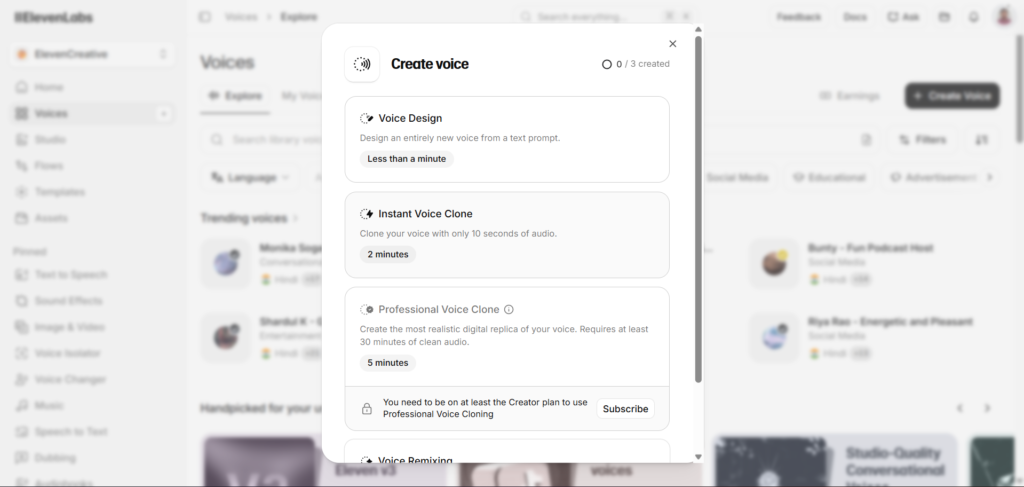
Yes, this is one of the most common creator use cases for ElevenLabs specifically, cloning your own voice once through either Instant or Professional Voice Cloning, then generating new narration in that same voice for future videos without needing to record fresh audio each time. This approach maintains your authentic voice identity across a channel while eliminating the need for repeated recording sessions, though most creators still find some light editing of the generated output improves the final result compared to using raw generation unedited.
What is the best ElevenLabs model for YouTube narration specifically?
The Multilingual V2 model is generally the better choice for finished YouTube narration, since it prioritizes audio quality and natural pacing over the Flash model’s speed advantage, which matters more for real-time applications like conversational agents than for pre-recorded video content. Many creators use Flash during script drafting and testing to save on generation time and cost, then switch to Multilingual V2 specifically for the final render that actually gets published, combining both models’ strengths across different stages of the same production workflow, a distinction worth building into your standard editing checklist rather than treating as an optional refinement.
Final Thoughts
ElevenLabs for YouTubers works best as part of a genuine production workflow rather than a single-click replacement for all the effort that goes into a well-produced video. Script preparation, voice consistency, and thoughtful post-generation editing all meaningfully affect how professional the final narration actually sounds, regardless of how capable the underlying AI voice technology is on its own.
The cost and time savings are real and significant, particularly for high-volume and faceless channel creators, but the creators getting the best results treat AI narration as one component of a broader production process rather than expecting raw, unedited output to carry an entire video on its own.
As audiences become more accustomed to AI narrated content generally, the bar for what sounds acceptably professional continues to shift, meaning techniques that felt sufficient a year or two ago may increasingly benefit from the additional polish, careful script formatting, thoughtful editing, sound design, that separates a genuinely well-produced channel from one that simply generated audio and uploaded it unchanged.
Start with a short test video using a properly formatted script and a consistent voice choice before committing to AI narration across your entire channel, and adjust your workflow based on what that first real test actually reveals about your specific content style.
External Links:
- https://elevenlabs.io/pricing
- https://elevenlabs.io/text-to-speech
- https://elevenlabs.io/docs
- https://support.google.com/youtube/answer/14328491
- https://www.youtube.com/creators
- https://elevenlabs.io/voice-cloning
- https://www.tubebuddy.com
- https://vidiq.com
- https://www.epidemicsound.com
- https://www.storyblocks.com