Claude AI pricing looks simple on the surface, one free plan and a couple of paid tiers, until you actually try to figure out which one fits how you work. Anthropic has quietly added tiers that go well past the twenty dollar plan most people assume is the only option, and the difference between them comes down to usage limits, not hidden features. This breakdown covers every current plan, what you actually get, and how to avoid paying for more than you need.
Table of Contents
What Is Claude AI Pricing?
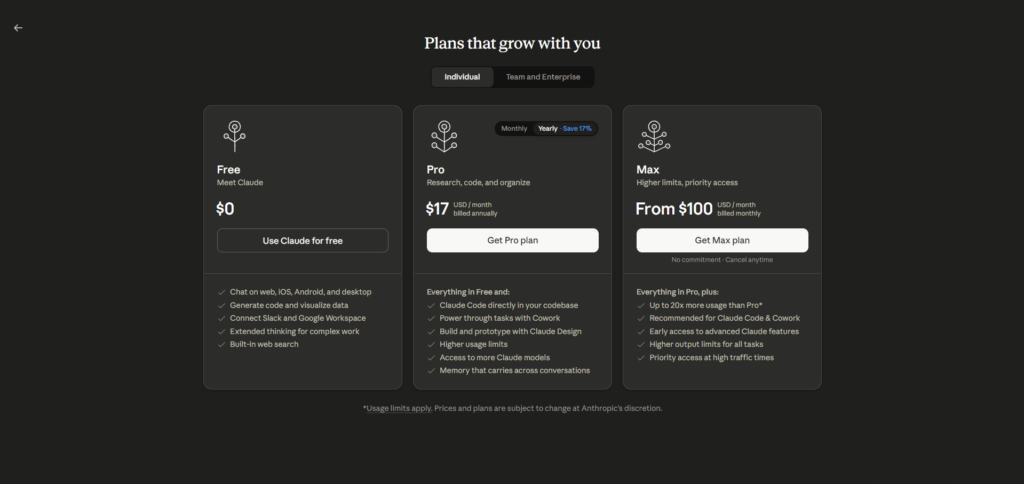
Claude AI pricing is structured around five main tiers: Free, Pro, Max, and two Team levels, with a separate custom Enterprise option for larger organizations. Unlike some software pricing pages that bury real numbers behind a “contact sales” button, Anthropic lists exact dollar amounts for every individual and team tier directly on its pricing page.
The Free plan costs nothing and currently runs Claude Sonnet 5, the same mid tier model available to Pro subscribers, just with much lower daily usage limits. This is a meaningful detail, since some competitors quietly downgrade the model quality on their free tier rather than just limiting how much you can use it.
Pro is the standard paid plan at twenty dollars per month, or about seventeen dollars per month if you pay two hundred dollars upfront for a full year. This is the tier most individual professionals land on, and it unlocks Claude Code, Projects, Claude Cowork, and priority access to new models as they release. For most people upgrading from Free for the first time, Pro alone resolves the vast majority of the friction they were running into.
Max is where things get less familiar to most people. It comes in two versions, a five times usage tier at one hundred dollars a month and a twenty times usage tier at two hundred dollars a month. Neither Max tier unlocks a new model or a feature Pro does not have. The only difference is how much you can use before hitting a limit, which matters for people running Claude Code for hours at a stretch or processing very large documents repeatedly.
Team pricing is seat based rather than a flat organizational fee, split into Standard at twenty five dollars per seat monthly, or twenty dollars per seat if billed annually, and Premium at one hundred twenty five dollars per seat monthly, or one hundred dollars per seat annually. Enterprise pricing is custom and involves talking directly to Anthropic’s sales team, generally intended for organizations needing custom security, compliance, or deployment requirements beyond what Team offers.
You can see the current official numbers directly at claude.com/pricing, which is worth checking before you commit since Anthropic does adjust pricing periodically as new models release.
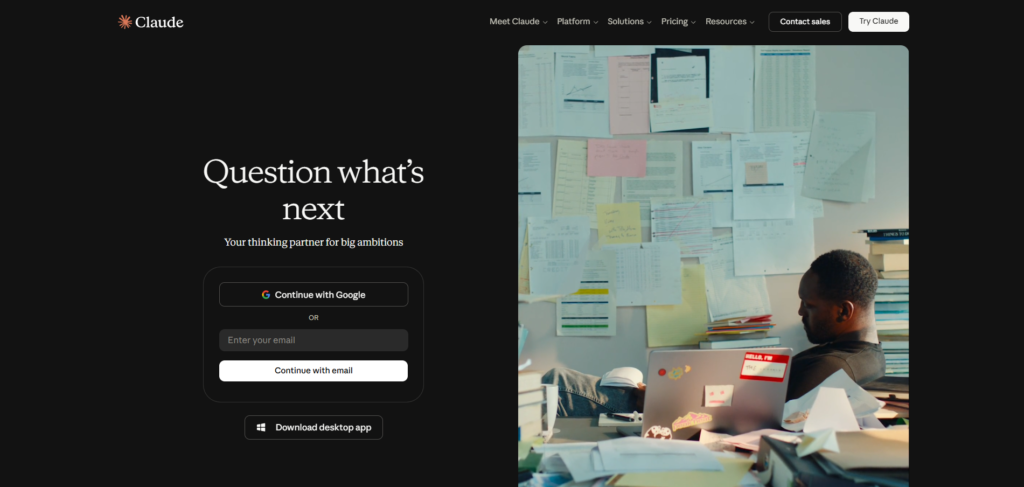
Why Anthropic Structures Pricing This Way?
Most AI companies eventually face the same tension: heavy users cost significantly more in compute than casual ones, but a single flat price either overcharges light users or undercharges heavy ones. Anthropic’s response has been to keep the model consistent across tiers and instead sell usage headroom directly, which is a more transparent way of solving that problem than quietly throttling response quality for cheaper plans, a practice some competitors have been criticized for in the past.
This also explains why Claude AI pricing looks unusual compared to typical software subscriptions, where higher tiers usually mean more features. Here, higher tiers mostly mean more room to work before you hit a wall, which takes some getting used to if you are coming from a background of comparing plans purely on feature checklists.
How Claude AI Pricing Works?
Understanding how Claude AI pricing actually works requires separating two things people often mix together: which model you get, and how much you can use it. On individual plans, model access is mostly consistent, Sonnet 5 is available across Free, Pro, and Max, while Opus 4.8, the most capable reasoning model, is reserved for paid tiers. What changes between Pro and the two Max tiers is purely your usage ceiling.
Usage Limits, Not Feature Walls
Anthropic measures usage in a way that resets on a rolling basis rather than a strict calendar month, meaning your limit refreshes a set number of hours after you start using it rather than on the first of the month. This matters if you tend to do intense work in short bursts, since a five hour reset window behaves very differently from a monthly quota that resets once and stays gone if you exceed it early.
Claude Code usage counts against these same limits, which surprises people who expect a separate coding specific quota. If you use Claude Code heavily during the day and also chat with Claude AI for writing tasks in the evening, both draw from the same pool, which is one of the more common reasons people end up needing a Max plan instead of Pro.
Monthly vs Annual Billing
Every individual tier offers a discount for paying annually upfront. Pro drops from twenty dollars a month to roughly seventeen dollars a month when paid annually as a two hundred dollar lump sum. Team plans show a similar pattern, with Standard dropping from twenty five to twenty dollars per seat, and Premium dropping from one hundred twenty five to one hundred dollars per seat. The annual discount is worth it only if you are confident you will still be using Claude AI in eleven months, since most providers, Anthropic included, do not offer partial refunds if you cancel early.
API Pricing Is Separate
If you are building an app or a tool on top of Claude rather than just chatting with it, that runs through the Anthropic API and is billed differently, based on tokens processed rather than a flat monthly fee. This is a completely separate pricing structure from the consumer plans covered here, and it matters for developers specifically rather than everyday users of the chat interface.
API pricing varies by model, with Opus priced higher per token than Sonnet, which in turn costs more than Haiku. Anthropic also offers batch processing at a reduced rate for tasks that do not need an immediate response, which can meaningfully cut costs for developers running large scale, non urgent workloads like bulk content analysis or data labeling.
What Counts Toward Your Usage Limit
A common point of confusion is exactly what draws down your usage allowance. Every message you send, every file you upload for Claude to read, and every tool call such as web search or code execution all count toward the same pool. Longer conversations with more back and forth naturally consume more of your limit than short, one off questions, since Claude has to reprocess the growing conversation history with each new message.
This is worth keeping in mind if you tend to keep a single conversation running for days at a time rather than starting fresh ones. Occasionally starting a new conversation for a new topic, rather than continuing one very long thread indefinitely, can meaningfully extend how far your usage limit stretches across a billing period.
Step-by-Step Guide to Choosing Your Plan
Picking the right Claude AI pricing tier comes down to tracking your actual usage rather than guessing. Here is how to do it properly.
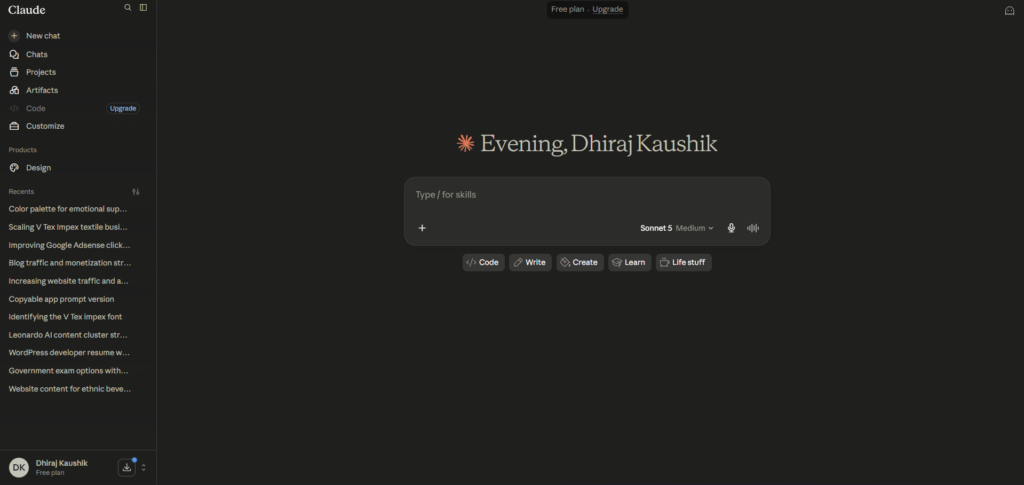
Step 1: Start on the Free Plan
Do not pay for anything on day one. Use the free plan for at least a week of real work, not just casual testing, so you get an accurate sense of how often you actually hit the usage limit.
Step 2: Track How Often You Hit the Limit
If you are hitting the free plan’s limit more than once or twice a week during normal use, that is a reliable signal to move to Pro rather than staying free and getting interrupted mid task repeatedly.
Step 3: Upgrade to Pro and Reassess After Two Weeks
Once on Pro, use Claude Code, Projects, and regular chat as you normally would for about two weeks. Pay attention specifically to whether you are hitting Pro’s higher limit, since this is the number that determines whether Max is worth it.
Step 4: Only Consider Max If Pro Consistently Runs Out
Max exists for heavy, sustained usage, not occasional spikes. If you are running Claude Code across multiple large projects for hours daily, or processing very long documents repeatedly, the five times tier at one hundred dollars is worth testing before jumping straight to the twenty times tier at two hundred dollars. Give the 5x tier at least two weeks before assuming you need the 20x tier, since usage that feels constant in the first few days often settles once you find a rhythm.
Step 5: For Teams, Compare Standard and Premium Based on Actual Roles
Team Standard at twenty five dollars per seat fits general collaborative use, while Premium at one hundred twenty five dollars per seat is built for teams doing heavier, more constant usage similar to what would push an individual toward Max. Do not put every team member on Premium by default, mix seat types based on how each person actually uses Claude.
Step 6: Set a Calendar Reminder Before Annual Renewal
If you choose annual billing to get the discount, set a reminder a few weeks before renewal so you can reassess whether your usage pattern has changed, rather than getting auto charged for another year on a plan you have outgrown or barely use.
Key Benefits of Understanding Claude AI Pricing
Knowing the real pricing structure ahead of time prevents the most common mistake people make, which is jumping straight to Max because Pro feels limiting during the first few days. Usage patterns tend to normalize after the initial novelty of a new tool wears off, so what feels like a hard limit in week one is often comfortable by week three. This is especially true for anyone testing Claude Code for the first time, since exploratory usage during learning tends to be heavier than the steady state usage that follows once you know what you are doing.
The transparency of Anthropic’s pricing page itself is a genuine benefit compared to software that hides real numbers behind a sales call. Every individual and team tier lists an exact dollar figure, which makes it far easier to compare Claude AI pricing directly against ChatGPT Plus or Google’s AI Pro plan without needing to request a quote first.
Understanding that Max does not add new features, only usage headroom, saves money for a specific group of users who assume more expensive automatically means more capable. If your bottleneck is model quality rather than hitting limits, staying on Pro and simply using Opus 4.8 more deliberately within your existing quota is the better move than upgrading to Max.
Seat based Team pricing benefits smaller teams specifically, since you are not forced into a large minimum seat count the way some enterprise software requires. A five person team can reasonably start on Team Standard without needing to justify the cost across a much larger headcount first.
Knowing the annual discount percentage ahead of time also helps with budgeting decisions beyond just Claude AI itself. Since Pro, Max, and Team plans all offer roughly the same fifteen to twenty percent discount for annual billing, you can reasonably estimate savings across multiple tools using similar annual pricing models rather than treating each subscription’s discount as a special, unique offer.
Comparison Table
| Tool Name | Entry Paid Tier | Standout Pricing Feature | Usage Model | Monthly Cost |
|---|---|---|---|---|
| Claude AI | Pro | Same model on free and Pro, Max only raises usage limits | Rolling reset window | Free, then $20 |
| ChatGPT | Plus | Broad feature bundle at flat rate | Rolling daily/weekly caps | Free, then $20 |
| Gemini | Google AI Pro | Bundled with Google One storage | Monthly quota | Free, then $19.99 |
| Perplexity | Pro | Pay-per-use API credits included | Monthly search credit pool | Free, then $20 |
| Copilot (Microsoft) | Copilot Pro | Bundled with Microsoft 365 apps | Monthly quota | Free, then $20 |
Prices reflect publicly listed individual plan rates as of mid-2026. Providers adjust these regularly, so confirm current numbers directly on each pricing page before deciding.
Who Is Each Claude AI Pricing Plan For?
The Free plan fits anyone using Claude AI occasionally for simple questions, short writing tasks, or general curiosity, without a need for Claude Code or Projects. If your usage is light and sporadic rather than daily, there is genuinely no reason to pay anything yet.
Pro is built for individual professionals using Claude AI as part of their actual daily workflow, whether that is writing, research, or moderate coding work through Claude Code. This is the tier Anthropic itself points most new paying users toward, and for the majority of freelancers, writers, and solo developers, it covers real usage comfortably. If you are unsure whether to start with Pro or wait longer on Free, the simplest test is whether you are already opening Claude AI more than a few times a day out of habit rather than occasional need.
Max fits a narrower group: developers running Claude Code for extended sessions across large codebases, or professionals processing very long documents repeatedly throughout the day. If you are not sure whether you need Max, you almost certainly do not yet, since most Pro users never consistently hit its limit.
Team Standard and Premium are built for small to mid sized teams that want centralized billing and shared usage rather than managing individual subscriptions per employee. Premium specifically makes sense for teams where multiple people are doing Max-level heavy usage simultaneously, such as an engineering team leaning on Claude Code throughout the day.
Larger organizations with specific compliance, security, or deployment requirements are better served by Enterprise rather than trying to stretch Team Premium across dozens of seats. If your organization needs custom data retention policies, single sign on, or dedicated support, that conversation happens directly with Anthropic’s sales team rather than through the self serve pricing page.
FAQ
How much does Claude AI cost per month?
Claude AI’s Free plan costs nothing, while Pro costs twenty dollars per month billed monthly, or about seventeen dollars per month if billed annually at two hundred dollars. Max costs either one hundred dollars per month for five times the usage limits, or two hundred dollars per month for twenty times the usage limits, with no additional features unlocked between the two Max tiers beyond the higher ceiling. Most individual users comfortably fit within the Pro tier unless they are running intensive daily coding work through Claude Code.
Is Claude AI worth paying for?
For anyone using Claude AI daily for writing, research, or development work, Pro at twenty dollars a month is generally worth it, since it unlocks Claude Code, Projects, and meaningfully higher usage limits than the free plan. Casual or occasional users may find the free plan sufficient indefinitely, since it runs the same Sonnet 5 model as Pro, just with tighter daily limits. The honest answer depends entirely on how often you hit the free plan’s usage ceiling during normal use, and tracking that for even a few days gives you a clearer answer than guessing upfront.
What is the difference between Claude Max 5x and Max 20x?
Both Max tiers unlock the exact same features as Pro, Claude Code, Projects, Cowork, and priority model access. The only difference is the usage ceiling, with the 5x tier at one hundred dollars a month offering five times Pro’s limits, and the 20x tier at two hundred dollars a month offering twenty times. Anthropic recommends starting with 5x and only moving to 20x if you consistently exhaust that higher limit as well, rather than jumping straight to the most expensive tier.
Does Claude AI pricing include Claude Code?
Yes, Claude Code is included in Pro, Max, and Team Premium plans at no additional cost beyond the subscription itself, and it draws from the same usage pool as regular chat conversations. This means heavy Claude Code usage during the day can push you toward your plan’s limit faster than expected if you are also using Claude AI for other tasks in the same billing window. There is no separate Claude Code specific subscription for individual users outside of these existing tiers.
How does Claude AI Team pricing work?
Claude AI Team pricing is charged per seat rather than as a flat organizational fee, with Standard at twenty five dollars per seat monthly and Premium at one hundred twenty five dollars per seat monthly, both discounted when billed annually. Teams can typically mix seat types, assigning Premium only to members with heavier usage needs rather than upgrading the entire team uniformly. This makes Team pricing more flexible for smaller organizations than a single fixed enterprise rate would be.
Can I switch Claude AI plans at any time?
Yes, you can upgrade or downgrade your Claude AI plan at any time directly from your account settings, and changes typically take effect immediately for upgrades. Downgrades usually apply at the end of your current billing cycle rather than instantly, so you keep access to your current tier’s limits until that cycle ends. This flexibility makes it low risk to start on a lower tier and move up only once you have confirmed you actually need the additional usage headroom.
Final Thoughts
Claude AI pricing is more straightforward than it first appears once you separate model access from usage limits. Free and Pro give you the same underlying model, and Max exists purely to raise your usage ceiling rather than unlock anything new, which is a more honest structure than pricing pages that gate real features behind higher tiers.
The two hundred dollar Max plan will be overkill for most people reading this, and that is fine. It exists for a specific kind of heavy, sustained daily use, not as the “serious user” tier everyone should aspire to upgrade toward. Most of the value people expect from a higher tier is already sitting inside Pro, waiting to be used more fully before spending more money makes sense.
Track your actual usage for two weeks before choosing a paid tier, and you will almost certainly land on the right plan the first time.
Internal Links:
External Links: