ChatGPT Deep Research is the most underused and most misunderstood feature in the entire ChatGPT product in 2026. Most users think it is a smarter version of regular ChatGPT with web search. It is not. Deep Research is an autonomous multi-step research agent that plans, searches, reads, cross-references, and synthesises information from dozens of sources over 5 to 30 minutes, then produces a structured report with inline citations you can verify. This guide explains exactly how it works, when to use it, what prompts actually get strong results, and the honest limitations that no amount of good prompting will fix.
Table of Contents
What Is ChatGPT Deep Research and How Is It Different?
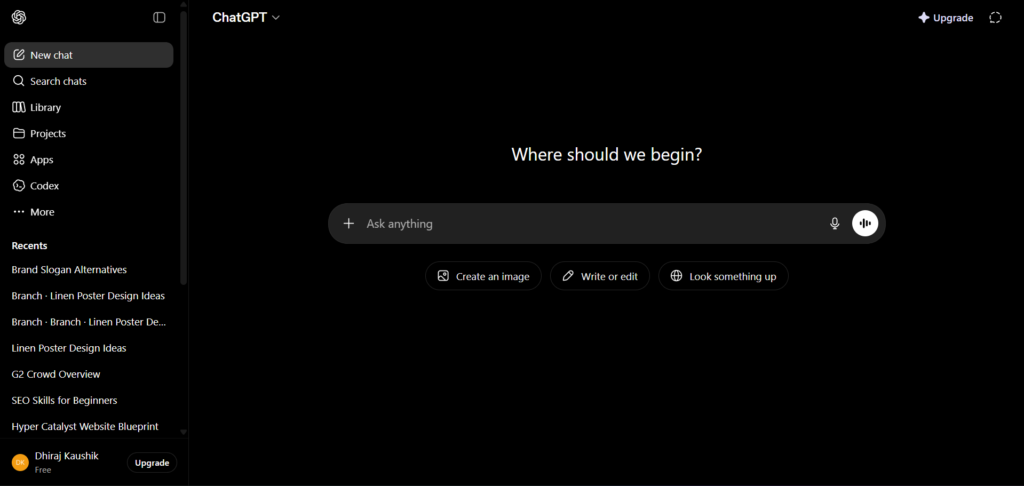
ChatGPT Deep Research is a research workflow inside ChatGPT that turns complex questions into structured, cited reports. You choose the sources it can use, which includes the public web, specific websites, uploaded files, and connected apps, then review a proposed research plan before it begins. The model searches dozens of sources, reads full articles and documents, cross-references findings, identifies contradictions across sources, and produces a comprehensive structured report with inline citations.
This is fundamentally different from how regular ChatGPT with web search works. Normal ChatGPT with web search runs one or two quick searches, glances at the top results, and synthesises what it finds into a conversational answer in seconds. Deep Research runs a planned, multi-step investigation over 5 to 30 minutes. It does not stop at the first few results. It reads full documents, follows links, evaluates source quality, and produces a work product rather than a chat reply.
The output format matters here. Deep Research produces structured reports with section headings, subheadings, and inline citations, structured like a research paper rather than a chat response. It focuses on clarity, context, and logical flow rather than speed or brevity. The result is something you could not get from a quick Google search or a conversational AI query. It is the kind of document a capable research assistant might produce after several hours of careful reading.
Deep Research helps you accomplish complex online tasks by reasoning, researching, and synthesising information into a documented report. It can work with uploaded files, search the public web or specific sites, and use enabled ChatGPT apps, all while keeping you in control of the process
How Deep Research Actually Works Step by Step?
Understanding the mechanics helps you use Deep Research more effectively and set realistic expectations for what it will and will not produce.
Stage 1: Planning. When you submit a Deep Research query, ChatGPT does not immediately start searching. It first creates a proposed research plan that outlines what it intends to investigate, which aspects of the topic it will prioritise, and what types of sources it will look for. You can review this plan before research begins. This is the most underused feature within Deep Research. Reviewing and modifying the plan before research starts is the single most effective way to improve output quality.
Stage 2: Searching and Reading. Once you approve the plan, Deep Research begins searching. It does not just read headlines or summaries. It reads full articles and documents, including PDFs when accessible. It follows links within articles to related sources. It searches multiple times with different query formulations to ensure comprehensive coverage. This phase takes the bulk of the 5 to 30 minute runtime.
Stage 3: Cross-Referencing. Deep Research actively looks for contradictions across sources. When two sources disagree on a fact, statistic, or conclusion, the model notes the disagreement in the report rather than silently choosing one version. This is a meaningful quality difference from regular search, which presents the first result without comparison.
Stage 4: Synthesis and Report Generation. The final phase produces the structured report with inline citations. You receive section headings, subheadings, and source links so you can verify every substantive claim directly. Reports can be exported in Markdown, Word, and PDF formats.
You can follow progress in real time as the research runs and interrupt at any point to refine the focus, add new sources, or adjust the scope. This real-time control was added in the February 2026 update and substantially improves the workflow for complex, evolving research tasks.
What Changed in the 2026 Updates?
Deep Research has received two significant updates in 2026 that substantially expand what it can do.
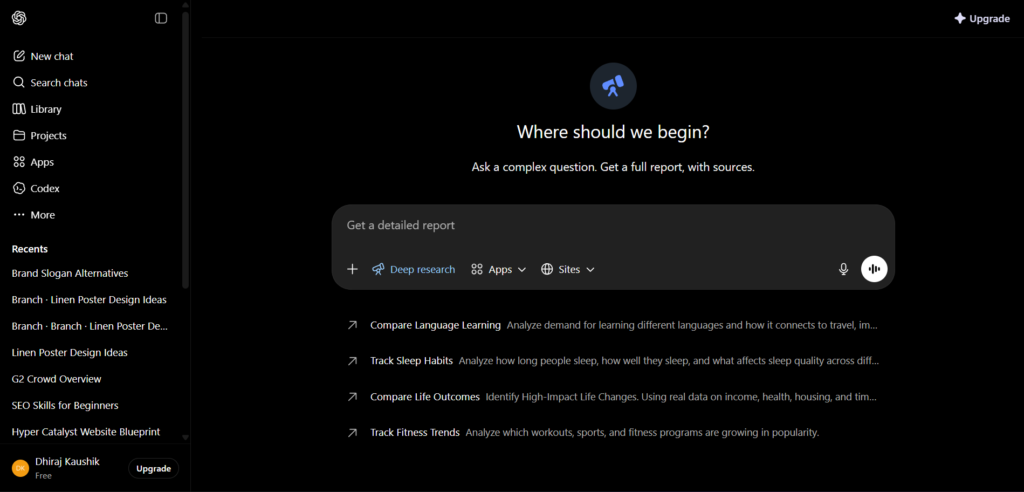
February 10, 2026 update. You can now connect Deep Research to any MCP (Model Context Protocol) server or app, and restrict web searches to trusted sites so you can focus on authenticated, industry-standard sources. This means you can tell Deep Research to only search government databases, peer-reviewed journal repositories, or specific industry publications rather than the open web. You can also now track progress in real-time and interrupt to refine with follow-up prompts or new sources. The visual experience was updated to make it easier to start, track, and review research from end to end.
March 2026 update. SharePoint, OneDrive, Dropbox, and Google Drive integration was added. This is the update that transforms Deep Research from a public-web research tool into a hybrid research tool that can combine your private documents with public information. You can ask Deep Research to review your company’s Q3 sales report stored in SharePoint, then research the market conditions that explain the results, and produce a synthesis with recommendations. It reads your internal documents and public sources in the same research session. This update alone makes Deep Research relevant for business users in a way that the earlier version was not.
The legacy Deep Research mode was removed on March 26, 2026. The current version is the improved replacement. Historical conversations from the legacy mode remain accessible in your conversation history.
Step-by-Step: Running Your First Deep Research Report
Step 1: Access Deep Research
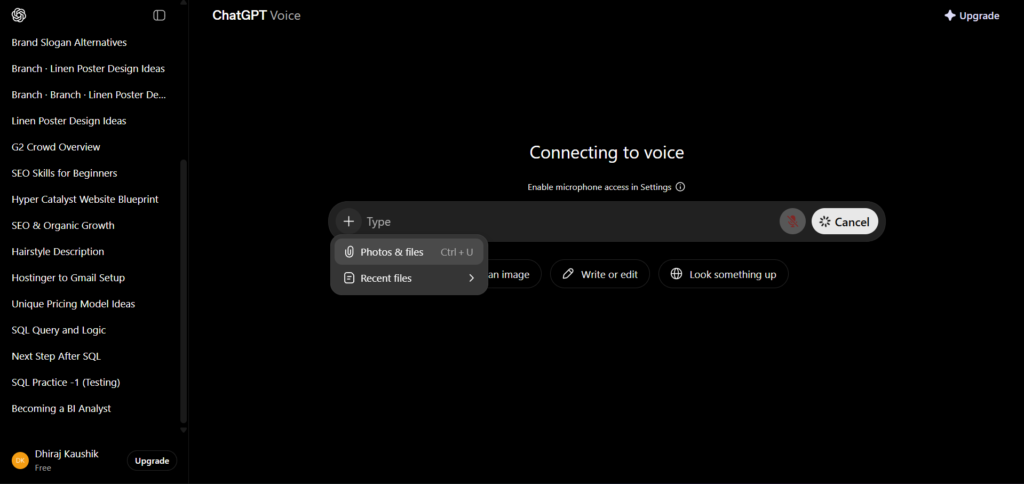
Log in to ChatGPT at chatgpt.com. Deep Research is available on Plus and above. In the conversation interface, click the tools menu (the “+” icon in the composer) and select Deep Research. Alternatively, look for the Deep Research button below the message input box on supported plans.
Step 2: Choose Your Sources
Before typing your query, decide which sources you want Deep Research to use. The options are: public web (default, searches freely accessible content), specific sites (restrict to particular domains you trust), uploaded files (your own documents), and connected apps (SharePoint, OneDrive, Dropbox, Google Drive if connected). For most research tasks, public web with a few trusted site restrictions produces the best results. For internal research combining your own data with public information, connect your cloud storage before starting.
Step 3: Write Your Query as a Brief, Not a Question
This is the most important practical tip in this guide. A good Deep Research prompt looks more like a project brief than a search query. Instead of asking “what are the best AI tools for marketing?”, write something like: “Research the current landscape of AI image generation tools for marketing professionals. Cover pricing, key features, commercial licensing terms, and realistic limitations. Prioritise sources from recognised industry publications and official tool documentation. Produce a structured report with a comparison table and a section on workflow recommendations for small marketing agencies.”
The more specific you are about the scope, the format, and the source priorities, the closer the output will be to what you actually need.
Step 4: Review the Research Plan
After submitting your query, Deep Research will produce a proposed research plan before starting. Read it carefully. Check that it covers the right aspects of your topic. If it is missing something important or planning to cover something irrelevant, modify the plan now. Changes made at this stage cost zero extra time and significantly improve the final report.
Step 5: Monitor Progress and Interrupt If Needed
Once research begins, you can watch the progress in real time. You will see which sources are being read, which topics are being covered, and where the research is in the overall plan. If you notice it going in the wrong direction, exploring an irrelevant subtopic, or missing an important source, you can interrupt and redirect without losing the work already done.
Step 6: Review, Verify, and Export
When the report is complete, read it critically before using it. Check the inline citations against the original sources for any claim that will influence a decision, go into a publication, or inform a client deliverable. Export in your preferred format. Markdown works well for further editing in a text editor. Word works for client-ready documents. PDF works for sharing.
How to Write a Deep Research Prompt That Gets Real Results?
The quality of a Deep Research report is directly proportional to the quality of the brief you give it. These principles apply regardless of topic.
State the output format you need. Deep Research does not know whether you want a comparison table, a narrative report, an executive summary, or a list of recommendations unless you tell it. Be specific. “Produce a structured report with an executive summary, five sections each with subheadings, a comparison table, and a references list” is far more useful than “tell me about X.”
Define the scope boundaries explicitly. Tell Deep Research what to include and what to exclude. “Focus on tools available in 2026. Exclude tools that have been discontinued. Do not cover enterprise-only solutions.” Scope boundaries prevent the report from sprawling into irrelevant territory.
Specify source quality requirements. “Prioritise sources from official documentation, peer-reviewed publications, and recognised industry publications. Avoid forum posts and social media.” Deep Research will weight its source selection toward what you specify.
Set the audience and purpose. “This report is for a non-technical marketing manager making a tool purchase decision” produces a different register and level of detail than “This report is for a developer evaluating API capabilities.” Audience context shapes how the model synthesises and presents findings.
Ask for contradictions to be noted. Explicitly including “note where sources disagree” in your brief activates one of Deep Research’s most valuable capabilities. Without this instruction, the model may silently resolve contradictions by choosing one source.
The Best Use Cases for Deep Research
Competitive analysis. Research a market, map the competitive landscape, compare pricing and features across multiple tools or services, and produce a structured summary that would take a human analyst several hours to compile manually.
Due diligence for purchasing decisions. Before committing to a software subscription, a vendor relationship, or a financial decision, Deep Research can synthesise reviews, pricing analysis, limitation reports, and user feedback from across the web into a single consolidated document.
Industry trend synthesis. Monitoring what is changing in a specific industry, which technologies are emerging, and how different organisations are responding is exactly the kind of multi-source, multi-perspective synthesis task that Deep Research handles well.
Internal document plus public research combinations. After the March 2026 update, combining your own internal data with public information in a single research session is possible for Business and Enterprise users with cloud storage connected. This use case has the highest ROI for knowledge workers who regularly need to contextualise internal results against external benchmarks.
Academic and learning research. Building a comprehensive understanding of a complex topic, identifying the key arguments and counterarguments in a debate, and producing a structured overview with primary source citations are tasks that Deep Research accomplishes reliably for learning and study purposes.
Content research for writers and bloggers. Researching a topic thoroughly before writing, identifying the key angles, finding statistics with verifiable sources, and understanding the current state of a discussion in a specific field are all legitimate Deep Research use cases for content professionals. Treat the output as a research foundation rather than publishable copy.
Deep Research vs Regular ChatGPT Web Search
The difference is not just speed and depth. It is a fundamental difference in how each approach works.
| Dimension | Regular ChatGPT Web Search | Deep Research |
|---|---|---|
| Search volume | 1 to 2 searches | Dozens of searches |
| Source reading depth | Headlines and summaries | Full articles and documents |
| Time to complete | Seconds | 5 to 30 minutes |
| Output format | Conversational reply | Structured report with citations |
| Cross-referencing | None | Active contradiction detection |
| Source control | None | You choose which sources to use |
| Interruption and refinement | No | Yes, real-time |
| File integration | Limited | Full with cloud storage connected |
| Export options | Copy text only | Markdown, Word, PDF |
| Best for | Quick factual questions | Complex multi-source synthesis |
Use regular web search when you need a quick answer to a specific factual question, want a summary of a single article, or are in a conversation where speed matters more than depth. Use Deep Research when you need synthesis across multiple sources, a structured deliverable you can verify and reuse, or a research foundation for a decision or a piece of work.
Deep Research vs Google vs Perplexity
Three tools are most commonly compared for research tasks in 2026: ChatGPT Deep Research, Google Search, and Perplexity AI’s Deep Research mode.
Google Search remains the best tool for finding a specific known source, navigating to an official page, or verifying a single fact quickly. It does not synthesise across sources. It returns links that you then read manually. For research tasks requiring synthesis, it is the starting point rather than the destination.
Perplexity AI’s Deep Research uses live web retrieval with a 32-hour average data freshness lag. It is faster than ChatGPT Deep Research but produces shorter, less structured reports. Perplexity is stronger for quick topic overviews where you need recent information fast. ChatGPT Deep Research is stronger for complex, multi-angle research tasks where output quality and source control matter more than speed.
ChatGPT Deep Research and Gemini Deep Research produce comparable output quality on many research tasks. ChatGPT excels with clarifying questions and research-backed data, while Gemini offers a more formal presentation structure and a greater quantity of cited sources. Both tools accurately gather facts but may struggle with complex conclusions. The choice between the two often comes down to which platform you are already working in rather than a meaningful quality difference on general research tasks.
For a broader look at where Deep Research fits within ChatGPT’s full feature set, our ChatGPT complete review covers every feature and plan in detail.
Plan Access and Monthly Limits
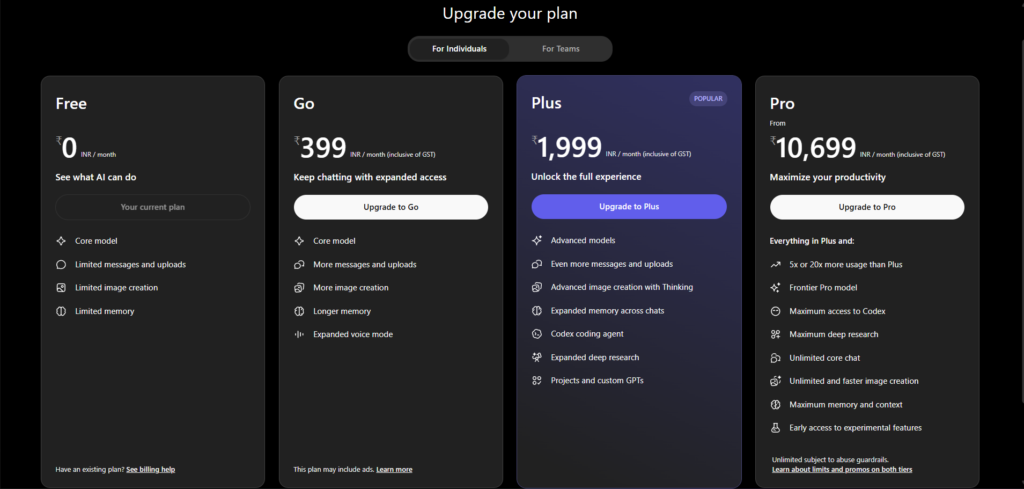
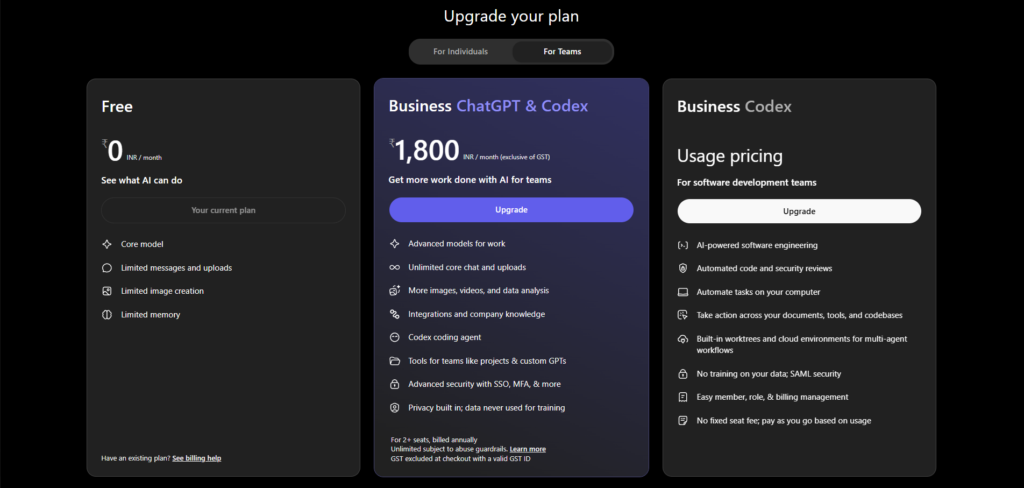
Deep Research access and monthly query limits vary by plan. Free plan users do not have access to Deep Research in 2026. The current limits by plan are:
| Plan | Monthly Cost | Deep Research Access | Monthly Limit |
|---|---|---|---|
| Free | $0 | No | — |
| Go | $8/month | No | — |
| Plus | $20/month | Yes | 10 runs per month |
| Pro $100 | $100/month | Yes | 250 runs per month |
| Pro $200 | $200/month | Yes | 250 runs per month |
| Business | $20/seat/month | Yes | Included |
| Enterprise | Custom | Yes | Custom |
The monthly limit resets at the start of each billing cycle. You can check your remaining Deep Research queries by hovering over the Deep Research button in the interface. When you reach your monthly limit, Deep Research becomes unavailable until the next reset.
Ten runs per month on Plus is a meaningful constraint for heavy research users. For professionals who use Deep Research as a daily research tool, the Pro $100 plan’s 250 monthly runs provides genuinely unlimited practical access for most workflows. For the majority of Plus users who use Deep Research for specific projects rather than daily tasks, 10 runs per month is workable.
For a full breakdown of all ChatGPT plans with pricing and feature comparisons, see our ChatGPT complete review.
Honest Limitations You Must Know
Human verification is non-negotiable. Deep Research synthesises from sourced web content. It does not independently verify facts. The report contains citations but you must verify claims against the original sources before using them professionally. ChatGPT can vastly speed up routine parts of research such as search and screening, but cannot be fully trusted for final insights without supervision. It excels at generating an initial draft or overview, but human experts must verify facts, identify false statements, and evaluate conclusions. This is not a criticism of the tool. It is the correct standard for any AI-assisted research output.
Hallucination persists even with citations. Deep Research is better than regular ChatGPT at factual accuracy, but confident errors still occur. The citations help you catch these errors, but you have to use them. A citation that links to a source that does not actually contain the claimed information is a hallucination with a citation attached. Check the sources, not just the report.
Paywalled content is inaccessible. Deep Research can only read freely accessible web content. Academic papers behind paywalls, premium publications requiring subscriptions, and private databases are beyond its reach. For research requiring access to paywalled academic literature, the tool’s coverage is limited to abstracts and freely available summaries rather than full papers.
Speed is not its strength. Deep Research takes 5 to 30 minutes per run. It is not suitable for quick questions or anything where you need an answer in seconds. The time investment is justified when the output is a substantial research deliverable. It is not justified for a quick factual lookup.
Research Analysis has the highest AI contradiction rate. Per independent benchmarking from April 2026, Research Analysis is the domain where different AI models most frequently produce contradictory outputs. If your research is consequential, cross-checking the Deep Research output with another model or a human expert is the practical standard for high-stakes use.
Who Is Deep Research Actually For?
Knowledge workers who produce research-heavy deliverables. Consultants, analysts, strategists, and advisors who regularly produce research briefs, competitive analysis documents, or market assessments will find Deep Research compresses their research phase significantly. The output quality is strong enough to serve as a first draft that requires editing and verification rather than a starting-from-scratch document.
Business decision-makers evaluating options. Before choosing a vendor, platform, software tool, or strategic direction, Deep Research can synthesise a comprehensive picture from across the web in 15 to 30 minutes. The structured output with citations is more useful for decision-making than a quick search because it covers multiple angles simultaneously rather than returning a list of links to read individually.
Writers, bloggers, and content professionals. Researching a topic thoroughly before writing, building a comprehensive picture of the current state of a discussion, and finding verifiable statistics are exactly the tasks Deep Research handles well for content work. Treat the output as research infrastructure, not as copy you publish directly. Our guide on ChatGPT for beginners covers how to integrate tools like Deep Research into a content workflow from the ground up.
Students and academic researchers. Building literature overviews, understanding the key arguments in a field, and producing structured summaries of complex topics are legitimate academic uses of Deep Research. The verification standard still applies. Academic work requires checking every cited claim against the original source before including it in written work.
Small business owners making informed decisions. Market research that would previously require hiring a research firm or spending days on manual search is now achievable in under an hour for a business owner who understands how to write a clear research brief and verify the output. For small businesses operating without a dedicated research function, Deep Research is a genuine practical addition to the decision-making toolkit.
Frequently Asked Questions
How is ChatGPT Deep Research different from regular ChatGPT with web search?
Regular ChatGPT with web search runs one or two quick searches, reads surface-level summaries, and produces a conversational answer in seconds. Deep Research runs a planned, multi-step investigation that typically takes 5 to 30 minutes. It reads dozens of full sources, follows links within documents, cross-references findings across sources, identifies contradictions, and produces a structured report with inline citations you can verify. The output is a documented work product rather than a chat reply. You also control which sources Deep Research can access, including specific trusted sites, uploaded files, and connected cloud storage, which regular web search does not offer.
Is ChatGPT Deep Research available on the free plan?
No. Deep Research is not available on the Free or Go plans. It requires a Plus subscription at minimum, which costs $20 per month. Plus users receive 10 Deep Research runs per month. Pro plan users at both the $100 and $200 tiers receive 250 runs per month. Business and Enterprise plans include Deep Research with limits appropriate to the plan tier. If you are on the free plan and want to evaluate Deep Research before upgrading, the most practical approach is to start a Plus subscription, run several research tasks in the first week to validate whether the feature fits your workflow, and make the upgrade decision based on actual use rather than expectation.
How long does a Deep Research report take to produce?
A typical Deep Research run takes 5 to 30 minutes depending on the complexity of the query, the number of sources being read, and the depth of synthesis required. Simple, well-scoped queries on topics with clear publicly available information tend to complete in 5 to 10 minutes. Complex, multi-angle research tasks covering broad topics with contradictory sources across many domains can take up to 30 minutes. You can monitor progress in real time and interrupt to refine the focus at any point without losing the work already completed.
Can Deep Research access my private company documents?
Yes, after the March 2026 update. Deep Research now integrates with SharePoint, OneDrive, Dropbox, and Google Drive, allowing it to combine your private documents with public web research in a single session. You connect your cloud storage through the ChatGPT integrations settings, then select the relevant file source when starting a Deep Research task. This means you can ask Deep Research to review your internal reports and data alongside publicly available information, and synthesise both into a single structured output. This feature is particularly valuable for Business and Enterprise users who need to contextualise internal data against external market information.
Should I trust Deep Research output without checking the sources?
No. Treating Deep Research output as verified fact without checking the cited sources is the most common misuse of the feature. Deep Research synthesises from sources and includes citations, but it does not independently verify the accuracy of what it reads. Hallucinations can appear even in cited reports, where the citation exists but the source does not actually contain the claimed information. For any claim that will influence a decision, appear in a publication, or inform client-facing work, verify it directly against the cited source. The citations are tools for verification, not proof of accuracy in themselves.
What is the best way to get high-quality results from Deep Research?
Write your query as a detailed project brief rather than a simple question. Include the output format you need, the scope boundaries, the source quality requirements, the intended audience, and any specific aspects you want covered or excluded. Review and modify the proposed research plan before approving it, since changes at this stage cost zero additional time and significantly improve the final report. Specify trusted sources where relevant. Ask explicitly for contradictions across sources to be noted. And always treat the output as a first draft requiring human verification rather than a finished deliverable. These five practices consistently produce better Deep Research outputs than submitting a brief, vague query and accepting the first result.
Final Thoughts
ChatGPT Deep Research is genuinely one of the most useful features in the ChatGPT product in 2026. For knowledge workers, researchers, writers, and decision-makers who regularly need comprehensive synthesis across multiple sources, it compresses hours of manual research into a structured, citation-backed report produced in under 30 minutes. The March 2026 cloud storage integration extends that capability to include your own private documents alongside public research.
The limitations are real and the verification standard is non-negotiable. Deep Research accelerates the research process significantly. It does not replace human judgement on the output. Every substantive claim in a Deep Research report that will influence a decision or appear in published work deserves a source check. That is the correct professional standard for any AI-assisted research, and applying it consistently is what separates productive use of the feature from irresponsible use.
If you are on the Plus plan and have not used Deep Research beyond one or two tests, set aside 30 minutes this week to write a proper research brief on a topic you genuinely need to understand, run it through Deep Research, and review the output critically. That single session will give you a realistic picture of where the feature earns its place in your workflow and where you still need to verify manually.
Start at chatgpt.com and find the Deep Research option in the tools menu. For everything else ChatGPT can do in 2026, our ChatGPT complete review covers the full platform from top to bottom.
External resources: Deep Research in ChatGPT — OpenAI Help Center | Introducing Deep Research — OpenAI Official | ChatGPT Deep Research Complete Guide 2026 — LumiChats | ChatGPT Deep Research: How It Works and When to Use It — Gend.co | I Tried ChatGPT and Google Gemini Deep Research — LivePlan
Useful Backlinks
| # | Specific Article / Page | URL |
|---|---|---|
| 1 | “Deep Research in ChatGPT” — OpenAI Help Center | help.openai.com/en/articles/10500283-deep-research-in-chatgpt |
| 2 | “Introducing Deep Research” — OpenAI Official | openai.com/index/introducing-deep-research/ |
| 3 | “ChatGPT Deep Research Complete Guide 2026” — LumiChats | lumichats.com/blog/chatgpt-deep-research-complete-guide-how-to-use-2026 |
| 4 | “ChatGPT Deep Research: How It Works and When to Use It” — Gend.co | gend.co/blog/chatgpt-deep-research |
| 5 | “I Tried ChatGPT and Google Gemini Deep Research” — LivePlan | liveplan.com/blog/planning/deep-research-chatgpt-vs-gemini |
| 6 | “What Is ChatGPT Deep Research and How to Use It” — Coursera | coursera.org/articles/chatgpt-deep-research |
| 7 | “ChatGPT Deep Research: Guide to AI Agents and RAG” — IntuitionLabs | intuitionlabs.ai/articles/chatgpt-deep-research-guide-ai-agents-rag |
| 8 | “How ChatGPT Deep Research Is Helping Me Do Better Work” — How-To Geek | howtogeek.com/chatgpt-deep-research-better-work |
| 9 | “ChatGPT Features 2026: Deep Research, Projects, Memory” — Suprmind | suprmind.ai/hub/chatgpt/features/ |
| 10 | “Perplexity vs ChatGPT Deep Research: Which Is Better?” — TechRadar | techradar.com/features/perplexity-vs-chatgpt-deep-research |