Suno AI for beginners is a better experience in 2026 than it was a year ago, and it is still more confusing than it needs to be if nobody walks you through the parts the interface does not explain. I approached this the way a genuine first-time user would: no prior music production knowledge, no AI tool familiarity, just a free account and a curiosity about whether I could actually make something worth listening to. Here is everything I learned.
Table of Contents
What Suno AI Is in Plain English?
Suno AI is a web-based platform that turns a text description into a complete song, vocals, instruments, lyrics, and production, in under a minute. You type something like “upbeat pop song about a road trip, female vocals, catchy chorus” and Suno hands you back two fully produced variations to choose from.
No musical training required. No instrument knowledge required. No audio engineering background required. If you can describe what you want in a sentence, Suno can generate a track from it.
The platform has over 100 million registered users as of 2026, which tells you something useful: enough people have found genuine value in it that it grew past novelty into daily use. The free plan gives you 50 credits every day, which works out to roughly 10 song generations, with no credit card required to sign up.
What makes Suno different from older AI music tools is that it generates complete songs with real vocals, not just instrumental loops or backing tracks. Most AI music tools produce something you would use as background music. Suno produces something that sounds like a finished recording with a singer.
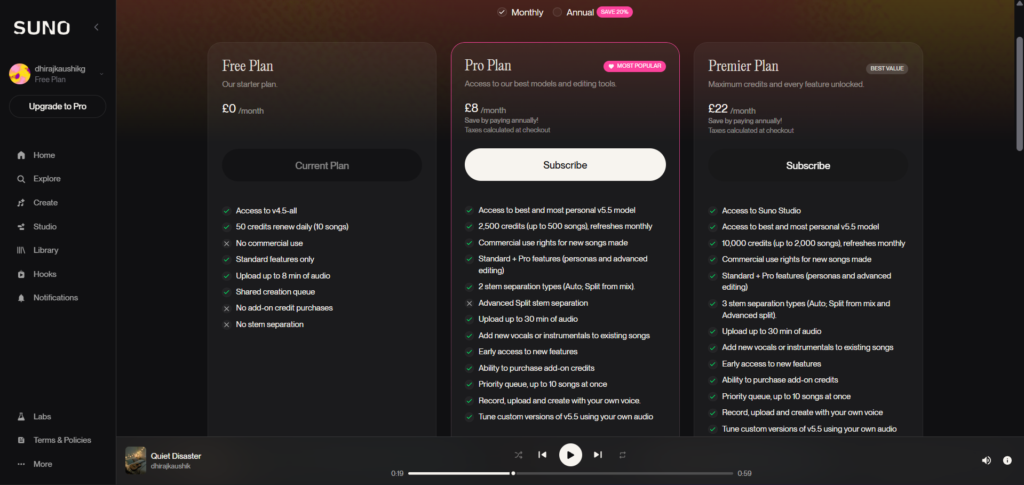
The honest caveat upfront: free plan songs cannot be used commercially. Not in a monetized YouTube video, not in client work, not for sale. That restriction matters and most beginner guides bury it. The free plan is genuinely useful for learning the tool. The moment you want to publish or earn from anything you create, you need a paid plan.
How to Create Your Account and Generate Your First Song?
Step 1: Sign Up at Suno.com
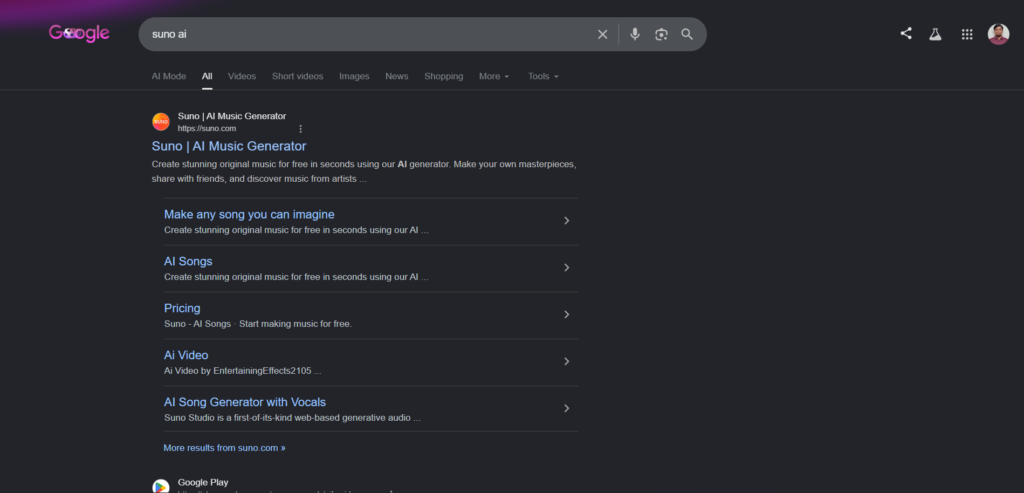
Go to suno.com and click Sign Up. You can register with a Google account, a Discord account, or a Microsoft account. No credit card is required for the free plan. The signup process takes under two minutes.
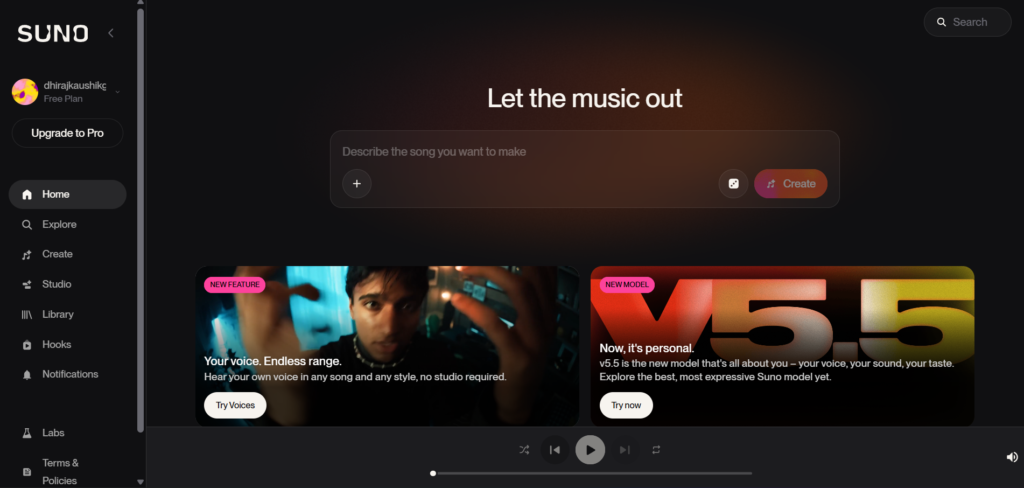
Once signed in, you land on the main dashboard. Your daily credit balance of 50 credits appears in the top navigation bar. This resets every 24 hours at UTC midnight regardless of your time zone.
Step 2: Choose Simple Mode for Your First Generation
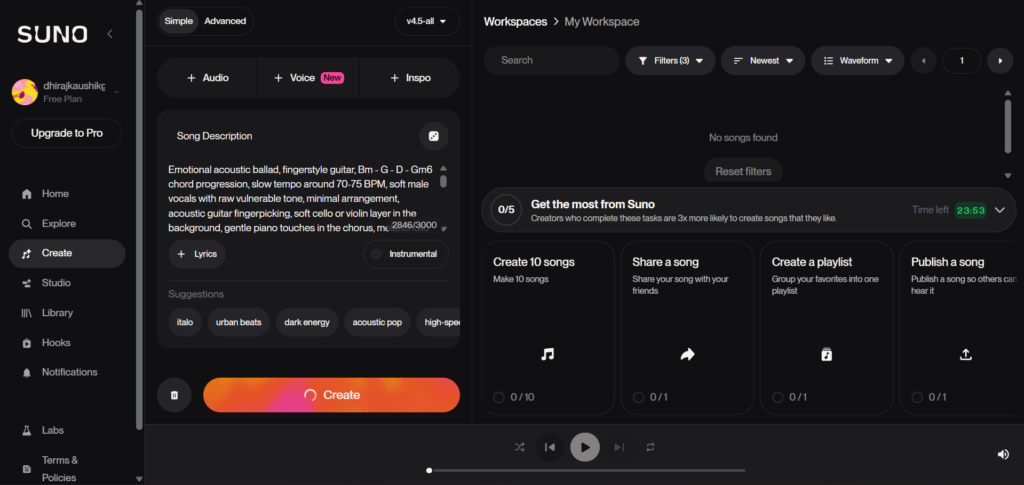
At the top of the creation panel, you will see two options: Simple and Custom. For your very first song, use Simple mode. It asks for one text description and handles everything else automatically, including generating its own lyrics.
Type a specific description rather than a vague one. “Sad indie folk song about missing someone from your hometown, acoustic guitar, slow tempo” produces a meaningfully better result than “sad song.” The more detail you give, the closer the output matches what you had in mind.
Step 3: Click Create and Wait
Click the Create button. Suno generates two variations from your prompt simultaneously. Generation takes between 20 and 60 seconds depending on server load. Both variations appear in your feed when they are ready.
Listen to both before deciding which one you prefer. They can differ significantly in vocal delivery, tempo, and energy even from an identical prompt, so comparing them before committing to one is worth the extra 30 seconds.
Step 4: Save, Share, or Extend
Click the three-dot menu on any track to see your options. You can save it to your library, share a public link, extend the track if it ends too early, or open it for editing. Free plan users can share tracks publicly and listen back anytime. Downloading the audio file requires a paid plan, which is one of the more significant free tier restrictions introduced following Suno’s Warner Music licensing deal in late 2025.
Step 5: Repeat and Refine
Generate at least five or six songs before forming a strong opinion about what Suno can do. The first generation rarely represents the platform’s full capability. Understanding what kind of prompt language produces good results in your preferred genre takes a few sessions of deliberate experimentation.
The Two Modes: Which One to Use First?
Suno has two creation modes and the difference between them matters more than most beginner guides acknowledge.
Simple Mode is where every beginner should start. You type a description, Suno writes the lyrics automatically, and the generation handles structure, arrangement, and production. It is fast, requires no creative writing skill, and produces complete tracks reliably. The limitation is that you cannot control the lyrics or song structure directly, which means results can occasionally drift from what you had in mind.
Custom Mode is where you go once you understand the basics. It gives you direct control over lyrics and song structure using section tags like [Verse 1], [Chorus], and [Bridge]. You can write your own lyrics or edit Suno-generated ones before generating. Custom Mode also gives you access to the Style of Music field, a separate input where you enter genre and production tags that shape the sonic character of the track.
The practical advice for a beginner: spend your first week entirely in Simple Mode. Learn how different prompt descriptions produce different outputs. Only switch to Custom Mode once you have a specific creative goal that Simple Mode cannot achieve on its own, such as using your own lyrics or controlling the exact structure of a track.
Understanding Credits Before You Waste Them
Credits are the currency for everything you do on Suno. One standard song generation costs 5 credits and returns two variations. Your free plan gives you 50 credits daily, which resets every 24 hours at UTC midnight.
The calculation sounds generous. Fifty credits divided by 5 equals 10 songs per day. In practice, beginners typically generate far fewer usable songs than that headline number suggests, because most sessions involve multiple regenerations trying to find a sound they like. Every regeneration costs another 5 credits whether the result is good or not.
The most common beginner mistake with credits is treating each generation as a throwaway experiment. Testing a completely new prompt type, a new genre you have never tried, or a completely different musical direction all in the same session burns credits without building knowledge. A more effective approach is to start each session with a specific creative goal and test one or two prompt variations around that goal rather than exploring in every direction at once.
Free credits do not roll over. Whatever you do not use today disappears when the reset hits. Paid plan credits follow the same rule at the monthly level. The only credits that carry forward indefinitely are purchased top-up credits, which require an active paid subscription to use.
The First Week: What to Do Each Day?
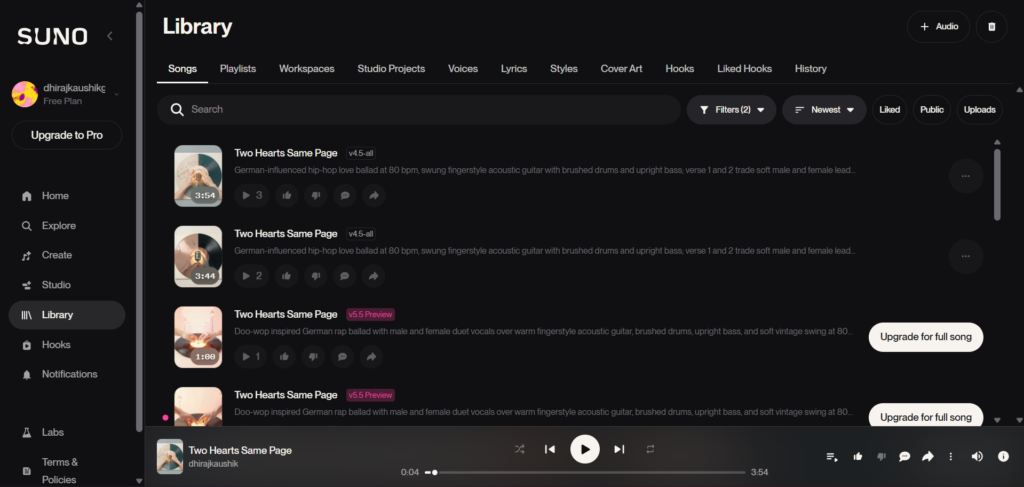
Day 1: Generate five songs in Simple Mode across three different genres. Pick genres you actually listen to in real life, not genres you think will sound impressive. The goal is to understand how the platform interprets different styles rather than to produce anything you plan to keep.
Day 2: Take your best result from Day 1 and try to improve it. Change one element of the prompt, the mood descriptor, the lead instrument, or the energy level, and generate again. Compare the results. This targeted iteration teaches you how specific prompt changes affect output.
Day 3: Try writing your own lyrics and entering them in Custom Mode. Keep them simple: two verses and a chorus. Add [Verse 1], [Chorus], and [Verse 2] structure tags before each section. Notice how the structure tags affect the dynamics of the generated track compared to a Simple Mode generation.
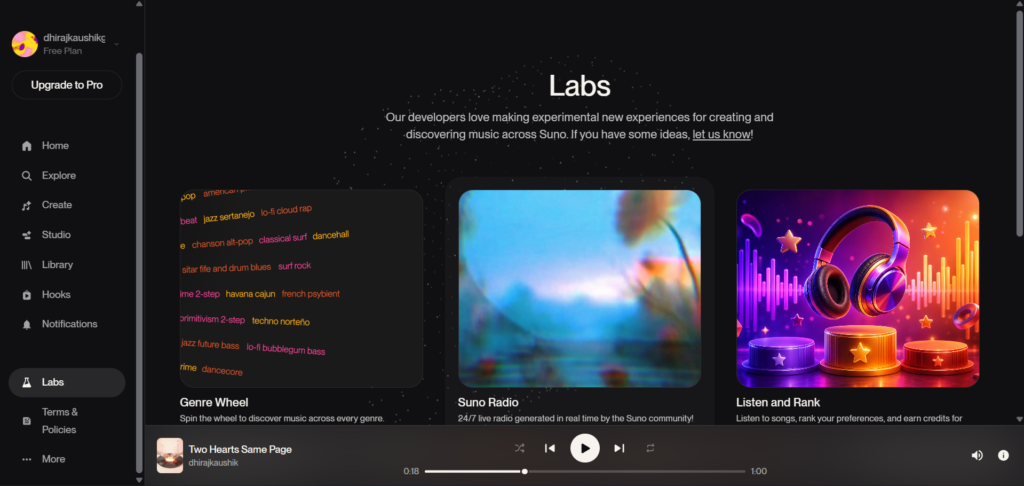
Day 4: Explore the Suno community feed and library. Listen to what other creators have produced with prompts you can see. This is one of the fastest ways to understand what is possible and to reverse-engineer prompt techniques from results you find impressive.
Day 5: Build a prompt template for your specific use case. If you want background music for videos, write a template for that. If you want to produce songs in a specific genre, write a template for that. A reusable template is more valuable than any single good generation.
Day 6 and 7: Generate using your template and refine it based on results. By the end of the week you should have a clear sense of whether Suno fits your creative needs and what the gap is between what the free plan gives you and what a paid plan would add.
The Three Mistakes Every Beginner Makes
Treating the first generation as the final result. Almost nobody’s first Suno generation is the best version of their idea. The platform rewards iteration. The creators who get the most out of Suno are the ones who generate, listen critically, adjust one element of the prompt, and generate again. Accepting the first output without comparison is the fastest way to form an unfairly negative impression of what the platform can actually do.
Using the free plan to generate content they plan to publish. Free plan output carries zero commercial rights under Suno’s Terms of Service. A track generated on a free account cannot be used in a monetized YouTube video, licensed to a client, or released on a streaming platform, ever, even if the creator later upgrades to a paid plan. Songs made on free stay non-commercial permanently. This distinction matters enough that it belongs in the first paragraph of any beginner guide, not hidden in a terms of service nobody reads.
Ignoring the Style of Music field in Custom Mode. Many beginners who switch to Custom Mode fill in the lyrics field thoroughly and leave the Style of Music field empty. This is the opposite of what produces good results. The Style of Music field is where the sonic character of the track is defined. Without it, Suno interprets the emotional tone of the lyrics with wide creative latitude and produces inconsistent results. Filling the Style of Music field with specific genre, mood, and instrument tags before writing a single line of lyrics is the single most impactful habit a Custom Mode user can develop.
Comparison Table: Suno vs Other Beginner AI Music Tools
| Tool | Standout Feature | Free Plan | Vocal Songs | Commercial Rights on Free | Monthly Cost |
|---|---|---|---|---|---|
| Suno AI | Complete vocal songs, largest community | 50 credits/day, ~10 songs | Yes, best in category | No | Free / $8-10 / $24-30 |
| Udio | Instrumental fidelity, 48kHz mix | 100 credits/month | Yes | Limited, check current terms | Free / $10-30 |
| Sonauto | Unlimited free generations | Unlimited, no credit system | Yes | Not clearly defined | Free |
| Boomy | Built-in distribution pipeline | Limited free tier | Limited | Via paid plan | Free / paid tiers |
| YouTube Audio Library | Completely free and YouTube-safe | Unlimited | No, instrumental only | Yes, fully free | $0 |
Sonauto is worth mentioning specifically for pure beginners who want unlimited experimentation without any credit system. It generates complete songs with vocals and has no daily or monthly limit, which makes it the lowest-friction entry point for someone who wants to explore AI music generation without thinking about resource management at all. The trade-off is that its commercial licensing terms are unclear, which makes it unsuitable for anything you plan to distribute.
For beginners whose specific goal is learning the tool before committing to a paid plan, Suno’s free tier remains the stronger starting point because the community, the model quality, and the clear eventual upgrade path all support a learning journey that most alternatives cannot match.
Who Should Actually Start With Suno?
Hobbyists who have always wanted to make music but do not play an instrument. This is the use case Suno was effectively designed for. The ability to describe an idea in plain language and hear a finished song with real vocals removes every traditional barrier to music creation. If you have spent years having musical ideas and no way to realize them, Suno is the most accessible entry point available in 2026.
Content creators evaluating whether AI music fits their workflow. The free plan’s 10 daily songs give you enough volume to test whether Suno-generated music serves your actual content needs before paying for anything. Spend one to two weeks generating tracks for the types of content you actually produce. That hands-on evaluation will tell you more than any review about whether the tool is worth the upgrade.
Songwriters who want to prototype ideas quickly. Musicians who already write songs often find Suno useful for testing a lyric idea or a chord progression feel before investing studio time in it. The speed of generation, under a minute from prompt to finished draft, makes rapid prototyping practical in a way it is not with traditional production tools.
People who have tried Suno once and given up. Most negative first impressions of Suno come from a single session with a vague prompt and no iteration. Understanding that specific prompts, deliberate iteration, and the Style of Music field are the three variables that determine output quality changes the experience significantly. If your only Suno experience was underwhelming, the guide you needed was this one, not a different platform.
For everything that comes after the beginner phase, including how to get the most from paid plans, how to maintain vocal consistency across a project, and whether Suno Studio justifies the Premier upgrade, our complete Suno AI review covers the full platform across 60 generated tracks. And when you are ready to understand exactly how credits work and which plan tier makes sense for your specific usage, our Suno AI pricing guide breaks down the real monthly math.
FAQ
Is Suno AI completely free to use?
Yes, with real limitations. The free plan gives you 50 credits every day, resetting every 24 hours, which works out to roughly 10 song generations daily. No credit card is required to sign up and there is no time limit on the free plan. The two significant restrictions are that free plan output cannot be used commercially under any circumstances, and following Suno’s licensing arrangements with major label partners in late 2025, free tier users cannot download the audio files they generate. You can listen to and share tracks generated on the free plan but cannot export them as audio files for use elsewhere.
Do I need musical knowledge to use Suno AI?
No. Suno is specifically designed for people without musical training. You describe what you want in plain language and the platform handles every musical decision including melody, harmony, rhythm, arrangement, and vocals. The only skill that improves over time with Suno is prompt writing, learning how to describe musical ideas specifically enough that the model’s output matches what you had in mind. That skill develops within the first week of regular use and requires no prior knowledge of music theory or production.
How do I make a good song on Suno as a beginner?
The three habits that produce the best beginner results are: first, using specific descriptive language rather than vague single-word prompts; second, generating at least two or three variations before deciding the prompt needs changing; and third, filling in the Style of Music field in Custom Mode with genre, mood, and instrument tags before writing any lyrics. The most common cause of disappointing Suno results among beginners is a vague prompt submitted without the Style of Music field filled in. A prompt like “lo-fi hip hop, 75 BPM, soft piano, warm vinyl texture, study vibe, instrumental” in the Style of Music field produces dramatically more consistent and satisfying results than typing a one-line description in Simple Mode.
Can I use Suno AI music in my YouTube videos?
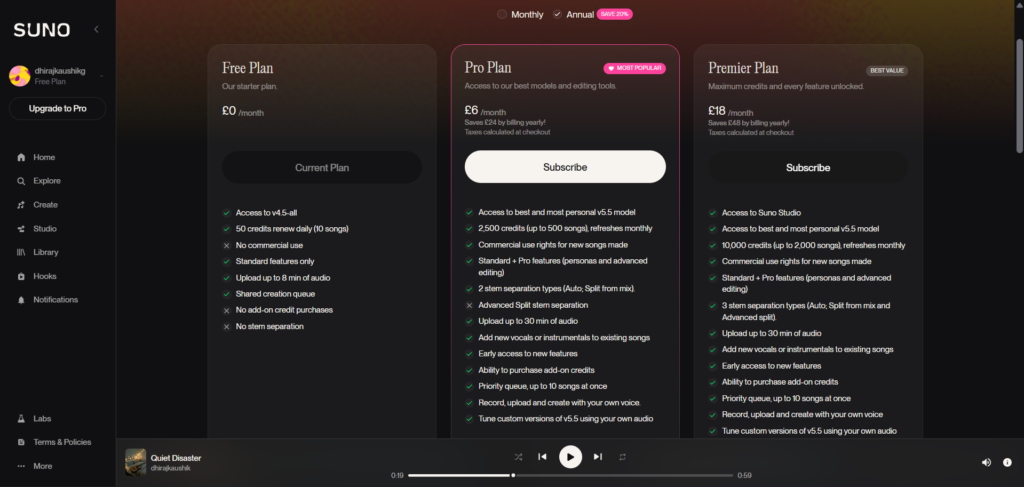
Only on a paid plan. Free plan songs are licensed for personal, non-commercial use only, which means they cannot be used in monetized YouTube videos regardless of how good they sound. On Pro or Premier plans, Suno grants commercial rights that cover YouTube monetization, and Suno-generated music is not registered in any Content ID database, so it will not trigger automatic copyright claims on your videos. The practical starting point for any creator who wants to use Suno for YouTube is the Pro plan at $8 per month on annual billing, which also unlocks the v5.5 model that sounds significantly better than the v4.5-all available on the free tier.
What happens when I run out of free credits?
When your 50 daily credits are exhausted, you cannot generate new songs until the next reset, which happens every 24 hours at UTC midnight. You can still listen to songs already in your library, share them publicly, and browse the community feed. You cannot extend existing tracks, create new generations, or use any other credit-consuming feature until your credits restore. Unlike paid plan credits, there is no option to purchase additional credits on the free plan. The only way to generate more songs before the daily reset is to upgrade to a paid plan.
Is Suno AI safe to use for personal projects?
Yes, for personal and non-commercial use the free plan is straightforward. You generate songs, they appear in your public library by default, and you can listen to and share them freely. The platform does not collect sensitive personal data beyond what is needed for account management. The more significant consideration for creators is the ongoing Sony Music lawsuit, which targets Suno’s training data practices rather than individual users, and the copyright uncertainty around AI-generated output under current US law. For purely personal, non-commercial music creation, neither of these issues affects everyday use in any practical way.
Final Thoughts
Suno AI in 2026 is genuinely the most accessible entry point into music creation that has ever existed. The combination of real vocals, complete song structure, and a free plan with no time limit removes every traditional barrier between an idea and a finished track. For someone who has wanted to make music for years but lacked the instrument skills, production knowledge, or budget for studio time, this platform delivers on the core promise.
The parts worth being clear-eyed about before you start: free plan output is non-commercial forever, downloading tracks requires a paid plan, and the quality gap between the free v4.5-all model and the paid v5.5 model is noticeable enough that the free tier gives you a slightly undersold picture of what Suno can actually produce. None of these are reasons not to start. They are reasons to start with accurate expectations.
Go to suno.com, create a free account, and generate five songs this week. Make them in genres you actually care about rather than testing cases. That first week of real use will tell you exactly where Suno fits in your creative life and whether the upgrade to Pro is a natural next step or something you can hold off on indefinitely. The answer differs for everyone, and only using it will give you the right one.
External resources: Suno AI official help center and getting started guide | Is Suno Free? Unpacking the Suno Free Tier Limits 2026 — TechJack Solutions | How to Use Suno for Free: Credits, Limits, and What You Can Actually Do — FreeAIMusicTools | Suno AI Reddit Review 2026: Free Plan, Pricing, vs Udio — AIToolDiscovery | Suno AI Review 2026: Powerful AI Music Generator or Overhyped Tool — Filmora