Leonardo AI is not the easiest AI image platform to evaluate because it does not do one thing. It does everything. Image generation, video creation, canvas editing, custom model training, real-time sketching, 3D texture generation, character consistency, and a developer API all live inside the same browser-based platform. This Leonardo AI review covers every major feature, every current plan, every model category, and the honest limitations that most reviews skip, so you can make a clear decision about whether it fits your workflow in 2026.
Table of Contents
What Leonardo AI Is in 2026: Platform Overview
Leonardo AI was founded in Australia in 2022 with a specific focus on solving visual asset production problems for the video game industry. That origin still shapes the platform’s DNA in 2026: it is built for professional, repeatable, controllable output rather than one-click artistic generation. In July 2024, Canva acquired Leonardo AI for an estimated $320 million, which has since accelerated the platform’s development pace and infrastructure investment.
The platform has grown to over 30 million registered users as of early 2026. It operates entirely in the browser at app.leonardo.ai with a native mobile app available on iOS and Android. No local GPU is required. No software needs to be installed. Everything runs on Leonardo’s managed cloud infrastructure.
What separates Leonardo from simpler tools is the breadth of the production stack it offers within one login. You do not need separate subscriptions for image generation, image editing, custom model training, video animation, and API access. All of these are present in one platform, and they interact with each other. A trained custom model can be applied to Canvas editing operations. A generated image can move directly into the video generation workflow. A Real-Time Canvas sketch can be refined through Alchemy post-processing. The integration is meaningful for professional workflows.
The platform’s core design philosophy, as stated in its own documentation, is to function as a workshop rather than a slot machine. Unlike tools that give you a result and send you on your way, Leonardo provides a structured environment where you iterate, refine, train, and build on your previous work. This is the right framing for evaluating every feature that follows.
The Model Library: What Is Actually Available?
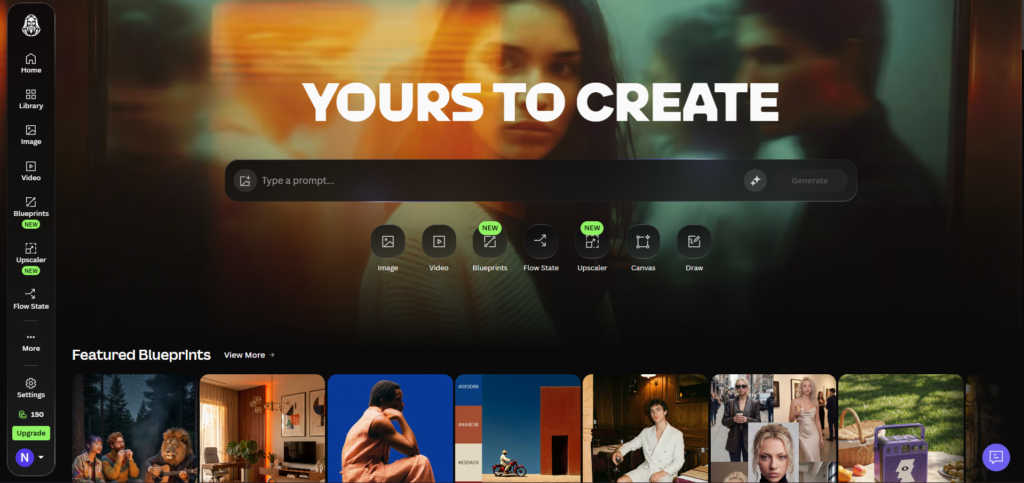
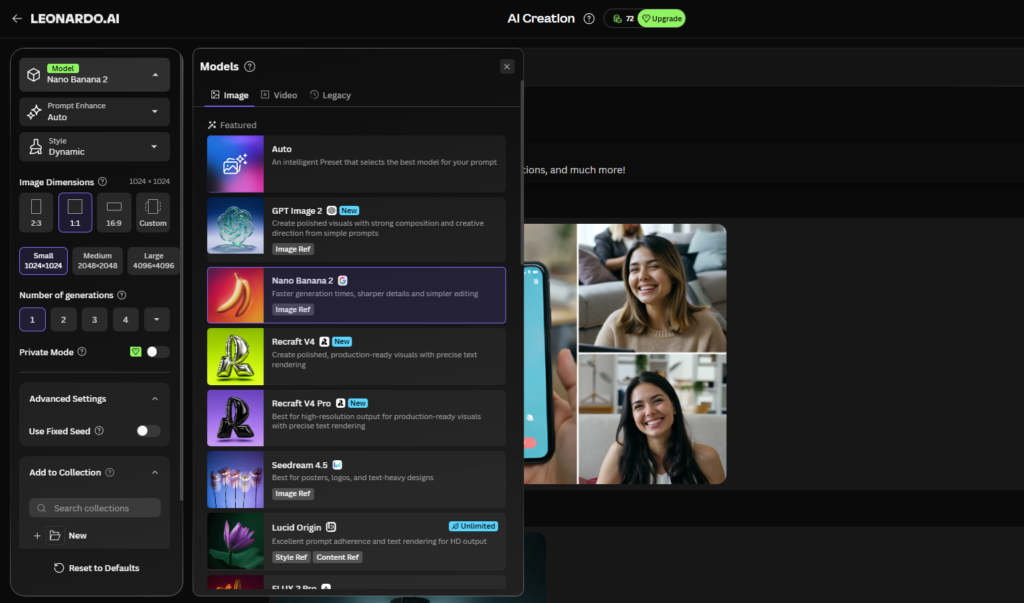
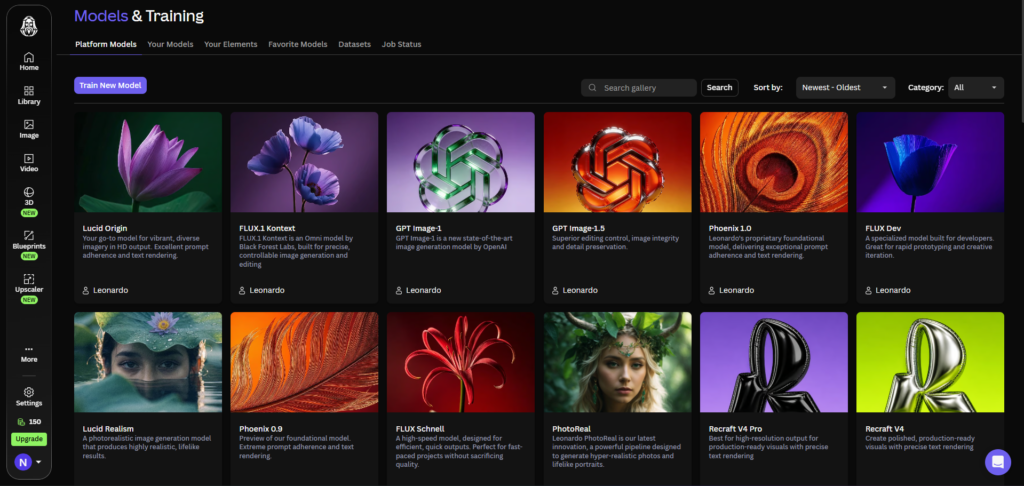
Leonardo AI’s model selection is one of its most distinctive features and one of its most confusing aspects for new users. In 2026 the platform offers three categories of models.
First-party models built and maintained by Leonardo AI directly. These include Phoenix 2.0 (the flagship model, optimised for prompt adherence and complex multi-element scenes), Lucid Origin and Lucid Realism (photorealism-focused models strongest for product photography and commercial imagery), Kino XL (cinematic and filmic output), Motion 1.0, Motion 2.0, and Motion 2.0 Fast (first-party video and animation models), and several legacy models maintained for backward compatibility.
Integrated third-party models licensed and accessible through the platform for additional token cost. These include Veo 3 and Veo 3.1 (Google’s video generation models, best-in-category for photorealistic video with native audio), Veo 3 Fast and Veo 3.1 Fast (lower cost faster variants), Flux.1 Kontext and Flux Kontext Max (Black Forest Labs, strong for photorealism), Flux Dev (default base for Element training), Kling 2.5 Turbo and Kling 2.1 Pro (cinematic video), Sora 2 and Sora 2 Pro (OpenAI video models), Ideogram 3.0 (typography and text-heavy designs), GPT-Image-1 (OpenAI’s image model), Seedream 4.5 (high-resolution image generation), and Nano Banana Pro.
Community fine-tuned models — a library of models trained by the Leonardo AI user community, covering specific art styles, aesthetics, and use cases. Quality varies significantly across community models, and evaluation through test generations before committing to a workflow is essential.
This model breadth makes Leonardo AI unusual in the category. It functions as a hub where you can access competing AI models from a single interface rather than maintaining multiple platform subscriptions. The practical implication is that even if Leonardo’s own first-party models do not perfectly fit your use case, a relevant third-party or community model likely will.
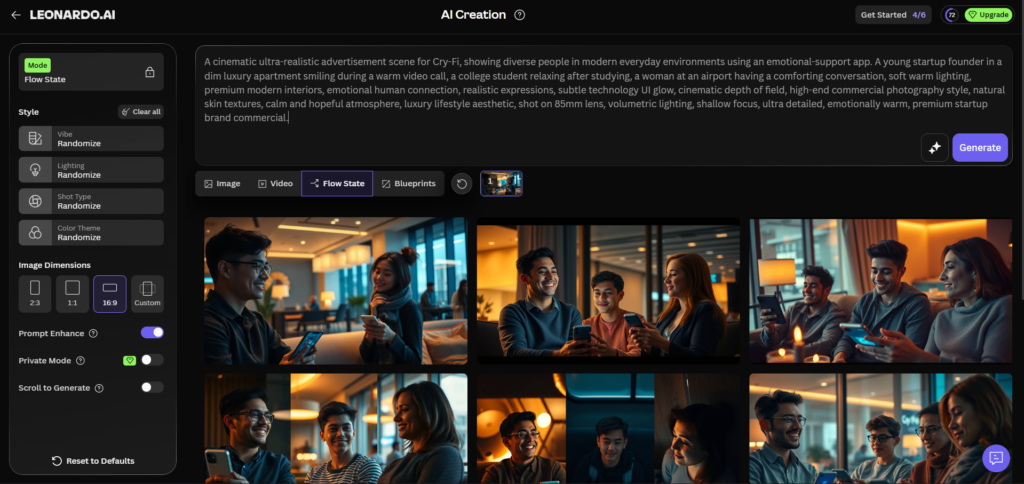
Image Generation: Core Workflow and Quality
The core image generation workflow on Leonardo AI follows a structured pre-generation setup that differs from the minimal interfaces of tools like Midjourney or DALL-E 3. Before generating, you select a model, set dimensions, choose quality mode, configure the number of variations, and optionally apply Elements, style references, and guidance settings. This setup requires more familiarity than a simple prompt box, but it gives you substantially more control over the output.
Image quality on the flagship Phoenix 2.0 model is competitive with any managed platform in 2026 for brief-driven creative work. Phoenix delivers approximately 95 percent prompt adherence, meaning complex, multi-element scene descriptions produce output that matches the brief reliably rather than interpreting it loosely. For photorealistic commercial work, the Lucid suite produces output that independent testing has confirmed sits just below Midjourney V8 and Flux 2 Pro in the photorealism ranking. For atmospheric artistic output, Midjourney V8 remains the aesthetic leader.
The Alchemy v4 post-processing pipeline, which applies an additional refinement pass after the base generation, improves output quality meaningfully but increases token cost by 1.5 to 2 times per image. Alchemy is worth using for production renders. For exploratory generations where you are testing prompt direction, disabling Alchemy preserves your token budget.
Batch generation allows 4 variations per prompt in a single generation job, which is the most efficient use of tokens when exploring a concept. Generating 4 variations costs roughly the same as 4 individual generations but returns all options in a single pass for comparison.
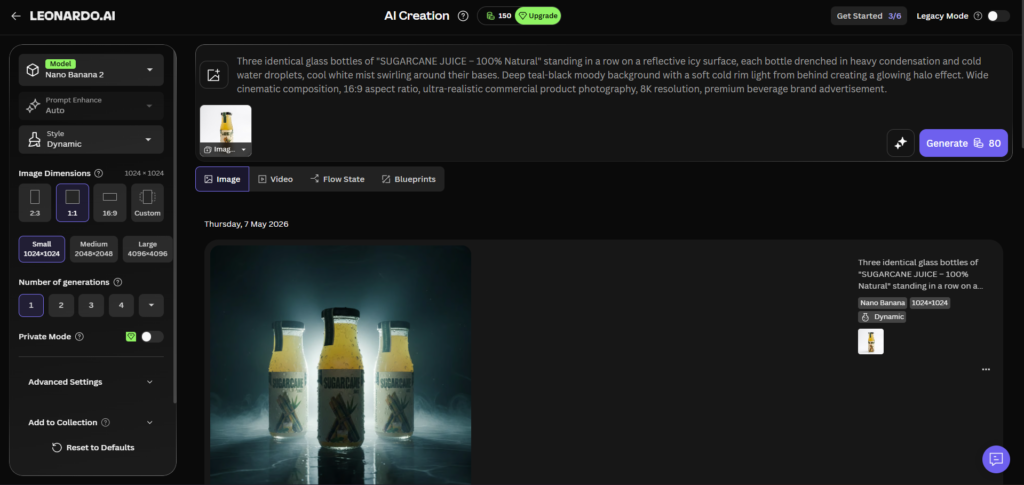
Image Generation: Core Workflow and Quality
The core image generation workflow on Leonardo AI follows a structured pre-generation setup that differs from the minimal interfaces of tools like Midjourney or DALL-E 3. Before generating, you select a model, set dimensions, choose quality mode, configure the number of variations, and optionally apply Elements, style references, and guidance settings. This setup requires more familiarity than a simple prompt box, but it gives you substantially more control over the output.
Image quality on the flagship Phoenix 2.0 model is competitive with any managed platform in 2026 for brief-driven creative work. Phoenix delivers approximately 95 percent prompt adherence, meaning complex, multi-element scene descriptions produce output that matches the brief reliably rather than interpreting it loosely. For photorealistic commercial work, the Lucid suite produces output that independent testing has confirmed sits just below Midjourney V8 and Flux 2 Pro in the photorealism ranking. For atmospheric artistic output, Midjourney V8 remains the aesthetic leader.
The Alchemy v4 post-processing pipeline, which applies an additional refinement pass after the base generation, improves output quality meaningfully but increases token cost by 1.5 to 2 times per image. Alchemy is worth using for production renders. For exploratory generations where you are testing prompt direction, disabling Alchemy preserves your token budget.
Batch generation allows 4 variations per prompt in a single generation job, which is the most efficient use of tokens when exploring a concept. Generating 4 variations costs roughly the same as 4 individual generations but returns all options in a single pass for comparison.
AI Canvas: Editing, Inpainting & Outpainting
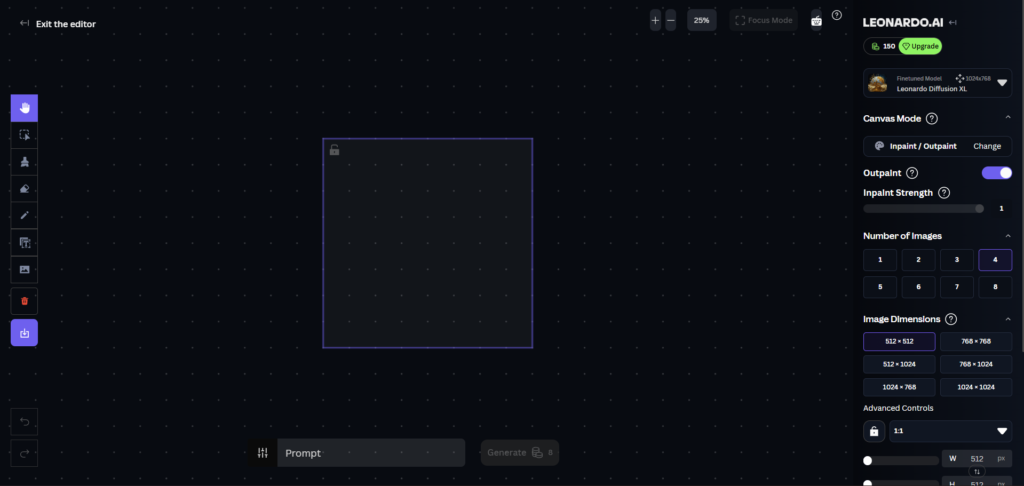
The AI Canvas is the feature that most clearly demonstrates Leonardo’s production-first design philosophy. Rather than treating each generation as a finished artifact, the Canvas allows you to iterate on generated images with targeted edits rather than regenerating from scratch.
Inpainting lets you draw a mask over any area of an image, type a prompt describing what you want there instead, and regenerate only that masked area. The model blends the new content into the surrounding image seamlessly. For the most reliable inpainting results, always use the same model that created the original image. Mixed-model inpainting produces visible style inconsistencies in the edited area.
The Inpaint Strength slider controls how much freedom the model has to deviate from the original pixels. Low values (0.3 to 0.5) produce subtle corrections that stay close to the original. High values (0.7 to 0.9) allow more significant changes. If inpainting is not producing visible changes despite a clear prompt, the underlying image pixels are too strong. Use the Erase tool to remove those pixels first, then mask and generate.
Outpainting extends the image beyond its original frame in any direction. The 60/40 rule from Leonardo’s official documentation applies: keep 60 percent of the generation box overlapping the existing image and 40 percent extending into new space. This gives the model enough visual context to match the extension to the original composition style and lighting. Work in multiple smaller steps for large extensions rather than attempting a single large outpaint.
The Canvas also includes background removal, eraser, and a Universal Upscaler that increases resolution without the artefacts common to basic upscaling methods. All Canvas operations draw from the same token pool as standard generations, with costs comparable to a standard image generation at similar settings.
Real-Time Canvas: Sketch-to-Image Live Generation
The Real-Time Canvas is a separate mode from the main Canvas Editor and operates on a fundamentally different principle. You sketch rough shapes and colour blocks with a brush tool and the AI interprets and renders your drawing in near real-time as you work.
Two modes are available: Real-Time Mode, which updates the canvas continuously with each brushstroke, and Interactive Mode, which waits for your drawing action to complete before transforming the sketch into a rendered image. Real-Time Mode is noted as a premium feature with full access on paid plans. Interactive Mode is accessible on the free plan.
The Real-Time Canvas does not consume tokens during the sketching phase. Token costs apply only when you commit to a final generation. This makes it a practical exploration tool: sketch multiple rough compositions freely before choosing the direction worth spending tokens on.
For creators who prefer starting with a visual rough rather than a text description, the Real-Time Canvas removes the friction of translating a spatial idea into language. Draw where the subject goes, how the background is arranged, and what the colour palette looks like. The AI interprets the intent rather than copying the literal drawing.
Custom Model Training: Elements and LoRA
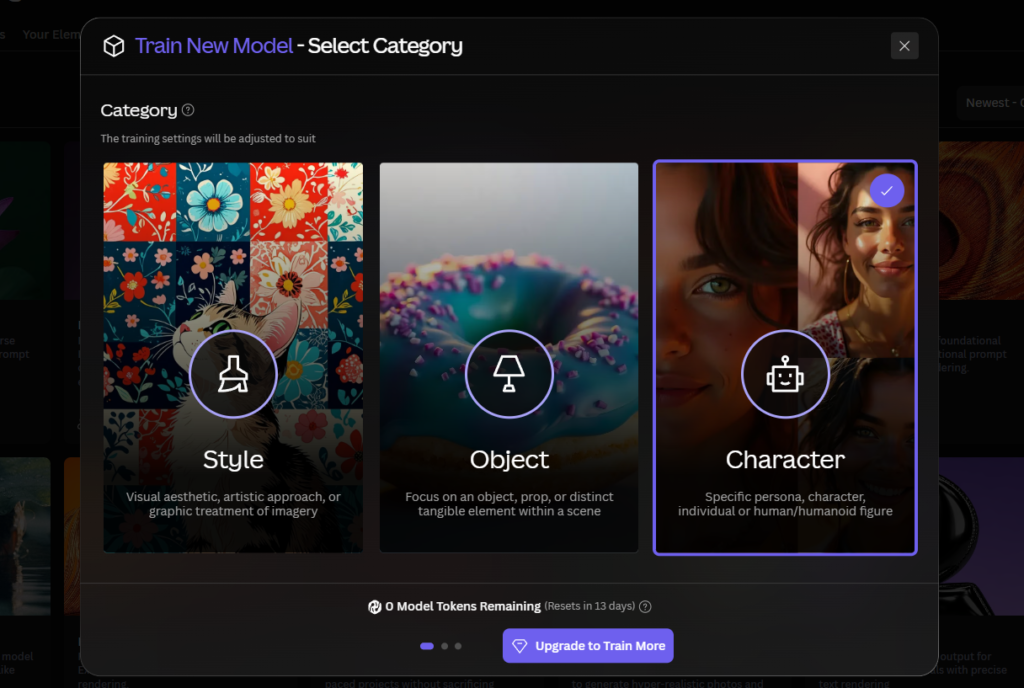
Custom model training through Elements is Leonardo’s strongest differentiating feature and the capability most cited by professional users as their primary reason for choosing the platform over alternatives.
In 2026, Element training uses Flux Dev as the default base model. Elements trained on Flux Dev are compatible only with Flux Dev presets, not with Phoenix presets or Flux Schnell. This compatibility constraint is the most common source of confusion when applying a trained Element and seeing no effect.
Four training categories are available: Style (for reproducing a consistent visual aesthetic), Character (for maintaining facial identity and design elements across multiple generations), Object (for products, props, and specific items), and Concept (for textures, lighting conditions, and atmospheric qualities). Selecting the correct category determines which training method is used. Mismatched categories produce unpredictable results.
Training takes 30 minutes to a few hours depending on dataset size and server load. Dataset preparation is the most impactful variable in training quality. A diverse set of 15 to 25 sharp, well-composed reference images showing genuine variation in angle, lighting, and context consistently outperforms a larger dataset of repetitive or low-quality images. Full dataset preparation guidance is in our Leonardo AI LoRA training guide.
Training slots are plan-dependent: 1 per month on Essential, 5 on Premium, 20 on Ultimate. Fine-tuned models using older base architectures are now classified as a legacy feature. All new training work in 2026 should use Elements on Flux Dev.
Character Consistency Engine
The Character Consistency Engine addresses one of the hardest persistent problems in AI image generation: reproducing the same character across multiple images without retraining a model for each session.
The engine uses reference embeddings from provided character images to maintain facial identity at approximately 85 to 90 percent consistency across new generations. You provide reference images of the character, and subsequent generations constrain the output to maintain the character’s appearance. This works without requiring a trained Element, though combining the Consistency Engine with a trained Character Element produces the most reliable identity maintenance at scale.
For illustrators producing a series, game developers building character sheets, and marketing teams maintaining a consistent visual spokesperson or mascot, this feature removes a significant manual re-prompting burden. Note that the Consistent Character Engine adds approximately 25 percent to the token cost per generation it is applied to. Factor this into your monthly token budget if character consistency is central to your workflow.
Video Generation: Motion Models and Third-Party Integrations
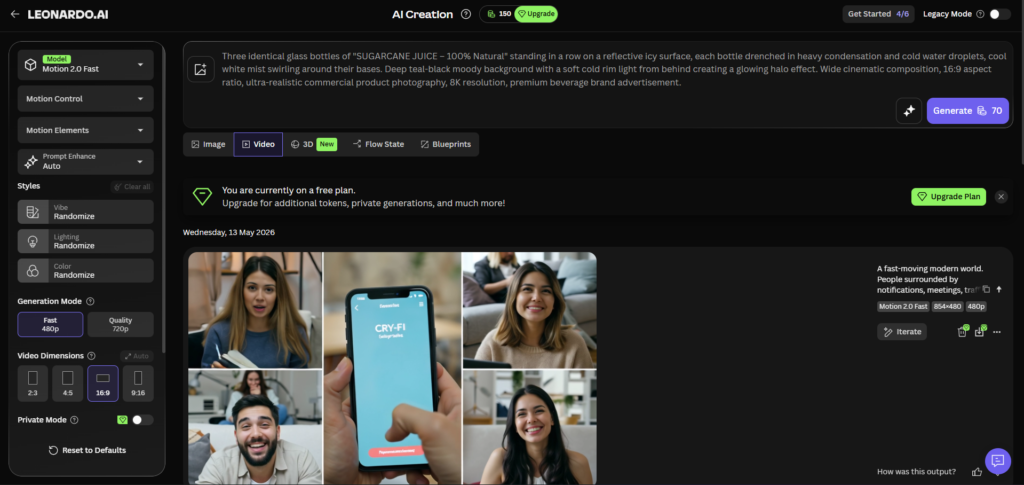
Leonardo AI’s video capabilities in 2026 sit in an interesting position. The platform offers both first-party Motion models for animating still images and third-party video generation integrations that include some of the best available models in the category.
First-party Motion models (Motion 1.0, Motion 2.0, Motion 2.0 Fast, and Motion v3) convert still images into short animated clips with camera movement and parallax effects. Motion v3 generates 10-second HD clips with specific camera control options including pan, zoom, and tilt. These are available under the Unlimited Relaxed Generation feature on Premium and Ultimate plans, meaning first-party motion generation does not deplete your token pool after exhaustion.
Third-party video integrations are where Leonardo’s video capabilities expand to production-grade quality. Veo 3 and Veo 3.1 (Google’s models) deliver 4K output with native audio generation including dialogue, making them the strongest all-round text-to-video option on the platform. Veo 3.1 is currently the best all-rounder in the AI video generation category, delivering strong prompt adherence, native audio, and 4K output in landscape and portrait formats. Kling 2.5 Turbo and Kling 2.1 Pro are available for cinematic narrative control. Sora 2 and Sora 2 Pro from OpenAI are also integrated.
The honest limitation on video: token cost is high. A single 8-second Veo 3 generation costs the equivalent of 300 or more basic images in token terms. Third-party video models always consume Fast Tokens and are never covered by Unlimited Relaxed Generation. For users whose primary workflow is video rather than images, dedicated video tools like Runway Gen-4.5 (for directed production control) or Kling 3.0 (for cinematic motion quality and volume) offer better per-clip economics. Leonardo’s video features are strongest for users who need occasional video output within a primarily image-focused workflow, without adding a separate platform subscription.
3D Texture Generation
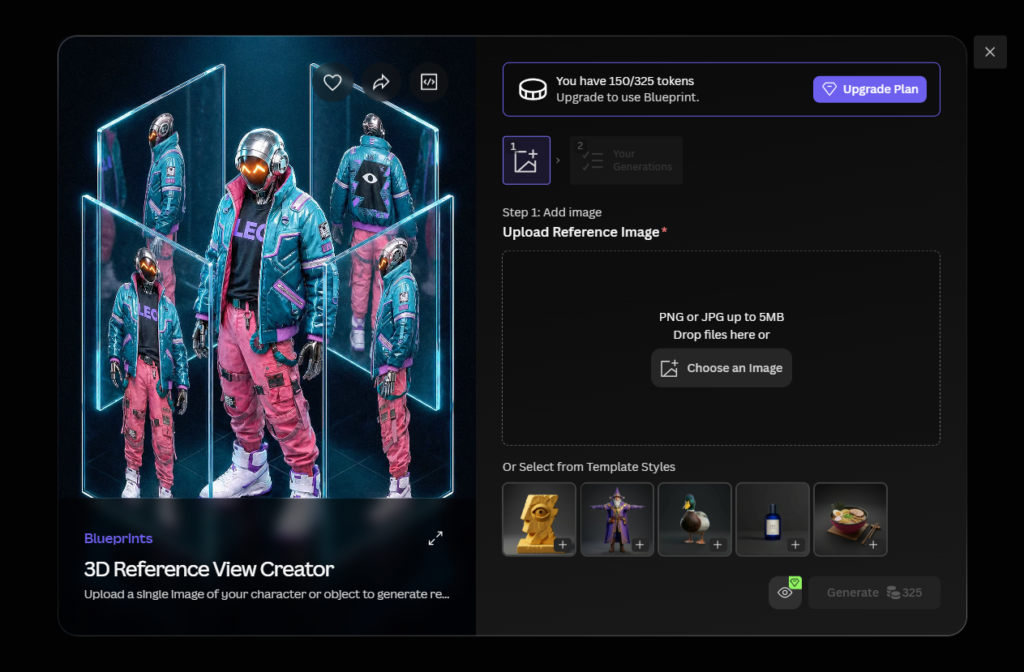
Leonardo AI’s 3D texture generation feature produces UV-mapped texture sets from text prompts, including albedo, normal, and roughness maps for PBR (Physically Based Rendering) workflows. These outputs can be imported directly into Unity or Unreal Engine without manual conversion steps.
Seamless texture generation is available for tileable surfaces including floors, walls, terrain, and environmental materials. Generated textures require human review before production integration. Seam checking and light patching are standard steps, but the elimination of the manual map conversion step represents a significant time saving in 3D game and architectural visualisation workflows.
Mobile App
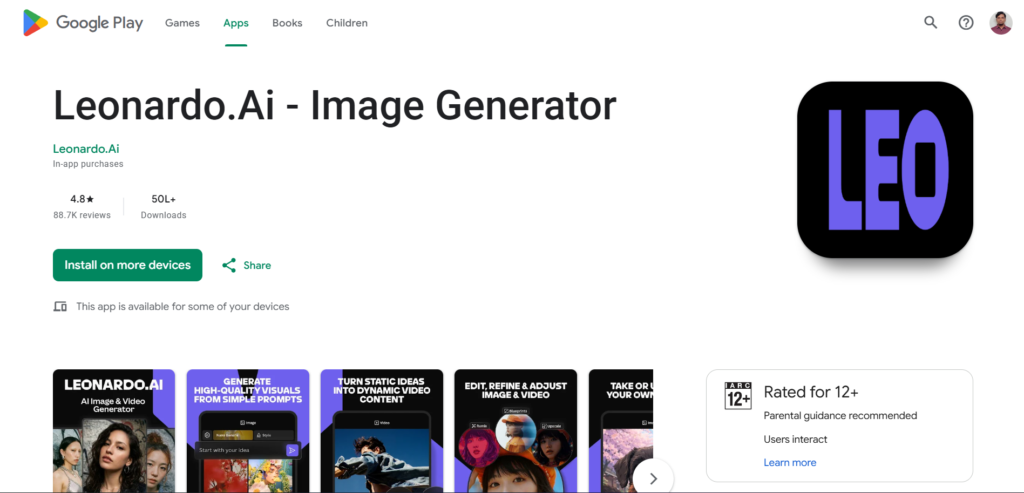
Leonardo AI has a native mobile app available on iOS and Android. The app gives access to core image generation, model selection, and basic Canvas operations. It is not a full feature parity experience with the web app. Advanced Canvas editing, full Element training management, and some API settings are better handled through the browser interface.
For content creators who need to generate quick images on the go, review generations on a mobile device, or share directly from their phone to social platforms, the mobile app is a practical addition. For professional production workflows, the web app remains the primary interface.
Developer API
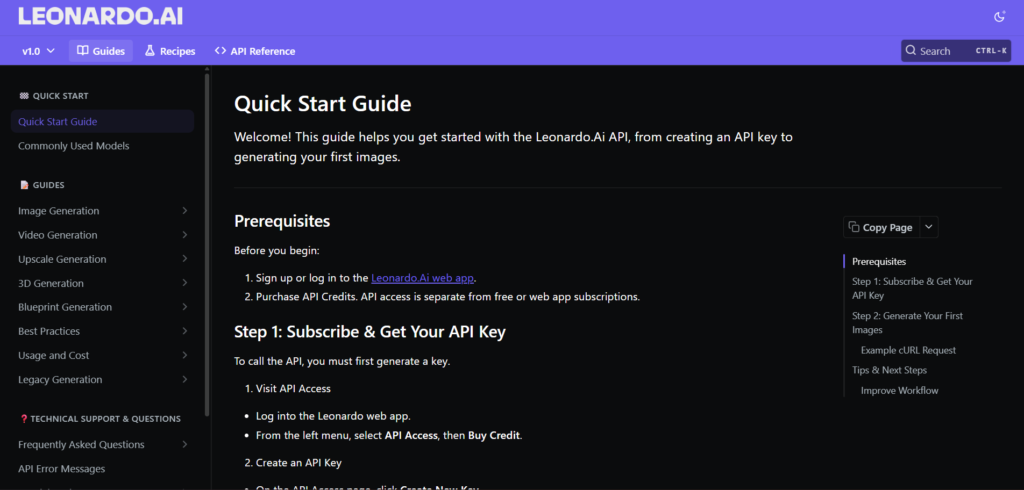
The Creative Engine API, launched in 2026, provides programmatic access to Leonardo’s generation capabilities. API access is included from the Premium plan upward. The API uses a separate credit system from subscription tokens, with new accounts receiving $5 in free credit and the Basic API tier starting at $9 per month for 3,500 credits.
The API supports image generation, inpainting, outpainting, image-to-image workflows, and Element-based generation. For marketing automation pipelines, e-commerce product image generation at scale, and game studios with custom asset generation tools, the API is the integration layer that makes Leonardo AI part of a production pipeline rather than a standalone tool.
The API uses an opaque credit-based pricing model that some developers find less transparent than per-second or per-generation pricing models from dedicated API services. For teams wanting maximum pricing transparency, this is worth evaluating against API-first alternatives before committing.
Pricing: Every Plan With Real Token Math
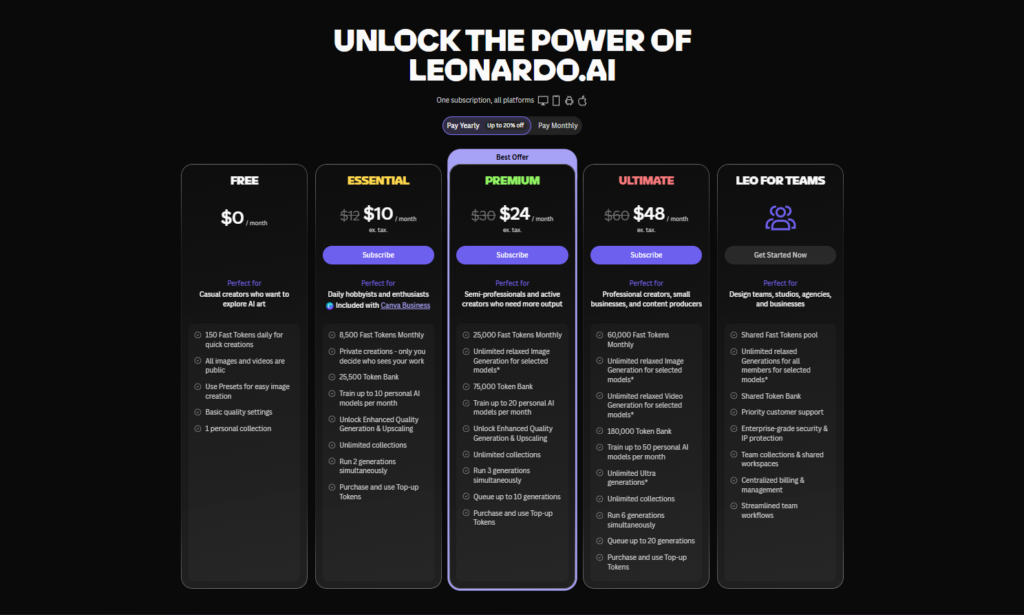
Leonardo AI’s current plan structure in 2026:
| Plan | Monthly Cost | Annual Cost | Monthly Tokens | LoRA Slots | Private Generation | API Access |
|---|---|---|---|---|---|---|
| Free | $0 | $0 | 150/day (no rollover) | 0 | No | No |
| Essential | $12/mo | $10/mo | 8,500 + rollover | 1 | Yes | No |
| Premium | $30/mo | $24/mo | 25,000 + rollover | 5 | Yes | Yes |
| Ultimate | $60/mo | $48/mo | 60,000 + rollover | 20 | Yes | Yes |
| Teams | $24/seat/mo | Available | Shared pool | Shared | Yes | Yes |
The token rollover feature on paid plans carries unused tokens forward into a Rollover Bank, making the monthly allocation more flexible for users whose volume varies week to week. Annual billing saves 20 percent across all paid tiers.
The three hidden costs worth knowing before upgrading: Alchemy post-processing doubles or triples token cost per image; Veo 3 video generation costs the equivalent of 300 or more basic images per clip; and third-party premium models including Flux Kontext, Ideogram, Kling, and Sora always consume Fast Tokens regardless of plan tier. Our Leonardo AI pricing guide covers the full token math across every use case.
What Leonardo AI Does Better Than Any Competitor?
Custom model training in a managed platform. No other hosted AI image platform in 2026 offers LoRA training at the accessibility level Leonardo provides. Stable Diffusion offers training but requires local setup or cloud configuration. Midjourney offers no training at any price. Adobe Firefly offers no user training. Leonardo’s Element training system is the only option for creators who need custom model training without technical infrastructure.
Editing within the generation environment. The AI Canvas gives Leonardo a complete post-generation editing workflow that no competitor at a comparable price point matches. Midjourney has no editing tools. DALL-E 3 has minimal in-platform editing. Adobe Firefly integrates with Photoshop for editing but requires a separate subscription.
Multi-model access from one platform. Leonardo functions as a hub for competing AI models. Veo 3.1, Flux Kontext, Ideogram 3.0, Kling, Sora 2, and GPT-Image-1 are all accessible from the same interface that runs Phoenix and Lucid. No other platform in the category aggregates this range of models under one subscription.
Price-to-feature ratio at the professional tier. At $24 per month annually on the Premium plan, you receive custom model training, API access, a full editing canvas, character consistency tools, priority queue, and 25,000 monthly tokens. Midjourney’s equivalent price tier gives you images and unlimited slow generation with no training, no editing, and no API.
Private generation at the lowest industry entry cost. Private generation is available from $12 per month on Leonardo. The equivalent feature on Midjourney requires the $60 per month Pro plan. For agencies and freelancers who need confidential generation for client work, this is a five-times price difference for the same privacy outcome.
Honest Limitations
Steeper learning curve than simpler tools. The breadth of features that makes Leonardo powerful also makes it overwhelming for complete beginners. Understanding which model to use, how token costs accumulate, how to configure Alchemy, and how to navigate the Canvas all require time investment. Users who want results in the first five minutes will find Midjourney’s simpler interface easier.
Token system requires careful management. The cost of premium features, particularly video generation and Alchemy post-processing, is not immediately intuitive from the plan pricing. Users who enable Alchemy on every generation or generate video clips regularly will exhaust their monthly allocation significantly faster than the headline token count suggests.
Video is a secondary feature, not a primary one. For creators whose output is primarily video rather than images, dedicated tools like Runway Gen-4.5 and Kling 3.0 offer better production workflows, more editing control, and better per-clip economics. Leonardo’s video capabilities are valuable for occasional video output within an image-focused workflow, not for video-first production.
Community model quality is inconsistent. The community-trained model library is large and covers many specific use cases, but quality varies significantly. Evaluating community models through test generations before building a workflow around them is necessary.
Midjourney still leads on default aesthetic quality. For users who prioritise visually striking, artistically compelling output with minimal prompt effort, Midjourney V8 produces more impressive results by default. Leonardo requires more prompt engineering skill to reach a comparable aesthetic ceiling.
Who Should Use Leonardo AI?
Professional creators and freelancers who produce visual content at volume for clients. The combination of custom model training, Brand Kits, Canvas editing, private generation from $12 per month, and commercial rights on all paid plans makes Leonardo the most complete professional production environment in the category. See our full Leonardo AI for marketing guide for workflow setup details.
Game developers and concept artists who need style consistency across a large asset library. The platform’s origin in game asset production is still evident in its tooling, and no comparable managed platform offers the same combination of character consistency, style LoRA training, texture generation, and canvas editing in one place. Our Leonardo AI for game developers guide covers the full production workflow.
Developers and technical teams who need programmatic image generation integrated into a production pipeline. The Creative Engine API with pay-as-you-go pricing and support for all major generation features provides a flexible integration layer for automated workflows.
Anyone evaluating AI image generation before committing to a paid subscription. The permanent free plan with access to core models including Phoenix is the most meaningful free evaluation environment in the category. Midjourney has no free plan. Adobe Firefly’s free plan has 25 credits per month. Leonardo gives you 150 tokens every day indefinitely. Our Leonardo AI free plan guide explains exactly what you get at zero cost.
Intermediate users who have outgrown one-click tools. Users who started on Midjourney or DALL-E 3 and want more control, more consistency, or more editing capability without rebuilding an entire platform stack will find Leonardo’s feature depth rewards the transition investment.
Verdict Scorecard
| Category | Score | Notes |
|---|---|---|
| Image Quality | 4.5 / 5 | Phoenix 2.0 competitive across categories. Midjourney V8 edges it on pure aesthetics. |
| Editing Tools | 5 / 5 | Best in category. No managed competitor matches the Canvas depth. |
| Custom Training | 5 / 5 | Only managed platform offering accessible LoRA training without technical setup. |
| Video Generation | 3.5 / 5 | Strong integrations but high token cost and better dedicated tools exist. |
| Ease of Use | 3 / 5 | Steep learning curve. Not for users who want instant results. |
| Pricing Value | 4.5 / 5 | Best feature-to-price ratio in the category at the Premium tier. |
| Model Variety | 5 / 5 | Widest selection of first-party and third-party models on any single platform. |
| Free Plan | 4.5 / 5 | Best free evaluation environment in the category. |
| Overall | 4.4 / 5 | The most complete managed AI creative platform available in 2026. |
Frequently Asked Questions
Is Leonardo AI the best AI image generator in 2026?
For creators who need a complete production workflow with editing, custom training, character consistency, and API access in one platform, Leonardo AI is the strongest option available in 2026. For pure aesthetic image quality with minimal effort, Midjourney V8 produces more artistically compelling results by default. For legally cleared commercial assets with Photoshop integration, Adobe Firefly is more appropriate. The question of which tool is best depends on whether you prioritise workflow depth and control or default aesthetic quality and simplicity. Leonardo wins on the former. Midjourney wins on the latter.
How does Leonardo AI compare to Midjourney in 2026?
The key differences: Leonardo offers a permanent free plan, private generation from $12 per month, custom LoRA model training, a full editing canvas, character consistency tools, and API access from the Premium plan. Midjourney has no free plan, requires $60 per month for private generation, offers no custom training, has no editing tools, and has limited API availability. Midjourney produces more artistically striking images by default with less prompt effort. The full comparison with 2026 pricing and a use-case verdict table is in our Leonardo AI vs Midjourney guide.
What is the best Leonardo AI plan for a beginner in 2026?
Start on the free plan. The 150 daily tokens give you access to core models including Phoenix 2.0 and are enough to evaluate the platform’s image quality, explore the Canvas, and understand whether the workflow suits your needs. The main limitation is that free plan images are public. When you need private generation, commercial rights, and a monthly token pool rather than a daily reset, the Essential plan at $12 per month is the natural next step. There is no time limit on the free plan, so take as much time as needed to validate the tool before spending money.
Can Leonardo AI generate images with readable text?
Phoenix 2.0 renders short text of 2 to 4 words with reasonable accuracy for logos, signs, and labels within generated scenes. Longer text strings still produce errors, which is an industry-wide limitation. For designs where typography is a primary element, such as event posters, ad creatives with taglines, and social media graphics with text overlays, Ideogram 3.0 is the specialist tool. Ideogram 3.0 is integrated within the Leonardo AI platform and accessible from the model selector, so you can use it within the same subscription without switching to an external service.
Is Leonardo AI owned by Canva?
Yes. Canva acquired Leonardo AI in July 2024 for an estimated $320 million. The platform continues to operate independently under the Leonardo AI brand at app.leonardo.ai, with its own pricing structure, model roadmap, and feature development. The Canva acquisition has provided additional infrastructure investment and development resources. As of 2026, there is no mandatory integration with Canva’s design tools, though the two platforms complement each other naturally in a generation-to-layout workflow.
What makes Leonardo AI worth paying for over free alternatives?
The free plan covers genuine evaluation needs, but the features that make Leonardo professionally useful are behind paid plans. Private generation so your work is not publicly visible, full IP ownership for commercial client delivery, custom LoRA training for style and character consistency, token rollover so unused monthly credits are not lost, priority queue access during peak hours, and API integration for automated workflows all require a paid subscription. For anyone producing visual content professionally rather than experimentally, the Essential plan at $12 per month or the Premium plan at $30 per month resolves every major free plan limitation at a price that is justifiable after the first week of professional use.
Final Thoughts
Leonardo AI in 2026 is the most complete managed AI creative platform available. The breadth of what it offers — image generation across multiple first-party and third-party models, a full editing canvas, custom model training without technical setup, character consistency at scale, video generation, 3D texture production, Real-Time Canvas sketching, and a developer API — is unmatched in the category at its price points.
The platform rewards the time you invest in learning it. The first week will feel complex. By the second week, the workflow starts to feel natural. By the first month, most professional creators find they have stopped reaching for external tools for tasks they now handle entirely within Leonardo.
The honest assessment is this: if you need a single tool that covers the full creative production workflow from initial concept to refined, production-ready asset, Leonardo AI is currently the only managed platform that delivers that without requiring multiple subscriptions. If you need the simplest possible path to a beautiful image, Midjourney is still easier. If you need legally cleared assets with native Photoshop integration, Adobe Firefly is more appropriate.
For most professional creators, the answer is to start on the free plan today at app.leonardo.ai, spend two weeks working through the features covered in this series, and upgrade when the free plan’s limitations start to constrain your work. The upgrade decision will make itself.
External resources: Leonardo AI official platform | Leonardo AI complete model guide 2026 | Leonardo AI Veo 3 and 3.1 official documentation | Leonardo AI video generation model guide | ToolColumn verified Leonardo AI review April 2026
Useful Backlinks
| # | Specific Article / Page | URL |
|---|---|---|
| 1 | “Leonardo AI Review: Features, Pricing and Verdict” — ToolColumn (verified April 13 2026) | toolcolumn.com/review/leonardo-ai-review |
| 2 | “Leonardo AI Review 2026: Best AI Image Generator?” — ComputerTech | computertech.co/leonardo-ai-review/ |
| 3 | “Leonardo AI: Complete Guide to Features, Pricing and Models 2026” — Psychelicht | psychelicht.com/en/leonardo-ai-review/ |
| 4 | “Leonardo AI Review 2026: Pricing, Features and Alternatives” — MytheAI | mytheai.com/tools/leonardo-ai |
| 5 | “Leonardo AI Review 2026: Powerful AI Art Tool for Creators” — AIWithIt | aiwithit.com/ai-tools/leonardo-ai/ |
| 6 | “Leonardo AI Review: Features, Pricing and Use Cases 2026” — Eesel AI | eesel.ai/blog/leonardo-ai |
| 7 | “Leonardo.ai Guide 2026: Features, Pricing, Models and Complete How-to” — AI Tools DevPro | aitoolsdevpro.com/ai-tools/leonardo-ai-guide/ |
| 8 | “Leonardo AI Review 2026: Features, Pricing and Alternatives” — Kosoku AI | kosokuai.com/reviews/leonardo-ai |
| 9 | “Leonardo AI vs Midjourney Which Is Better in 2026?” — Blog Picasso IA | blog.picassoia.com/midjourney-vs-leonardo-ai-which-is-better-2026 |
| 10 | “Best AI Image Generator 2026: Full Platform Comparison” — TechRadar | techradar.com/best/best-ai-image-generators |