Leonardo AI for marketing has moved well beyond the experimental phase. Agencies, freelance designers, and in-house marketing teams are using it to produce ad creatives, social media visuals, product mockups, and campaign assets at a volume and consistency level that was not practical two years ago. This guide covers the specific workflows, features, and honest limitations that matter for marketing use, with real token budgets, a clear platform comparison, and practical setup steps you can follow from day one.
Table of Contents
Why Marketing Professionals Are Choosing Leonardo AI in 2026?
Leonardo AI for marketing makes the most sense when consistency and speed matter more than one-off artistic experimentation. That single sentence from a verified 2026 industry review captures the platform’s marketing value proposition better than any feature list.
Marketers are using Leonardo AI to generate ad creatives, social media posts, and even mockups of product photos. Instead of spending money on photoshoots, you can train a custom model on your products and then generate a nearly endless supply of on-brand images for your campaigns, website, and social media feeds.
The platform sits at the intersection of three needs that marketing work creates daily: volume, consistency, and speed. Producing 40 social media banner variants for a product launch that all share the same lighting treatment, colour palette, and visual identity is the kind of task that previously required either significant designer time or a compromised result. Style References on Leonardo finally solved the brand consistency problem that Midjourney still struggles with, allowing creators to lock a hero shot once and reuse the same lighting and colour treatment across 40 banners without re-prompting from scratch every time.
For agencies managing multiple client brands simultaneously, the Brand Kit feature and multi-model approach mean you can switch between client visual contexts without rebuilding your prompt engineering from scratch each time.
The Brand Kit Feature: Your Central Visual Command Centre
Brand Kits are one of the most practical marketing-specific features Leonardo AI offers and one that most new users do not discover quickly enough. Brand Kits centralise your visual guidelines within Leonardo AI.
You store your brand colours, preferred styles, and reference images in a Brand Kit so every team member generates on-brand visuals without memorising complex prompts. This is especially valuable for distributed marketing teams or agencies managing multiple client brands. Switch between Brand Kits to instantly shift the generation context from one client’s aesthetic to another.
Setting up a Brand Kit takes approximately 15 to 20 minutes per client. You define the preferred models, upload reference images that represent the brand’s visual language, note the colour palette and style parameters, and save the kit under the client’s name. From that point, any team member working on that client’s content opens the Brand Kit and generates from within that pre-configured context rather than rebuilding settings from scratch.
For agencies billing multiple clients, this feature reduces setup time per generation session from 5 to 10 minutes to under one minute. Across a week of content production, that time saving is significant.
How to Train a Brand Style Element for Client Consistency?
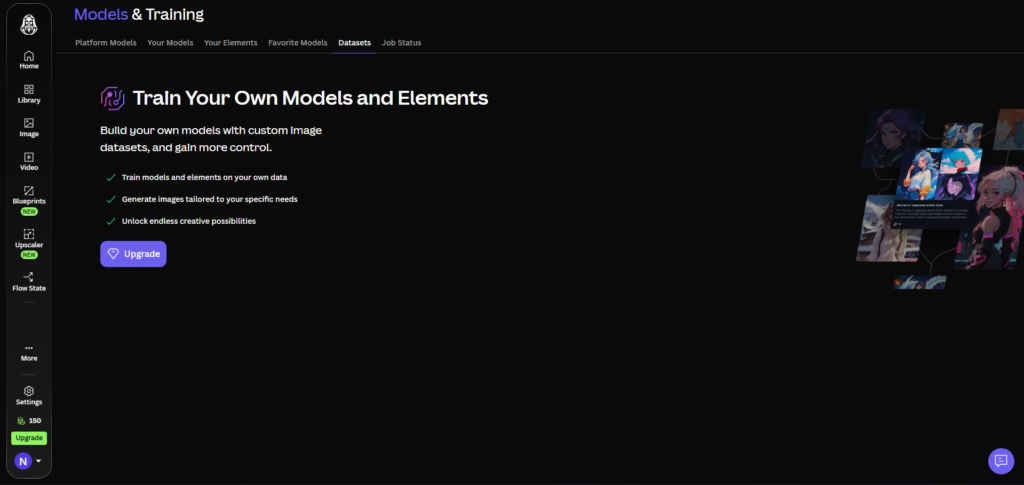
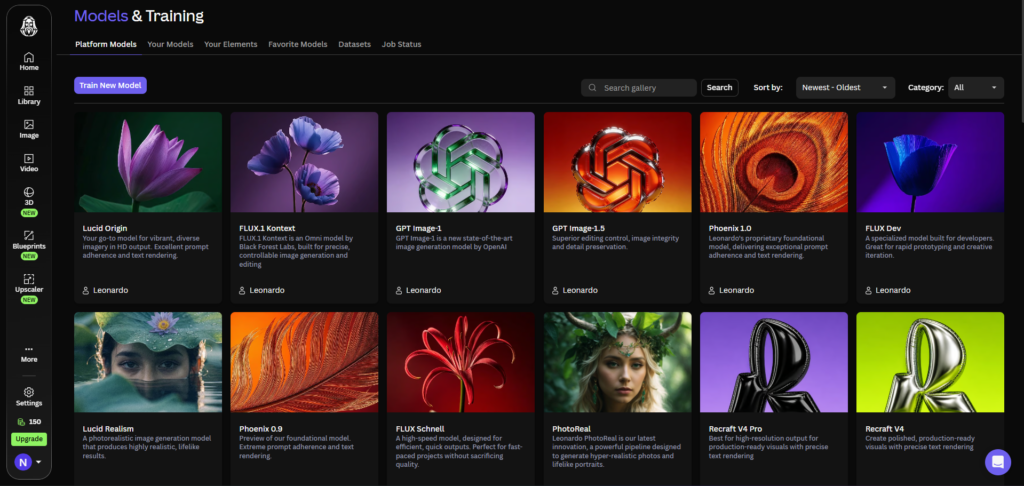
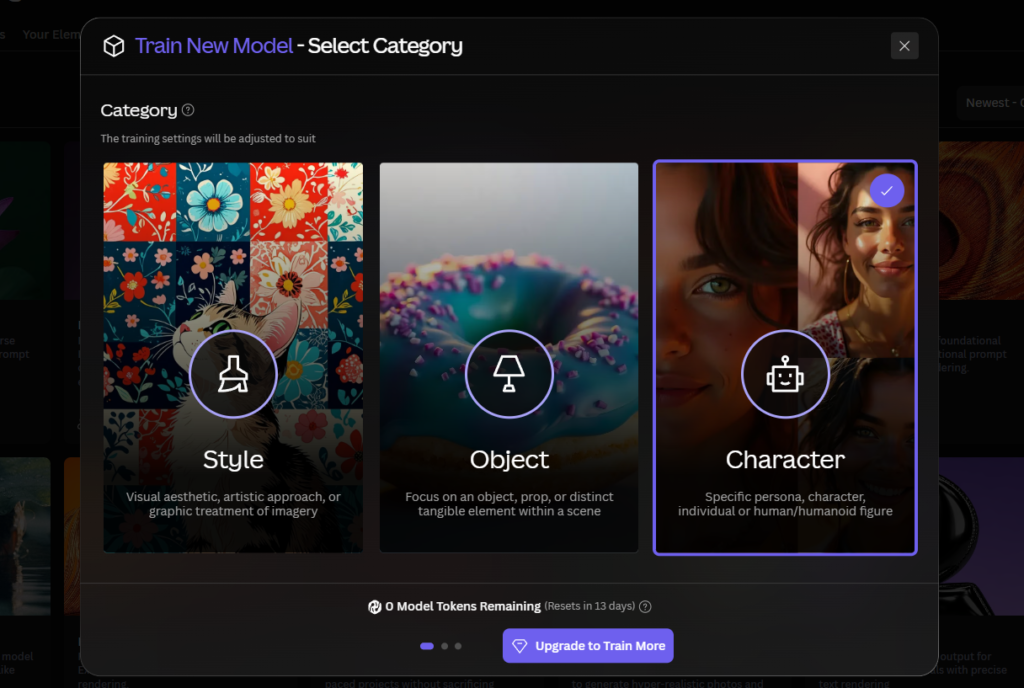
Custom model training is the feature that separates Leonardo AI from tools like DALL-E 3 or basic Midjourney workflows for serious marketing use. You upload 10 to 20 images that represent your desired style, and Leonardo AI trains a model that captures that aesthetic.
The four most useful training categories for marketing work are:
Product photography style. Upload your best existing product shots so the AI generates new product images matching your established visual language. This is the use case that most directly replaces expensive photoshoots for e-commerce and product marketing teams.
Brand illustration style. If your brand uses a specific illustration aesthetic such as flat design, isometric graphics, or a particular illustrative treatment, train a Style Element on your existing brand assets. Every subsequent illustration generation will carry that trained aesthetic without prompt engineering.
Campaign visual direction. For a specific campaign, train an Element on your mood board images to ensure every generated asset feels cohesive. A 5-image mood board can become a trained Element in 15 to 30 minutes, giving the entire campaign a unified visual language.
Character and mascot consistency. If your marketing uses a mascot or recurring human character, custom model training maintains visual consistency across every touchpoint. This is the use case where Leonardo AI most clearly outperforms every other marketing-focused AI image tool currently available.
The training process is covered in full detail in our Leonardo AI LoRA training guide. For marketing applications specifically, the key preparation difference is that brand reference images should be cleaned of any competitor logos, watermarks, or unrelated brand elements before uploading to the training dataset.
Step-by-Step: Building a Marketing Asset Workflow
Step 1: Define the Deliverable Scope Before Opening the Platform
The most common marketing workflow failure with Leonardo AI is starting to generate before the deliverable is defined. Know the aspect ratios needed for each platform, the number of variants required, the brand guidelines in effect, and whether the assets are going directly to publication or through a design review step. This 10-minute preparation prevents an hour of regeneration.
Step 2: Set Up Your Brand Kit and Style Element
For a new client or campaign, follow the Brand Kit setup process first. Upload 5 to 10 reference images that represent the visual language you want to maintain, set the preferred model (Phoenix for brief-driven accuracy, Lucid Origin for product photography), and save the kit. If this is a returning client, open the existing kit.
For campaigns requiring a new visual treatment, train a Style Element on the campaign mood board before generating any assets. This front-loads the consistency work and makes every subsequent generation more reliable.
Step 3: Generate Initial Concepts in Batch
Use batch generation to produce multiple variations from a single prompt. Leonardo AI supports batch generation, letting you produce multiple variations from a single prompt. This is critical for A/B testing ad creatives or generating options for stakeholder review.
Set the variation count to 4 per generation. This iterative approach takes 15 to 20 minutes and produces a library of options that would take a designer hours to create manually. Generate 3 to 4 prompt variations for each deliverable type, producing 12 to 16 initial concepts per asset category.
Step 4: Refine Selected Concepts in the Canvas
From your batch of initial concepts, select the 2 to 3 strongest options per asset category. Open each in the AI Canvas and use inpainting for targeted refinements. Extend background areas using outpainting to produce the wider crop needed for a banner format. Remove unwanted background elements. Adjust specific compositional elements that do not quite match the brief.
The Canvas editing step is what converts a good AI generation into a deliverable asset. Without it, AI-generated marketing assets require either accepting compromises or spending significant time in external tools. Full Canvas workflow instructions are covered in our Leonardo AI Canvas tutorial.
Step 5: Export at the Correct Specifications
Export final assets at full resolution. For digital advertising, check the platform-specific size requirements before exporting. Most social platforms have specific maximum file size requirements alongside the dimension requirements. Leonardo generates at high resolution by default on paid plans, so downscaling for web is usually straightforward from a quality standpoint.
For assets going into a design tool for further layout work, export as PNG with transparent background where relevant. The background removal tool inside Leonardo handles this for product shots and character assets without requiring an external step.
Social Media Content at Scale: What Actually Works?
The most effective social media content workflow on Leonardo AI for 2026 is prompt batching combined with a trained Style Element. Generate the same compositional direction across multiple colour palette variations, seasonal treatments, and product placements in a single session rather than creating each piece individually.
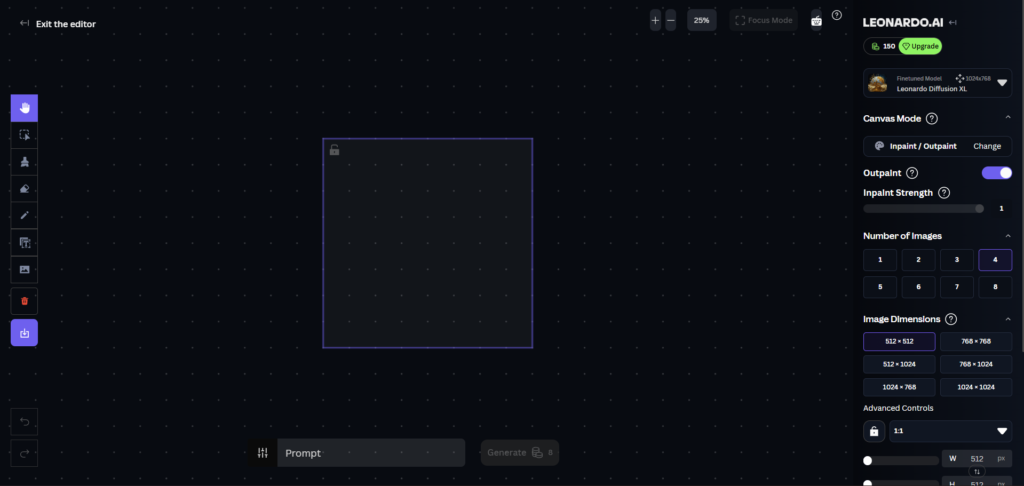
For Instagram, LinkedIn, and YouTube thumbnails the workflow is: generate a square 1:1 or landscape 16:9 base image using your brand Style Element, then use outpainting in the Canvas to create the portrait 9:16 version for Stories and Reels from the same base image. This produces three platform-specific crops from one generation session rather than three separate generation jobs, which reduces both token cost and the time spent re-prompting for consistency.
A realistic social media content session on the Premium plan: one hour of generation and editing produces 20 to 30 platform-ready assets across Instagram feed, LinkedIn banner, and YouTube thumbnail formats. That output volume represents several days of design work at traditional rates.
The honest limitation here: Leonardo AI generates the visual assets. It does not place them into layouts, add typography, or produce the final composed social post. For the layout and text overlay step, a tool like Canva or Adobe Express is still needed. Budget time for that downstream step in your workflow estimate.
Product Mockup Generation: A Practical Workflow
Marketers using Leonardo AI to replace expensive product photoshoots is one of the most financially significant use cases on the platform in 2026. The basic workflow: train a Product Element on your existing product photography, then generate new product lifestyle shots in any setting, lighting condition, or context without organising a shoot.
The token cost per product mockup at production quality with Alchemy enabled runs approximately 12 to 18 tokens per image. On the Premium plan’s 25,000 monthly tokens, that supports 1,400 to 2,000 product mockup images per month, which is a volume that exceeds the output of most dedicated product photography operations.
The workflow for product mockup consistency:
Upload 10 to 15 high-quality existing product photographs as your training dataset. Select Object as the Element category. Train on Flux Dev base model. Once training is complete, apply the Element at 0.75 to 0.85 strength to new generation prompts that describe the lifestyle context you want: “product on a white marble surface, soft natural light from the left, minimal background.” The trained Element maintains the product’s appearance across different contexts while the prompt controls the scene.
The important caveat: results require human review before client delivery. Output quality is high enough for production use in most cases, but the specific failure modes of product Elements (slight shape distortions, colour shifts under unusual lighting conditions) make a review step non-negotiable for client-facing work.
Ad Creative Batch Generation and A/B Testing
Batch generation for A/B testing is one of the highest-value marketing applications on Leonardo AI and one that independent testing at scale has validated. A hands-on review testing marketing creative for two product launches, covering hero banners, social ad variants, and blog header illustrations, produced roughly 1,200 generations across both product lines over a three-week test window.
The practical A/B testing workflow: generate 4 variations of each ad creative concept from the same prompt. Evaluate for visual performance indicators such as contrast, subject clarity, and call-to-action visibility. Select the top 2 variants per concept for refinement. Use Canvas editing for targeted improvements. Export both variants and test them in your ad platform.
This process produces tested creative options in a single morning session that would previously require a design briefing, production time, and multiple revision rounds. The reduction in time-to-testing is the primary ROI argument for marketing teams adopting Leonardo AI for ad creative production.
Commercial Licensing: What You Can and Cannot Deliver to Clients?
Paid plan subscribers have full intellectual property ownership and commercial rights for all generated images. This means ad creatives, social media visuals, product mockups, campaign assets, and any other marketing deliverables generated on paid plans can be delivered to clients and used in paid advertising without licensing concerns.
The free plan is limited to personal and non-commercial use, so step up to a paid plan before you ship anything paid for or public-facing.
The specific restrictions to know before delivering AI-generated assets to clients: avoid generating likenesses of real people without consent and review the latest Leonardo AI terms of service for current commercial-use clauses before reselling generated assets. For agencies delivering assets that will appear in paid advertising or be associated with a specific brand identity, working from a paid plan is the only appropriate choice.
One practical note for agencies: client ownership of generated assets sits with the account that generates them. If a client wants to own the assets independently of your agency account, they will need their own paid Leonardo AI subscription. Building this into client contracts and service agreements early prevents disputes later.
Honest Limitations for Marketing Use
Leonardo AI generates the visual. It does not complete the full marketing asset. Professionals needing to place AI art into branded social posts, ad layouts, thumbnails, or presentation slides will require a design platform to complete the workflow and ensure brand consistency. Budget for this downstream step. Leonardo is the generation layer, not the full production stack.
Text within images is still unreliable for headline-driven ad creatives. Phoenix 2.0 handles short text adequately for logos and signs within a scene, but ad creatives requiring headline copy, taglines, and specific typographic treatment cannot be completed within Leonardo alone. For any creative where text is a primary design element, Ideogram 3.0 is the stronger specialist tool. Ideogram 3.0 is integrated within Leonardo’s model selector, so you can access it within the same platform for text-heavy assets.
Output quality still requires human selection. About 7 out of 10 generations are usable without re-rolling, which is a strong hit rate for AI image generation. But for marketing work, the remaining 3 out of 10 that require re-rolling or editing still need a human to identify and address the problem. Fully automated marketing asset pipelines without human review introduce quality control risk that is not appropriate for client-facing deliverables.
The platform does not integrate natively with ad platforms or CMS tools. Exporting from Leonardo and uploading to Meta Ads Manager, Google Ads, or your CMS is a manual step. For teams wanting automated asset pipeline integration, the API access on Premium plans allows programmatic integration, but this requires developer setup time that a smaller team may not have.
Token Budget for a Marketing Professional
A working freelance marketer or small agency producing content for two to three clients monthly can estimate token usage as follows:
| Task | Tokens per Asset | Monthly Volume | Monthly Token Cost |
|---|---|---|---|
| Social media visuals (standard) | 6 to 10 | 60 assets | 360 to 600 |
| Product mockups with Alchemy | 12 to 18 | 40 assets | 480 to 720 |
| Ad creative batch sets (4 variants) | 30 to 50 per set | 10 sets | 300 to 500 |
| Canvas editing operations | 8 to 15 per session | 20 sessions | 160 to 300 |
| Style Element training | Training slot (not tokens) | 2 per month | 0 tokens |
| Total estimate | 1,300 to 2,120 tokens |
At this usage level, the Premium plan’s 25,000 monthly tokens provides ample capacity for two to three active client accounts with significant room for additional volume or exploratory work. The Essential plan’s 8,500 tokens covers a single active client account at moderate volume. For full plan details and pricing, see our Leonardo AI pricing guide.
Leonardo AI vs Canva AI vs Adobe Firefly for Marketing
| Tool | Standout for Marketing | Custom Training | Text in Images | Layout Tools | Monthly Cost |
|---|---|---|---|---|---|
| Leonardo AI | Brand Style Elements, product mockups, batch generation | Yes, from $12/mo | Short text only (Phoenix) | No — needs external tool | Free / $12 / $30 / $60 |
| Canva AI | Full layout, text, brand kit, social templates in one tool | No | Yes, full layout control | Yes — native | Free / $15/mo (Pro) |
| Adobe Firefly | Legally cleared assets, Photoshop integration | No | Limited | Via Creative Cloud | From $9.99/mo (CC) |
| Ideogram 3.0 | Typography-heavy ad creatives, posters with readable text | No | Best in category | No | Free / $8/mo (Pro) |
| Midjourney | Atmospheric hero image quality | No | Poor | No | $10 / $30 / $60 |
The honest position for marketing teams: Leonardo AI is the strongest choice when brand consistency, custom style training, and high-volume generation are the priority. Canva is the stronger choice when layout, typography, and an end-to-end design workflow in one tool matter more than generation quality or customisation. Most professional marketing teams use Leonardo for generation and Canva or Adobe Express for layout, treating them as complementary rather than competing tools.
For a deeper comparison of Leonardo AI against Midjourney specifically, our Leonardo AI vs Midjourney guide covers every meaningful difference for creative professionals.
Which Plan Suits Your Marketing Scale?
| User Type | Recommended Plan | Reason |
|---|---|---|
| Freelancer testing the workflow | Free plan | Evaluate with 150 daily tokens before committing |
| Solo freelancer, 1 to 2 clients | Essential ($12/mo) | Private generation, commercial rights, 1 Style Element per month |
| Active freelancer, 3 to 5 clients | Premium ($30/mo) | 5 Element training slots, 25,000 tokens, API access for automation |
| Small agency, 5 to 10 clients | Ultimate ($60/mo) | 20 Element slots for multi-client brand management, 60,000 tokens |
| Enterprise marketing team | Teams plan from $24/seat | Shared Brand Kits, admin controls, collaborative asset organisation |
Frequently Asked Questions
Can I deliver Leonardo AI images to clients commercially?
Yes, on all paid plans. Paid plan subscribers retain full intellectual property ownership of everything they generate and receive a commercial licence covering client deliverables, published advertising, and products. The free plan is not appropriate for commercial client work because Leonardo retains asset ownership and all free-plan images are publicly visible. For any work delivered to a paying client or used in paid advertising, the Essential plan at $12 per month is the minimum appropriate tier. The key restriction to know: avoid generating recognisable likenesses of real people without consent, and review Leonardo’s current terms of service for the most up-to-date commercial use clauses before delivering assets for advertising use.
How many social media assets can I produce per month on the Premium plan?
On the Premium plan’s 25,000 monthly tokens, a marketing professional generating standard social media visuals at 6 to 10 tokens per image can produce 2,500 to 4,000 images per month. In practical terms, accounting for exploration generations, Canvas editing, and product mockup work that costs more tokens per asset, a realistic monthly output for a focused marketing workflow sits between 800 and 1,500 production-quality assets. This is enough for two to three active client accounts at consistent posting schedules.
Does Leonardo AI replace the need for a graphic designer on a marketing team?
No, and treating it as a direct replacement introduces quality control and workflow problems. Leonardo AI accelerates the visual generation and concept exploration stage significantly, but the layout, typography, brand compliance review, and client communication steps still require human judgement. The most effective marketing teams use Leonardo to compress the time from brief to initial visual options, then use designers to review, select, compose, and deliver final assets. This combination reduces production time per asset rather than eliminating the design function entirely.
How do I maintain visual consistency across a 3-month campaign?
The most reliable approach is training a Campaign Style Element at the campaign outset. Compile 15 to 20 mood board images that represent the campaign’s visual direction, train a Style Element on this dataset, and apply it to every generation throughout the campaign. When locked correctly, the Style Reference solves the brand consistency problem, allowing you to maintain the same lighting and colour treatment across dozens of assets without re-prompting from scratch. Store the campaign’s generation settings and element configuration in a Brand Kit for easy recall throughout the campaign period.
Is Leonardo AI suitable for generating images for paid advertising?
Yes, with paid plan commercial rights. On Essential plans and above, generated images can be used in paid social advertising, display advertising, and print campaigns without licensing concerns. The practical quality ceiling for ad creatives is high enough for most digital advertising formats. The limitation is text rendering: ad creatives requiring headline copy need to be completed in a layout tool after generation, since Leonardo’s in-image text rendering is reliable only for short text of 2 to 4 words. For text-heavy ad formats, generate the visual background and product placement in Leonardo, then complete the typography in Canva or Adobe Express.
How does the API work for marketing automation pipelines?
API access is included on Premium plans and above. The API uses a separate credit system from your subscription tokens, with new accounts receiving $5 in free credit. For marketing automation use cases, the API allows programmatic generation of asset variants, batch creation from dynamic product data, and integration with marketing platforms that support webhook triggers. A practical example: an e-commerce brand with 50 product SKUs can programmatically generate lifestyle shots for each new product listing using the API rather than generating manually. Developer setup time is required, and API credits are purchased separately from subscription tokens. Our complete Leonardo AI guide covers API access and platform capabilities in full detail.
Final Thoughts
Leonardo AI for marketing in 2026 is a production tool, not an experiment. The combination of Brand Kits, Style Element training, batch generation, and Canvas editing covers the core visual production workflow for most marketing use cases at a per-asset cost that makes it financially viable for any team producing regular visual content.
The limitations are clear and worth building into your workflow expectations from day one: you still need a layout tool for the typography and composition step, text-heavy ad creatives need Ideogram for text rendering, and a human review step before client delivery is non-negotiable. Leonardo is the generation and consistency layer, not the full production stack.
For freelancers and small agencies evaluating the platform, the practical test is simple. Sign up on the free plan, spend a week generating social media visuals for one client, and measure the time difference against your current process. Most marketing professionals find the value case obvious within the first session. When the daily free token limit starts to constrain output, the Premium plan at $24 per month annually is where the full professional workflow becomes available.
Start at app.leonardo.ai and navigate to the Brand Kit setup before generating your first marketing asset.
External resources: Leonardo AI: Best AI Marketing Tools 2026 | Leonardo AI Brand Consistency Workflows for Enterprise Content Teams | AI Productivity: Leonardo AI Marketing Images 2026 Walkthrough | MytheAI: Leonardo AI Review tested May 15 2026 | Leonardo AI Review 2026: The Ultimate Midjourney Alternative
Useful Backlinks
| # | Specific Article / Page | URL |
|---|---|---|
| 1 | “Leonardo AI Marketing Images: 2026 Walkthrough for Teams” — AI Productivity | aiproductivity.ai/guides/leonardo-ai-marketing-images/ |
| 2 | “The Best AI Marketing Tools for 2026” — Leonardo AI Official Blog | leonardo.ai/news/best-ai-marketing-tools/ |
| 3 | “Leonardo AI Releases Brand Consistency Workflows for Enterprise Content Teams” — MEXC News | mexc.com/news/990552 |
| 4 | “Leonardo AI Review 2026: The Ultimate Midjourney Alternative” — Digioffly | digioffly.com/leonardo-ai-review/ |
| 5 | “Leonardo AI Review tested May 15 2026” — MytheAI | mytheai.com/tools/leonardo-ai |
| 6 | “Best AI Tools for Social Media Marketing in 2026” — HubSpot Blog | blog.hubspot.com/marketing/best-ai-tools-social-media |
| 7 | “How to Use AI Image Generators for Marketing” — Hootsuite Blog | blog.hootsuite.com/ai-image-generators-marketing/ |
| 8 | “AI Image Generation for Brand Marketing: A Practical Guide” — Sprout Social | sproutsocial.com/insights/ai-image-generation-marketing/ |
| 9 | “Best AI Tools for Freelance Designers in 2026” — Creative Bloq | creativebloq.com/features/best-ai-tools-freelance-designers |
| 10 | “Leonardo AI Review: Features, Pricing and Use Cases 2026” — Eesel AI Blog | eesel.ai/blog/leonardo-ai |