The Leonardo AI Phoenix model is the platform’s flagship proprietary model, and understanding what it actually does well, where it falls short, and when to use something else entirely will save you tokens, frustration, and the specific disappointment of expecting Midjourney-quality aesthetics from a tool built for a different purpose. This is an honest assessment based on verified 2026 testing data and Leonardo’s own official model documentation, not marketing copy.
Table of Contents
What Is the Leonardo AI Phoenix Model?
The Leonardo AI Phoenix model is the first foundational model Leonardo built entirely from scratch rather than fine-tuning on top of an existing open-source architecture like Stable Diffusion. That distinction matters because it means Phoenix was trained on Leonardo’s own objectives rather than inheriting the aesthetic tendencies and limitations of a third-party base model.
Phoenix delivers 95 percent prompt adherence compared to 70 to 80 percent for standard models, and it is Leonardo AI’s first foundational model built from scratch. That prompt adherence rate is the central design goal of the model and explains both its greatest strength and its most discussed limitation.
Phoenix is the flagship model to reach for when you need prompt accuracy combined with creative quality. Earlier Leonardo models had a tendency to go rogue on complex prompts, producing aesthetically interesting output that did not match the brief. Phoenix is much more literal without losing quality. It is also the model that handles complex multi-element scenes best.
Phoenix also introduced meaningfully better text rendering within generated images compared to earlier Leonardo models. The Phoenix model can reliably render short text of 2 to 4 words with reasonable accuracy. Longer text strings still produce errors, but that is an industry-wide limitation.
Understanding Phoenix correctly means understanding that it was designed for creators who need the output to match the brief, not for creators who want the model to produce its own artistic interpretation of a loose idea. That difference in design philosophy is the lens through which every other comparison in this article should be read.
Phoenix vs Phoenix 2.0: What Actually Changed?
Phoenix 2.0, released in late 2025 and the current production version in 2026, built on the original Phoenix with several targeted improvements.
The most significant change was to the Alchemy pipeline, the post-processing layer that sits on top of the base generation. Alchemy v4, which launched alongside updates to the Phoenix 2.0 pipeline, now supports Hyper-Realism and Abstract Concept modes with higher coherence than previous iterations. This gives Phoenix 2.0 a wider range of output styles than its predecessor, which leaned heavily toward photorealistic and structured outputs.
Text rendering inside images improved further with Phoenix 2.0. Logos and signs now produce legible text in more cases, though it is not yet perfect compared to dedicated typography tools. For creators who need text in generated images as an occasional feature rather than a primary requirement, Phoenix 2.0 handles it adequately. For text-heavy design work, Ideogram remains the specialist choice.
Character consistency handling also improved in Phoenix 2.0. The Consistent Character Engine integrates more tightly with the Phoenix model than it did at launch, producing more reliable identity maintenance across generations when character reference images are provided.
What did not change: Phoenix 2.0 is still not the strongest model for pure photorealistic human portraiture, and it still exhibits the logical rigidity that comes with high prompt adherence. Both of these points are covered in detail in the limitations section below.
What Phoenix Does Better Than Any Other Model on Leonardo?
Prompt adherence in complex multi-element scenes. When a prompt describes a scene with multiple specific elements, precise relationships between objects, particular lighting conditions, and detailed subject descriptions, Phoenix follows those instructions more reliably than any other model currently available on the platform. Because of its high adherence, it is excellent for restyling tasks. Upload a rough sketch or a 3D block-out and use Phoenix to render it into a finished asset while keeping the original structure intact.
This matters most for professional use cases where the output needs to match a brief rather than interpret it. A product mockup that needs a specific object in a specific setting. A concept illustration that needs to reflect a written character description precisely. A brand visual that requires specific compositional elements to be present. Phoenix is the model that gives you the best chance of getting those specifics right.
Restyling and image-to-image workflows. Because of its high adherence, Phoenix is excellent for restyling tasks. Upload a rough sketch or a 3D block-out and use Phoenix to render it into a finished asset while keeping the original structure intact. For game developers working from concept sketches, illustrators refining rough layouts, and designers converting wireframes into visual mockups, Phoenix’s willingness to follow the structural input rather than reinterpret it is a significant practical advantage.
Text rendering within images. Compared to earlier Leonardo models and most competing platforms at a similar price point, Phoenix 2.0’s text rendering is among the better options for short-form in-image text. The Phoenix model can reliably render short text of 2 to 4 words with reasonable accuracy. For logos, signs, and labels in generated scenes, Phoenix 2.0 produces usable results in more cases than not.
Consistency with the Consistent Character Engine. Phoenix works more naturally with Leonardo’s character consistency features than other models on the platform. When applying a trained Character Element alongside the Consistent Character Engine, Phoenix maintains identity more reliably than Flux models, which can sometimes override character reference inputs.
Phoenix’s Honest Limitations
Logical rigidity on impossible or creative prompts. This is Phoenix’s most documented limitation and it comes directly from its core strength. Because it adheres so strictly to its training data, Phoenix can be logically rigid. If you ask for a fantasy creature with physically impossible traits like a six-legged scorpion, the model may override your instructions and generate the biologically correct version with eight legs because its training tells it that scorpions have eight legs.
For creative work that intentionally breaks physical rules, combines impossible elements, or requires the model to apply artistic interpretation rather than literal description, Phoenix’s rigidity becomes a constraint. In these cases, Flux Dev or Midjourney will serve you better.
Not the strongest for photorealistic human portraiture. For pure photorealistic human portraits, Midjourney V8 consistently produces more impressive results. Leonardo AI’s Phoenix model with Alchemy is competitive, but honest users should know Midjourney still leads on this specific use case. Phoenix produces technically correct portraits, but they can feel precise rather than natural. Sometimes the images feel a bit sterile. Like they are technically perfect but missing that creative spark. For portrait-quality output where the emotional resonance of the image matters as much as technical accuracy, Midjourney is the more reliable choice.
Falls behind Flux 2 Pro for raw photorealism. While Leonardo’s Phoenix model improved output quality significantly, it still trails Midjourney for artistic work and Flux Pro for photorealism. Flux 2 Pro, developed by Black Forest Labs, produces more convincing photorealism for materials, textures, and fine detail at close range than Phoenix can match. For product photography mockups and commercial imagery requiring photorealistic material rendering, the Lucid suite on Leonardo or Flux 2 Pro outside the platform is a more reliable option.
Slower than fast alternatives. Phoenix in Quality mode takes longer per generation than Flux Schnell or similar fast models. For rapid concept exploration where you are generating 20 to 30 variations before selecting a direction, this time cost accumulates. Use Flux Schnell for the exploration phase and switch to Phoenix for production renders.
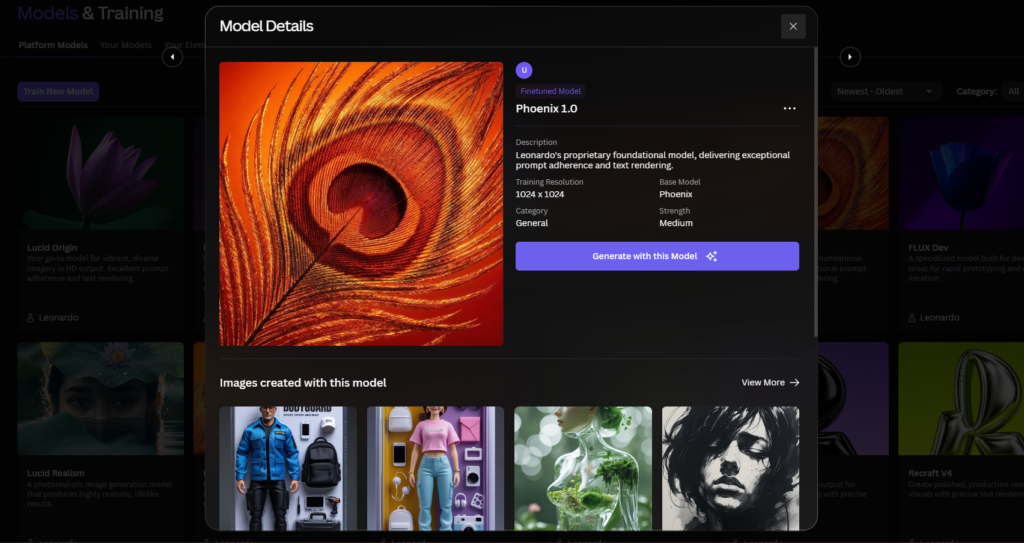
When to Use Phoenix vs Other Models on Leonardo?
There is no single best AI image model. Only the best model for the specific image you are trying to create. This is Leonardo’s own official position, and it is the most practically useful framing for deciding which model to reach for.
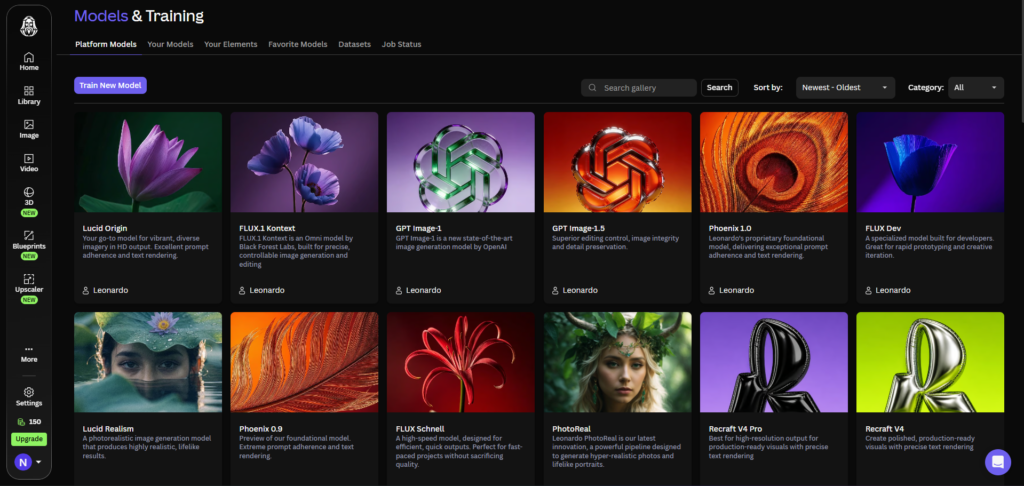
Use Phoenix when: your prompt is detailed and specific, you need the output to match a brief precisely, you are working with image-to-image or sketch-to-render workflows, you need text rendered within the image, or you are using the Consistent Character Engine for character identity maintenance.
Use Lucid Origin or Lucid Realism when: the output requires photorealistic material rendering, you are generating product mockups or commercial photography-style images, or you need convincing human skin texture and hair detail at close range.
Use Flux Dev when: you are training a custom Element (Flux Dev is the default base model for LoRA training), you need a balance of speed and quality for production generations, or you want stronger photorealism than Phoenix with more flexibility than Lucid. Our Leonardo AI LoRA training guide covers why Flux Dev is the correct base model choice for Element training in 2026.
Use Flux Schnell when: you are in the concept exploration phase and need rapid variations, token cost per image matters more than maximum quality, or you are iterating on prompt wording before committing to production renders.
Use community fine-tuned models when: your project requires a specific art style such as anime, watercolour, or concept art, and a community model trained on that aesthetic produces more consistent results than any first-party model for that specific visual language.
Phoenix vs Midjourney V8: Honest Quality Comparison
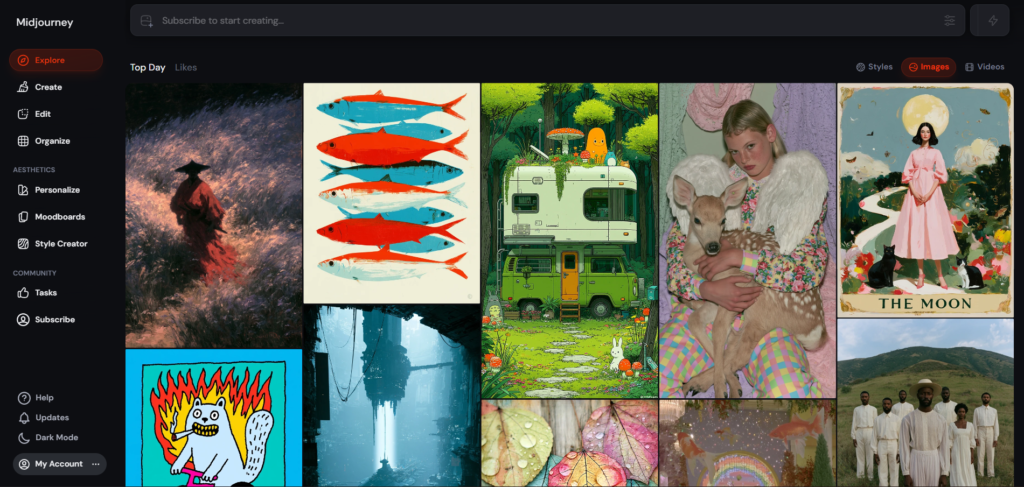
If you want absolute best aesthetic quality, skip Leonardo and use Midjourney V8. Leonardo’s Phoenix model is competent but Midjourney V8 is the aesthetic ceiling. The gap matters for portfolio-grade creative work.
The quality gap that once made Midjourney an obvious visual leader has narrowed significantly. The meaningful differences now come down to style consistency, prompt fidelity, and model flexibility, not raw pixel quality.
The honest side-by-side position in 2026: Midjourney V8 produces more artistically compelling images by default, particularly for cinematic, atmospheric, and emotionally resonant work. Phoenix produces more precisely described images that better match a detailed brief. For a creator who writes long, specific prompts and needs the output to match those prompts, Phoenix wins. For a creator who writes shorter prompts and wants the model to produce striking artistic output, Midjourney V8 wins.
For photorealistic images, Leonardo AI using the Phoenix model ranks just below Midjourney V8 and roughly on par with DALL-E 3. The images are crisp, well-composed, and handle lighting naturally. Where Leonardo AI falls slightly short is in ultra-fine details like skin texture and hair at close range.
The comparison is covered in full detail, including pricing at every tier and a use-case verdict table, in our Leonardo AI vs Midjourney guide.
Phoenix vs DALL-E 3: Honest Quality Comparison
DALL-E 3, accessible through ChatGPT Plus at $20 per month, is the most direct competitor to Phoenix on the axis of prompt adherence. Both models are designed to follow detailed prompts precisely rather than interpret them loosely.
For photorealistic images, Leonardo AI using the Phoenix model ranks just below Midjourney V8 and roughly on par with DALL-E 3. The output quality at comparable settings is similar enough that the choice between Phoenix and DALL-E 3 comes down to platform features rather than raw image quality.
Phoenix wins on platform depth. Leonardo’s editing canvas, custom model training, character consistency tools, and multi-model flexibility give Phoenix-generated images a more complete downstream workflow than DALL-E 3, which has a minimal generation interface with no editing tools. DALL-E 3 wins on integration. For users already inside the ChatGPT ecosystem, the conversational generation workflow is more intuitive than navigating Leonardo’s settings panel, and the ability to generate images within an ongoing text conversation has practical value for certain creative workflows.
For standalone image production, Phoenix on Leonardo is the more capable professional choice. For conversational generation as part of a broader AI workflow, DALL-E 3’s ChatGPT integration is more convenient.
Phoenix vs Flux Dev and Flux 2 Pro
Flux Dev, the model developed by Black Forest Labs and integrated into Leonardo as the default base for LoRA training, sits in an interesting position relative to Phoenix. Flux Pro by Black Forest Labs bridges the gap between digital art and real photography, capturing everything from the weave of a fabric to the fine details of a human face with unprecedented clarity.
For photorealism, Flux 2 Pro outperforms Phoenix. For prompt adherence and consistency with Leonardo’s character tools, Phoenix outperforms Flux Dev. The practical implication is straightforward: use Phoenix for creative and character-focused work where prompt fidelity is the priority, and use the Flux suite for photorealistic rendering where material quality and fine detail matter more than precise instruction-following.
Within Leonardo’s platform specifically, Flux Dev is the correct base model for all Element training work. Flux Dev is the primary engine for customisation and consistency. If you need to train a custom Element to reproduce a specific style or character, Flux Dev is the base model that produces the most reliable training results.
Phoenix vs Lucid Origin
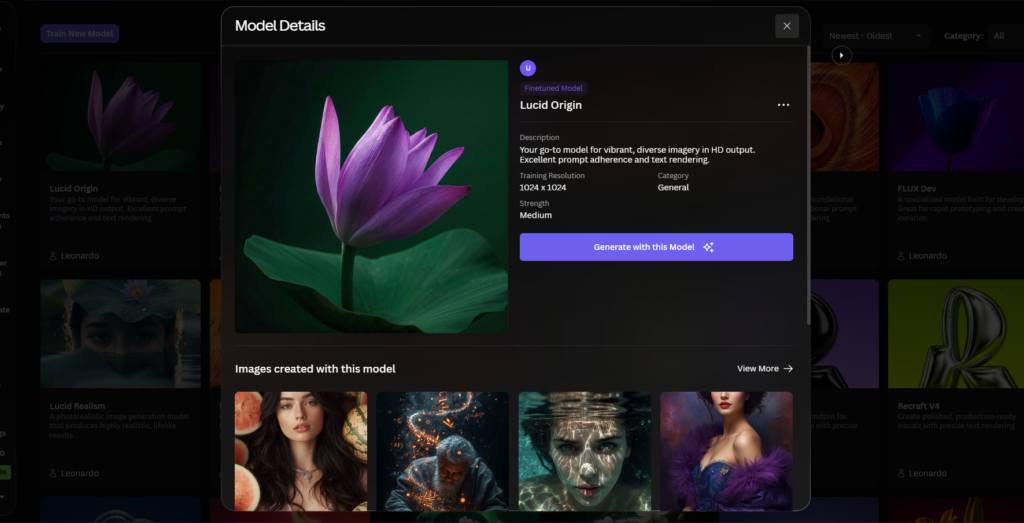
Lucid Origin is Leonardo’s photorealism-focused first-party model and the strongest option on the platform for commercial photography-style output. Lucid Origin excels at generating images with a strong visual identity.
The practical distinction: Phoenix for brief-driven creative work where following instructions is the priority. Lucid Origin for photorealistic commercial imagery where material rendering, lighting, and surface texture are the priority.
PhotoReal v3 surprised in testing on product photography, tested against Midjourney’s style raw for product lifestyle shots including bottles and household objects. PhotoReal v3 produces genuinely convincing photorealism for static product mockups. If your workflow involves product imagery, commercial photography mockups, or lifestyle shots, Lucid Origin is the better starting model than Phoenix regardless of how detailed your prompt is.
Quality Mode vs Fast Mode: Always Use Quality
To get the best results from Phoenix, ensure you are running it in Quality mode rather than Fast mode. This applies to all final production renders. The visual difference between Quality and Fast mode is meaningful on Phoenix specifically, more so than on faster models like Flux Schnell where the quality gap is smaller.
Fast mode is appropriate for exploration generations where you are testing prompt direction, evaluating composition options, or checking whether a concept works before committing to a full Quality render. For any generation you intend to use, edit, or deliver, Quality mode is non-negotiable.
The token cost difference between Quality and Fast mode varies by resolution and settings. As a general rule, Quality mode costs roughly 1.5 to 2 times the tokens of Fast mode at the same resolution. This is a worthwhile trade-off for final renders. Budget your daily or monthly tokens accordingly by using Fast mode for exploration and reserving Quality mode for production.
Model Comparison Table: Which Model for Which Task?
| Task | Best Model | Why |
|---|---|---|
| Precise multi-element scenes | Phoenix | 95% prompt adherence, follows complex instructions reliably |
| Photorealistic product mockups | Lucid Origin / Lucid Realism | Superior material and surface rendering |
| Custom Element LoRA training | Flux Dev | Default and most reliable base for Element training |
| Rapid concept exploration | Flux Schnell | Fastest generation, lowest token cost per image |
| Anime and illustrated styles | Community fine-tuned models | Purpose-trained aesthetics outperform general models |
| Text rendering in images | Phoenix 2.0 | Best text rendering among Leonardo first-party models |
| Portrait photography | Lucid Origin | Better skin and hair detail than Phoenix |
| Sketch-to-render conversion | Phoenix | High adherence preserves sketch structure in final render |
| Atmospheric artistic output | Midjourney V8 | Outside Leonardo; best default aesthetic quality |
| Typography-heavy designs | Ideogram 3.0 | Integrated in Leonardo; specialist text rendering |
Frequently Asked Questions
Is the Leonardo AI Phoenix model the best model on the platform?
Phoenix is the best model on Leonardo for specific use cases, particularly prompt adherence, complex multi-element scenes, and sketch-to-render workflows. It is not the best model for every task. For photorealistic product and commercial photography work, the Lucid suite outperforms Phoenix on material rendering. For LoRA training, Flux Dev is the correct base model. For rapid concept exploration, Flux Schnell is faster and cheaper per generation. Leonardo’s own official guidance is that there is no single best model, only the best model for the specific image you are trying to create. Matching the model to the task produces significantly better results than defaulting to Phoenix for everything.
How does Phoenix compare to Midjourney for artistic quality?
Midjourney V8 produces more artistically compelling output by default in 2026, particularly for cinematic, atmospheric, and emotionally resonant images. Phoenix produces more precisely described output that better matches a detailed brief. Independent testing consistently places Midjourney V8 at the aesthetic ceiling for AI image generation, with Phoenix ranked competent but not category-leading for pure artistic quality. The meaningful choice between Phoenix and Midjourney depends on whether prompt fidelity or aesthetic depth is the priority for your specific use case.
Why does Phoenix sometimes ignore part of my prompt?
The most common cause is prompt construction rather than model failure. Phoenix excels at following prompts that describe concrete, specific elements. Abstract concepts, contradictory instructions, and biologically impossible physical combinations are the categories where Phoenix’s logical rigidity most often produces unexpected results. For example, asking for a physically impossible creature may produce the biologically correct version because the model’s training overrides the instruction. For prompts involving abstract or impossible elements, Flux Dev or community fine-tuned models on Leonardo typically produce better results than Phoenix. Keeping prompts specific and avoiding contradictory physical descriptions produces the most consistent Phoenix results.
Should I always use Quality mode with Phoenix?
Yes for production renders. Leonardo’s official guidance confirms that Phoenix produces its best results in Quality mode rather than Fast mode. The quality difference between the two modes is meaningful on Phoenix specifically. Fast mode is appropriate for exploration generations where you are testing prompt direction or evaluating composition options before committing to a final render. For any generation you intend to use, deliver, or edit in the Canvas, Quality mode is the correct choice. The token cost of Quality mode is higher but justified for production work. For a full breakdown of how token costs compare across modes and models, see our Leonardo AI pricing guide.
Can Phoenix render readable text inside images?
Short text of 2 to 4 words renders with reasonable accuracy in Phoenix 2.0, making it usable for logos, signs, and labels within generated scenes. Longer text strings still produce errors, which is an industry-wide limitation not specific to Leonardo or Phoenix. For text-heavy design work such as event posters, product labels with detailed copy, and social media graphics with text overlays, Ideogram remains the specialist tool. Ideogram 3.0 is integrated within Leonardo AI and is accessible from the model selector, so you can use it within the same platform when text rendering quality is critical without switching to an external tool.
Is Phoenix compatible with all Leonardo AI features?
Phoenix is compatible with the majority of Leonardo AI features including the AI Canvas for inpainting and outpainting, the Consistent Character Engine, Image-to-Image generation, and Alchemy post-processing. The main compatibility note is that Phoenix presets are not compatible with Flux-trained Elements. If you have trained a custom Element on Flux Dev (which is the default base model for LoRA training in 2026), applying that Element to a Phoenix preset has no effect. When using trained Elements, switch to a Flux Dev preset. When using Phoenix, apply only Phoenix-compatible Elements. This compatibility distinction is covered in detail in our Leonardo AI LoRA training guide.
Final Thoughts
The Leonardo AI Phoenix model is a strong, well-designed proprietary model that does exactly what it was built to do: follow detailed prompts accurately and produce consistent, controllable output for professional creative workflows. Its 95 percent prompt adherence rate, multi-element scene handling, and sketch-to-render capability make it the right default choice for brief-driven creative work on the platform.
Where it falls short is equally clear. For pure artistic quality, Midjourney V8 is ahead. For photorealistic material rendering, Flux 2 Pro and the Lucid suite are ahead. For impossible or creatively abstract prompts, its logical rigidity can produce frustrating results. These are not failures of the model. They are the natural consequence of a model built for accuracy rather than artistic interpretation.
The practical approach for most creators is to use Phoenix as the default for production work, switch to Lucid Origin for photorealistic commercial output, and use Flux Schnell for rapid exploration. That combination covers most professional use cases within Leonardo without requiring a separate platform subscription.
Start with Phoenix in Quality mode and a detailed, concrete prompt at app.leonardo.ai. If the output is too literal for your creative needs, move to Flux Dev. If it is not photorealistic enough, move to Lucid Origin. That three-step model selection process will produce better results faster than committing to any single model for all use cases. For a complete overview of everything the platform offers beyond model selection, our complete Leonardo AI guide covers every feature in one place.
External resources: Leonardo AI official model guide | Leonardo AI Phoenix model documentation | AI Tool Analysis: Leonardo AI May 2026 Review | TechSifted: Leonardo AI Review 2026 | Lucid Origin vs Flux Pro comparison 2026

Useful Backlinks
| # | Specific Article / Page | URL |
|---|---|---|
| 1 | “AI Image Models: A Guide to Choosing the Right Model” — Leonardo AI Official | leonardo.ai/news/ai-image-models |
| 2 | “Leonardo.AI Review 2026: Worth It Vs Midjourney And Flux?” — AI Tool Analysis | aitoolanalysis.com/leonardo-ai-review/ |
| 3 | “Leonardo AI Review 2026: The Creative Professional’s AI Tool” — TechSifted | techsifted.com/reviews/leonardo-ai-review-2026/ |
| 4 | “Lucid Origin vs Flux Pro: Which AI Model Wins in 2026?” — Blog Picasso IA | blog.picassoia.com/lucid-origin-vs-flux-pro-leonardo-vs-black-forest-labs |
| 5 | “Leonardo AI Review 2026: Better Than Midjourney at Half the Price?” — AI Tool Rise | aitoolrise.com/2026/03/06/leonardo-ai-review/ |
| 6 | “10 Best Leonardo AI Alternatives for Images 2026” — NovaReviewHub | novareviewhub.com/alternatives/leonardo-ai-alternatives-2026 |
| 7 | “Midjourney vs Leonardo AI: Which Is Better in 2026?” — Blog Picasso IA | blog.picassoia.com/midjourney-vs-leonardo-ai-which-is-better-2026 |
| 8 | “Leonardo AI Complete Guide to Features, Pricing and Models 2026” — Psychelicht | psychelicht.com/en/leonardo-ai-review/ |
| 9 | “Leonardo.ai Guide 2026: Features, Pricing, Models and Complete How-to” — AI Tools DevPro | aitoolsdevpro.com/ai-tools/leonardo-ai-guide/ |
| 10 | “AI Artistry: Comparing Midjourney, Leonardo AI, Flux and More” — Justin YJ Tan | justinyjtan.substack.com/p/ai-artistry-part-i-comparing-midjourney |