Suno AI prompting is the skill that separates creators who generate great music on the first try from those who burn through their monthly credits regenerating the same mediocre track over and over. After testing 50 distinct prompts across genres on Suno v5.5, these are the patterns that consistently produce strong results and the mistakes that reliably waste your credits.
Table of Contents
What Is a Suno AI Prompt and How Does It Work?
A Suno AI prompt is the text instruction you give the platform to describe the music you want it to generate. Every decision the model makes about genre, mood, tempo, instruments, and vocal character traces back to what you wrote in that prompt. A vague prompt produces vague music. A specific, layered prompt produces something that sounds intentional.
Suno has two distinct input fields most users treat as interchangeable. They are not. The Style of Music field is a genre and production constraint layer that narrows the model’s creative range. The main description or lyrics field is where you supply song structure, lyrics, and emotional direction. Leaving the Style of Music field empty is the single most common mistake among new users, and it consistently produces inconsistent results because the model interprets your description with wide creative latitude rather than within a defined aesthetic boundary.
The effective character limit for the main description field is approximately 350 characters. The interface accepts more text than that without error, but the model silently ignores anything beyond that point. Knowing this prevents a specific frustration: carefully written long prompts that appear to be submitted fully but are being partially ignored at the processing level. The Style of Music field handles roughly 120 characters effectively, and the lyrics field supports up to 3,000 characters.
Suno v5.5 introduced meaningful changes to how prompts behave compared to earlier versions. BPM tags are now more reliably respected. Era tags, such as “1980s” or “1990s,” bias production style more aggressively than before. Placing “instrumental” anywhere but the final position in your tag list increases the chance of vocals appearing anyway. These are v5.5-specific behaviors that many older prompt guides do not account for.
How Suno Processes Your Instructions?
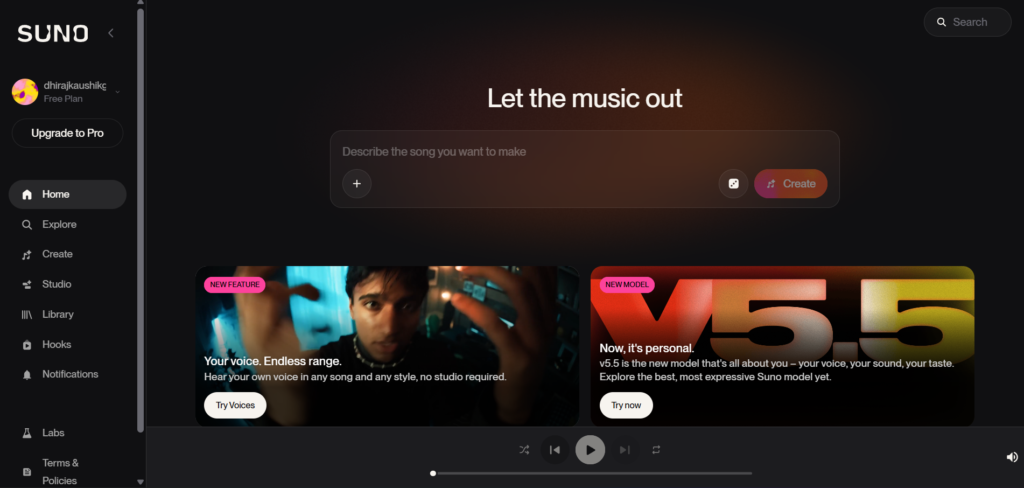
Understanding the order in which Suno reads your input changes how you structure every prompt you write. The model processes prompt elements in a priority sequence, not all at once with equal weight.
Genre comes first and carries the most weight in shaping the overall output. If you write “lo-fi hip hop” as your opening tag, everything else you write will be interpreted within that sonic frame. Vague genre labels like “rock” give Suno too much interpretive freedom, since rock spans arena rock, folk rock, post-punk, and grunge. The more specific your genre label, the more predictable your output becomes. “90s grunge, alternative rock” is a dramatically more useful instruction than “rock.”
After genre, the model reads lead instrument, mood descriptors, vocal character, and production tags roughly in that order. Supporting instruments should be limited to two or three maximum. Listing five or more instrument types divides the model’s attention and produces a muddy, undifferentiated mix rather than the layered sound you were imagining.
Mood descriptors are where most beginners use language that is too broad. “Energetic” alone no longer produces consistent results in v5.5. Replacing it with a specific alternative like “urgent,” “driving,” “high-octane,” or “adrenaline-fueled” gives the model a more precise emotional target to hit. The same principle applies to every mood tag you use. “Sad” is a starting point, not a complete instruction. “Melancholic,” “brooding,” “haunting,” or “bittersweet” each produce meaningfully different outputs from the same base prompt.
Suno does not allow real artist names in prompts. Naming a specific artist typically produces a generic imitation rather than a useful stylistic match. Instead, break the artist down into their defining characteristics. Rather than naming a famous pop singer with a soft, confessional style, describe “acoustic pop, storytelling female vocals, close-mic recording, emotional delivery, stripped-back production.” That description gives the model more actionable information than a name that it may partially filter anyway.
Step-by-Step: Building a Prompt That Actually Works
Step 1: Choose Your Mode Based on What You Need
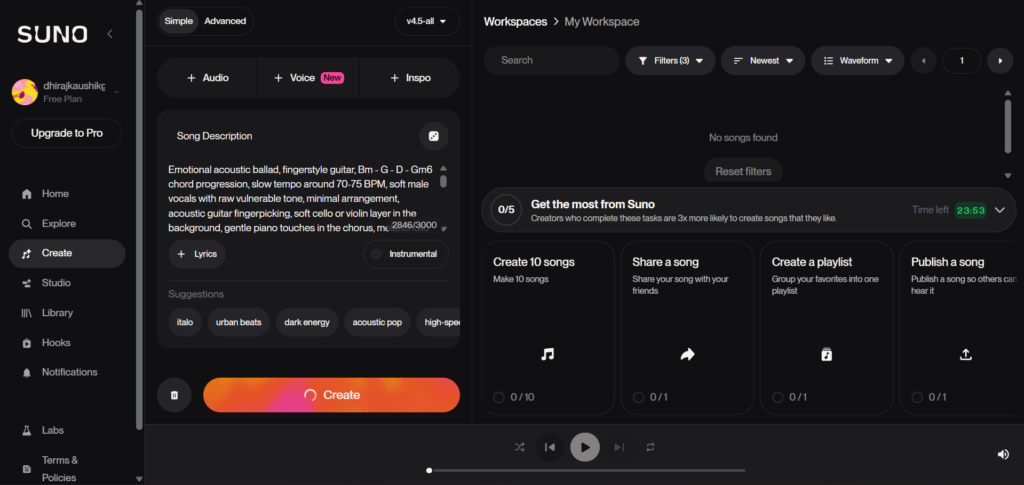
Simple Mode suits quick exploratory generations where you want Suno to make creative decisions. It uses the style tag box and auto-generates lyrics. Custom Mode is where any track you intend to keep should be built. Custom Mode allows section tags and original lyrics, and it produces structurally coherent tracks that Simple Mode cannot reliably match.
If you are generating background music for a YouTube video, Simple Mode works fine. If you are building an artist project, a complete song with a specific emotional arc, or anything you plan to release, use Custom Mode.
Step 2: Fill In the Style of Music Field First
Before you write a single word of lyrics or description, fill in the Style of Music field. This is the most important habit in the entire Suno AI prompting workflow. Use the 5-part formula: Genre and subgenre, mood and energy, key instruments (maximum three), vocal style, and production quality.
A practical example for a lofi study track: “lo-fi hip hop, 75 BPM, vinyl crackle, soft piano, warm tape saturation, relaxed study vibe, instrumental.”
A practical example for an indie rock track: “jangly 2000s indie rock, 118 BPM, earnest male tenor, Rickenbacker guitars, live drums, slightly lo-fi, melancholic.”
Keep the Style of Music field under 120 characters and aim for 4 to 8 tags. More than 8 starts to dilute the signal rather than sharpen it.
Step 3: Write Lyrics With Structure Tags
Open the lyrics field in Custom Mode. Every section of your song should open with a structure tag in square brackets. Use [Intro], [Verse 1], [Pre-Chorus], [Chorus], [Verse 2], [Bridge], and [Outro] to map the arrangement. These tags tell Suno where dynamics should build, where the track should land emotionally, and where instrumental passages should occur.
Leaving the structure tags out produces a monotone audio blob without the contrast and dynamics that make a track feel like a real song. The tags are not stylistic preferences, they are the scaffolding that gives your output its shape.
For instrumental tracks, leave the lyrics field empty but add a note like “(instrumental passage, no vocals)” after the structure tag. Suno’s model actively looks for spaces where a voice should fit, so supplementing the Instrumental toggle with an explicit instruction reduces the chance of unexpected vocals appearing.
Step 4: Match Your Mood to Your Lyrics
Your style prompt’s emotional direction and your lyrics’ emotional tone need to align. An aggressive, high-energy style prompt paired with gentle, contemplative lyrics produces unpredictable results because the model receives conflicting signals about the emotional target.
If your style tags describe a brooding, melancholic track, write lyrics that sit in that same emotional space. If your lyrics are celebratory and triumphant, your style tags should reflect that energy. When the two inputs point in the same direction, the model produces cohesive output. When they conflict, it defaults to one or the other unpredictably.
Step 5: Generate, Compare, and Iterate Before Editing the Prompt
The most common prompting error is changing the prompt after a single disappointing generation. Suno uses slight randomness on each run. The prompt is often correct, and the output just needs another attempt. Generate two or three times with the exact same prompt before concluding that the prompt itself is the problem.
If after three generations the output is still missing the mark, then adjust one element at a time rather than rewriting the entire prompt. Change the mood tag, swap the lead instrument, or adjust the BPM. Changing everything at once makes it impossible to identify which change improved the result.
Key Benefits of Learning to Prompt Suno Properly
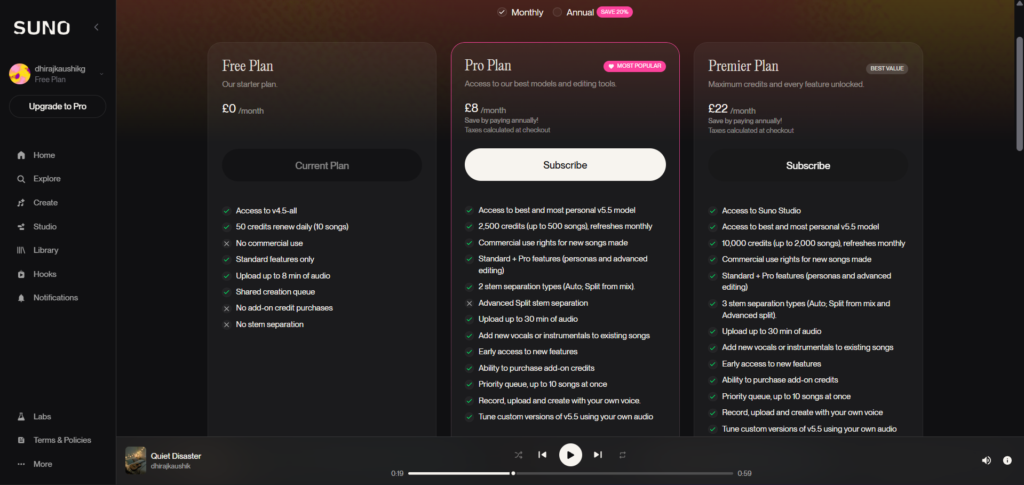
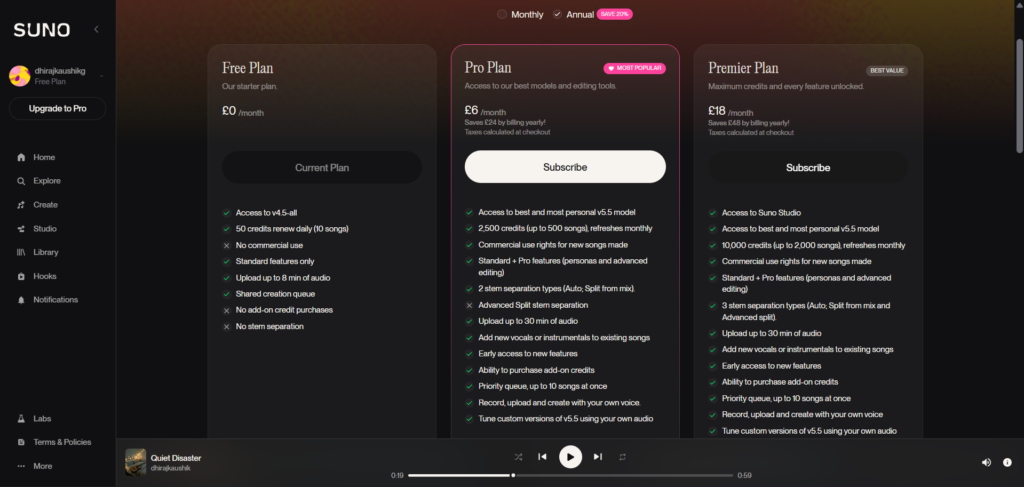
Getting the prompting formula right directly translates into fewer wasted credits and more usable tracks per session. Analysis of community behavior across Reddit threads reveals that approximately 70 percent of initial Suno tracks require three or more regenerations when the prompt is vague. A well-constructed prompt with specific genre tags, a clear mood direction, and accurate vocal descriptors consistently reduces that regeneration rate. When you are working within a monthly credit limit like Pro’s 2,500 credits, every reduction in regeneration attempts is a real, tangible improvement in what your subscription produces.
Structure tags in the lyrics field produce dramatically better dynamics than untagged lyrics. A track with properly marked verses, a pre-chorus, and a chorus has natural contrast, tension, and release built into it. A track without structure tags often sounds like one extended verse with no arc. This difference is especially noticeable when you listen back after downloading, when the energy flatness becomes obvious in a way it does not always reveal during the in-app preview.
Specific vocal descriptors improve the naturalness of the AI’s singing performance. Adding tags like “close-mic recording,” “warm microphone,” “raspy,” or “breathy” pulls the model toward more realistic vocal aesthetics rather than the polished, slightly artificial default. Combining these with an era tag, such as “1990s” or “1970s,” biases the production toward recording aesthetics that naturally sound less digitally processed. These two adjustments together address the most common complaint about Suno vocals, that they sound like AI, more effectively than any single change to the main description.
Learning the prompt formula also makes your workflow repeatable. A creator who has a documented prompt template for their channel’s specific audio identity can generate consistent new tracks in under two minutes per session without starting from scratch. This replicability is particularly valuable for YouTube creators who need fresh music regularly without building a new prompt from memory each time. Our Suno AI for YouTube guide shows exactly how this prompt consistency translates into a practical content creation workflow.
Comparison Table: Prompt Quality vs Output Results
| Prompt Type | Standout Characteristic | Vocal Quality | Structure | Typical Credit Cost to Usable Track |
|---|---|---|---|---|
| Specific 5-part formula | Genre, mood, instruments, vocals, production all defined | Natural, on-character | Coherent with tags | 1 to 3 generations |
| Vague single-line prompt | Genre only, no specifics | Generic, flat delivery | Monotone, no dynamics | 10 to 20 generations |
| Contradictory tags | Conflicting mood and energy signals | Unpredictable | Inconsistent | Rarely produces a usable track |
| Overcrowded prompt (15+ tags) | Too many instructions diluting each other | Confused, switching styles | Fragmented | 5 to 10 generations |
| No style field entry | Model interprets with full creative latitude | Random, unreliable | Varies by luck | 5 to 15 generations |
The credit cost column is the one that makes prompt quality a financial decision, not just a creative one. At 5 credits per generation on Suno’s billing structure, a vague prompt that requires 15 attempts costs 75 credits. A specific prompt that delivers a usable result in 2 attempts costs 10 credits. On a Pro plan with 2,500 monthly credits, that efficiency difference is significant. For a full understanding of how credits work across plan tiers, our Suno AI pricing guide covers the real monthly math.
Who Should Master Suno AI Prompting?
YouTube creators and content producers who generate music regularly. If you publish videos on a weekly schedule and need original, non-copyright background tracks, building a small library of proven prompt templates for your channel’s audio identity pays back the learning investment quickly. A creator who has five reliable prompt templates generates usable music in under five minutes per session instead of spending twenty minutes regenerating and adjusting. The consistency also improves how your channel sounds across episodes.
Independent musicians using Suno as a composition sketching tool. For musicians who use Suno to prototype ideas before investing studio time, prompt precision is what separates getting a useful creative reference from getting something that vaguely reminds you of what you had in mind. A songwriter who can translate a chord progression feel and vocal character into a specific, layered Suno prompt gets a genuinely useful demo sketch. One who cannot gets a generic approximation that does not serve as a useful creative starting point.
Podcast producers and audio brand builders. Creators who need consistent, branded audio across multiple episodes or deliverables benefit most from the template approach to prompting. Building one strong intro prompt and one strong background prompt for a project takes an hour of experimentation and produces assets that can be reused or varied indefinitely. Without that initial prompt investment, every session starts from zero and produces inconsistent results.
Beginners who have tried Suno once and given up. Most people who try Suno and find the output disappointing never identified that the prompt was the problem. They assumed the platform was limited. The platform is capable of producing music that surprises experienced producers. The gap is almost always the prompt’s specificity. If you tried Suno on the free plan with a two-word description and were underwhelmed, this guide represents the difference between that experience and what the platform can actually do when it is given a complete creative brief to work from.
FAQ
What is the best Suno AI prompting formula for beginners?
The most reliable structure is five elements in this order: genre and subgenre, mood and energy, key instruments (maximum three), vocal style, and production quality. A practical example is: “indie folk, melancholic, acoustic guitar and harmonica, warm female vocals, close-mic recording, slightly lo-fi.” Place this in the Style of Music field, keep it under 120 characters, and use 4 to 7 tags total. More than 8 tags starts to dilute the model’s focus rather than sharpen it. For the lyrics field, write actual lyrics using section tags like [Verse 1] and [Chorus] to create natural song dynamics rather than submitting a flat, unstructured block of text.
Why does Suno keep ignoring my BPM in the prompt?
BPM tags are more reliably respected in v5.5 than in earlier versions, but conflicts with other tags still cause them to be overridden. If you write “slow jazz” and also specify “140 BPM,” the mood and genre tags win because they carry more weight in the processing order. Let one signal lead. Either describe the tempo in words, “slow tempo,” “mid-paced,” “driving fast rhythm,” or specify a BPM without a conflicting mood description. Also check that your genre tag does not imply a different tempo than the BPM you specified. Pairing “chill lo-fi” with “160 BPM” creates a similar conflict.
Can I use artist names in Suno AI prompts?
No. Suno filters direct artist names, and using them typically produces a generic approximation rather than a useful stylistic match. The more effective approach is to describe the artist’s defining musical characteristics as tag combinations. Instead of naming a gritty, whisper-voiced indie pop artist, write “dark pop, whisper vocals, minimalist beat, moody atmosphere.” Instead of naming a 90s grunge band, write “90s grunge, heavy distorted guitars, raw angst, lo-fi production, Seattle sound.” This approach gives the model more actionable information than a filtered name and usually produces a better stylistic result.
Why are my Suno vocals still sounding robotic after I specify a vocal style?
The most effective fixes are adding vocal character tags like “raspy,” “breathy,” “close-mic recording,” or “warm microphone” rather than just describing the gender and range. Combining these with an era tag biases the production toward recording aesthetics that naturally sound less digitally processed. “1970s” or “1990s” each trigger noticeably different vocal treatment than no era tag at all. Also ensure your vocal descriptor tags are not conflicting. “Powerful stadium vocals” and “intimate whisper delivery” cancel each other out. Pick one delivery character and commit to it within a single prompt.
How many tags is too many in a Suno AI style prompt?
The practical sweet spot is 4 to 8 tags in the Style of Music field, kept under 120 characters total. Fewer than 4 gives the model too little direction and produces generic output. More than 8 to 10 starts to dilute the signal, with each individual instruction carrying less weight as more are added. The most common version of this mistake is a prompt that lists genres, subgenres, moods, instruments, vocal types, production styles, era tags, and tempo all together. Pick the most important 6 elements and trust the model to fill in the rest within that frame. Precision beats volume every time.
Does prompting work differently in Simple Mode versus Custom Mode?
Yes, and the difference matters for what you intend to do with the track. Simple Mode uses the style tag box and auto-generates lyrics based on your description. It is faster and better for exploratory testing of new prompt ideas before investing credits in a full build. Custom Mode lets you supply your own lyrics with section structure tags, which produces dramatically better song dynamics, contrast, and structure. Any track you intend to keep, release, or use in a project should be built in Custom Mode with proper [Verse] and [Chorus] tags. Tracks built in Simple Mode often sound complete on first listen but lack the structural arc that holds up on repeated plays.
Final Thoughts
The gap between a Suno user who burns through credits on mediocre regenerations and one who reliably gets usable tracks in two or three attempts is almost entirely a prompting gap. The platform’s capability is high enough that when it receives a clear, specific brief, the output regularly surprises people who expected less. The frustrating experiences with Suno almost always trace back to vague instructions giving a capable model nothing specific to execute.
Start with the five-part formula in the Style of Music field, add structured lyrics with section tags in Custom Mode, match your mood descriptors to your lyrical content, and generate at least twice before changing anything. That sequence alone will improve your output quality more than any other single adjustment.
The fastest way to internalize the prompting framework is to pick one genre you actually care about and run five variations of a prompt within that genre, changing one element at a time. By the fifth generation, you will understand how each tag affects the output in that specific context. That hands-on knowledge is more useful than any cheat sheet, including this one. For a full picture of what Suno’s features look like beyond prompting, our complete Suno AI review covers the entire platform across 60 generated tracks.
External resources: Suno AI Prompts Guide: 100+ Tested Prompts | Suno Prompt Guide 2026: BPM, Tags, Character Limits | Advanced Suno v5.5 Prompt Formula and Style Tags | Complete List of Prompts and Styles for Suno v5.5 | Suno AI official prompt guidance and help center