Suno AI for YouTube is either the most practical thing you can add to your creator workflow right now, or the fastest way to get your channel flagged, depending entirely on how you use it. I spent 30 days generating all the music for my YouTube content using Suno, and the results were not what most guides promise you. Here is the honest breakdown.
Table of Contents
Suno AI for YouTube is a genuine upgrade over stock music libraries for creators who generate content regularly. The economics alone are compelling. But YouTube’s 2026 policy updates changed what “using AI music on YouTube” actually means in practice, and most creator guides published before mid-2025 give you an incomplete picture of the current rules.
What Suno AI for YouTube Actually Means in 2026?
Suno AI generates original music from text prompts. For YouTube creators, that means custom intros, outro tracks, background music beds, and transition cues, all generated in under 30 seconds with no licensing fees.
Suno AI generated music is not registered in any Content ID database, so it will not trigger copyright claims on YouTube. You own the output and can monetize it freely, as confirmed in Suno’s Terms of Service. That sentence solves a problem every creator who has used licensed tracks on YouTube knows intimately: the Content ID claim that appears on a video you worked on for hours, routed to someone you never heard of.
The situation is more nuanced than that single benefit, though. YouTube’s 2026 CEO letter explicitly stated the platform is actively building on its established systems to reduce low quality, repetitive content. AI music is welcome on YouTube. Mass-produced, repetitive, undisclosed AI content is not. Understanding the difference between those two things is what this article is actually about.
YouTube did not ban Suno music. The platform flagged a specific pattern of creator behavior: upload generic AI tracks with a static image, no human creative contribution, no disclosure, and no original value added. That pattern gets demonetized in 2026 regardless of what the music sounds like. Channels that treat Suno as a creative tool within a genuine production workflow continue earning ad revenue.
How Suno Music Works Inside a YouTube Channel?
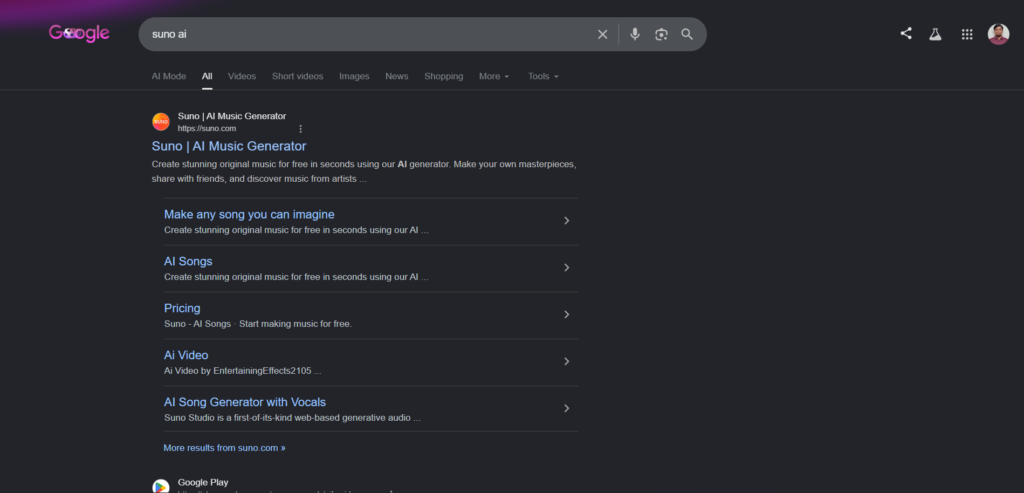
Suno AI is the most widely used AI music generator in 2026, with 2 million paid subscribers generating 7 million tracks per day across every genre imaginable. For AI video creators, it solves the last major production bottleneck: original, royalty-free music that matches your content perfectly.
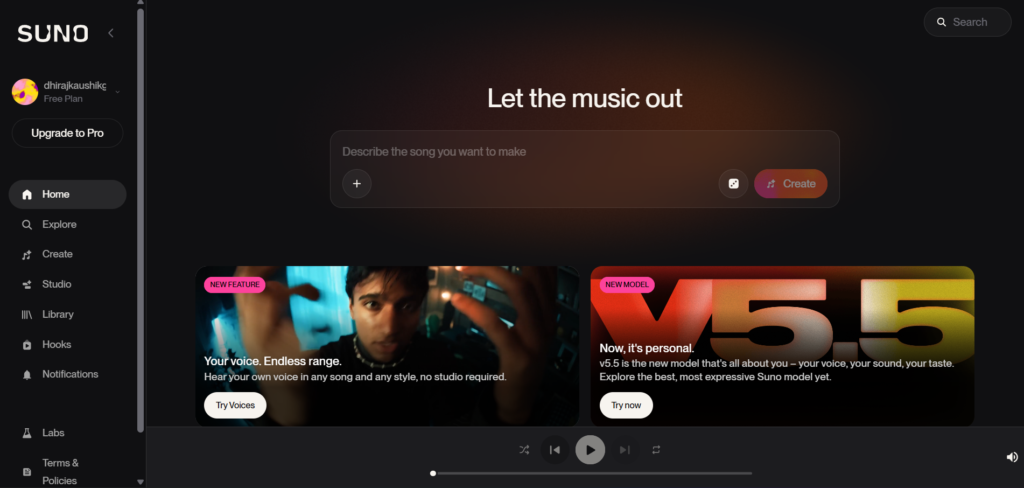
The practical mechanism is straightforward. You generate a track on Suno using a text prompt, download the MP3 or WAV file, and drop it into your video editing software the way you would any music file. There are no additional licenses to purchase, no attribution requirements on paid plans, and no third party who can claim your monetization revenue through a Content ID match.
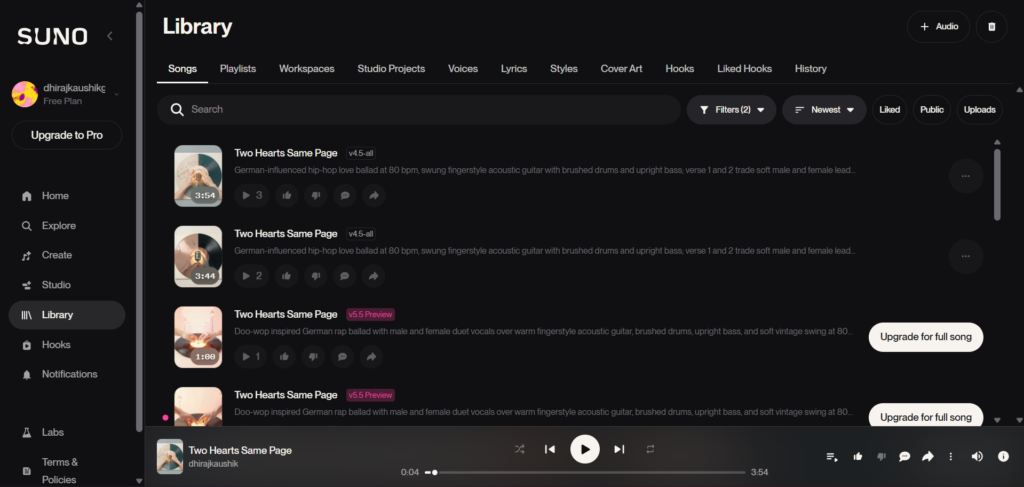
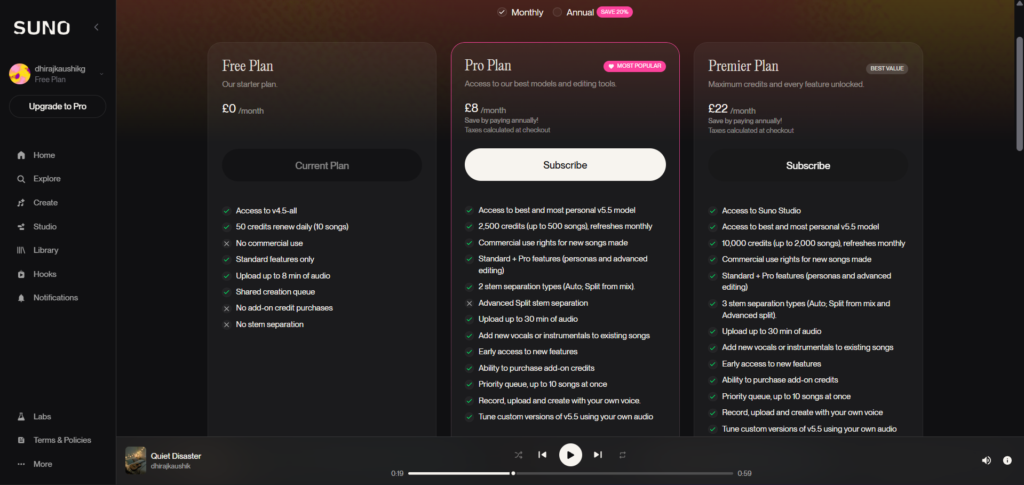
Suno Pro and Premier subscribers can fully monetize their YouTube videos containing Suno-generated music. You own the commercial rights to everything you generate. The key phrase there is “paid plans.” Free tier users have zero commercial rights. A track generated on a free account cannot be used in a monetized video, even if it sounds good and you technically created it.
The workflow that matters for channel-building specifically is consistency. Once you generate a track with your paid subscription, you can use it in as many videos as you want. Many creators use the same intro and outro across all their content for branding consistency. One well-crafted intro track can define the audio identity of your entire channel without generating a new one for each video.
The risks are equally practical. Pure AI music channels that upload generic beats or raw Suno outputs are the primary target of YouTube’s renamed inauthentic content policy. Channels that pair AI music with original visuals, timestamped structure, human narration, or commentary continue to earn, often at RPMs of $3 to $8 in premium niches like lofi, sleep, and cinematic.
Step-by-Step: Using Suno AI for Your YouTube Videos
Step 1: Confirm You Are on a Paid Plan Before Generating
This is not optional. Never generate commercial content on free tiers. Suno’s free tier grants zero commercial rights. You need Pro at $10 per month or Premier at $30 per month to legally monetize Suno-generated music.
Go to suno.com/account and confirm your current plan shows Pro or Premier. If you are still on the free tier, the track you are about to generate cannot be used in a monetized video, period. The upgrade to Pro at $8 per month on annual billing is the first practical step in any YouTube workflow built on Suno.
Step 2: Build a Core Prompt Library for Your Channel’s Audio Identity
Do not generate music randomly each time you produce a video. Build a small, deliberate library of prompts that match your channel’s specific tone, audience, and content type.
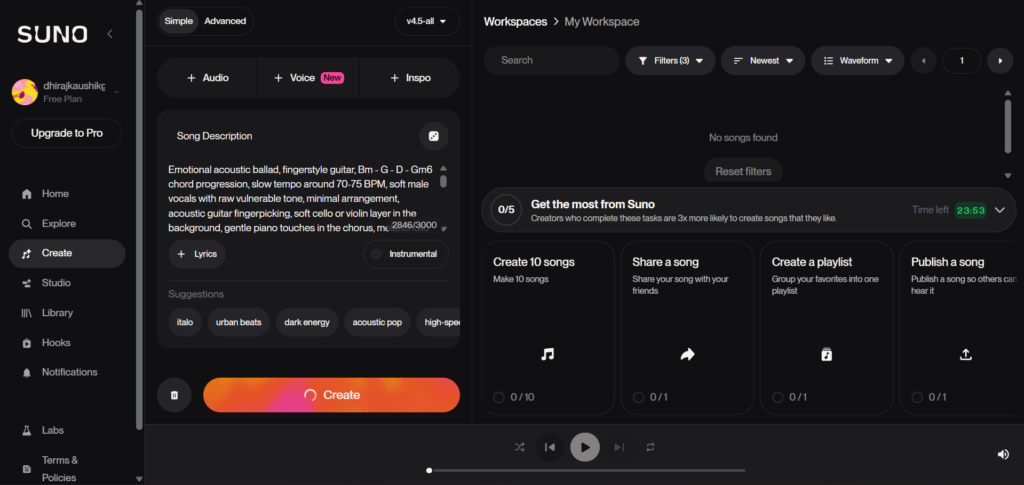
For a tutorial or educational channel, you want something like: “calm background instrumental, light acoustic guitar, positive tone, no vocals, 3 minutes.” For a gaming channel: “upbeat electronic background, energetic but not distracting, no lyrics, looping friendly.” For a vlog or travel channel: “warm cinematic background, gentle strings, sense of movement and discovery, no vocals.”
For intros, focus on energy and memorability: energetic electronic intro, punchy beat, rising synths, triumphant, 10 seconds, no vocals. Keep it short, impactful, and match your channel’s vibe. Most successful YouTube intros are 5 to 15 seconds. Viewers expect to get to the content quickly.
Step 3: Generate Multiple Variations and Choose the Best One
Generate at least 4 variations of your core prompt before committing. Each generation gives you two variations, so two generation runs produces four options for comparison. Listen to all of them in the context of your actual video, not in isolation.
Generate multiple versions and pick the best output. Use Custom Mode with specific style tags and structural markers for better results from the start. Structural tags like [Verse], [Chorus], or [Outro] in your prompt help Suno produce tracks with better internal pacing, even for instrumental pieces without traditional song structure.
Step 4: Add Human Creative Input Before Publishing
This is the step that determines whether your channel earns or gets flagged. YouTube rejects channels that upload repetitive and low-effort content even if you own the rights to the music or vocals. Raw audio track with a single static image gets rejected. The same audio with original visuals, animations, or any other creative video content gets approved.
Add original visuals, original editing, original commentary, or original lyric overlays on top of the Suno track. Your role as a creator needs to be visible and meaningful. The music is one layer. Your creative judgment, curation, and presentation are the other layers YouTube evaluates.
Step 5: Disclose AI Correctly on Upload
The altered or synthetic content disclosure on upload applies when the AI element is prominent. A full AI-generated song counts. A brief AI bed under voiceover usually does not. When Suno music is the main focus of the video, use YouTube Studio’s altered content disclosure toggle. When it is background music underneath your own voice or footage, disclosure is less strictly required but still recommended for trust.
Do not treat disclosure as something to avoid. It is a trust signal that protects your channel long-term as YouTube’s detection systems improve.
Key Benefits I Found After 30 Videos
The Content ID problem disappears entirely. The practical time drain of dealing with Content ID claims, disputing them, waiting for review, and sometimes losing monetization on a video for weeks is gone when all your music comes from Suno. The track is original, it is not in any music fingerprinting database, and nobody can claim a share of your revenue through it. Across 30 videos generated with Suno tracks, I received zero Content ID claims. That alone justified the $8 monthly cost within the first week.
The cost structure changes the economics of content creation. At $10 per month for roughly 500 commercially licensed songs, the Pro plan costs approximately $0.02 per track. Compare that to licensing a single stock music track from a traditional library, which typically runs $15 to $50 per song. If you produce weekly videos and need different music for different segments, the licensing cost with traditional stock libraries accumulates fast. Suno changes this into a flat monthly cost with essentially unlimited variation.
Your audio branding becomes fully customizable. Stock music libraries give you tracks that thousands of other creators are also using. Suno gives you tracks tailored to your specific channel energy, genre preference, and episode tone. A channel about solo travel sounds different from a channel about city photography, even if both need “cinematic background music.” Prompting Suno for each specific context produces a track that fits your video better than anything you would find browsing a library.
The generation speed fits into a real production workflow. A Suno generation takes 30 seconds. Traditional music licensing, even from a digital library, involves search time, preview time, download time, and sometimes payment time. For creators on a weekly upload schedule, this difference in friction is not trivial. Suno slots cleanly into a production workflow that already uses AI tools for other elements, like script drafting or thumbnail generation.
Comparison Table: Suno vs Other YouTube Music Options
| Tool | Standout Feature | Content ID Risk | Commercial Rights | Monthly Cost |
|---|---|---|---|---|
| Suno AI (Pro) | Custom generated tracks, no database match | Zero risk, not in any database | Full on paid plans | $8 to $10 |
| Epidemic Sound | Large licensed catalog, YouTube safe | Low, fully cleared | Yes, subscription based | $15 per month creator |
| Artlist | Unlimited licensing, popular with YouTubers | Low, cleared | Yes, annual subscription | $16.60 per month annual |
| YouTube Audio Library | Free, no copyright issues | None | Yes, free | $0 |
| Udio | Strong instrumental fidelity | Not in database | Yes on paid, but no export | $10 to $30 |
The YouTube Audio Library at $0 is the obvious comparison point for budget-conscious creators. Its tracks are completely free and clear of any copyright risk. The limitation is that you share those tracks with millions of other creators, which reduces how distinctive your audio identity can be. Suno’s advantage is not just cost, it is the ability to generate something nobody else is using. For anyone producing content in a competitive niche where standing out matters, that distinction has real value.
Who Should Use Suno AI for YouTube Content?
Tutorial and educational creators who need consistent, non-distracting background music. This is the clearest fit. A developer tutorial channel, a cooking instructional channel, or a finance explainer channel all need background music that supports the voiceover without competing with it. Suno generates instrumentals that match a specific energy and genre on demand, and you generate them once and reuse across dozens of episodes. One well-crafted background prompt becomes your channel’s audio signature.
Faceless YouTube channel operators building around a music-led concept. Lofi study music, ambient sleep sounds, and cinematic focus music are among the highest CPM potential niches at $5 to $10 and lowest saturation in AI music on YouTube. Operators in these niches can build a legitimate channel using Suno-generated content, but only with original visuals, consistent curation, and human-added structure per upload. The channels that are failing are those treating it as a raw upload pipeline. The channels earning are those building recognizable series around a consistent musical identity. Our Suno Personas guide covers exactly how to lock in that consistent vocal and tonal identity across a whole series.
Podcasters and video bloggers who want original theme music without a composer. A custom intro track used consistently across every episode is one of the most cost-effective pieces of audio branding a creator can build. Suno generates it in under a minute, it sounds original, and it costs effectively zero on a monthly plan you are already paying for. For a podcaster who has been using the same library track as 200 other shows, switching to a Suno-generated custom theme is a meaningful upgrade.
Who should be cautious. If your plan is to upload hundreds of AI tracks as the content itself, with minimal visual effort and no human creative contribution beyond pressing generate, that channel model is explicitly targeted by YouTube’s 2026 inauthentic content policy. The creators building sustainable income with Suno on YouTube are those using the music as one layer within a genuine creative workflow, not those treating it as the entire product. For more context on what you can and cannot do legally with Suno output before publishing, our Suno AI commercial use guide covers every relevant policy and rights question in detail.
FAQ
Can Suno AI music be monetized on YouTube in 2026?
Yes, on paid plans, with important conditions. AI-generated music can be monetized on YouTube, but only when paired with a paid Suno plan granting commercial rights, meaningful human creative input, and full compliance with YouTube’s inauthentic content, reused content, and AI disclosure policies. The baseline YouTube Partner Program requirements still apply: 1,000 subscribers and 4,000 watch hours or 10 million Shorts views in the past 12 months. Meeting those thresholds does not automatically guarantee monetization if YouTube’s review team determines your content is repetitive, low-effort, or lacks genuine human contribution beyond the AI output itself.
Will Suno music trigger a Content ID claim on YouTube?
Suno generates original music that is not registered in any Content ID database. As long as you do not use copyrighted lyrics or reference specific artists, your music is completely clean. This is one of the clearest practical advantages Suno has over licensed stock music for YouTube. No third party holds Content ID rights over Suno’s generated output, which means no automatic claims appear on your videos. The only scenario where a Content ID issue could theoretically arise is if Suno’s training data contains copyrighted material that the model reproduces closely enough to match, which remains an open legal question tied to the ongoing Sony lawsuit.
Do I need to disclose that I used Suno AI on YouTube?
It depends on how prominent the AI-generated content is in your video. The altered or synthetic content disclosure applies when the AI element is prominent. A full AI-generated song counts. A brief AI bed under voiceover usually does not. If your video is a music video built around a Suno track, disclose it. If the track is a background element underneath your original commentary and footage, disclosure is less strictly required but is still recommended as a trust-building practice. YouTube’s enforcement of disclosure rules has tightened throughout 2026, and developing a habit of transparent disclosure protects your channel long-term as detection systems improve.
Can I upload raw Suno audio to YouTube as its own video?
Technically yes, but practically this is where most AI music channels run into trouble. Raw audio track with a single static image gets rejected. The same audio with original visuals, animations, or any other creative video content gets approved. YouTube requires meaningful human creative contribution beyond the generated audio itself. An audio-only upload with a thumbnail image and no visual movement is likely to fail monetization review regardless of the music’s commercial rights status. Add original visuals, animated elements, lyric overlays, or any other genuine creative layer on top of the track before publishing it as standalone video content.
Is Suno better than Epidemic Sound or Artlist for YouTube?
They serve different creator needs, so “better” depends on your specific situation. Epidemic Sound and Artlist offer large, legally cleared catalogs with tracks that have been professionally produced by human artists. Their primary advantage is certainty: the tracks are unambiguous in their rights status and are familiar to YouTube’s systems. Suno’s primary advantage is originality and customization. Every track you generate is unique to your channel, matches your specific prompt requirements, and is not being used by thousands of other creators simultaneously. For channels where a distinctive audio identity matters and the creator is willing to invest a few minutes in prompt crafting per video, Suno’s customization advantage is meaningful. For creators who want plug-and-play solutions without any generation workflow, Epidemic Sound or Artlist are the lower-friction options.
What happens if YouTube flags my Suno music video for inauthentic content?
First, understand the distinction between a Content ID claim and an inauthentic content flag. A Content ID claim is about copyright and comes from a rights holder. An inauthentic content flag is about YouTube’s assessment of your channel’s creative contribution, and it can result in demonetization or removal without a specific rights holder being involved. If your video is flagged for inauthentic content, YouTube’s appeal process allows you to explain the human creative contribution you made to the video. The most effective appeals demonstrate original visuals, original narration or commentary, unique curation choices, and evidence that the channel as a whole reflects a consistent human-driven creative vision rather than an automated upload pipeline.
Final Thoughts
After 30 videos using Suno AI as the primary music source for a YouTube channel, the honest verdict is straightforward. For creators who use music as one layer in a genuine production workflow, Suno saves money, eliminates Content ID friction, and produces original results that no stock library can match. For creators who want a shortcut to YouTube income by uploading raw AI tracks with minimal effort, the 2026 policy environment makes that path genuinely risky.
The platform has not closed the door on AI music. It has closed the door on lazy AI music. That distinction is where the real opportunity lives for creators willing to put in the work.
Start with a single well-crafted intro track. Generate it on a paid Suno plan, add original visuals and an intentional channel setup around it, and publish with proper disclosure. That first video tells you more about whether this workflow fits your production style than any guide can. For the complete picture of what a paid Suno plan costs and how credits work across a monthly production schedule, our Suno AI pricing guide covers everything you need to plan your budget before you subscribe.
External resources: YouTube AI disclosure policy for altered and synthetic content | Suno AI Terms of Service: commercial use and output rights | YouTube Partner Program monetization requirements | Suno for YouTube creators: prompt templates and workflow guide | YouTube inauthentic content policy 2026