Claude AI has quietly become one of the three assistants people actually keep open in a browser tab all day, alongside ChatGPT and Gemini. Anthropic markets it as helpful, careful, and safe, but the homepage will not tell you where it falls short or what the pricing tiers actually get you. This guide covers what using Claude AI is really like, based on the current 2026 lineup, so you can decide if it deserves a spot in your daily toolkit.
Table of Contents
What Is Claude AI?
Claude AI is Anthropic’s conversational assistant, built around a training approach the company calls Constitutional AI. Instead of relying purely on human feedback to shape behavior, Claude is trained against a written set of principles that guide how it responds, which Anthropic argues makes its answers more consistent and less prone to sudden shifts in tone.
Anthropic was founded in 2021 by former OpenAI researchers, including siblings Dario and Daniela Amodei. The company has stayed narrower in focus than some competitors, putting most of its public attention on the assistant itself, its developer API, and agentic tools like Claude Code, rather than branching into image generation or social features.
The current model lineup includes Claude Haiku 4.5 for fast, lightweight tasks, Claude Sonnet 5 as the default mid tier model available on the free plan, and Claude Opus 4.8 as the top reasoning model for paid subscribers. Anthropic also runs Claude Fable 5, an API only model with additional safety layers, aimed at specific enterprise use cases rather than everyday chat.
What separates Claude AI from ChatGPT and Gemini is less about raw benchmark scores and more about how it behaves in longer sessions. Claude tends to hold context well across long documents, up to a million tokens on certain plans, and it rarely tries to overexplain simple requests. People who write, code, or review contracts for a living tend to notice this first.
Claude is not trying to be everything at once. There is no built in image generator, no video tool, and no social feed. Instead, Anthropic has leaned into three areas: careful writing and editing, software development through Claude Code, and increasingly, autonomous multi step work through a feature called Claude Cowork. That narrower focus is either a strength or a limitation depending on what you need Claude AI for.
You can try Claude AI directly at claude.com, and Anthropic publishes ongoing research and product updates at anthropic.com, which is worth bookmarking if you plan to rely on this tool for real work.
Where the Claude AI Name Comes From?
Anthropic named the assistant after Claude Shannon, the mathematician often credited as the father of information theory. It is a small detail, but it reflects the company’s general tone, which leans academic and research first rather than consumer flashy. That same tone shows up in how Claude AI responds, favoring precise, well reasoned answers over the more casual, meme heavy style some other assistants have adopted.
This matters practically because it shapes what Claude AI is good at by default. You do not need to prompt it heavily to get a grounded, careful answer. Other assistants sometimes need explicit instructions to tone down enthusiasm or hedge appropriately, while Claude AI tends to do this on its own, for better or worse depending on what you actually want from a given task.
How Claude AI Works?
At a technical level, Claude AI is a large language model, meaning it was trained on enormous amounts of text and learned to predict what comes next in a sequence of words. This is the same underlying approach used by ChatGPT and Gemini, so the real differences show up in training data, safety tuning, and product design rather than some fundamentally different architecture.
The Constitutional AI method is what most people mean when they mention Claude AI’s approach. Anthropic writes out a set of principles, drawing partly from sources like the UN Declaration of Human Rights and general safety best practices, then has the model critique and revise its own responses against those principles during training. The goal is a model that pushes back on harmful requests without needing a human reviewer to flag every single case by hand.
Context Window and Memory
One of the more practical parts of how Claude AI works is its context window, which is the amount of text it can consider at once. Depending on your plan, this ranges up into the hundreds of thousands of tokens, and enterprise tiers can go even higher. In plain terms, this means you can paste in a long report, a full contract, or several chapters of a manuscript, and Claude will actually reference details from early in that document later in the conversation.
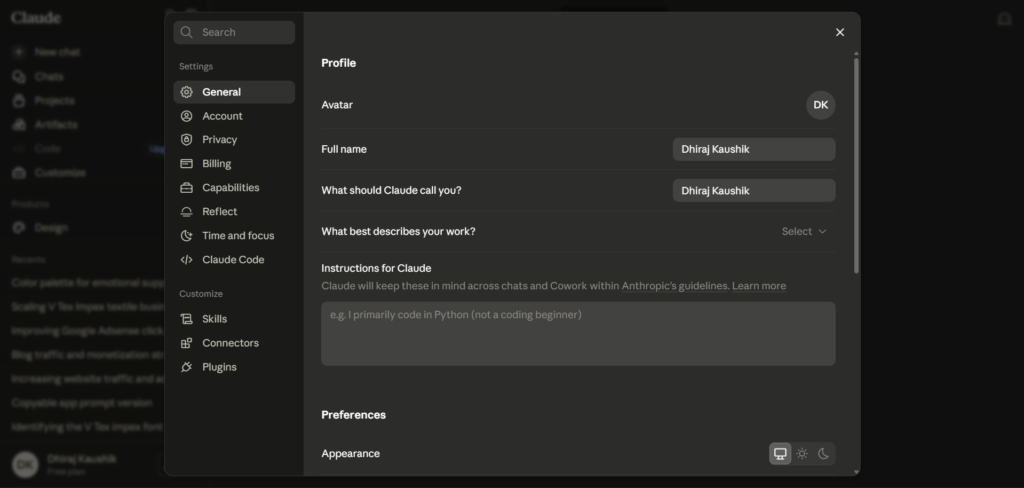
Claude AI also supports Projects, which act as persistent workspaces. You can upload reference files once, set custom instructions for that workspace, and every new conversation inside the project automatically has access to that context. This matters for anyone doing repeated work on the same client, product, or codebase, since you stop re-explaining background information every session.
In practice, this changes how people actually structure their work around Claude AI. Instead of one long, sprawling conversation that eventually loses coherence, frequent users tend to build out several Projects, each scoped to a specific area, and switch between them the way they would switch between folders on a desktop.
Tool Use and Agentic Behavior
Claude AI can use external tools during a conversation, including web search for current information and code execution for data analysis. Anthropic has extended this further with Claude Cowork, which lets Claude work through multi step tasks like organizing files or pulling information across several documents with less step by step supervision from the user. This agentic direction is where a meaningful share of Anthropic’s product development has gone in 2026.
Which Model Tier You Are Actually Talking To?
Claude AI is not one single model, it is a family, and which one answers you depends on your plan. Haiku 4.5 is the fastest and cheapest, built for quick, simple tasks where speed matters more than depth. Sonnet 5 sits in the middle and is the default for both free and Pro users, offering a solid balance of speed and reasoning quality for everyday work.
Opus 4.8 is the most capable model in the lineup, reserved for paid subscribers and aimed at harder reasoning tasks like complex coding, detailed analysis, or long form writing that needs to hold nuance across many pages. Knowing which tier you are on actually matters, since a frustrating experience with Claude AI on the free plan is sometimes just a mismatch between Haiku’s speed focused design and a task that really needed Opus level reasoning.
Step-by-Step Guide to Using Claude AI
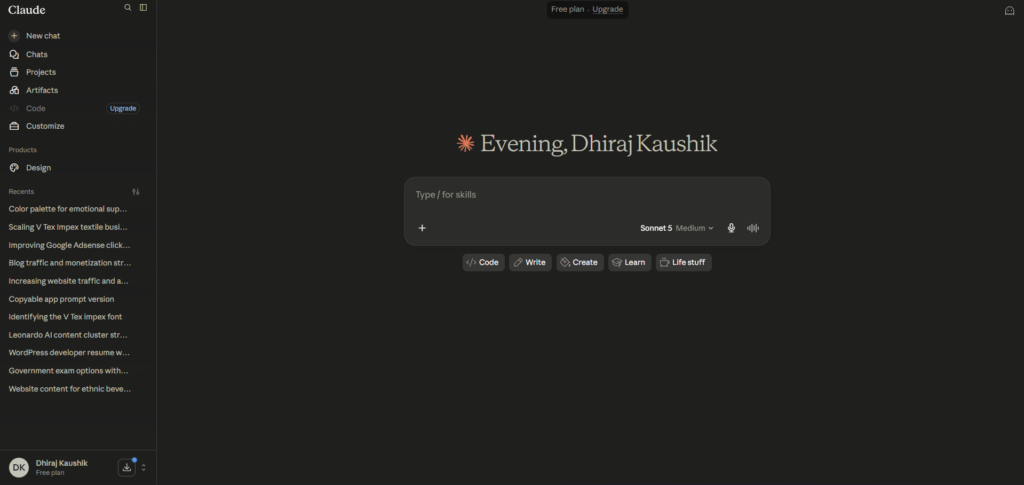
Getting started with Claude AI takes a few minutes. Here is exactly how to go from a blank screen to your first useful conversation.
Step 1: Create Your Account
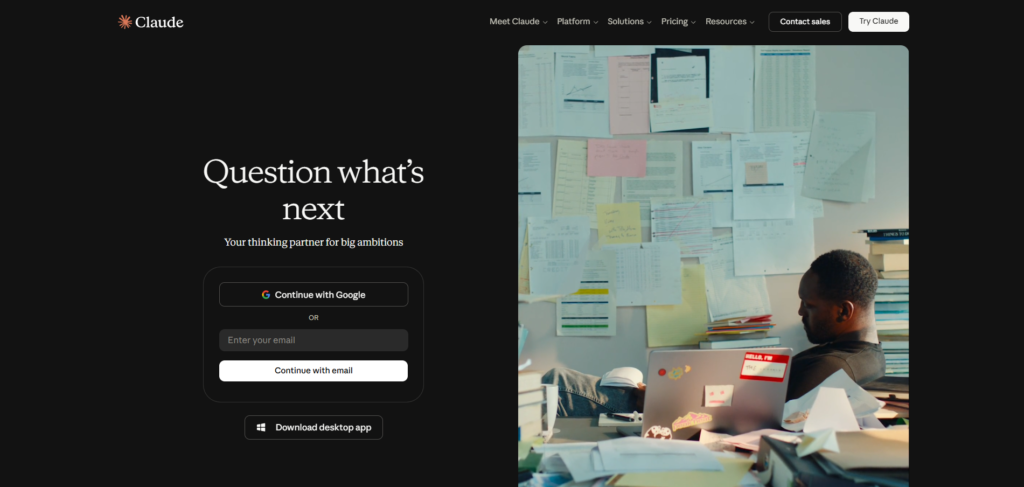
Go to claude.com and sign up using your email address or a Google account. You do not need a credit card to start on the free plan, and verification is usually just a confirmation email.
Step 2: Explore the Free Plan First
Once you are in, spend some time on the free tier before upgrading anything. The free plan currently runs Claude Sonnet 5, the same mid tier model available to Pro subscribers, just with lower daily usage limits and a rolling reset window of a few hours rather than a full day.
Step 3: Start a Conversation with Clear Instructions
Type your question or task directly into the chat box. Claude AI responds better to specific instructions than vague ones, so instead of asking it to “write something about marketing,” try telling it the audience, the tone, and the length you want. Adding a sentence about what you plan to do with the output, such as publishing it directly versus using it as a rough draft, also changes how Claude approaches the response.
Step 4: Set Up a Project for Repeated Work
If you find yourself returning to the same topic, client, or codebase, click into Projects and create a new one. Upload any reference documents, add custom instructions describing how you want Claude to behave in that workspace, and every future conversation inside it will carry that context automatically.
Step 5: Try Claude Code If You Write Software
Developers can access Claude Code through the terminal, a desktop app, or inside editors like VS Code. It requires at least a Pro subscription and works by reading your actual codebase, then proposing or making changes based on your instructions. Unlike simple autocomplete tools, it can plan out a change across multiple files before touching anything, which is worth reviewing carefully before letting it run.
Step 6: Turn On Web Search for Current Information
For anything time sensitive, enable web search inside the chat so Claude can pull live information instead of relying only on its training data. This matters more than people expect, since even a well trained model has a knowledge cutoff and will not know about very recent events unless it searches.
Step 7: Upgrade Only When You Hit a Real Limit
Do not upgrade to Pro or Max on day one. Use the free plan until you consistently hit usage limits during real work, then compare your actual usage pattern against the paid tiers before choosing one.
Key Benefits of Claude AI
Claude AI’s writing quality is consistently one of its strongest points. It tends to avoid the overly bulleted, buzzword heavy output that other assistants sometimes default to, and it holds a more natural tone across long pieces of writing. For anyone producing blog posts, emails, or reports, this cuts down on the editing work needed after the fact.
The long context window is a genuine practical advantage rather than a marketing number. Being able to paste in an entire contract, a long research paper, or a full codebase and have Claude reference specific details from early in that material later in the conversation saves real time compared to assistants that lose track of earlier context in long sessions.
Claude Code has become a serious draw for developers specifically. It reads your actual project structure, proposes changes with reasoning attached, and can run agent teams that split larger coding tasks across multiple sub agents working in parallel. Developers coming from simpler autocomplete tools often describe the jump as significant, since Claude Code operates more like a collaborator reading your whole project than a line by line suggestion engine.
The pricing structure is more transparent than it looks at first glance, once you know what each tier actually includes. Pro at twenty dollars a month includes Claude Code, Projects, Cowork, and priority access to newer models, which is more bundled functionality than some competitors offer at the same price point. You are not paying extra for features that used to be gated behind higher tiers.
Anthropic’s safety approach, while sometimes frustrating in edge cases, does translate into a model that is less likely to confidently state something false with total certainty. Claude AI is generally more willing to say it is unsure than to guess and present the guess as fact, which matters if you are using it for research, legal drafting, or anything where a wrong answer stated confidently could cause real problems.
Projects and persistent context save a surprising amount of time once you actually set them up properly. Instead of re-pasting background information at the start of every new conversation, a Project remembers your uploaded files and custom instructions permanently. For freelancers or consultants juggling several clients, this alone can cut the setup time on a new conversation from several minutes down to seconds.
Comparison Table
| Tool Name | Standout Feature | Reasoning Quality | Data Privacy & Lock-in Risk | Monthly Cost |
|---|---|---|---|---|
| Claude AI | Long context window and careful, natural writing | Very strong on long documents and coding | Low lock-in, data not used for training on paid plans by default | Free, then $20 (Pro) |
| ChatGPT | Broadest plugin and multimedia ecosystem | Strong across general tasks | Moderate, depends on settings chosen | Free, then $20 (Plus) |
| Gemini | Deep integration with Google Workspace | Strong on search-grounded answers | Tied closely to Google account data | Free, then $19.99 (Google AI Pro) |
| Perplexity | Built-in citations for every claim | Good for research and fact-checking | Low, answers are source-linked | Free, then $20 (Pro) |
| Copilot (Microsoft) | Deep integration with Windows and Office | Solid for everyday productivity tasks | Tied to Microsoft 365 account | Free, then $20 (Pro) |
Pricing above reflects publicly listed individual plan rates as of mid-2026 and can change, so it is worth checking each provider’s own pricing page before deciding.
Who Is Claude AI For?
Writers, editors, and content teams tend to get the most immediate value from Claude AI. If your work involves producing long form text that needs to sound like a person wrote it, Claude’s tendency toward natural phrasing over robotic structure saves real editing time, especially across drafts longer than a few hundred words.
Developers working on real codebases, not just quick scripts, are a strong fit for the Pro or Max tiers specifically because of Claude Code. Anyone spending several hours a day inside a terminal or IDE will feel the difference between an autocomplete tool and an assistant that reads and reasons about the whole project.
Researchers, analysts, and anyone reviewing long documents regularly, such as contracts, academic papers, or financial reports, benefit from the large context window. Being able to upload a full document and ask specific questions about sections buried on page forty is a genuine time saver compared to manually searching through the file yourself.
Casual users who just want quick answers to everyday questions may not notice much difference between Claude AI and its competitors on the free tier. If your use case is simple, occasional questions rather than sustained work, any of the major assistants will likely feel similar, and the choice comes down to which interface you personally prefer.
Small business owners and consultants juggling multiple clients tend to find real value in Projects specifically. Being able to keep separate, persistent workspaces for each client, each remembering its own files and instructions, removes a lot of the repetitive setup that eats into billable time when switching between accounts throughout the day.
FAQ
Is Claude AI free to use?
Yes, Claude AI has a free plan that currently runs Claude Sonnet 5, the same mid tier model available on the Pro plan, though with lower daily usage limits and shorter reset windows. Free users do not get access to Claude Code, Cowork, or Projects, which are reserved for paid subscribers. For light, occasional use such as quick questions or short writing tasks, the free tier is genuinely usable rather than a stripped down demo. If you find yourself hitting the daily limit regularly, that is usually the clearest sign it is time to consider Pro.
How much does Claude Pro cost per month?
Claude Pro costs twenty dollars per month when billed monthly, or roughly seventeen dollars per month when billed annually at two hundred dollars upfront. This tier includes Claude Code, Projects, Cowork, priority access to newer models, and significantly higher usage limits than the free plan. For most individual professionals using Claude daily for writing, research, or light coding, Pro is the plan Anthropic itself recommends as the starting point before considering Max.
What is the difference between Claude Pro and Claude Max?
Claude Max comes in two tiers, priced at one hundred dollars and two hundred dollars per month, offering five times and twenty times the usage limits of Pro respectively. Importantly, Max does not unlock different features from Pro, it simply raises the ceiling on how much you can use those same features before hitting a limit. Anthropic recommends upgrading to Max only after you have hit Pro’s limits more than once or twice in a normal week, rather than upgrading preemptively.
Is Claude AI better than ChatGPT?
Neither tool is objectively better across every use case, and the honest answer depends on what you are doing. Claude AI tends to produce more natural sounding long form writing and handles long documents more reliably, while ChatGPT has a broader ecosystem of plugins, image generation, and third party integrations. Developers doing serious coding work often prefer Claude Code, while users who want an all in one assistant with more built in features may lean toward ChatGPT.
Can Claude AI access the internet for current information?
Yes, Claude AI includes a web search feature that can be turned on inside a conversation, allowing it to pull live information rather than relying solely on its training data. This is important for anything time sensitive, since even a recently trained model has a knowledge cutoff and will not know about very recent events without searching. When web search is enabled, Claude typically cites the sources it used, which makes it easier to verify claims yourself.
Does Claude AI have a mobile app?
Yes, Claude AI is available as a native app for both iOS and Android, and it syncs conversations across devices when you are signed into the same account. The mobile app supports most of the same features as the desktop version, including Projects and file uploads, though some users find certain agentic features like Cowork are easier to use on a larger screen. For anyone who wants to continue a conversation started on desktop while away from a computer, the mobile app handles the handoff smoothly.
Final Thoughts
Claude AI is not trying to be the loudest assistant on the market, and that restraint is part of what makes it worth using. The writing quality, the long context window, and Claude Code have all become genuine reasons people choose it over alternatives, not just marketing talking points repeated from Anthropic’s own homepage.
It is not the right fit for everyone. If you want built in image generation, a massive plugin ecosystem, or the absolute lowest price point, Claude AI will feel narrower than ChatGPT or Gemini. But for writing, research, and serious development work, it consistently holds up under real daily use rather than just performing well in a quick demo.
The pricing tiers are also more honest than most software pricing pages tend to be. There are no hidden feature walls between Pro and Max, just a difference in how much usage you get before hitting a limit, which makes the upgrade decision simpler than it looks at first glance.
Start on the free plan, push it with actual work for a week, and only upgrade once you know exactly which limit you are hitting.
Internal Links:
External Links: