The Claude AI app has quietly become the most downloaded AI app in the United States, overtaking ChatGPT in daily downloads earlier this year, which is a notable shift for a product that started well behind in the mobile race. Between the iOS and Android apps and the newer Claude in Chrome extension, Anthropic has built out a genuinely different mobile and browser experience than what most reviews were describing even a year ago, and it is worth walking through what actually works well and where the rough edges still show.
Table of Contents
What Is the Claude AI App?
The Claude AI app refers to Anthropic’s native mobile applications for iOS and Android, alongside a separate Chrome browser extension that extends Claude’s capabilities directly into your browsing session. As of 2026, Anthropic has achieved essentially full feature parity between iOS and Android, closing gaps that existed in earlier versions where one platform consistently lagged behind the other in available features.
The mobile app’s headline feature is voice mode, which launched as a Pro only feature in mid-2025 and became free for all users in early 2026. You can speak to Claude and hear responses back in one of five distinct voice options, with seamless switching between voice and text within the same conversation. This matters more than it might initially sound, since hands-free interaction changes what kinds of moments you can actually use Claude for, driving, cooking, or walking, rather than requiring your full visual attention on a screen.
Claude in Chrome is a separate, distinct product from the mobile apps, functioning as a browser extension that gives Claude a sidebar view into whatever page you are looking at, plus an agentic layer that lets it click, type, and navigate the browser on your behalf with permission. It reads live pages, not cached snapshots, which means it can work with content behind your existing logins that the standalone web app would never be able to see.
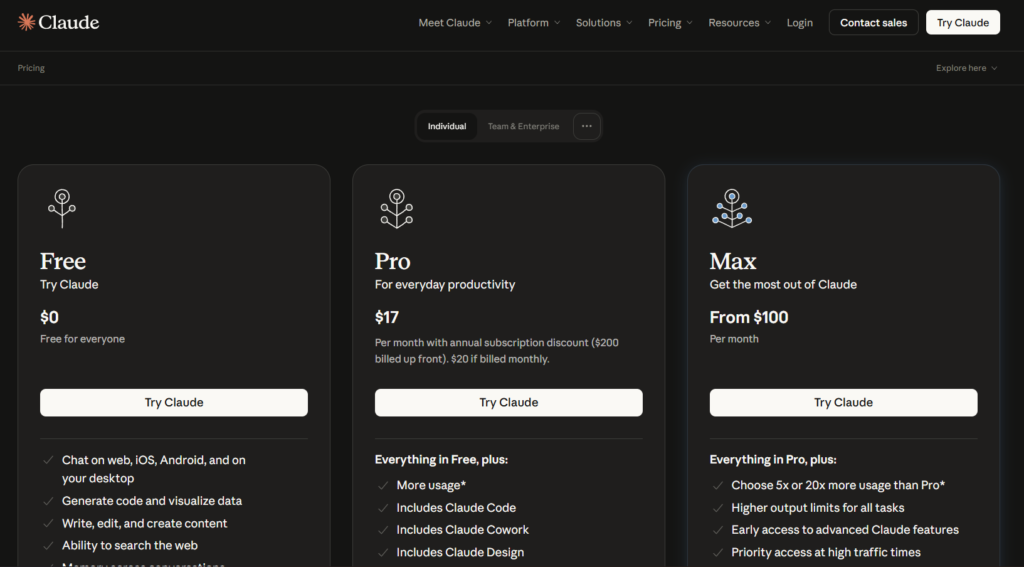
Both the mobile apps and the Chrome extension draw from the same underlying Claude account and usage allowance as the standard Claude pricing tiers, rather than being separate products with their own independent subscriptions, though browser automation specifically tends to consume usage faster than standard chat conversations.
The Broader Shift Toward Claude Leaving the Chat Window
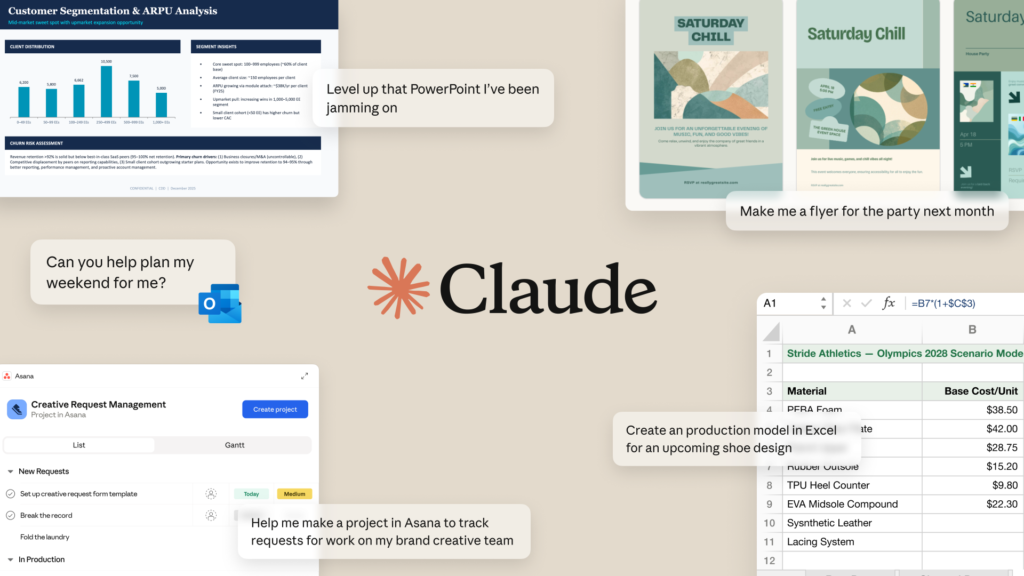
Both products reflect the same underlying direction Anthropic has been pushing throughout 2025 and 2026: moving Claude out of a single, isolated chat window and into the actual surfaces where people already spend their time, a phone, a browser, a spreadsheet. This mirrors the same philosophy behind Claude’s Microsoft 365 integrations, just applied to mobile devices and web browsing specifically instead of office documents.
This shift has real consequences for how people actually end up using the tool day to day. A user who only ever interacts with Claude through a desktop browser tab tends to reach for it for a narrower set of tasks than someone who also has it available hands-free in the car, in their pocket during a commute, or actively working alongside them while researching across a dozen open tabs.
How the Claude AI App and Chrome Extension Work?
Understanding how these different surfaces actually function helps set realistic expectations, since a browser extension and a mobile app solve genuinely different problems despite sharing the same underlying Claude models.
Mobile-Specific Features
Beyond voice mode, the mobile apps include integrated camera access for instant photo capture, useful for document scanning, translating a menu, or analyzing a whiteboard during a meeting. iOS specifically supports Siri Shortcuts for launching Claude actions with voice commands, Reminders integration, and health data analytics that let Claude analyze Apple Health data with explicit permission. Android’s equivalent advantages include home screen widgets for quicker access without fully opening the app.
Claude in Chrome’s Agentic Layer
What separates Claude in Chrome from a simple summarization extension is its ability to actually act inside your browser once granted permission, clicking buttons, filling forms, and managing multiple tabs across a multi-step workflow. This agentic browsing capability remained in beta well into 2026, and Anthropic has been notably cautious about its rollout, expanding access gradually to paid plans rather than opening it broadly all at once.
Model Access Varies by Plan
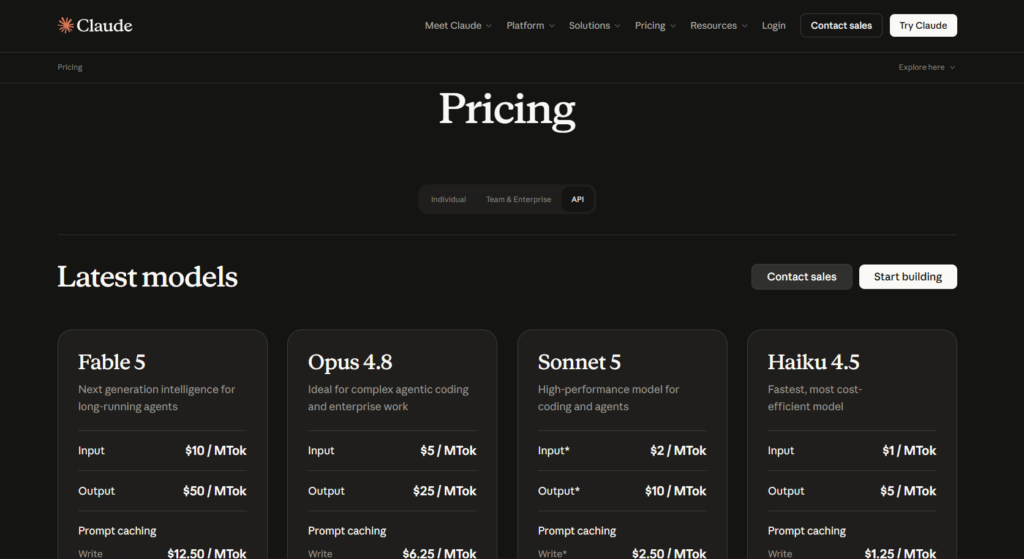
Model availability for browser automation specifically differs by plan tier in a way that catches some users off guard. Pro plan users are limited to Claude Haiku 4.5, the fastest but least capable model, for browser automation tasks specifically, while Max, Team, and Enterprise users can choose between Haiku, Sonnet, or Opus depending on task complexity. This is worth knowing before assuming your Pro subscription gives identical browser automation quality to a Max subscription.
Claude Code on Mobile
Since late 2025, Claude Code has extended into the mobile apps as well, initially launching on iOS before reaching Android, giving developers a way to review and steer coding sessions from a phone even though deep local file access still requires the desktop app. More recently, Claude Cowork has followed the same pattern, appearing in the sidebar of the mobile apps for Max subscribers first, letting users start and monitor autonomous tasks from their phone while heavier local automation continues to run on desktop.
This mobile extension of Claude Code addresses a specific, narrow use case rather than trying to replace a full development environment on a small screen. Reviewing a proposed change, approving or rejecting a diff, or checking on a long-running task’s progress while away from your desk are realistic mobile use cases, while actually writing and debugging complex code from a phone remains impractical regardless of how capable the underlying tool is.
Step-by-Step Guide to Setting Up Claude Across Devices
Here is how to get Claude properly set up across your phone, browser, and any other device you regularly use.
Step 1: Download the Official Mobile App
Search for “Claude by Anthropic” in the App Store or Google Play Store, and confirm the publisher is Anthropic before installing, since lookalike apps occasionally appear in both stores. The app is free to download and works with your existing Claude account.
Step 2: Enable Voice Mode and Test It
Once signed in, find voice mode in the app and try a short hands-free conversation. Test both push-to-talk and continuous listening options if available, since preference here varies significantly from person to person.
Step 3: Install Claude in Chrome From the Web Store
Open Google Chrome, go to the Chrome Web Store, and search for Claude, verifying Anthropic as the publisher before installing. The extension itself is free to install, though a paid plan is required to actually use its agentic browsing features.
Step 4: Start With Read-Only Use Before Granting Action Permissions
When first using Claude in Chrome, stick to having it read and summarize pages before granting it permission to click and type on your behalf. This lets you build trust in how it interprets pages before handing over more control.
Step 5: Try a Real Multi-Tab Workflow
Once comfortable, test a genuine multi-step task, researching a topic across several open tabs, filling out a repetitive form, or cross-referencing information across multiple sites. This is where the agentic layer’s real value becomes apparent compared to a simple single-page summarizer.
Step 6: Set Up Cross-Device Sync Expectations
Understand that conversations sync across the web app, mobile app, and desktop app, but the Chrome extension operates somewhat separately as a browser-specific tool. Many regular users end up running the desktop or web app for deep work sessions, the mobile app for quick access and voice interactions, and Chrome specifically for browser-based research and automation tasks.
Step 7: Monitor Usage If Running Heavy Browser Automation
Browser automation consumes your regular Claude usage allocation faster than standard chat conversations. If you are also using Claude heavily for writing, coding, or the Excel and PowerPoint integrations covered in our guide to Claude AI for business, keep an eye on whether heavy Chrome automation is pushing you toward your plan’s usage limits faster than expected.
Key Benefits of the Claude AI App
Voice mode’s shift from a Pro exclusive feature to a free one significantly expanded who can realistically use hands-free interaction with Claude, removing a cost barrier that previously limited this specific use case to paying subscribers only. This matters especially for accessibility, since hands-free interaction genuinely changes usability for people who find typing on a small screen difficult or inconvenient.
Reaching full feature parity between iOS and Android by 2026 removed a longstanding frustration where Android users historically received a noticeably weaker version of features that iOS got first. Both platforms now offer essentially identical core functionality, with only minor platform-specific advantages like Siri Shortcuts on iOS versus home screen widgets on Android differentiating the two.
Claude in Chrome’s ability to read live, authenticated pages rather than cached snapshots gives it genuine capability that a standalone chat window fundamentally cannot replicate, since it can work with content behind your existing logins without you needing to manually copy and paste that information into a separate chat.
The extension’s stated privacy boundary, reading only the visible content of pages you actively share rather than accessing saved passwords, autofill data, or browsing history, addresses a reasonable concern anyone would have before granting a browser extension this level of access. Whether this boundary holds up perfectly in every edge case is something worth watching as the feature matures out of beta.
Having Claude Code and Cowork reachable from the mobile sidebar, even in a limited capacity, changes the practical rhythm of managing longer running development tasks. Being able to check on progress or approve a change during a short break, rather than needing to be back at a full workstation, removes a specific kind of friction that previously meant tasks either had to be started and finished in one sitting or left completely unattended until returning to a desk.
Comparison Table
| Tool Name | Voice Mode | Browser Agent | Camera Integration | Monthly Cost |
|---|---|---|---|---|
| Claude AI App | Free, 5 voice options | Claude in Chrome (beta, paid plans) | Yes, iOS and Android | Free, then $20 |
| ChatGPT App | Free, Advanced Voice Mode | ChatGPT Atlas browser (Plus required) | Yes, iOS and Android | Free, then $20 |
| Gemini App | Free, Gemini Live | Native Chrome integration | Yes, iOS and Android | Free, then $19.99 |
| Perplexity App | Free, voice search | Comet browser (free standalone) | Yes, iOS and Android | Free, then $20 |
| Copilot App | Free, voice interaction | Edge-native integration | Yes, iOS and Android | Free, then $20 |
Pricing and feature availability reflect publicly listed information as of mid-2026. Browser agent products across the industry remain in active, fast-moving development, so specific capabilities and pricing structures are likely to keep shifting through the rest of the year.
Who the Claude AI App Actually Works Best For?
Professionals spending significant time on repetitive browser tasks, data extraction, form filling, or multi-site research, get the most immediate value from Claude in Chrome specifically, though heavy users should budget for Max plan pricing given how quickly browser automation consumes usage limits compared to standard chat.
Commuters, drivers, and anyone regularly in hands-occupied situations benefit meaningfully from voice mode being free across all plans, turning otherwise dead time into an opportunity for hands-free research, brainstorming, or drafting that would previously have required waiting until they were back at a keyboard.
Developers already using Claude Code for serious development work benefit from the mobile extension of that workflow, letting them review and steer coding sessions during moments away from their main workstation, even though deep local file automation still fundamentally requires the desktop environment.
Casual users primarily interested in quick questions and light research will find the standard mobile app’s core chat experience more than sufficient, without necessarily needing to explore Claude in Chrome’s more advanced agentic features, which are specifically built for a narrower, more intensive use case.
FAQ
Is the Claude AI app free to download?
Yes, the Claude mobile app is free to download on both iOS and Android, and it works with a free Claude account without requiring any payment. Free tier users get access to Claude Sonnet 5 with the app’s core features, including voice mode, which became free for all users in early 2026 after previously being a Pro exclusive. Paid plans unlock higher usage limits and additional model access, but the app itself carries no download or subscription cost on its own.
Does Claude in Chrome work on browsers other than Chrome?
As of mid-2026, Claude in Chrome is officially supported only on Google Chrome, with some reports suggesting partial compatibility with Chromium-based browsers like Microsoft Edge, though this is not consistently guaranteed across all features. It does not officially support Brave, Arc, Opera, or mobile browsers. If cross-browser compatibility matters significantly for your workflow, confirm current support directly through Anthropic’s help documentation before relying on it outside Chrome specifically.
Can Claude in Chrome access my saved passwords or browsing history?
No, according to Anthropic’s stated design, Claude in Chrome only reads the visible content of pages you actively share with it during a session, and it does not access saved passwords, autofill data, or your broader browsing history. It can, however, read the live content of pages you are already logged into, which is different from accessing your credentials directly. Users granting agentic permissions, allowing Claude to click and type on their behalf, should still exercise the same caution they would with any browser automation tool given the sensitivity of that level of access.
Does Claude Code work on mobile?
Yes, Claude Code extended into the mobile apps starting in late 2025, first on iOS and later reaching feature parity on Android, allowing developers to review and steer coding sessions from their phone. Deep local file system access and full development workflows still require the desktop application, so mobile use tends to work best for reviewing progress, approving changes, or making lighter adjustments rather than a complete substitute for a desktop development environment. Claude Cowork has since followed a similar pattern, appearing in the mobile app sidebar for Max subscribers specifically.
Why does browser automation use up my Claude usage faster than chat?
Browser automation through Claude in Chrome involves Claude actively reading page content, reasoning about next steps, and executing actions across potentially many steps within a single task, which consumes significantly more processing than a typical back and forth chat conversation. Heavy daily browser automation users on the standard Pro plan often find themselves hitting usage limits faster than expected, which is worth factoring in when deciding whether Pro or a Max plan better fits your actual usage pattern if browser automation is a core part of your workflow.
Is the Claude app better than the ChatGPT app for mobile use?
Both apps offer strong, broadly comparable core mobile experiences, including free voice modes and camera integration, with the more meaningful differences showing up in each company’s respective browser agent products rather than the base mobile apps themselves. Claude has reportedly overtaken ChatGPT in daily download numbers in the United States as of early 2026, though download volume alone does not necessarily reflect which app better fits a specific person’s actual daily workflow. Testing both directly on tasks you actually do regularly remains the most reliable way to judge which fits your specific needs better.
Final Thoughts
The Claude AI app has closed most of the gaps that once made it feel like the weaker mobile option compared to more established competitors, with free voice mode, full iOS and Android feature parity, and a genuinely capable browser extension in Claude in Chrome all arriving within a relatively tight window through 2025 and 2026. The download numbers reflect that shift, even if raw popularity is not the only metric worth trusting.
Claude in Chrome specifically remains the newest and least mature piece of this picture, still carrying a beta label and some rough edges around unusual page layouts or unexpected popups. Anyone relying on it for genuinely important, high stakes browser automation should build in some manual verification rather than assuming flawless execution every time.
The pace of change across all these surfaces has been fast enough that specific details in this guide, model access by tier, exact beta status, browser compatibility, are worth double checking against Anthropic’s current documentation if you are reading this more than a few months after publication, since this is one of the areas where Anthropic has been shipping updates most aggressively throughout 2026.
If you are already a Claude subscriber and have not tried voice mode or Claude in Chrome yet, both are worth a real test this week rather than continuing to treat Claude as a desktop-only, text-only tool.
External Links: